
Introduction
This manual provides essential information for the safe and efficient use of your Sony MXD-D2 MD Recorder/CD Player integrated deck. Please read these instructions thoroughly before operating the unit and retain them for future reference.
Safety Information
Observe the following safety precautions to prevent electric shock, fire, or damage to the unit:
- Power Source: Connect the unit only to an AC 100V, 50/60Hz power supply.
- Ventilation: Ensure adequate ventilation by not blocking the ventilation openings. Do not place the unit on soft surfaces that may block these openings.
- Moisture: Do not expose the unit to rain or moisture. Avoid placing objects filled with liquids, such as vases, on the unit.
- Foreign Objects: Do not insert any metallic objects or liquids into the unit.
- Servicing: Do not attempt to service the unit yourself. Refer all servicing to qualified personnel.
Setup
Unpacking and Placement
Carefully remove the unit from its packaging. Place the unit on a stable, level surface, ensuring sufficient space around it for proper ventilation.
Rear Panel Connections
The rear panel of the MXD-D2 provides various input and output terminals for connecting to other audio components. Refer to the image below for a visual guide to the connections.
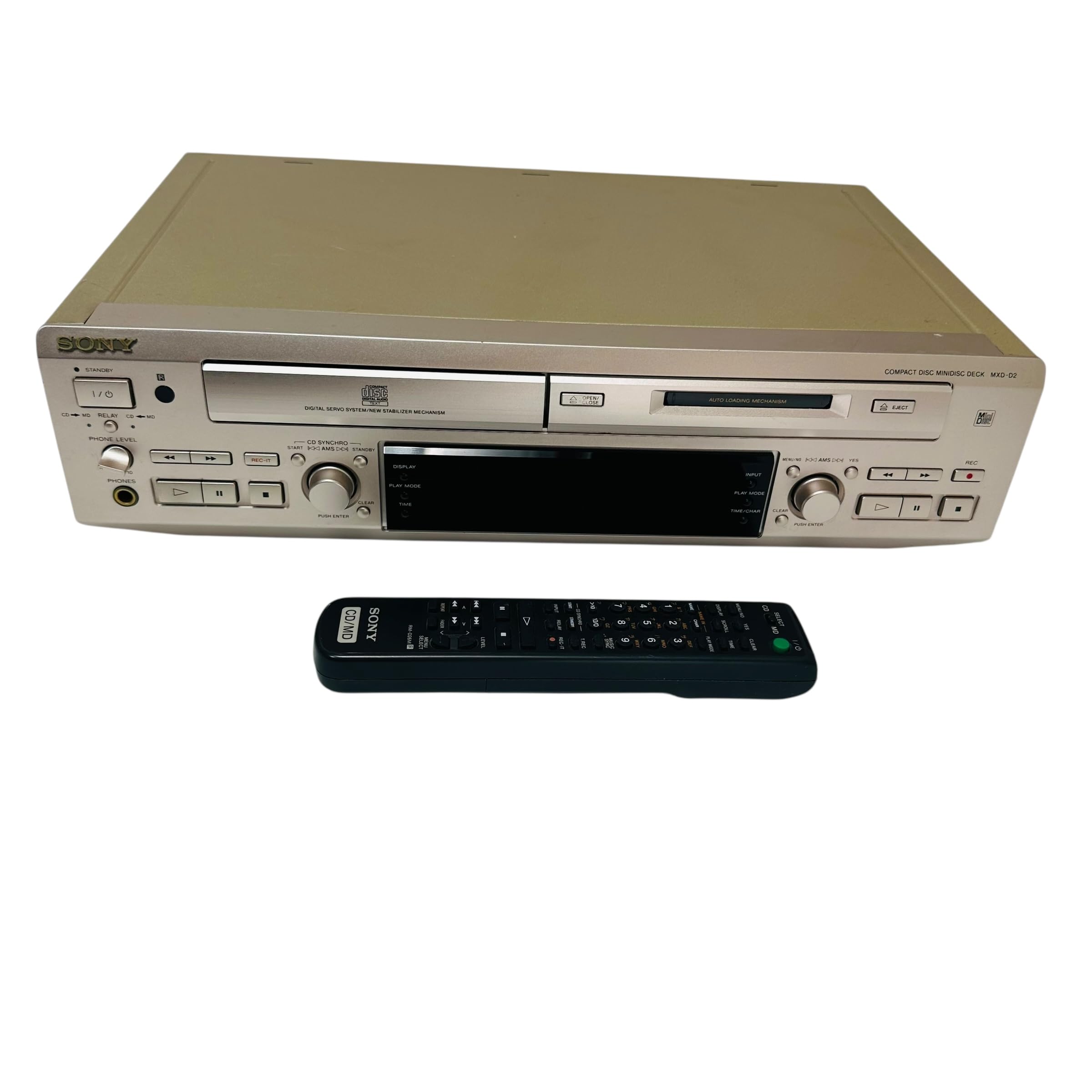
Image: Rear panel of the Sony MXD-D2 unit. This view displays the analog RCA input/output, digital coaxial input, optical input/output, and Control 1 port, along with the power cord connection and product information label.
- Analog Audio Connections: Use RCA cables to connect the ANALOG INPUT (入力) to the audio output of an external device (e.g., a tape deck or tuner). Connect the ANALOG OUTPUT (出力) to the audio input of your amplifier or receiver. Ensure left (左) and right (右) channels are matched.
- Digital Audio Connections:
- Coaxial Digital Input (コアキシャル 入力): Connect a coaxial digital cable from the digital output of an external device.
- Optical Digital Input (オプチカル 入力): Connect an optical digital cable from the digital output of an external device.
- Optical Digital Output (オプチカル 出力): Connect an optical digital cable to the digital input of an external recording device or amplifier.
- Control 1 (コントロール 1): This port is for connecting to other compatible Sony components for synchronized operation. Refer to the manuals of connected components for specific instructions.
- Power Connection: After all audio connections are made, plug the power cord into an AC 100V wall outlet.
Operating Instructions
Power On/Off
Press the POWER button on the front panel to turn the unit on or off.
CD Playback
- Press the CD OPEN/CLOSE button to open the CD tray.
- Place a CD with the label side up in the tray.
- Press the CD OPEN/CLOSE button again to close the tray.
- Press the CD PLAY button to start playback.
- Use the PAUSE, STOP, SKIP (►►| / |◄◄), and SEARCH buttons for playback control.
MD Playback
- Insert a MiniDisc into the MD slot with the arrow pointing inwards.
- Press the MD PLAY button to start playback.
- Use the PAUSE, STOP, SKIP (►►| / |◄◄), and SEARCH buttons for playback control.
MD Recording
The MXD-D2 allows recording from CD, analog, or digital sources to a MiniDisc.
- Insert a blank or erasable MiniDisc into the MD slot.
- Select the desired input source (CD, ANALOG, DIGITAL COAXIAL, or DIGITAL OPTICAL) using the INPUT SELECTOR button.
- For CD-to-MD recording, load the CD and select CD as the input source.
- Press the MD REC button to enter recording standby mode.
- Start playback on the source device (if external) or press CD PLAY (for CD-to-MD recording).
- Press MD REC again to start recording.
- Press MD STOP to end recording.
- Track Marking: The unit can automatically mark tracks during digital recording. For manual marking, press the MARK button during recording.
Maintenance
Cleaning the Unit
Wipe the exterior of the unit with a soft, dry cloth. For stubborn stains, use a cloth lightly dampened with a mild detergent solution, then wipe dry. Do not use abrasive pads, scouring powder, or solvents such as alcohol or benzene.
Disc Care
- Handle discs by their edges to avoid fingerprints on the recording surface.
- Keep discs in their cases when not in use to protect them from dust and scratches.
- Do not expose discs to direct sunlight or heat sources.
Troubleshooting
If you experience problems with your unit, consult the following table before seeking professional service.
| Problem | Possible Cause | Solution |
|---|---|---|
| No power | Power cord not connected securely. | Check that the power cord is firmly plugged into the unit and the wall outlet. |
| No sound | Incorrect input selected; audio cables not connected properly; amplifier volume too low. | Select the correct input source. Check all audio cable connections. Increase the volume on your amplifier. |
| CD/MD does not play or record | Disc inserted incorrectly; disc is dirty or scratched; disc is unrecordable (for MD). | Ensure the disc is inserted correctly. Clean the disc with a soft cloth. Use a recordable MD. |
| Recording level is too low/high | Source device output level is incorrect. | Adjust the output level on the source device or the recording level on the MXD-D2 if available. |
Specifications
| Feature | Detail |
|---|---|
| Model Number | MXD-D2 |
| Brand | Sony |
| Power Requirements | AC 100V, 16W, 50/60Hz |
| Media Formats | Compact Disc (CD), MiniDisc (MD) |
| Analog Inputs | RCA (Left/Right) |
| Analog Outputs | RCA (Left/Right) |
| Digital Inputs | Coaxial (1), Optical (1) |
| Digital Outputs | Optical (1) |
| Control Port | Control 1 |
| Compatible Devices | Speakers, Headphones |
| Serial Number | 213013 (Example) |
| Country of Origin | Made in Japan |
Warranty and Support
For warranty information and technical support, please refer to the warranty card included with your product or visit the official Sony website for your region. Keep your purchase receipt as proof of purchase.


