
Introduction
The Sonos Play:1 is a compact, yet powerful wireless smart speaker designed to deliver rich, room-filling sound. Its versatile design allows it to fit seamlessly into various spaces, from bookshelves to kitchen counters. The Sonos system provides a wireless home sound experience, enabling you to enjoy music in multiple rooms with ease. This manual provides essential information for setting up, operating, and maintaining your Sonos Play:1 speaker.

Image: Front view of the Sonos Play:1 speaker in black, showcasing its compact design and mesh grille.
Setup
Setting up your Sonos Play:1 is a straightforward process, designed for quick integration into your home sound system.
Initial Connection
- Unboxing and Power: Unpack your Play:1 speaker. Connect the provided power cord to the speaker and then to a power outlet.
- Sonos App Installation: Download the Sonos app on your compatible device (smartphone, tablet, or computer). The app provides step-by-step guidance for setup.
- Network Connection: Follow the in-app instructions to connect your Play:1 to your home Wi-Fi network. The Sonos system operates over Wi-Fi for seamless multi-room audio.

Image: Angled view of the Sonos Play:1 speaker, highlighting its sleek design and compact form factor.
Network Requirements
For optimal performance, ensure your home network meets the following requirements:
- High-speed DSL/Cable modem, or fiber-to-the-home broadband connection for proper playback of Internet-based music services. (Your Internet service provider only offers Satellite Internet access, you may experience playback issues due to fluctuating download rates.)
- If your modem is not a modem/router combination and you want to take advantage of Sonos' automatic online updates, or stream music from an Internet-based music service, you must install a router in your home network. If you do not have a router, purchase and install one before proceeding. If you are going to use the Sonos app on an Android™ or iOS device, or you are setting up Sonos wirelessly, you will need a wireless router.
Note: Sonos communicates over a 2.4GHz home network supporting 802.11 b/g/n wireless technology. 5GHz networks are not supported in a completely wireless Sonos setup.
- Connect a Sonos BRIDGE, BOOST™ or player to your router if:
- You have a larger home where the WiFi performance isn't reliable and you want to strengthen the wireless performance of your Sonos system.
- Your WiFi network is already in high demand with streaming video and web surfing and you want to create a separate wireless network exclusively for your Sonos speakers.
- Your home network is 5GHz only (not switchable to 2.4GHz).
- For best results, you should connect the computer or NAS drive that contains your personal music library collection to your home network router using an Ethernet cable.

Image: A diagram illustrating the home network requirements for setting up a Sonos system, including router and internet connection.
The Sonos App
The Sonos app is your primary control interface for the Play:1. You can use the free Sonos app with any compatible device, including:
- Sonos app (Android): Android 2.2 and higher; certain features require later versions. (Standard wireless setup is only supported on Android 2.3 or 4.0 and higher.) Touch the Play Store or Market button on your Android device to download the free Sonos app from Google Play.
- Sonos app (iOS): iPhone, iPad and iPod touch running iOS 7.0 or later; certain features may require later versions. Touch the App Store button on your iPhone, iPod touch or iPad to download the free Sonos app, or download the application from iTunes®. (If you download from iTunes, you will need to sync before you see the Sonos logo display on your device.)
- Sonos app (PC): Windows® XP SP3 and higher; certain features require later versions. (Standard wireless setup is only supported on Windows 7 and higher.)
- Sonos app (Mac): Macintosh® OS X 10.7 or later
Note: Sonos CONTROL has been discontinued, but it's compatible with your new Sonos product.
Operating Your Sonos Play:1
Once set up, your Play:1 offers various ways to enjoy your music and integrate into your home audio system.
Basic Controls
The Sonos Play:1 features intuitive controls on its top panel for quick adjustments without needing your device.

Image: Close-up of the Sonos Play:1's top panel, showing the play/pause and volume up/down buttons.
- Play/Pause: Press the play/pause button to start or stop playback.
- Volume Control: Use the volume up (+) and volume down (-) buttons to adjust the audio level.
- Skip Track: Double-tap the play/pause button to skip to the next track.

Image: A Sonos Play:1 speaker shown with text indicating that it can be controlled directly from the speaker, even without a phone nearby.
Advanced Features
- Stereo Pairing: Enhance your listening experience by pairing two Play:1 speakers in the same room for true stereo separation and a more detailed soundstage.
- Multi-Room Audio: Connect multiple Sonos speakers over Wi-Fi to create a synchronized home sound system, allowing you to play the same music throughout your home or different music in different rooms.
- Home Theater Rears: The Play:1 can be integrated into a Sonos home theater setup as rear surround speakers, providing immersive audio for movies and TV shows.
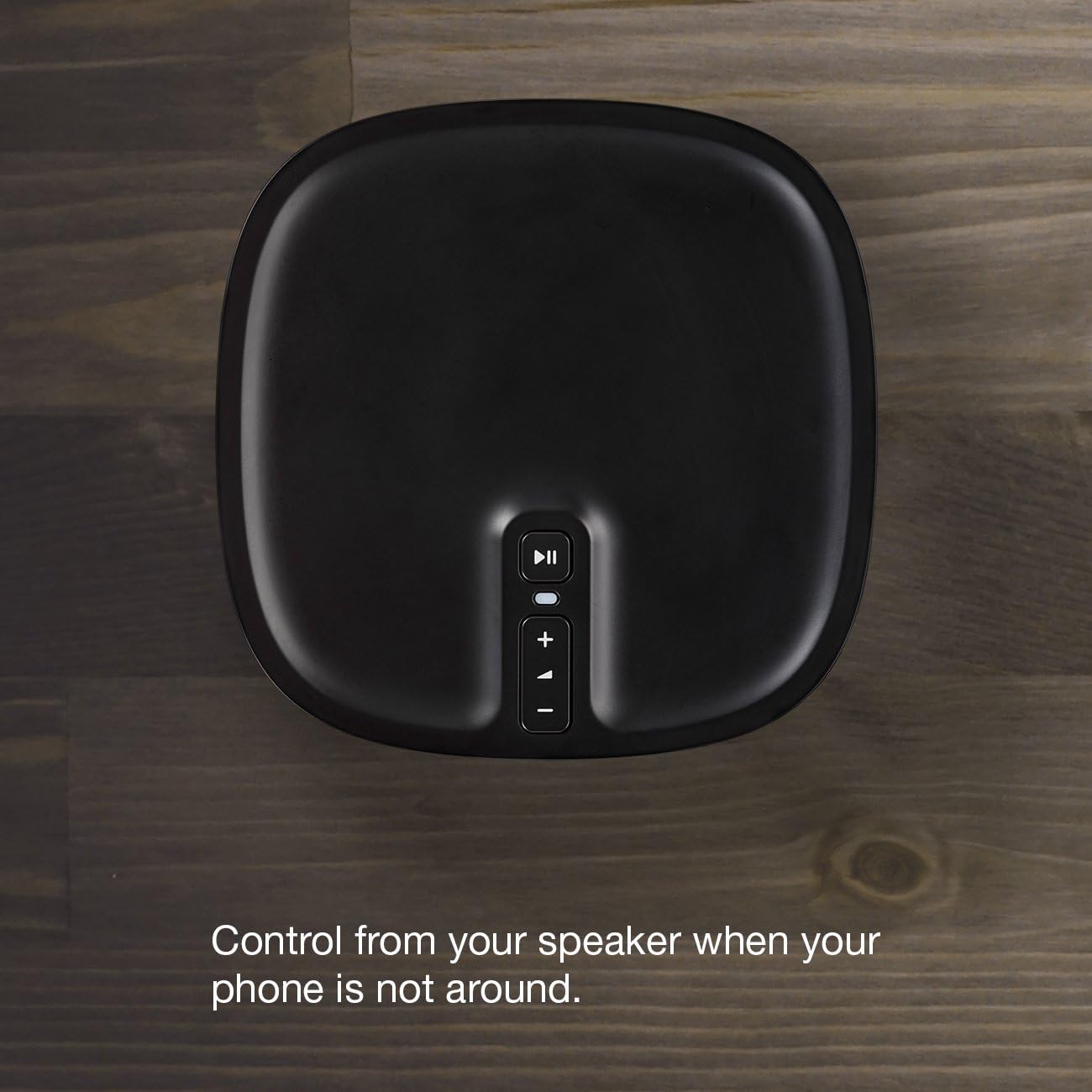
Image: Two Sonos Play:1 speakers positioned in a living room, demonstrating their use as a stereo pair or as rear speakers in a home theater system.
Voice Control Integration
The Sonos Play:1 can be controlled using voice commands when paired with compatible voice assistants like Amazon Alexa.

Image: A Sonos Play:1 speaker shown alongside an Amazon Echo Dot, illustrating its compatibility with Amazon Alexa for voice control.
Maintenance
To ensure the longevity and optimal performance of your Sonos Play:1, follow these simple maintenance guidelines:
- Cleaning: Regularly wipe the speaker with a soft, dry cloth to remove dust and fingerprints. Avoid using harsh chemicals or abrasive cleaners.
- Placement: While the Play:1 is humidity resistant, it is not waterproof. Avoid direct exposure to water or excessive moisture. Place the speaker in a stable location to prevent accidental falls.
- Ventilation: Ensure proper airflow around the speaker to prevent overheating. Do not block any ventilation openings.

Image: A Sonos Play:1 speaker placed on a wooden cart in a bathroom, emphasizing its ability to fit in various spaces and its humidity-resistant design.
Troubleshooting
If you encounter any issues with your Sonos Play:1, consider the following common troubleshooting steps:
- No Sound:
- Check if the speaker is properly plugged into a power outlet.
- Ensure the volume is not muted or set too low on the speaker or in the Sonos app.
- Verify that the correct music source is selected in the app.
- Connection Issues:
- Confirm your Wi-Fi network is active and stable.
- Restart your Wi-Fi router and the Sonos Play:1.
- Ensure the speaker is within range of your Wi-Fi router.
- If you have a large home or network congestion, consider adding a Sonos Bridge or Boost to improve network reliability.
- App Not Responding:
- Close and reopen the Sonos app.
- Ensure your device's operating system and the Sonos app are up to date.
For more detailed troubleshooting or persistent issues, refer to the comprehensive support resources available through the Sonos app or the official Sonos website.
Specifications
| Feature | Detail |
|---|---|
| Model Name | Play:1 |
| Speaker Type | Surround |
| Special Feature | Multiroom digital music systems, speaker systems |
| Recommended Uses | For Indoor Use |
| Compatible Devices | Laptop, Personal Computer, Tablet, Smartphone |
| Unit Count | 1.0 Count |
| Controller Type | Other |
| Surround Sound Channel Configuration | 1.0 |
| Color | Black |
| Included Components | Power Cord |
| Product Dimensions | 4.69"D x 4.69"W x 6.36"H |
| Item Weight | 4.1 Pounds (4.08 pounds) |
| Impedance | 4 Ohm |
| Is Waterproof | FALSE |
| Number of Items | 1 |
| Control Method | Voice |
| Wireless Communication Technology | Wi-Fi |
| Speaker Size | 6.36 Inches |
| Power Source | AC |
| Audio Driver Type | Dynamic Driver |
| Subwoofer Connectivity Technology | Wireless |
| Connectivity Protocol | Wi-Fi |
| Speaker Maximum Output Power | 10 Watts |
| Audio Output Mode | stereo |
| Mounting Type | Play, Tabletop |

Image: Diagram showing the dimensions of the Sonos Play:1 speaker (6.36" H x 4.69" W x 4.69" D).
Warranty and Support
Your Sonos Play:1 comes with a manufacturer's warranty to cover defects in materials and workmanship.
- Warranty Period: The warranty type is listed as "12", typically indicating a 12-month warranty from the date of purchase. Please refer to your purchase documentation or the official Sonos website for specific warranty terms and conditions.
- Official Documentation:
- Installation Manual (PDF): View Installation Manual
- User Manual (PDF): View User Manual
- Customer Support: For technical assistance, product registration, or warranty claims, please visit the official Sonos support website or contact their customer service directly.


