
1. Product Overview
The DEWALT 20V MAX* Cordless Drill/Driver Kit (DCD771C2) is engineered for efficiency and versatility, allowing users to complete various tasks in confined spaces. This compact drill/driver features a high-performance motor and a 2-speed transmission, delivering up to 300 Unit Watts Out (UWO) of power. The kit includes two 20V MAX* batteries, a charger, and a durable storage bag for convenient portability and organization.

Image: The complete DEWALT 20V Max Cordless Drill/Driver Kit, including the drill, two batteries, a charger, and a black and yellow carrying bag.
Key Features:
- Compact, Lightweight Design: Allows access into tight areas for various applications.
- High Performance Motor: Delivers 300 Unit Watts Out (UWO) of power for a wide range of drilling and fastening tasks.
- High Speed Transmission: Provides two speed settings (0-450 & 1,500 rpm) for optimized performance across different applications.
- 1/2-inch Single Sleeve Ratcheting Chuck: Ensures strong bit gripping strength for secure operation.
- Ergonomic Handle: Designed for enhanced user comfort and control during extended use.
- Integrated LED Light: Illuminates the work area for improved visibility in dimly lit conditions.
2. Components Included
Your DEWALT DCD771C2 kit includes the following components:
- (1) DCD771 Drill/Driver
- (2) 20V MAX* Lithium-Ion Batteries (1.3Ah)
- (1) Compact Charger (DCB107)
- (1) Contractor Bag

Image: A visual representation of all items included in the DCD771C2 kit: the drill, two 20V MAX* batteries, the DCB107 charger, and the contractor bag.
3. Setup
3.1 Battery Charging
Before first use, fully charge the battery. Insert the battery pack into the charger. The red indicator light will flash, indicating charging is in progress. A solid red light indicates a full charge. Refer to the charger's manual for detailed charging instructions and error codes.

Image: The DEWALT DCB107 Compact Charger, used for charging 20V MAX* Lithium-Ion batteries.
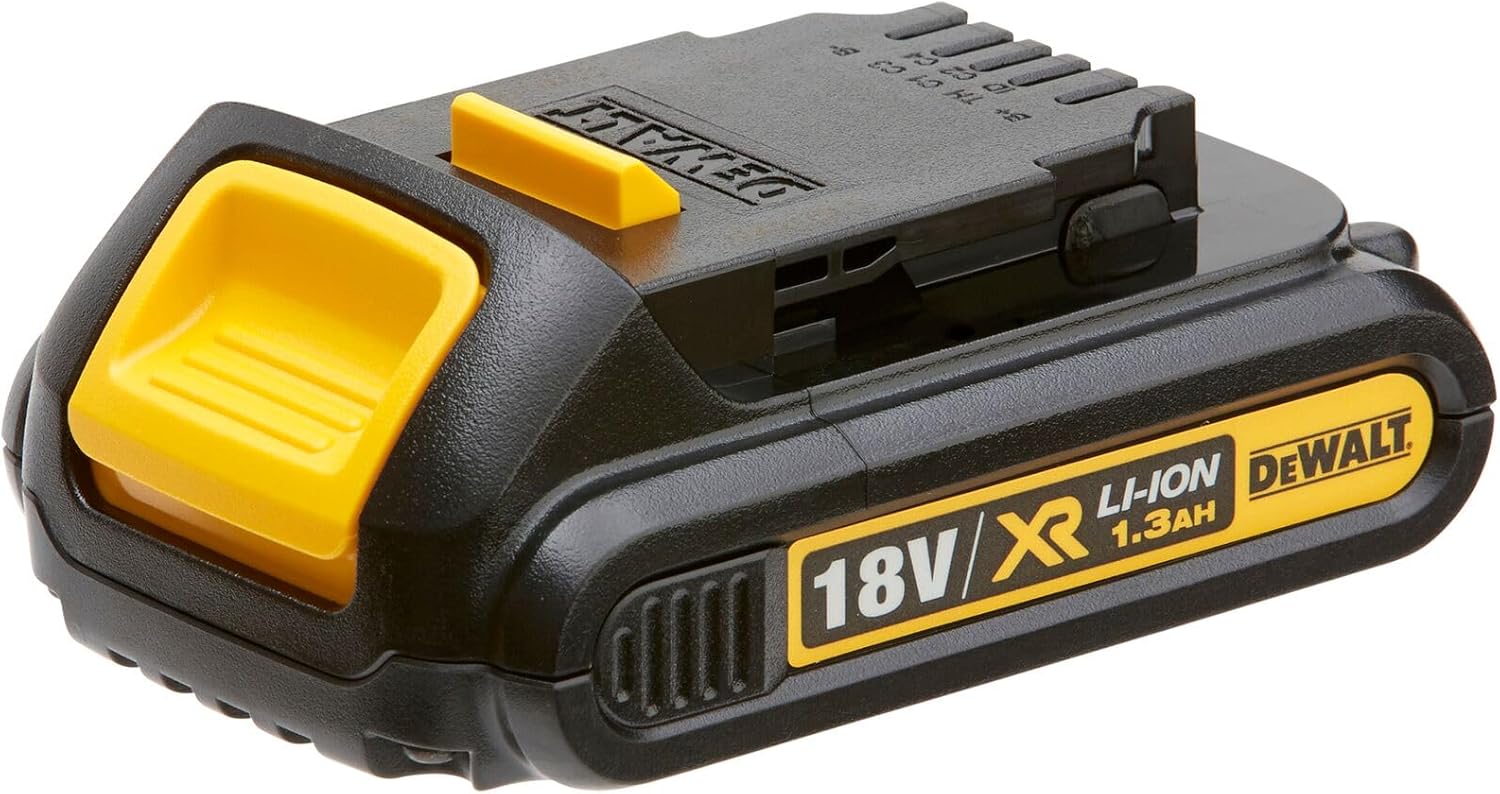
Image: A DEWALT 20V MAX* Lithium-Ion battery, showing its compact design and voltage rating.
3.2 Battery Installation and Removal
To install the battery, align the battery pack with the tool's handle and slide it in until it clicks securely into place. To remove, press the release button on the battery pack and pull it out of the tool's handle.

Image: A close-up view of the drill's ergonomic handle with a 20V MAX* battery attached, illustrating the comfortable grip.
3.3 Bit Installation
To install a drill bit or driver bit, twist the chuck counter-clockwise to open the jaws. Insert the bit fully into the chuck, then twist the chuck clockwise to tighten the jaws securely around the bit. Ensure the bit is centered and firmly gripped before operation.
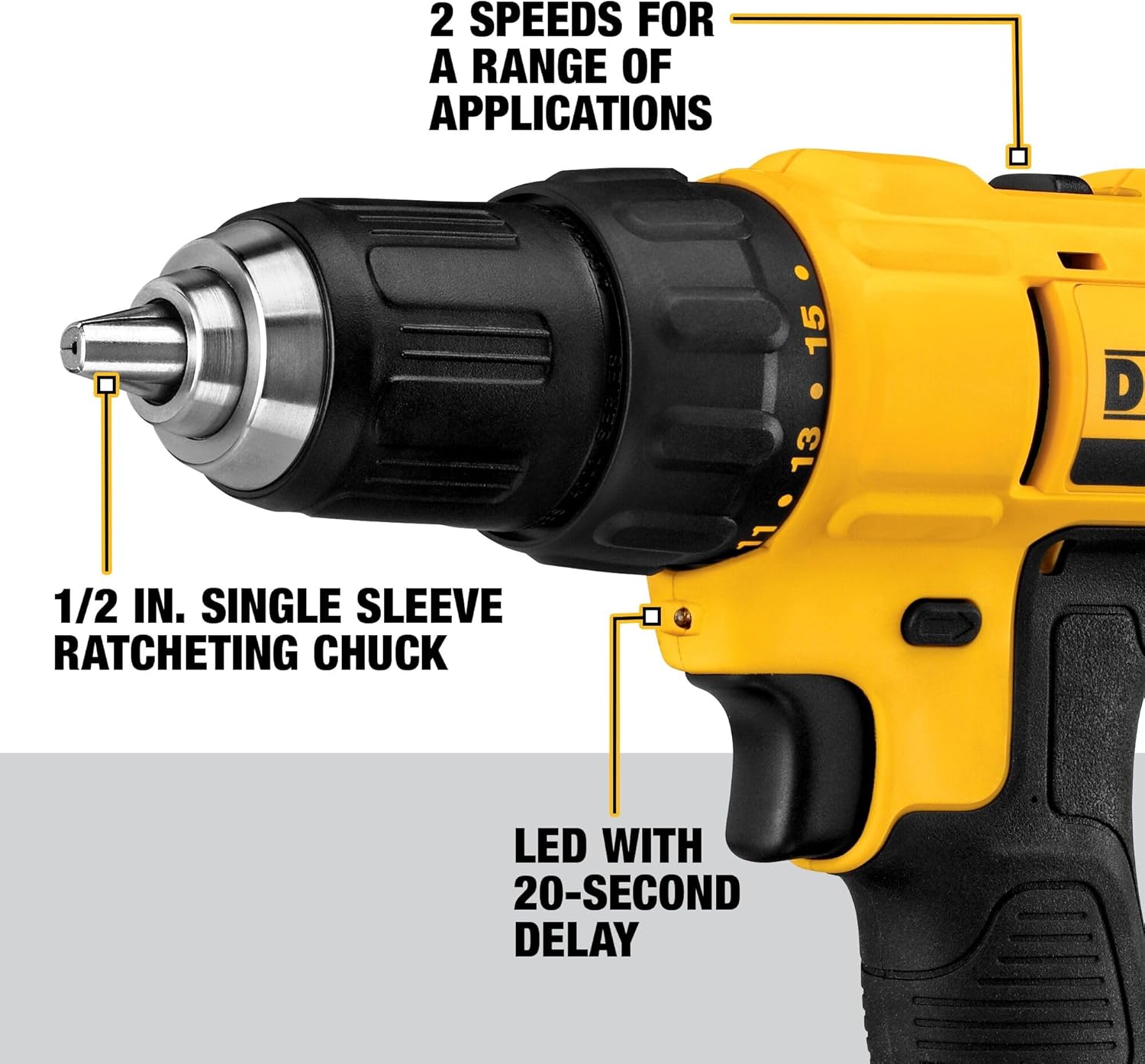
Image: A detailed view of the drill's 1/2-inch single sleeve ratcheting chuck and the two-speed selector switch located on top of the tool.
4. Operating Instructions
4.1 Speed Selection
The drill features a two-speed transmission for optimal performance. Use speed 1 (0-450 RPM) for high torque applications, such as driving screws or drilling large holes. Use speed 2 (0-1,500 RPM) for high-speed drilling applications.
Image: A detailed view of the drill's 1/2-inch single sleeve ratcheting chuck and the two-speed selector switch located on top of the tool.
4.2 Trigger and LED Light
Depress the trigger to activate the drill. The integrated LED light will illuminate the work surface for 20 seconds after the trigger is released, providing enhanced visibility in dark areas. The direction of rotation (forward/reverse) is controlled by the switch above the trigger.

Image: A person using the DEWALT drill to fasten a screw in a tight, overhead space, demonstrating the utility of the compact design and the integrated LED light.
4.3 Applications
The DCD771C2 is suitable for a variety of drilling and fastening applications in materials such as wood, metal, and masonry. Its compact size makes it ideal for working in confined spaces.

Image: A person using the DEWALT drill to create a hole in a wooden beam, showcasing its power in lumber applications.

Image: The DEWALT drill being used in a tight, elevated space, demonstrating its compact and lightweight design for accessibility.
5. Maintenance
Regular maintenance ensures the longevity and optimal performance of your DEWALT drill/driver.
- Cleaning: Use a clean, dry cloth to wipe dirt, dust, and oil from the tool. Do not use solvents or harsh chemicals.
- Ventilation Slots: Keep the ventilation slots clear to prevent overheating. Use compressed air to clear debris if necessary.
- Battery Care: Store batteries in a cool, dry place away from direct sunlight. Do not store fully discharged batteries for extended periods.
- Chuck Maintenance: Periodically clean the chuck jaws to ensure proper gripping of bits.
6. Troubleshooting
If you encounter issues with your drill/driver, refer to the following common troubleshooting steps:
- Tool Does Not Start:
- Ensure the battery pack is fully charged and properly inserted.
- Check if the forward/reverse button is in the center (locked) position.
- Battery Not Charging:
- Verify the charger is properly plugged into a working outlet.
- Check for any debris in the battery or charger terminals.
- Ensure the battery is not too hot or too cold; allow it to reach room temperature.
- Reduced Power/Performance:
- The battery may need recharging.
- Ensure the correct speed setting is selected for the task.
- Check if the drill bit is dull or damaged and replace if necessary.
For persistent issues, contact DEWALT customer support or refer to the full user manual.
7. Specifications
| Brand | DEWALT |
| Model Number | DCD771C2 |
| Power Source | Battery Powered |
| Voltage | 20 Volts (MAX*) |
| Maximum Rotational Speed | 1500 RPM |
| Amperage | 1.3 Amps |
| Maximum Chuck Size | 0.5 Inches |
| Maximum Power | 300 Unit Watts Out (UWO) |
| Item Weight | 3.6 Pounds |
| Product Dimensions | 13.88"L x 9.88"W x 4.25"H |
| Battery Cell Type | Lithium Ion |
| Number of Speeds | 2 |
*Maximum initial battery voltage (measured without a workload) is 20 volts. Nominal voltage is 18 volts.
8. Warranty Information
The DEWALT DCD771C2 Cordless Drill/Driver Kit comes with a 3 Year Limited Warranty. This warranty covers defects in materials and workmanship. For full details regarding warranty coverage, terms, and conditions, please refer to the official warranty statement included with your product or visit the DEWALT official website.
9. Support and Additional Resources
For further assistance, detailed diagrams, or specific safety information, please consult the official PDF documents provided by DEWALT:
You can also visit the official DEWALT website for product registration, service center locations, and additional support resources.


