1. Introduction
Thank you for choosing the Grundig Aluminum 12 LED Flashlight, model 34582. This manual provides essential information for the safe and efficient use of your new flashlight. Please read these instructions carefully before use and retain them for future reference.
This flashlight is designed for both outdoor and indoor use, providing reliable illumination with its 12 LED light source and durable aluminum construction.
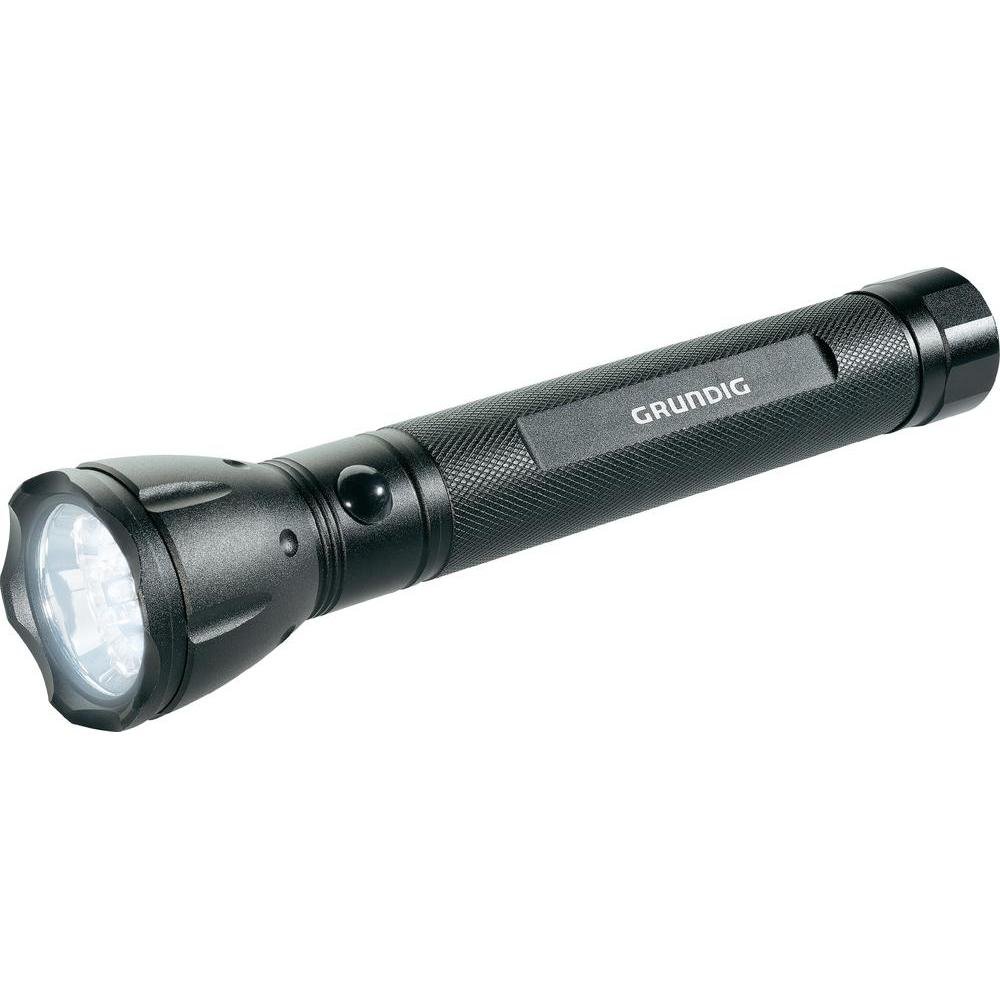
Figure 1: Grundig Aluminum 12 LED Flashlight (Model 34582). This image displays the flashlight's robust aluminum body and the front end where the 12 LED light source is located.
2. Setup
2.1 Battery Installation
The Grundig 12 LED Flashlight requires three (3) D-size batteries for operation. Batteries are not included with the product and must be purchased separately.
- Unscrew the tail cap of the flashlight by turning it counter-clockwise.
- Insert three D-size batteries into the battery compartment, ensuring the correct polarity (+/-) as indicated inside the flashlight. Typically, the positive (+) end of the battery faces towards the flashlight head.
- Carefully screw the tail cap back on by turning it clockwise until it is securely tightened. Avoid over-tightening.
Important: Always use fresh batteries of the same type and brand. Do not mix old and new batteries, or different types of batteries, as this can lead to leakage or damage to the flashlight.
3. Operation
3.1 Turning On/Off
To turn the flashlight ON, press the power button located on the tail cap or body of the flashlight (depending on the specific design). Press the button again to turn the flashlight OFF.
3.2 General Use
Point the flashlight in the desired direction to illuminate an area. The 12 LED light source provides a bright and consistent beam suitable for various tasks.
4. Maintenance
4.1 Cleaning
- Wipe the exterior of the flashlight with a soft, damp cloth.
- Do not use abrasive cleaners or solvents, as these may damage the aluminum finish.
- Ensure the flashlight is dry before storing or using.
4.2 Battery Replacement and Storage
- If the light becomes dim or the flashlight stops working, replace all three D-size batteries as described in the "Battery Installation" section.
- Remove batteries if the flashlight will not be used for an extended period to prevent leakage and potential damage.
- Store the flashlight in a cool, dry place away from direct sunlight and extreme temperatures.
5. Troubleshooting
| Problem | Possible Cause | Solution |
|---|---|---|
| Flashlight does not turn on. |
|
|
| Light is dim or flickers. |
|
|
If you encounter problems not listed here or if the suggested solutions do not resolve the issue, please contact Grundig customer support for further assistance.
6. Specifications
| Model Number | 34582 |
| Brand | Grundig |
| Light Source Type | LED (12 LEDs) |
| Material | Aluminum |
| Power Source | Battery |
| Batteries Required | 3 x D-size batteries (not included) |
| Specific Use Instructions | For outdoor and indoor use. |
| Package Dimensions | 37.59 x 15.24 x 5.08 cm; 362.87 g |
| First Available Date | August 23, 2013 |
| GTIN | 08711252345826 |
7. Warranty and Support
7.1 Warranty Information
Specific warranty details for the Grundig Aluminum 12 LED Flashlight (Model 34582) may vary by region and retailer. Please refer to the warranty card included with your product or contact your point of purchase for detailed warranty terms and conditions. Keep your proof of purchase for any warranty claims.
7.2 Customer Support
For technical assistance, troubleshooting, or general inquiries regarding your Grundig flashlight, please visit the official Grundig website or contact their customer service department. Contact information can typically be found on the product packaging or the Grundig official website.
Note: The product reviews mention issues with battery contact springs. If you experience this, ensure the spring is properly positioned. If the issue persists, contact support.