
1. Introduction
This manual provides detailed instructions for the setup, operation, and maintenance of your Memorex MD6451 Portable CD Player. Please read this manual thoroughly before using the device to ensure proper function and to maximize your listening experience. Keep this manual for future reference.
2. Package Contents
Verify that all items listed below are present in your package:
- Memorex MD6451 Portable CD Player
- Stereo Earbuds
- In-line Remote Control
- Power Cord (for DC jack)
3. Product Overview
The Memorex MD6451 is a portable CD player designed for personal audio playback. It supports standard audio CDs, CD-R, and CD-RW discs. Key features include 60-second skip protection, programmable CD memory, and a bass boost system for enhanced audio.
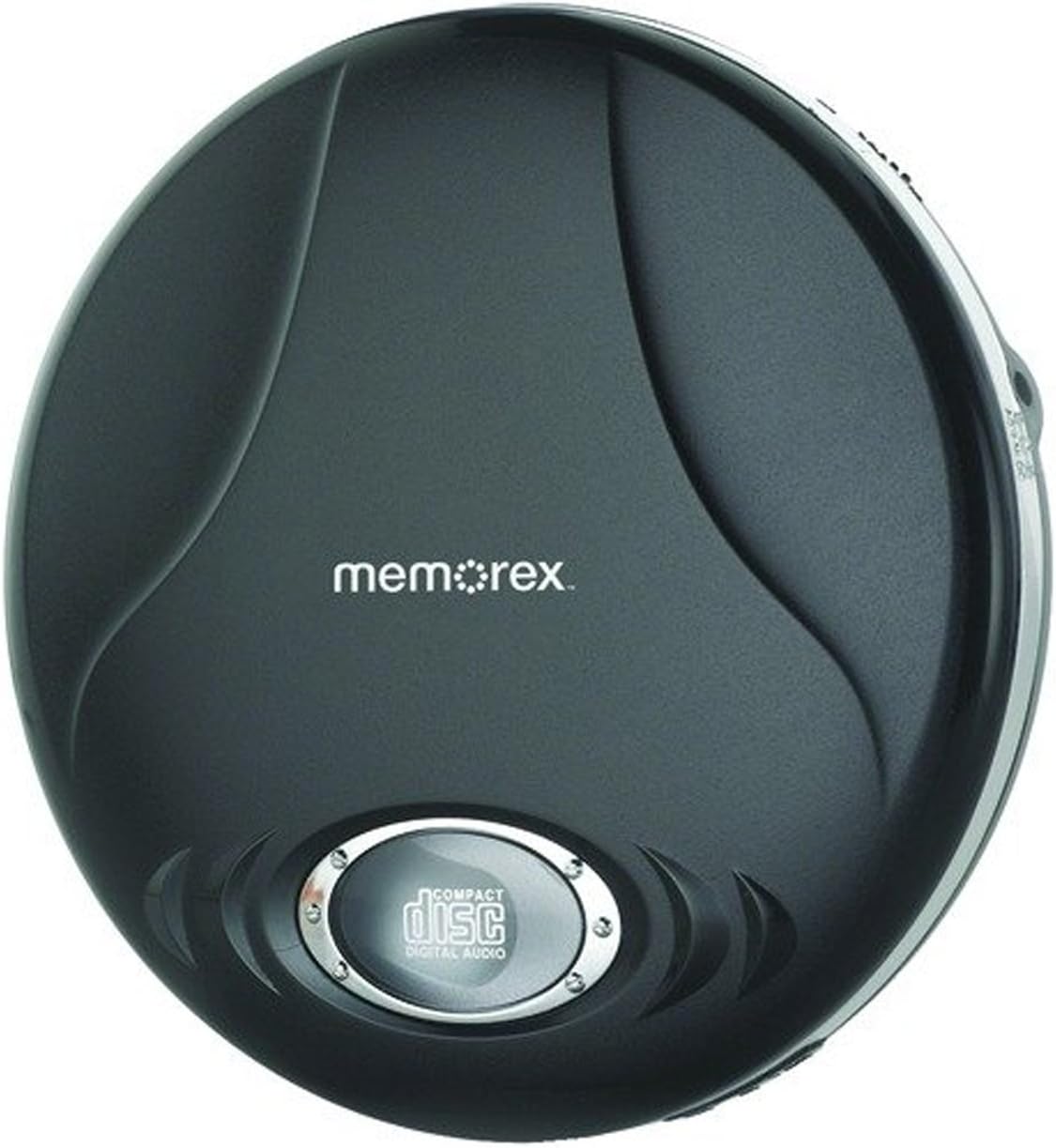
Figure 3.1: Memorex MD6451 Portable CD Player. This image displays the Memorex MD6451 Portable CD Player in its closed, black casing. The 'memorex' logo is centered on the top surface, and a circular window at the bottom shows the 'compact disc digital audio' emblem, indicating the disc tray area.
3.1. Controls and Connections
Familiarize yourself with the various controls and connection points on your CD player:
- CD Compartment: For inserting audio CDs.
- Play/Pause Button: Initiates or pauses disc playback.
- Stop Button: Halts disc playback.
- Skip/Search Buttons: Navigates between tracks or fast-forwards/rewinds within a track.
- Volume Control: Adjusts audio output level.
- Bass Boost Switch: Activates or deactivates bass enhancement.
- Program Button: Used for programming track order.
- Mode Button: Selects playback modes (e.g., repeat, random).
- 3.5mm Headphone Jack: Connects stereo earbuds or headphones.
- Line Out Port: Connects to external audio systems (e.g., home stereo, car audio).
- DC Jack: For connecting the external power cord.
4. Setup
4.1. Powering the CD Player
The Memorex MD6451 can be powered by batteries or an external power adapter.
- Battery Installation: Open the battery compartment on the underside of the player. Insert two (2) AA-size batteries (not included), ensuring correct polarity (+/-). Close the compartment securely.
- AC Power: Connect the provided power cord to the DC jack on the player and plug the other end into a standard electrical outlet.
4.2. Connecting Earbuds/Headphones
Insert the stereo earbuds or your preferred headphones into the 3.5mm headphone jack on the side of the player.
4.3. Inserting a CD
- Gently press the OPEN button or slide the latch to open the CD compartment lid.
- Place an audio CD (CD, CD-R, or CD-RW) onto the center spindle with the label side facing up.
- Press down gently on the center of the disc until it clicks into place.
- Close the CD compartment lid firmly until it latches.
5. Operation
5.1. Basic Playback
- Ensure the player is powered and a CD is inserted.
- Press the PLAY/PAUSE button to begin playback. The track number and elapsed time will display.
- Adjust the volume using the volume control.
- To pause playback, press the PLAY/PAUSE button again. Press it once more to resume.
- To stop playback, press the STOP button.
5.2. Navigating Tracks
- Press the SKIP FORWARD button (>>|) to advance to the next track.
- Press the SKIP BACKWARD button (|<<) once to restart the current track, or twice to go to the previous track.
- Press and hold >>| to fast-forward within a track.
- Press and hold |<< to rewind within a track.
5.3. Programmable CD Memory
You can program the player to play tracks in a specific order.
- While the player is stopped, press the PROGRAM button. The display will show "P01".
- Use the SKIP FORWARD or SKIP BACKWARD buttons to select the desired first track.
- Press PROGRAM again to confirm the selection. The display will show "P02".
- Repeat steps 2 and 3 to add more tracks to your program list.
- After programming all desired tracks, press the PLAY/PAUSE button to start playback of the programmed sequence.
5.4. Bass Boost System
To enhance the bass frequencies, locate the BASS BOOST switch on the player and slide it to the ON position. Slide it to OFF to disable the feature.
5.5. 60-Second Skip Protection
The player features a 60-second electronic skip protection system. This buffer stores audio data to prevent interruptions during minor shocks or vibrations. While effective, severe or prolonged movement may still cause playback to skip.
5.6. Using the Line Out Port
The Line Out port allows you to connect your MD6451 to an external audio system, such as a home stereo receiver or car audio input, using a standard 3.5mm audio cable (not included). This bypasses the player's internal amplifier and volume control, relying on the external system's controls for volume adjustment.
5.7. Using the In-line Remote Control
The included in-line remote control provides convenient access to basic playback functions without needing to access the player directly. Connect the remote to the headphone jack, then plug your earbuds into the remote's jack. The remote typically includes buttons for Play/Pause, Stop, and Skip/Search.
6. Maintenance
6.1. Cleaning the Unit
Wipe the exterior of the player with a soft, dry cloth. Do not use abrasive cleaners or solvents. For the optical lens inside the CD compartment, use a specialized CD lens cleaning kit if necessary, following its instructions carefully.
6.2. Battery Care
- Remove batteries if the player will not be used for an extended period to prevent leakage.
- Do not mix old and new batteries, or different types of batteries.
- Dispose of used batteries responsibly according to local regulations.
6.3. Disc Care
Handle CDs by their edges. Clean discs with a soft, lint-free cloth, wiping from the center outwards. Avoid scratching the disc surface.
7. Troubleshooting
If you encounter issues with your Memorex MD6451, refer to the following common problems and solutions:
| Problem | Possible Cause | Solution |
|---|---|---|
| Player does not power on. | No batteries or dead batteries. Power cord not connected or faulty. | Insert fresh AA batteries with correct polarity. Ensure power cord is securely connected to both player and outlet. |
| No sound. | Volume too low. Headphones not connected properly. Faulty headphones. | Increase volume. Ensure headphones are fully plugged into the 3.5mm jack. Test with different headphones. |
| Disc skips frequently. | Disc is dirty or scratched. Player is subjected to excessive movement. Batteries are low. | Clean the disc with a soft cloth. Ensure the player is on a stable surface. Replace with fresh batteries or use AC power. |
| CD does not play. | Disc inserted incorrectly. Disc is not an audio CD (e.g., data CD). Disc is severely damaged. | Ensure disc is inserted label-side up and compartment is closed. Verify the disc is a standard audio CD, CD-R, or CD-RW. Try a different, known-good audio CD. |
8. Specifications
| Feature | Detail |
|---|---|
| Model Number | MD6451 |
| Supported Disc Formats | CD, CD-R, CD-RW |
| Skip Protection | 60 seconds |
| Connectivity | 3.5mm Headphone Jack, Line Out Port, DC Jack |
| Power Source | 2 x AA Batteries (not included), External DC Power (via power cord) |
| Dimensions (L x W x H) | 5 x 5 x 2 inches (approximately) |
| Item Weight | 8.8 ounces (approximately) |
| Special Features | Portable, Bass Boost System, Programmable CD Memory |
| Included Components | Stereo Earbuds, In-line Remote, Power Cord |
9. Warranty and Support
For warranty information or technical support, please refer to the documentation included with your purchase or contact Memorex customer service directly. Keep your proof of purchase for warranty claims.
Note: Specific warranty terms and conditions may vary by region and retailer.


