1. Introduction
This manual provides essential instructions for the proper use and maintenance of your UGREEN Adapter P1 2.5mm Female to P2 3.5mm Male. This adapter is designed to convert a 2.5mm audio jack to a standard 3.5mm audio plug, enabling compatibility between devices with different audio port sizes. Please read this manual thoroughly before use to ensure optimal performance and longevity of the product.

Image 1.1: The UGREEN 2.5mm Female to 3.5mm Male Audio Adapter, showing both the female jack and male plug ends.
2. Product Overview
The UGREEN audio adapter facilitates the connection of devices with a 2.5mm audio output (such as older mobile phones, some headsets, or specific audio equipment) to devices with a 3.5mm audio input (like modern smartphones, tablets, car stereos, or standard headphones). It features a compact design for portability and gold-plated connectors for enhanced signal transfer and durability.

Image 2.1: A visual representation of the adapter, clearly labeling the 2.5mm female input and the 3.5mm male output.
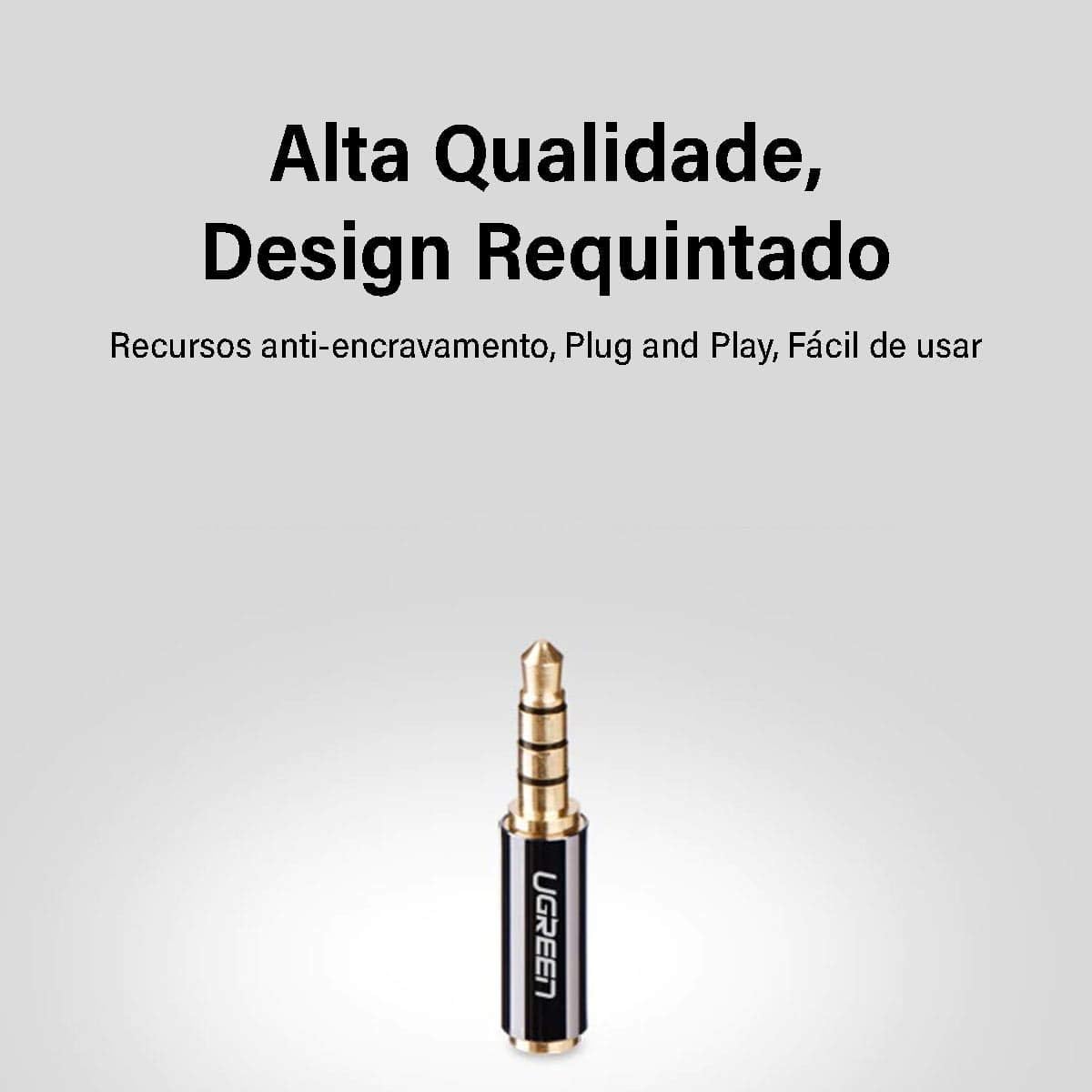
Image 2.2: Detailed view of the 3.5mm male plug, designed for insertion into a 3.5mm audio jack.

Image 2.3: Detailed view of the 2.5mm female jack, where a 2.5mm audio plug is inserted.
3. Setup Instructions
The UGREEN adapter is designed for simple plug-and-play functionality. No drivers or software installation are required.
- Identify Ports: Locate the 2.5mm audio output port on your source device (e.g., an older phone or headset) and the 3.5mm audio input port on your target device (e.g., a modern smartphone, speaker, or car stereo).
- Connect Source Device: Insert the 2.5mm male plug from your source device (e.g., headset cable) firmly into the 2.5mm female jack of the UGREEN adapter.
- Connect Target Device: Insert the 3.5mm male plug of the UGREEN adapter firmly into the 3.5mm female input port of your target device.
- Verify Connection: Ensure both connections are secure to prevent audio interruptions or poor sound quality.

Image 3.1: An illustration demonstrating the connection of the adapter to a mobile device and various audio output devices like earphones and headphones.
4. Operating Instructions
Once the adapter is correctly connected between your audio source and output device, audio will be transmitted automatically. No further operational steps are required for the adapter itself.
- Ensure the volume on both your source and target devices is adjusted appropriately.
- For optimal audio quality, avoid excessive bending or twisting of the adapter or connected cables.

Image 4.1: A close-up view highlighting the 24K gold-plated connectors, which help ensure high-fidelity audio transmission and corrosion resistance.
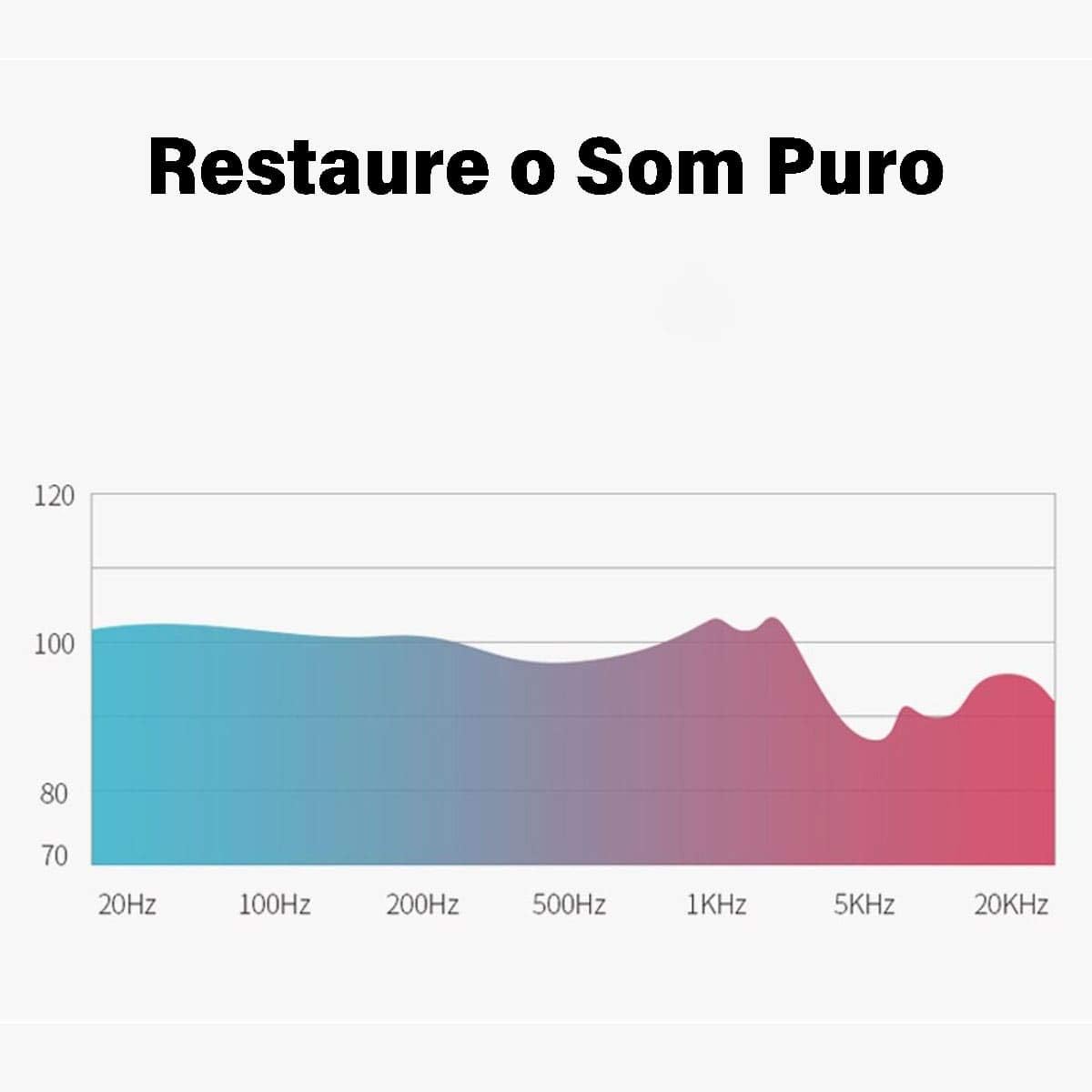
Image 4.2: A graph depicting the adapter's capability to restore pure sound across various frequencies, indicating minimal signal degradation.

Image 4.3: Visual representation of clear and noise-free sound transmission, highlighting the adapter's Hi-Fi technology and interference resistance.
5. Maintenance
To ensure the longevity and optimal performance of your UGREEN adapter, follow these simple maintenance guidelines:
- Cleaning: Use a soft, dry cloth to gently wipe the adapter. Avoid using liquid cleaners, solvents, or abrasive materials, as these can damage the connectors or casing.
- Storage: Store the adapter in a cool, dry place away from direct sunlight, extreme temperatures, and high humidity.
- Handling: Avoid excessive force when plugging or unplugging the adapter. Do not pull on the cable if it is connected to the adapter; always grasp the adapter body. Prevent bending or twisting the connectors, which can lead to internal damage.
6. Troubleshooting
If you encounter issues with your UGREEN adapter, please refer to the following common problems and solutions:
- No Sound or Intermittent Sound:
- Ensure all connections (2.5mm plug to adapter, adapter to 3.5mm jack) are fully inserted and secure.
- Check the volume levels on both your audio source device and your audio output device.
- Test the adapter with different audio cables and devices to isolate whether the issue is with the adapter, the cables, or the devices themselves.
- Confirm that the 2.5mm and 3.5mm ports on your devices are functioning correctly by testing them with other compatible accessories.
- Poor Sound Quality (Static, Distortion):
- Ensure connections are clean and free of dust or debris.
- Avoid placing the adapter near sources of electromagnetic interference (e.g., power cables, Wi-Fi routers).
- Test with different audio files or sources to rule out issues with the audio content itself.
If the problem persists after trying these steps, please contact UGREEN customer support for further assistance.
7. Specifications
| Feature | Detail |
|---|---|
| Model Number | V28-ACBUGN20502 |
| Connector Type | Auxiliary (2.5mm Female to 3.5mm Male) |
| Compatible Devices | Headphone, Speaker, Tablet, Smartphones with 3.5mm jack |
| Color | Black |
| Product Dimensions | 0.7 x 6.8 x 11.4 cm (approximate) |
| Item Weight | 0.02 Kilograms (20g) |
| Finish Type | Matte |
| Number of Ports | 2 (1 input, 1 output) |
| Country of Origin | China |
8. Warranty and Support
Warranty: This UGREEN adapter comes with a Lifetime Warranty. Please retain your proof of purchase for warranty claims.
Customer Support: For technical assistance, warranty inquiries, or further information, please visit the official UGREEN website or contact their customer service department through the contact information provided with your purchase or on their website.