
Introduction
The Adesso AKB-132UB Multimedia Desktop Keyboard is designed to enhance your computing experience with its 104-key layout and integrated multimedia and internet hotkeys. This keyboard features quiet membrane key switches for a comfortable and responsive typing experience. It connects to your computer via a USB interface.
Package Contents
Please verify that all items are present in your package:
- Adesso AKB-132UB Multimedia Desktop Keyboard
- Quick Start Guide
Setup
- Power Off Your Computer: For optimal installation, it is recommended to power off your computer before connecting the keyboard.
- Connect the USB Cable: Locate an available USB port on your computer. Plug the USB connector of the Adesso AKB-132UB keyboard firmly into the USB port. Note: Some USB keyboards may be sensitive to the specific port used. If the keyboard does not function, try a different USB port, preferably one directly on the computer's motherboard (e.g., at the back of a desktop PC) rather than a USB hub.
- Power On Your Computer: Turn on your computer. The operating system should automatically detect and install the necessary drivers for the keyboard.
- Verify Functionality: Once the drivers are installed, test the keyboard by typing in a text editor or navigating your system. The Num Lock, Caps Lock, and Scroll Lock indicator lights should function correctly.
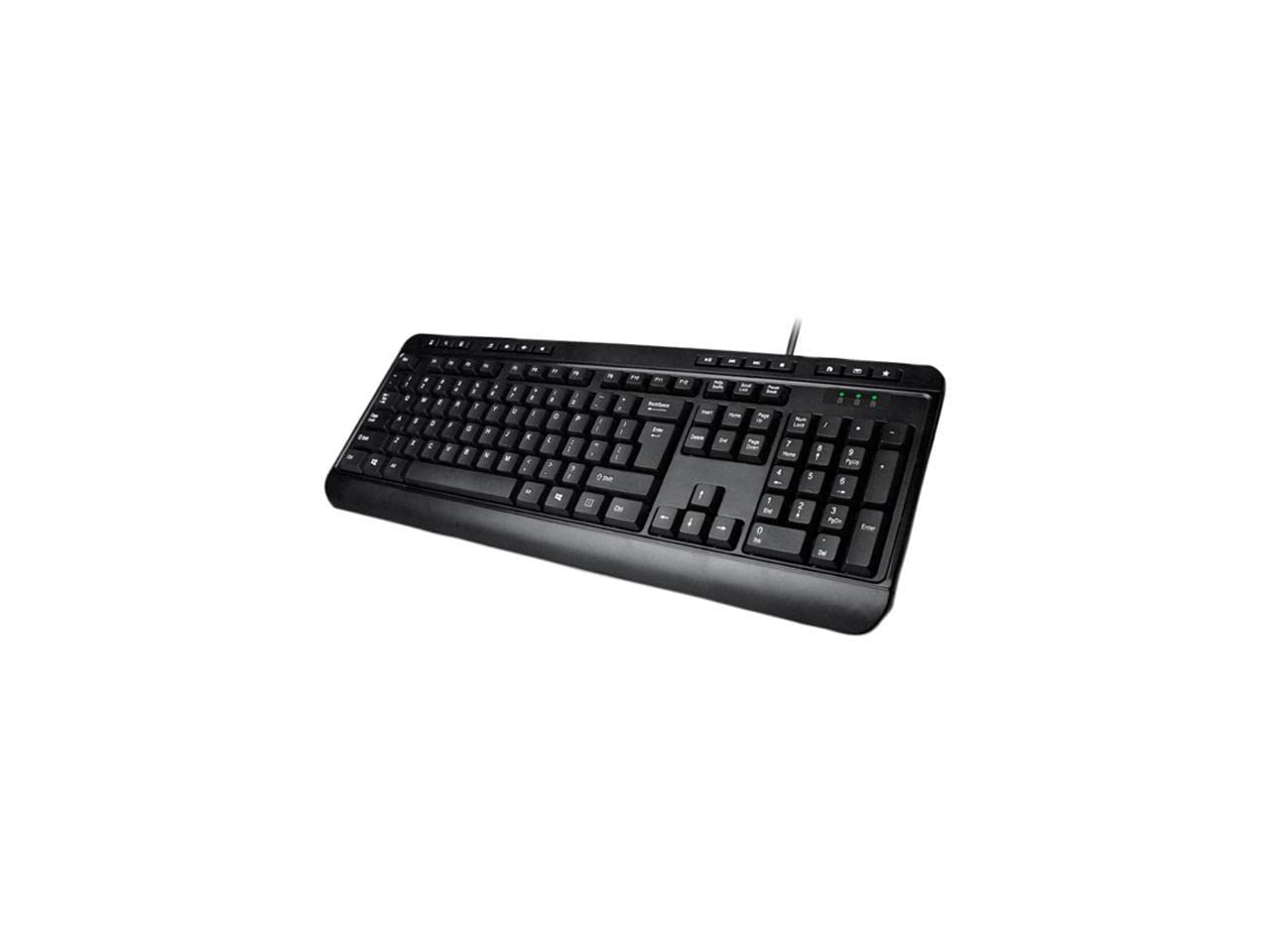
Image: Adesso AKB-132UB Multimedia Desktop Keyboard. This image shows the full keyboard with its standard 104-key layout and the attached USB cable for connection.
Operating Instructions
Standard Keyboard Functions
The Adesso AKB-132UB features a standard 104-key US layout. Keys operate as labeled. The keyboard utilizes membrane switches, providing a quiet and tactile typing experience.
- Indicator Lights: Located above the numeric keypad, these lights indicate the status of Num Lock, Caps Lock, and Scroll Lock.
- Adjustable Tilt: The keyboard includes foldable feet on the underside to adjust the typing angle for comfort.
Multimedia Hotkeys
The keyboard includes 8 dedicated multimedia hotkeys for quick access to media player controls:
- Media Player: Opens your default media player application.
- Volume Down: Decreases the system volume.
- Volume Up: Increases the system volume.
- Mute: Toggles the system sound on or off.
- Play/Pause: Plays or pauses media playback.
- Previous Track: Skips to the previous track in your media player.
- Next Track: Skips to the next track in your media player.
- Stop: Stops media playback.
Windows & Internet Hotkeys
The keyboard also features 6 hotkeys for common Windows and Internet functions:
- My Computer: Opens the "This PC" or "My Computer" window.
- Search: Opens the system search utility.
- Calculator: Launches the Windows Calculator application.
- Mail: Opens your default email client.
- Home: Opens your default web browser to its home page.
- Favorites: Opens your web browser's favorites/bookmarks.
Specifications
| Feature | Detail |
|---|---|
| Brand | Adesso |
| Model Number | AKB-132UB |
| Connectivity Technology | Wired (USB) |
| Keyboard Layout | 104-Key US Layout (QWERTY) |
| Key Type | Membrane Switches |
| Multimedia Hotkeys | 8 (Media Player, Volume Down, Volume Up, Mute, Play/Pause, Previous Track, Next Track, Stop) |
| Windows & Internet Hotkeys | 6 (My Computer, Search, Calculator, Mail, Home, Favorites) |
| Indicators | Num Lock, Caps Lock, Scroll Lock |
| Life Cycle | 5 Million Keystrokes |
| Color | Black |
| Material | Plastic |
| Item Weight | 1.5 Pounds |
Troubleshooting
- Keyboard Not Responding:
- Ensure the USB cable is securely connected to a working USB port on your computer.
- Try plugging the keyboard into a different USB port, especially a direct port on the computer's rear, bypassing any USB hubs.
- Restart your computer to allow the operating system to re-detect the device.
- Test the keyboard on another computer to determine if the issue is with the keyboard or your computer's setup.
- Keys Not Functioning Correctly or Unexpected Characters:
- Verify that the correct keyboard layout is selected in your operating system settings.
- Ensure no foreign objects are lodged under the keys.
- For specific keys like the 'Enter' key, be aware that some keyboard layouts may place the backslash key adjacent to it. Familiarization with the physical layout is key.
- Wobbly Keyboard:
- Ensure the keyboard is placed on a flat, stable surface.
- Check if the adjustable tilt feet are fully extended or retracted evenly.
Maintenance
To maintain the performance and longevity of your Adesso AKB-132UB keyboard:
- Cleaning: Use a soft, slightly damp cloth to wipe the surface of the keyboard. Avoid using harsh chemicals or abrasive cleaners. For cleaning between keys, use compressed air to remove dust and debris.
- Avoid Spills: Keep liquids away from the keyboard to prevent damage to internal components.
- Storage: When not in use for extended periods, store the keyboard in a clean, dry environment.
Warranty and Support
The Adesso AKB-132UB Multimedia Desktop Keyboard comes with a 1-year limited warranty from the date of purchase. This warranty covers defects in materials and workmanship under normal use.
For technical support, warranty claims, or further assistance, please contact Adesso customer service. Refer to the official Adesso website for the most current contact information.
Note: This product contains chemicals known to the State of California to cause cancer and birth defects or other reproductive harm.


