
EBL C9042W
EBL AA AAA Battery Charger Instruction Manual
Model: C9042W | Brand: EBL
1. Product Overview
The EBL 8-Bay Individual Charger is designed for Ni-MH and Ni-Cd AA and AAA rechargeable batteries. It features individual charging slots, smart LED indicators, and automatic shut-off for safe and efficient charging.

Figure 1: EBL 8-Bay Battery Charger and power cable.

Figure 2: The upgraded C9042W charger supports independent charging for each battery slot, unlike older models that required charging in pairs.
2. Setup
- Unpack the EBL 8-Bay Battery Charger and its power cable from the packaging.
- Connect the AC power cable to the charger's AC port.
- Plug the other end of the AC power cable into a standard wall outlet (AC 100-240V).

Figure 3: Detail of the AC port for power connection.
3. Operating Instructions
- Insert Batteries: Carefully insert 1 to 8 Ni-MH or Ni-Cd AA or AAA rechargeable batteries into the charging slots. Ensure correct polarity (+ and - ends) as indicated on the charger.

Figure 4: Proper insertion of AA and AAA batteries, aligning positive and negative terminals.
- LED Indicators: Each charging bay has a dedicated LED indicator to show the charging status:
- Red Light: Battery is currently charging.
- Green Light: Battery is fully charged.
- Red LED Flash: Indicates a bad battery or a non-rechargeable battery has been inserted.
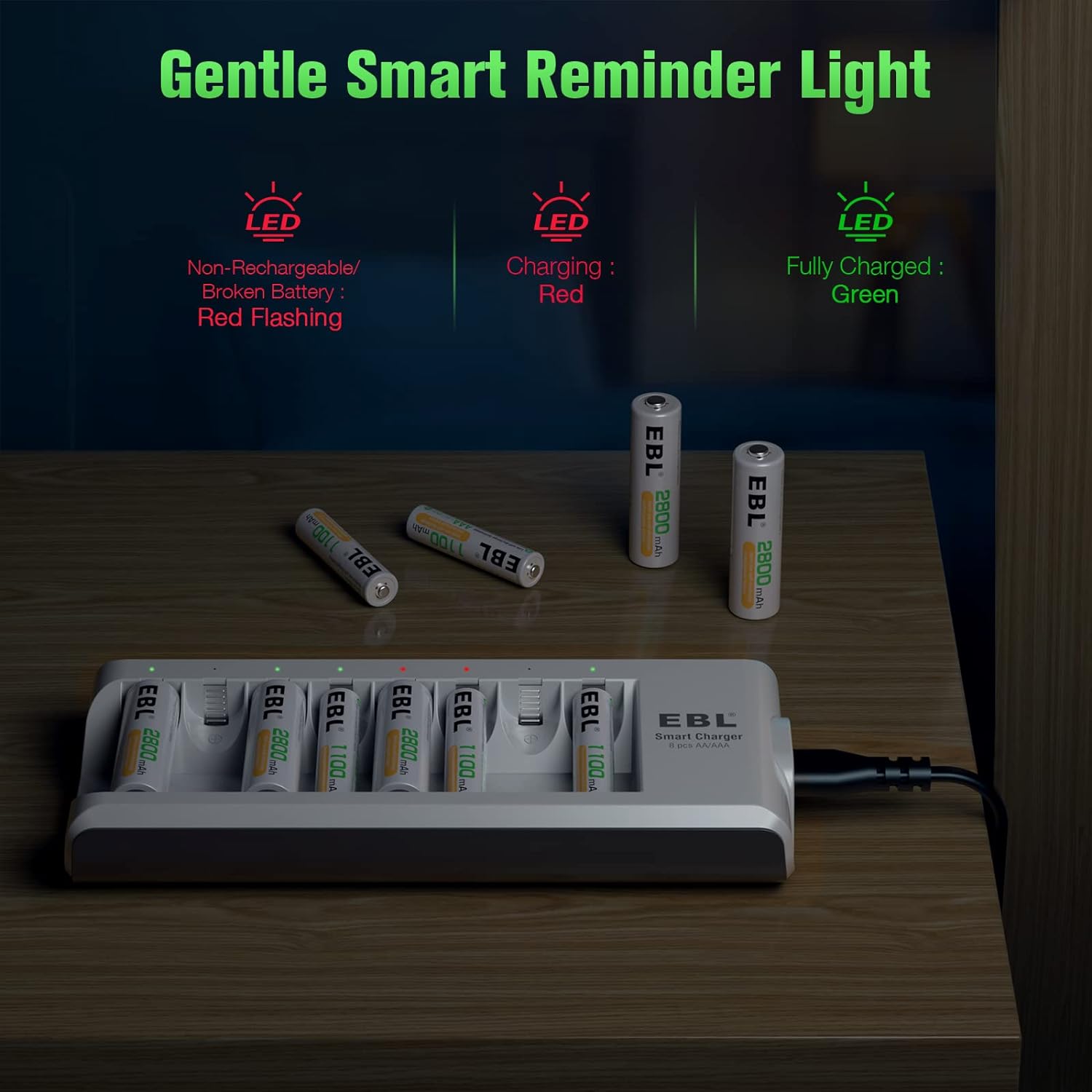
Figure 5: Smart LED indicators provide real-time charging status for each battery.
- Automatic Shut-Off: The charger is controlled by an MCU (Microcontroller Unit) and will automatically stop charging when batteries are full, preventing over-voltage, over-current, or over-heat.

Figure 6: The charger features an auto shut-off function for safety and battery longevity.
- Constant Current Charging: This feature protects 1.2V batteries against current fluctuation, ensuring safe operation and maximizing battery performance.
4. Maintenance
- Keep the charger clean and dry. Avoid exposure to moisture or extreme temperatures.
- Wipe the charger with a soft, dry cloth. Do not use abrasive cleaners or solvents.
- When not in use, store the charger and batteries in a cool, dry place away from direct sunlight.
5. Troubleshooting
- Batteries not charging (Red LED Flash):
- Ensure the batteries are rechargeable Ni-MH or Ni-Cd types. The charger is not compatible with alkaline or other non-rechargeable batteries.
- Check if the batteries are inserted with correct polarity.
- The battery might be defective or too old to hold a charge. Try a different battery.
- Slow Charging:
- Ensure the charger is connected to a stable power source.
- Charging time varies depending on the battery capacity (mAh) and its current charge level.
- Refreshing Low Voltage Batteries: The charger has a feature to refresh low voltage batteries, which can sometimes help revive them.

Figure 7: The charger can help refresh low voltage batteries.
6. Specifications
| Feature | Detail |
|---|---|
| Product Dimensions | 1 x 3 x 6.9 inches (1"D x 3"W x 6.9"H) |
| Item Weight | 0.01 ounces |
| Model Number | C9042W |
| Brand | EBL |
| Color | White |
| Output Voltage | 1.2 Volts |
| Compatible Battery Types | Ni-MH, Ni-Cd (AA, AAA) |
| Charging Bays | 8 (Individual) |
7. Warranty & Support
For warranty information and customer support, please refer to the official EBL website or contact EBL customer service directly. You can visit the EBL Store on Amazon for more products and support resources.
Related documentsC9042W

Ask a question about this manual
Ask about setup, troubleshooting, compatibility, parts, safety, or missing instructions. Manuals+ will review the question and use this page’s manual context to help answer it.