Introduction
This manual provides instructions for the installation, use, and maintenance of the G-Shock 18mm Black Rubber Replacement Watch Band. This genuine replacement strap is designed for specific Casio watch models, ensuring a precise fit and reliable performance. Please read these instructions carefully before proceeding with installation.
Compatible Models: Casio W-S200, W-S210, W-S200H-1A, W-S200H-1B, W-S210H-1A.
Setup: Watch Band Installation
Installing your new watch band requires careful attention to avoid damage to your watch or the new strap. A spring bar tool is recommended for easier and safer installation.
Tools Required:
- Small flat-head screwdriver or a dedicated spring bar tool.
- Soft cloth to protect your watch.
Step 1: Remove the Old Watch Band
- Place your watch face down on a soft, clean cloth to prevent scratches.
- Locate the spring bars that secure the current watch band to the watch lugs. These are small, spring-loaded pins at each end of the band.
- Using a spring bar tool or a small flat-head screwdriver, gently press inward on one end of the spring bar.
- Once one end of the spring bar is disengaged from the lug hole, carefully pull the band away from the watch.
- Repeat this process for the other side of the spring bar and for the other half of the watch band.
- Retain the old spring bars if they are in good condition, as some replacement bands may not include new ones.
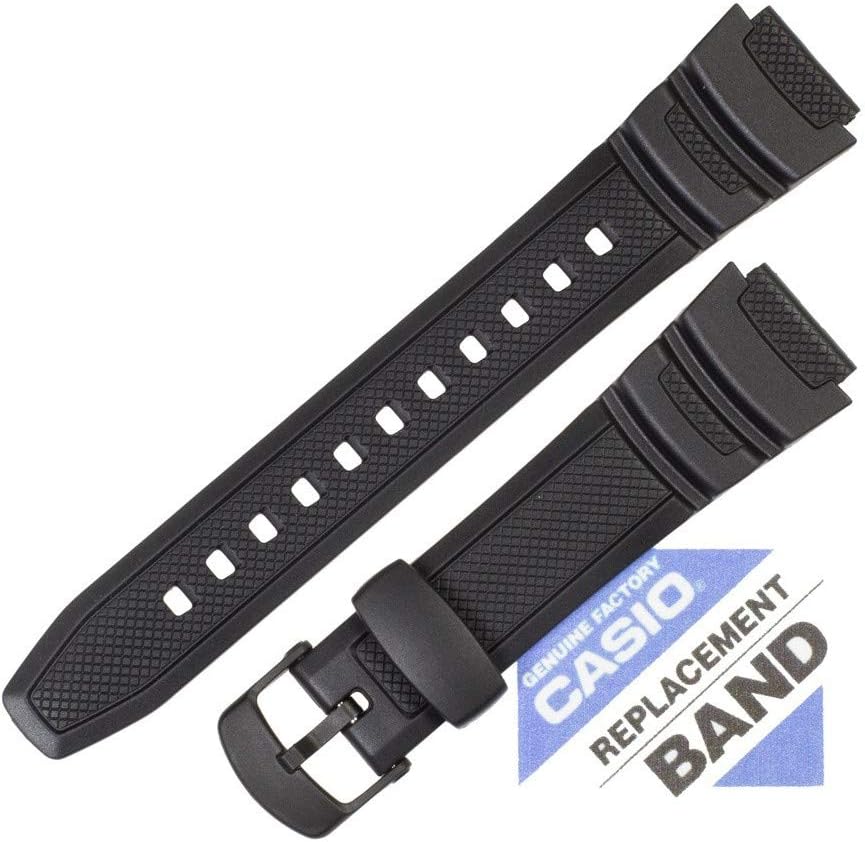
Image: The G-Shock 18mm black rubber replacement watch band, laid out to show its full length, buckle, and strap holes. This view helps in understanding the band's structure before installation.
Step 2: Install the New Watch Band
- Insert one end of a spring bar into one of the lug holes on the watch case.
- Compress the spring bar using your tool, then guide the other end into the corresponding lug hole on the opposite side.
- Ensure both ends of the spring bar are securely seated in the lug holes by gently pulling on the band. It should not come loose.
- Repeat this process for the second half of the watch band.
- Verify that the buckle is oriented correctly (typically, the buckle faces outwards when worn).

Image: The two halves of the G-Shock 18mm black rubber replacement watch band are shown crossed, emphasizing the textured pattern on the strap and the robust buckle mechanism. This view provides a closer look at the material and design details.
Operating the Watch Band
Once installed, the watch band functions like any standard watch strap. Adjust the buckle to achieve a comfortable and secure fit on your wrist. Ensure the watch is not too tight, which can restrict circulation, or too loose, which can cause it to slide around.
- Adjusting Fit: Use the buckle and strap holes to find the optimal fit.
- Security: Ensure the buckle pin is fully inserted into a strap hole to prevent accidental unfastening.
Maintenance
Proper care will extend the life and appearance of your rubber watch band.
- Cleaning: Wipe the band regularly with a soft, damp cloth to remove dirt, sweat, and oils. For deeper cleaning, use mild soap and water, then rinse thoroughly and air dry.
- Avoid Chemicals: Do not expose the band to harsh chemicals, solvents, or strong detergents, as these can degrade the rubber material.
- Storage: When not in use, store the watch in a cool, dry place away from direct sunlight to prevent material degradation.
Troubleshooting
Issue: Difficulty attaching the band to the watch.
Solution: Ensure you are using the correct spring bar size (18mm). Verify that the spring bar is properly compressed and aligned with the lug holes. Sometimes, a dedicated spring bar tool can make the process significantly easier than a screwdriver.
Issue: Band feels loose or uncomfortable after installation.
Solution: Adjust the buckle to a different strap hole to achieve a snug yet comfortable fit. A watch band should allow for slight movement but not rotate freely on the wrist.
Specifications
| Feature | Detail |
|---|---|
| Product Type | Replacement Watch Band |
| Material | Rubber |
| Color | Black |
| Band Width | 18mm |
| Part Number | #10360831 |
| Compatibility | Casio W-S200, W-S210, W-S200H-1A, W-S200H-1B, W-S210H-1A |
| Package Dimensions | 6.1 x 2 x 0.39 inches |
| Item Weight | 2.12 ounces |
Warranty and Support
Warranty information for this specific replacement watch band is not provided in the product details. For inquiries regarding warranty coverage or product support, please contact the original seller or the manufacturer directly.
For additional assistance, refer to the official Casio website or contact their customer service department.


