
1. Introduction
Thank you for purchasing the Panasonic EH-SW02-H Eye Esthetic Steamer. This device is designed to provide a soothing steam experience for the delicate eye area, promoting relaxation and comfort. Please read this manual thoroughly before use to ensure safe and effective operation. Keep this manual for future reference.
2. Safety Precautions
To prevent injury, damage to the product, or property damage, always observe the following safety precautions:
- Do not use this device if you have eye conditions, skin allergies, or are undergoing medical treatment without consulting a doctor.
- Do not immerse the device in water or use it in a wet environment.
- Keep out of reach of children.
- Use only the specified power adapter for charging.
- Do not disassemble, repair, or modify the device yourself. Contact authorized service personnel.
- Avoid direct contact of steam with eyes for prolonged periods.
- Ensure proper ventilation during use.
3. Product Overview and Package Contents
The Panasonic EH-SW02-H is an eye mask-style device designed to deliver gentle steam. Familiarize yourself with the components before use.
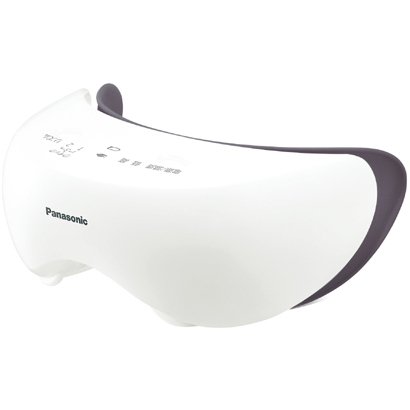
Image 1: Panasonic EH-SW02-H Eye Esthetic Steamer. This image displays the eye mask device from a rear-side angle, highlighting the adjustable head strap and the inner eye pads.
Package Contents:
- Panasonic EH-SW02-H Eye Esthetic Steamer Unit
- Power Adapter
- User Manual (this document)
4. Setup
- Charge the Device: Before first use, fully charge the device. Connect the power adapter to the charging port on the unit and plug it into a suitable power outlet (100-240V compatible). The charging indicator light will show the charging status.
- Prepare for Use: Ensure the device is clean and dry before each use.
- Adjust the Strap: Place the eye steamer over your eyes and adjust the elastic strap for a comfortable and secure fit. The device should rest gently on your face without applying excessive pressure.
5. Operating Instructions
- Power On: Press and hold the power button for a few seconds to turn on the device. An indicator light will illuminate.
- Select Mode: Short press the mode button (if available) to cycle through different steam modes or intensity levels. Refer to the device's specific indicators for mode selection.
- Apply to Eyes: With the device powered on and a mode selected, place it comfortably over your eyes. The device will begin to generate gentle steam.
- Session Duration: Use the device for the recommended session duration, typically 5-10 minutes. The device may have an automatic shut-off feature.
- Power Off: After your session, press and hold the power button to turn off the device.
Note: For optimal results, use the device on clean skin. Avoid using with makeup or contact lenses.
6. Maintenance and Cleaning
Regular cleaning ensures hygiene and extends the life of your device.
- After Each Use: Wipe the inner surfaces of the eye mask with a soft, damp cloth. Ensure no water enters the electronic components.
- Deep Cleaning: Periodically, gently clean the steam outlets with a cotton swab moistened with water.
- Storage: Store the device in a cool, dry place, away from direct sunlight and high humidity.
- Do not use abrasive cleaners, alcohol, or harsh chemicals, as these may damage the device.
7. Troubleshooting
| Problem | Possible Cause | Solution |
|---|---|---|
| Device does not turn on. | Battery is low or depleted. | Charge the device fully using the provided power adapter. |
| No steam or weak steam. | Steam outlets are blocked. | Clean the steam outlets as described in the Maintenance section. |
| Device feels uncomfortable. | Strap is too tight or device is improperly positioned. | Adjust the head strap for a comfortable fit. Ensure the device is centered over your eyes. |
If the problem persists after trying these solutions, please contact Panasonic customer support.
8. Specifications
| Brand | Panasonic |
| Model Number | EH-SW02-H |
| Power Input | 100-240V |
| Item Weight | 500 g |
| Parcel Dimensions | 20.5 x 15.1 x 7.2 cm |
9. Warranty and Support
This Panasonic product is covered by a manufacturer's warranty. Please refer to the warranty card included with your purchase or visit the official Panasonic website for detailed warranty terms and conditions specific to your region.
For technical support, service, or inquiries, please contact Panasonic customer service. Contact information can typically be found on the Panasonic official website or on your product packaging.
You can visit the official Panasonic store on Amazon for more information: Panasonic Store