
1. Product Overview
The Comtec Pure Crystal Film CPF92VS is an LCD protective film specifically designed for the Comtec ZERO 92VS and FX-07 radar detectors. This film is engineered to enhance screen clarity, protect against scratches, and resist fingerprints, ensuring optimal visibility and durability for your device's display.

Image 1: Comtec Pure Crystal Film packaging and key features overview.
2. Package Contents
Verify that all items are present in the package:
- 1 x LCD Protective Film
- 1 x Cleaning Cloth
3. Features
The Pure Crystal Film offers several key features:
- High Gloss: A newly developed special surface treatment makes the LCD clearer. It boasts a front light transmittance of 92% and a haze value (cloudiness) of 0.7%, ensuring high brightness without white blur.
- Fingerprint and Sebum Stain Prevention: The film's surface is designed so that fingerprints and sebum spread thinly, making them less noticeable. Any attached stains can also be easily wiped off.
- 2H Pencil Hardness Hard Coat: This hard coating prevents fine scratches, helping to maintain the clarity and integrity of the LCD screen over time.
- Special Silicone Layer (Patented) on Adhesive Surface: The film uses a special silicone layer for adhesion, not traditional glue. This allows for multiple re-applications. Additionally, because it adheres by vacuum suction, pushing out air bubbles during application is simple.
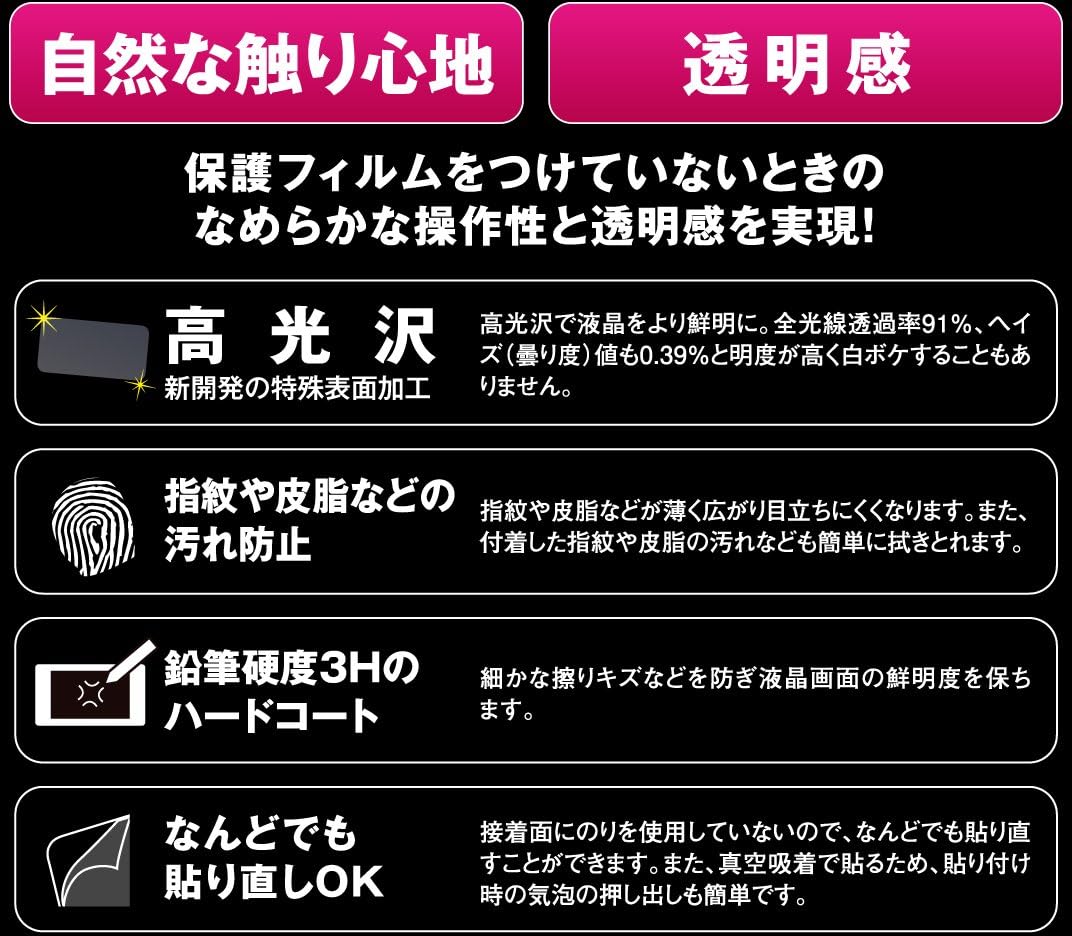
Image 2: Detailed explanation of the film's high gloss, fingerprint resistance, hard coat, and re-applicability features.
4. Installation Guide
Follow these steps to correctly apply the LCD protective film:
- Clean the LCD Screen: Use the included cleaning cloth to thoroughly wipe away any dust, dirt, or oil from the LCD screen. Ensure the screen is completely clean and dry before proceeding.
- Peel off the Adhesive Surface Protective Sheet (A) and Apply to the LCD Screen: Determine the application position. Slowly peel off the protective sheet labeled 'A' from the adhesive side of the film. Carefully align the film and apply it to the LCD screen, ensuring no air bubbles are trapped. If bubbles appear, gently push them out towards the edges. Do not touch the adhesive surface.
- Peel off the Surface Protective Sheet (C): Once the film is applied, peel off the protective sheet labeled 'C' (the top layer with the tag) from the surface of the film.

Image 3: Visual guide illustrating the three steps for applying the LCD protective film.
5. Maintenance
To maintain the clarity and effectiveness of your Pure Crystal Film:
- Gently wipe the film with a soft, lint-free cloth to remove dust or smudges.
- For stubborn stains, lightly dampen the cloth with water. Avoid harsh chemicals or abrasive materials.
- Do not use excessive force when cleaning, as this may damage the film or the device.
6. Troubleshooting
If you encounter issues during or after application:
- Air Bubbles: If air bubbles are present after application, gently push them towards the nearest edge using a soft cloth or a plastic card (like a credit card) wrapped in a cloth. The film's special silicone layer allows for easy re-application, so you can carefully lift a corner and re-apply if necessary.
- Dust Particles: If dust is trapped under the film, carefully lift the nearest corner of the film and use a piece of tape to gently dab and remove the dust particle from both the screen and the film's adhesive side. Then, re-apply the film.
- Film Not Adhering: Ensure the screen is completely clean and free of oil or moisture. If the film still does not adhere properly, it may be damaged or the screen may have an uneven surface.
7. Specifications
| Specification | Detail |
|---|---|
| Manufacturer | Comtec |
| Brand | Comtec |
| Product Model Number | CPF92VS |
| Compatible Devices | Comtec ZERO 92VS, FX-07 Radar Detectors |
| Display Type | LCD |
| Item Weight | 38 g |
| Package Dimensions | 15.5 x 8.6 x 0.5 cm |
| Country of Origin | Japan |
| First Available Date on Amazon.co.jp | 2013/07/01 |
8. Warranty and Support
For warranty information or technical support regarding your Comtec Pure Crystal Film CPF92VS, please refer to the official Comtec website or contact their customer service directly. Specific warranty details are not provided in this manual.