
Introduction
Welcome to the user manual for your Viatek Breezie UBF01-B Bladeless Tabletop Fan. This manual provides important information regarding the safe operation, setup, maintenance, and troubleshooting of your device. Please read it thoroughly before use and retain it for future reference.
Important Safety Instructions
- Read all instructions before using this appliance.
- Do not operate any fan with a damaged cord or plug. Discard fan or return to an authorized service facility for examination and/or repair.
- Do not run cord under carpeting. Do not cover cord with throw rugs, runners, or similar coverings. Do not route cord under furniture or appliances. Arrange cord away from traffic area and where it will not be tripped over.
- To disconnect the fan, turn controls to the OFF position, then remove plug from outlet.
- Do not insert or allow foreign objects to enter any ventilation or exhaust opening as this may cause an electric shock or fire, or damage the fan.
- Do not block air openings or exhaust in any manner.
- Use this fan only as described in this manual. Any other use not recommended by the manufacturer may cause fire, electric shock, or injury to persons.
- Do not use outdoors.
- This product is intended for household use only.
- Always place the fan on a stable, flat surface.
- Keep out of reach of children.
Package Contents
- Viatek Breezie UBF01-B Bladeless Tabletop Fan
- USB Power Cord
- Cooling Sponges
Product Overview
The Viatek Breezie UBF01-B is a compact bladeless tabletop fan designed for personal cooling. It features a unique bladeless design, an adjustable angle back, and multiple power options.
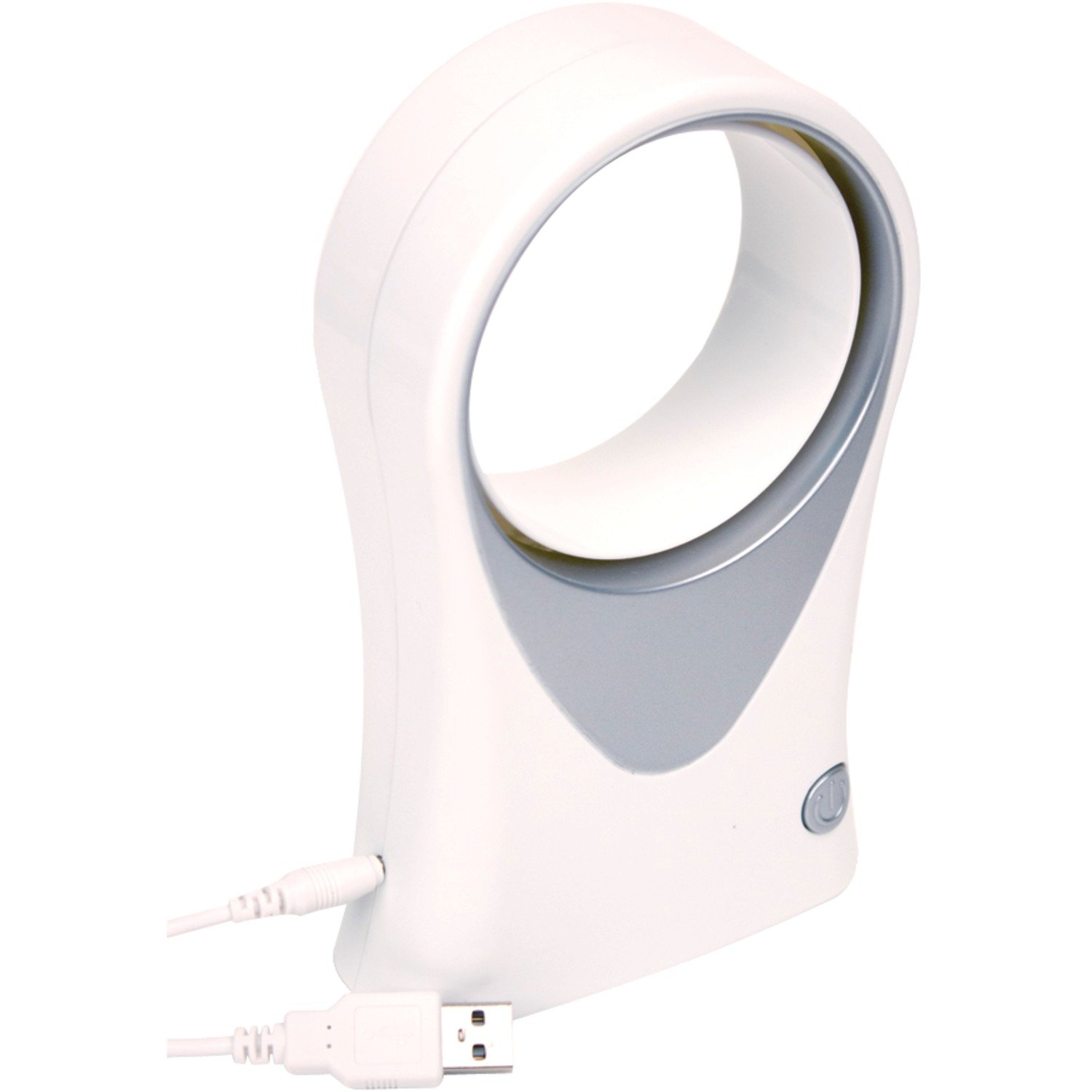
Image: Front view of the Viatek Breezie UBF01-B Bladeless Tabletop Fan, showcasing its compact, white, bladeless design and a stable base.
Setup
Unpacking
Carefully remove the fan and all accessories from the packaging. Inspect the fan for any signs of damage. If any damage is found, do not use the fan and contact customer support.
Placement
Place the fan on a stable, flat, and dry surface. Ensure there is adequate space around the fan for proper airflow.
Operating Instructions
Powering On/Off
Locate the power button, typically on the front or side of the fan. Press the button once to turn the fan on. Press it again to turn the fan off.
Adjusting Airflow Direction
The fan features an adjustable angle back. Gently tilt the fan body forward or backward to direct the airflow to your desired angle.
Cooling Sponge Feature
For an enhanced cooling effect, the fan includes cooling sponges. These sponges can be moistened to provide a cooler breeze.
- Locate the sponge compartment, usually on the back or side of the fan.
- Carefully remove the cooling sponges.
- Lightly dampen the sponges with clean water. Do not saturate them.
- Reinsert the moistened sponges into their compartment.
- Turn on the fan to experience the cooler airflow.
Note: Do not overfill the sponge compartment with water. Ensure sponges are damp, not dripping wet.
Power Options
The Viatek Breezie UBF01-B fan offers flexible power options:
USB Power
- Connect the included USB power cord to the USB port on the side of the fan.
- Plug the other end of the USB cord into a compatible USB power source, such as a desktop computer, laptop, USB wall adapter (not included), or a portable power bank.
- The fan will power on or be ready for operation.
Battery Power
The fan can also be powered by batteries (not included).
- Locate the battery compartment, typically on the bottom or back of the fan.
- Open the battery compartment cover.
- Insert the required number and type of batteries (e.g., 4 x AAA batteries, refer to the compartment label for exact type and polarity).
- Close the battery compartment cover securely.
- The fan will be ready for operation.
Note: When using battery power, ensure batteries are inserted correctly according to polarity markings. Remove batteries if the fan will not be used for an extended period.
Maintenance
Cleaning
Regular cleaning helps maintain the fan's performance and appearance.
- Always unplug the fan before cleaning.
- Use a soft, damp cloth to wipe the exterior surfaces of the fan.
- Do not use abrasive cleaners or solvents, as these may damage the fan's finish.
- For the air intake and outlet areas, use a soft brush or a vacuum cleaner with a brush attachment to remove dust.
- If using the cooling sponges, clean them regularly with water and allow them to air dry completely before reinserting.
Storage
When not in use, store the fan in a cool, dry place, away from direct sunlight and extreme temperatures. If storing for an extended period, remove any batteries.
Troubleshooting
| Problem | Possible Cause | Solution |
|---|---|---|
| Fan does not turn on. | No power supply. Batteries are dead or incorrectly inserted. USB cable is not properly connected. | Ensure the USB cable is securely connected to both the fan and a working USB power source. Check battery polarity and replace batteries if necessary. |
| Weak airflow. | Air intake/outlet blocked. Cooling sponges are dry. | Clean any dust or obstructions from the air intake and outlet. Moisten the cooling sponges. |
| Fan is noisy. | Dust accumulation. Fan not on a stable surface. | Clean the fan thoroughly. Ensure the fan is placed on a flat, stable surface. |
Specifications
| Feature | Detail |
|---|---|
| Model Number | UBF01-B |
| Brand | Viatek |
| Power Source | USB (5V), Battery Powered (4 x AAA, not included) |
| Fan Type | Bladeless Tabletop Fan |
| Material | Plastic |
| Color | White |
| Item Weight | 9.6 ounces (approx. 272 grams) |
| Special Features | Adjustable Angle, Cooling Sponge Compartment |
Warranty Information
Viatek products are designed and manufactured to the highest quality standards. This product is covered by a limited warranty against defects in materials and workmanship for a period specified by the retailer or manufacturer at the time of purchase. Please retain your proof of purchase for warranty claims. For specific warranty terms and conditions, refer to the documentation included with your purchase or contact Viatek customer support.
Customer Support
If you have any questions, require assistance, or encounter issues not covered in this manual, please contact Viatek customer support. Contact information can typically be found on the product packaging, the official Viatek website, or through your retailer.
Please have your model number (UBF01-B) and proof of purchase ready when contacting support.