
1. Introduction
The ADTRAN NetVanta 6355 (Model 1200740E1) is a high-performance VoIP SIP Access Gateway with an integrated Power over Ethernet (PoE) switch, designed for robust business communication and networking environments. This device combines advanced routing capabilities with voice services and power delivery over Ethernet, making it a comprehensive solution for converged networks. This manual provides essential information for the proper installation, configuration, operation, and maintenance of your NetVanta 6355 router.
2. Product Overview
2.1 Key Features
- Integrated VoIP SIP Access Gateway with PoE Switch.
- Up to 3 T1 interfaces for WAN connectivity.
- 24 10/100 Ethernet PoE switch ports.
- Two combo 1000Base-T/SFP Gigabit Uplink ports.
- Two built-in FXS (Foreign Exchange Station) ports for analog phones.
- Two built-in FXO (Foreign Exchange Office) ports for PSTN connection.
- Options for two Network Interface Modules (NIM) or Voice Interface Modules (VIM).
- Supports SIP, G.168 Echo Cancellation, G.711, and G.729a CODECs.
- Advanced Router Features: OSPF, BGP, RIP V1/V2, Static routes, 802.1d Bridging.
- Management via Command Line Interface (CLI), SNMP, Telnet, Console port.
- Supports Frame Relay and PPP WAN Protocols.
- TFTP support for firmware and configuration management.
- Integrated VPN and Stateful Inspection Firewall for security.
- This model (1200740E1) replaces the 1200740L1 (non-RoHS version).
2.2 Front Panel Overview
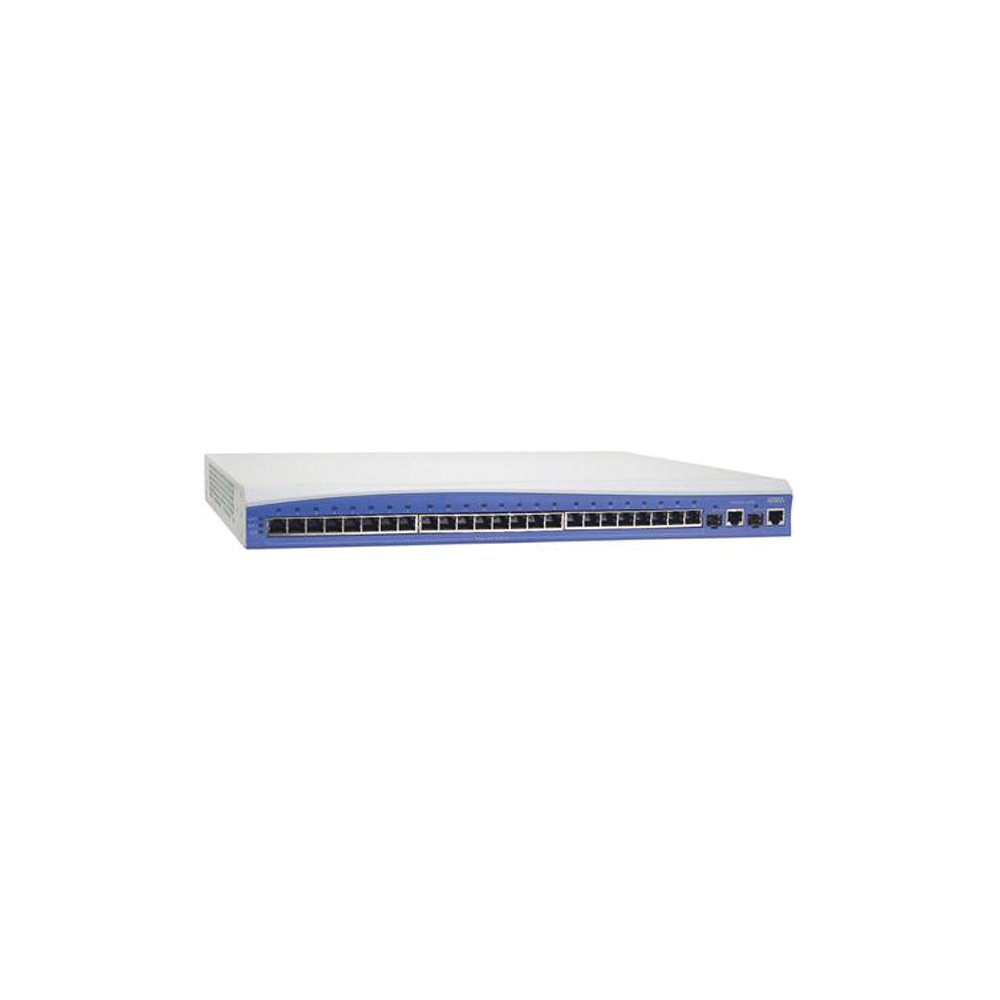
This image shows the front panel of the ADTRAN NetVanta 6355 PoE Router, highlighting its various ports and indicator lights. Key components include the Ethernet switch ports, Gigabit uplink ports, T1 interfaces, and status LEDs.
3. Setup
3.1 Unpacking and Inspection
Carefully unpack the NetVanta 6355 router and inspect it for any signs of damage. Ensure all components listed in the packing slip are present. If any items are missing or damaged, contact your ADTRAN reseller or ADTRAN Technical Support immediately.
3.2 Rack Mounting (Optional)
The NetVanta 6355 can be installed in a standard 19-inch equipment rack. Use the provided rack-mount brackets and screws to secure the unit. Ensure adequate ventilation around the device.
3.3 Power Connection
- Connect the power cord to the power input on the rear panel of the NetVanta 6355.
- Plug the other end of the power cord into a grounded electrical outlet.
- The device will power on automatically. Observe the power indicator LED on the front panel.
3.4 Network Connections
- WAN Connection: Connect your T1 lines to the appropriate T1 interfaces.
- LAN Connection: Connect your local network devices (computers, IP phones, access points) to the 10/100 Ethernet PoE switch ports. These ports provide both data and power to PoE-compatible devices.
- Gigabit Uplink: Use the 1000Base-T/SFP Gigabit Uplink ports for high-speed connections to your core network or other network segments.
- Voice Connections: Connect analog phones to the FXS ports and PSTN lines to the FXO ports as required for your voice services.
- Console Port: For initial configuration or troubleshooting, connect a serial cable from your computer to the console port.
4. Operating Instructions
4.1 Initial Configuration Access
The NetVanta 6355 can be configured via the Command Line Interface (CLI) through the console port or via Telnet/SSH once an IP address is assigned. For initial setup, connect to the console port using a terminal emulator (e.g., PuTTY) with the following settings: 9600 baud, 8 data bits, no parity, 1 stop bit, no flow control.
4.2 Basic Network Configuration
Once connected, you can configure basic network settings such as IP addresses for interfaces, routing protocols (OSPF, BGP, RIP), and VLANs. Refer to the ADTRAN Operating System (AOS) Command Reference Guide for detailed command syntax.
4.3 Voice Services Configuration
Configure SIP trunks, FXS/FXO ports, and voice CODECs (G.711, G.729a) to integrate with your VoIP infrastructure. Ensure proper echo cancellation (G.168) is enabled for optimal voice quality.
4.4 Security Features
Implement the integrated Stateful Inspection Firewall to protect your network from unauthorized access. Configure VPN tunnels for secure remote access or site-to-site connectivity.
5. Maintenance
5.1 Firmware Updates
Regularly check the ADTRAN support website for the latest firmware versions. Firmware updates can provide new features, performance enhancements, and security patches. Use TFTP to transfer and install new firmware.
5.2 Configuration Backup and Restore
Periodically back up your router's configuration to an external server (e.g., via TFTP) to prevent data loss. This allows for quick restoration in case of configuration errors or device replacement.
5.3 Physical Cleaning
Ensure the router's ventilation slots are clear of dust and debris to maintain proper airflow and prevent overheating. Use a soft, dry cloth for cleaning the exterior.
6. Troubleshooting
6.1 Power Issues
- No Power: Verify the power cord is securely connected to both the router and a working electrical outlet. Check the power supply and circuit breaker.
6.2 Network Connectivity Problems
- No Link Light: Check network cables for proper connection and integrity. Ensure connected devices are powered on and functioning.
- Cannot Access Router: Verify IP address configuration, subnet mask, and gateway settings. Try connecting via the console port for direct access.
6.3 Voice Quality Issues
- Echo or Jitter: Ensure G.168 Echo Cancellation is properly configured. Check network latency and bandwidth.
- No Dial Tone: Verify FXS port configuration and ensure analog phones are correctly connected. Check SIP registration status.
For more advanced troubleshooting, consult the ADTRAN NetVanta 6355 documentation or contact ADTRAN Technical Support.
7. Specifications
| Product Dimensions | 22 x 15 x 5 inches |
| Item Weight | 13.55 pounds |
| Manufacturer | ADTRAN |
| Model Number | ADT-6355POE |
| ASIN | B00DOEFUA4 |
| Date First Available | April 30, 2013 |
| Special Feature | Access Point Mode, WPS (Note: Features may require specific configuration or modules) |
| Compatible Devices | Personal Computer (for management) |
| Recommended Uses | Business |
| Connectivity Technology | SFP, Wired |
| Control Method | Voice (for VoIP features), CLI |
| LAN Port Bandwidth | 10/100 megabits per second (Ethernet PoE ports) |
| UPC | 041215862854 |
8. Warranty and Support
ADTRAN products typically come with a limited hardware warranty. For specific warranty terms and conditions applicable to your NetVanta 6355, please refer to the warranty information included with your purchase or visit the official ADTRAN website. For technical assistance, product support, or to report issues, please contact ADTRAN Technical Support through their official channels.

