
1. Introduction
Thank you for choosing the ANDREA ANC-100 Anti-Noise Computer Headset. This manual provides essential information for the proper setup, operation, and maintenance of your headset. The ANC-100 is designed to deliver clear audio and communication with its advanced microphone system featuring active noise cancellation, ensuring an optimal experience for various computer applications.
2. Product Overview
2.1 Key Features
- Lightweight and Ergonomic Design: Engineered for comfort during extended use.
- Fully Adjustable: Ensures a secure and personalized fit for various head sizes.
- Advanced Microphone System: Features active noise cancellation for clear voice transmission.
- Versatile Compatibility: Suitable for multimedia, computer telephony, speech recognition, and interactive games.
- IBM and PC Compatible: Designed to work seamlessly with standard computer systems.
- Retractable Cable: For convenient storage and management.
2.2 Headset Components
The ANC-100 headset consists of an on-ear headphone design with an integrated microphone boom. It features an inline volume control for easy audio adjustments.
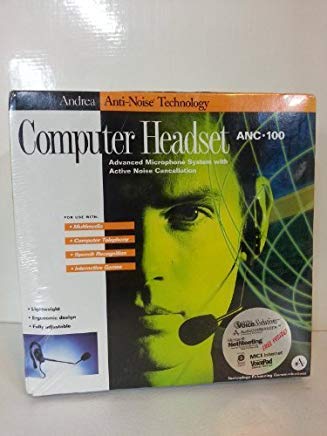
Figure 1: ANDREA ANC-100 Anti-Noise Computer Headset. This image displays the headset's overall structure, including the adjustable headband, on-ear earcups, and the flexible microphone arm. The wired connection is visible, indicating its primary connectivity method.
3. Setup
3.1 Connecting the Headset (Wired)
- Locate the audio input (usually green) and microphone input (usually pink) ports on your computer.
- Plug the green audio jack from the headset into your computer's audio output port.
- Plug the pink microphone jack from the headset into your computer's microphone input port.
- Ensure the connections are secure.
Note: Some computers may have a single combined audio jack. If so, you may need a Y-splitter adapter (not included) to use both headphone and microphone functions simultaneously.
3.2 Adjusting for Comfort
- Adjust the headband to fit comfortably over your head.
- Position the earcups so they rest gently on your ears.
- Bend the flexible microphone boom to position the microphone approximately 1-2 inches (2.5-5 cm) from your mouth for optimal voice pickup.
4. Operating Instructions
4.1 Audio Playback
- Once connected, your computer should automatically detect the headset as an audio output device.
- Use the inline volume control wheel to adjust the listening volume.
- You can also adjust the volume through your computer's sound settings.
4.2 Microphone Usage
- Ensure your computer recognizes the headset's microphone as the input device in your sound settings.
- The active noise cancellation feature helps reduce background noise for clearer voice communication.
- Adjust microphone sensitivity through your computer's sound settings for optimal performance in applications like computer telephony, speech recognition, or online gaming.
4.3 Intended Use
The ANC-100 headset is designed for personal use with various computer applications, including:
- Listening to multimedia (music, videos).
- Participating in computer telephony (VoIP calls, video conferences).
- Using speech recognition software.
- Engaging in interactive games.
5. Maintenance
- Cleaning: Gently wipe the headset with a soft, dry cloth. Do not use liquid cleaners or abrasive materials.
- Storage: When not in use, store the headset in a clean, dry place. Utilize the retractable cable feature for neat storage.
- Handling: Avoid pulling on the cable or microphone boom forcefully. Handle the headset with care to prevent damage.
- Temperature: Do not expose the headset to extreme temperatures or direct sunlight for prolonged periods.
6. Troubleshooting
| Problem | Possible Solution |
|---|---|
| No audio from headset. |
|
| Microphone not working. |
|
| Sound quality is poor or distorted. |
|
7. Specifications
| Brand | ANDREA |
| Model Number | ANC-100 |
| Form Factor | On Ear |
| Noise Control | Active Noise Cancellation |
| Connectivity Technology | Wired |
| Control Type | Volume Control |
| Cable Features | Retractable |
| Compatibility | IBM and PC Compatible |
| UPC / GTIN | 752921000330 |
Note on Wireless Connectivity: While some general specifications for ANDREA products may mention Bluetooth, the ANC-100 model, as described, primarily utilizes wired connectivity for its advanced microphone system and active noise cancellation features. Please refer to your product packaging for specific wireless capabilities if applicable to your purchased variant.
8. Warranty and Support
ANDREA products are manufactured to high-quality standards. Specific warranty information, including duration and terms, is typically provided with your product at the time of purchase. Please refer to the documentation included in your product packaging for detailed warranty coverage.
For technical support, service, or further inquiries, please visit the official ANDREA website or contact their customer service department using the information provided in your product's warranty card or packaging. You can also visit the ANDREA Store on Amazon for additional product information.