1. Introduction
This manual provides comprehensive instructions for the setup, operation, maintenance, and troubleshooting of your Gigaset DA610 Corded Phone. Please read this manual carefully to ensure proper use and to fully utilize all features of your device.
2. Product Overview and Features
The Gigaset DA610 is a corded telephone designed for ease of use, offering essential communication features for home or office environments. Key features include hands-free operation, caller identification, and a clear display for call information.
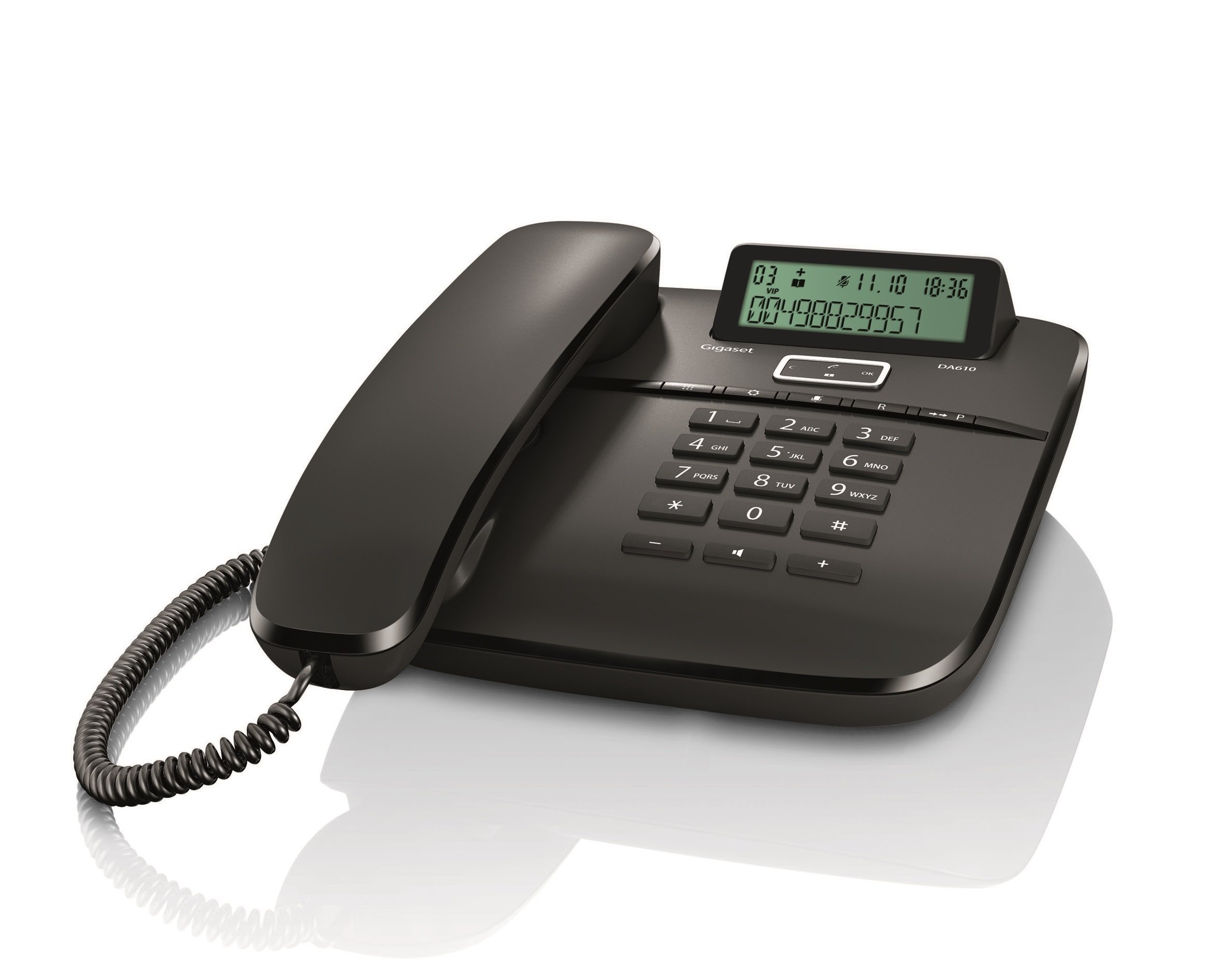
Image: Front view of the Gigaset DA610 Corded Phone, showing the handset, keypad, and display screen.
Display Features:
- Two-line display for clear information viewing.
- Keypad lock functionality.
- Time, date, and call duration display.
- Visual signal for incoming calls.
Connectivity:
- Supports PSTN (Public Switched Telephone Network).
- Supports PABX (Private Automatic Branch Exchange) networks.
Additional Features:
- Mute mode indicator.
- Hands-free function for convenient conversations.
- Caller identification feature to see who is calling.
Product Video Overview:
Video: A brief overview of the Gigaset DA610 Corded Phone, highlighting its display, screen features, and connectivity options.
3. What's in the Box
Upon opening the product packaging, please ensure all items are present and undamaged.
- Gigaset DA610 Corded Phone unit (including handset and base).
- Coiled handset cord.
- Telephone line cord.
- User Manual (this document).
4. Setup
Follow these steps to set up your Gigaset DA610 Corded Phone:
- Connect the Handset: Plug one end of the coiled handset cord into the handset and the other end into the designated port on the phone base unit.
- Connect to Telephone Line: Plug one end of the telephone line cord into the "LINE" port on the back of the phone base unit. Plug the other end into your telephone wall socket.
- Power Connection (if applicable): The Gigaset DA610 is primarily line-powered for basic functions. However, for features like the display backlight and memory retention, batteries are required (not included). Insert the specified batteries into the battery compartment if you wish to use these features.
- Initial Check: Lift the handset and listen for a dial tone. If no dial tone is present, check all connections.
- Set Date and Time: Refer to the display features section or the on-screen prompts to set the current date and time for accurate call logging and display.
5. Operating Instructions
Making a Call:
- Lift the handset or press the Hands-free button.
- Dial the desired telephone number using the keypad.
- Wait for the call to connect.
- To end the call, replace the handset or press the Hands-free button again.
Answering a Call:
- When the phone rings, lift the handset or press the Hands-free button.
Using Hands-free:
- During a call, press the Hands-free button to activate the speakerphone.
- To switch back to the handset, lift the handset.
- To end a hands-free call, press the Hands-free button again.
Caller Identification (CLIP):
- When an incoming call is received, the caller's number (and name, if stored in your phonebook or provided by your service provider) will be displayed on the screen.
- Ensure your telephone service provider supports Caller ID (CLIP) for this feature to function.
Mute Function:
- During a call, press the Mute button to temporarily disable your microphone. The mute mode indicator will illuminate.
- Press the Mute button again to reactivate your microphone.
6. Maintenance
To ensure the longevity and optimal performance of your Gigaset DA610 Corded Phone, follow these maintenance guidelines:
- Cleaning: Use a soft, damp cloth to clean the phone's surface. Avoid abrasive cleaners or solvents that may damage the finish.
- Location: Place the phone on a stable, flat surface away from direct sunlight, heat sources, and moisture.
- Cords: Periodically check the handset and line cords for any signs of wear or damage. Replace if necessary.
- Ventilation: Ensure the phone's ventilation openings are not blocked to prevent overheating.
7. Troubleshooting
If you encounter issues with your Gigaset DA610, refer to the following common problems and solutions:
- No Dial Tone:
- Check that the telephone line cord is securely connected to both the phone and the wall socket.
- Ensure your telephone service is active.
- Caller ID Not Working:
- Verify that your telephone service provider offers Caller ID (CLIP) and that it is activated on your line.
- Some service providers may require specific settings or a brief power cycle of the phone to activate CLIP.
- Display Not Working / Blank:
- Check if batteries are installed and correctly inserted, as they power the display.
- Ensure the telephone line is connected, as the phone may draw power from the line for basic functions.
- Poor Sound Quality / Static:
- Check the handset cord and telephone line cord for damage.
- Ensure the phone is not placed too close to other electronic devices that might cause interference.
- Keypad Unresponsive:
- Check if the keypad lock feature is activated. Refer to the "Operating Instructions" section to unlock the keypad.
If the problem persists after trying these solutions, please contact customer support.
8. Specifications
| Feature | Detail |
|---|---|
| Brand | Gigaset |
| Model | DA610 |
| Manufacturer | Siemens |
| Telephone Type | Corded |
| Color | Black |
| Display Type | LED (2 display lines) |
| Power Source | Battery Powered (for display/memory) |
| Batteries Included | No |
| Batteries Required | Yes |
| Mounting Type | Wall Mount |
| Dialer Type | Single Keypad |
| Product Dimensions (LxWxH) | 22.4 x 18.2 x 8 cm |
| Item Weight | 897 g |
9. Warranty and Support
The Gigaset DA610 Corded Phone comes with a 1-year manufacturing warranty.
For any service issues or after-sales support, please contact Gigaset support via email:
You can expect a response within 48 hours.