1. Introduction and Overview
This manual provides essential instructions for the safe and effective installation, operation, and maintenance of the ABB MCB-10 Contact Block. The MCB-10 is a single normally open (NO) contact block designed for front mounting, commonly used as an auxiliary contact in industrial control circuits.
Key features of the MCB-10 include:
- Type: Contact Block, Accessories, 1 N.O.
- Volts AC Control: 208, 277, 240, 120, 24, 12, 480
- Volts DC Control: 110, 48, 24, 12, 6
- Volts AC Control Range: 1 - 600V
- Volts DC Control Range: 1 - 600V
2. Safety Information
WARNING: Electrical shock hazard. Improper installation or maintenance can result in serious injury or death. Always adhere to the following safety guidelines:
- Always disconnect all power sources before attempting any installation, wiring, or maintenance on the contact block or associated equipment.
- Installation and servicing must be performed by qualified and authorized electrical personnel only.
- Comply with all local, national, and international electrical codes and regulations.
- Do not exceed the specified voltage and current ratings of the MCB-10 Contact Block.
- Ensure all connections are secure and properly insulated to prevent short circuits.
- Do not operate the device if it appears damaged.
3. Setup and Installation
The ABB MCB-10 Contact Block is designed for front mounting onto compatible ABB control devices, such as contactors or pushbuttons. Follow these steps for proper installation:
- Power Disconnection: Ensure all power to the main control device is disconnected and locked out according to safety procedures.
- Mounting: Align the MCB-10 Contact Block with the designated mounting slots on the front of the main control device. Gently push the contact block until it clicks securely into place. Verify that it is firmly attached and does not wobble.
- Wiring: Connect the control wires to the screw terminals of the MCB-10. The terminals are typically marked '3' and '4' for a Normally Open (NO) contact. Use appropriate wire gauges for the intended current. Ensure wires are stripped to the correct length and inserted fully into the terminals before tightening the screws firmly. Avoid overtightening.
- Verification: After wiring, double-check all connections for tightness and correct polarity. Ensure no bare wires are exposed.
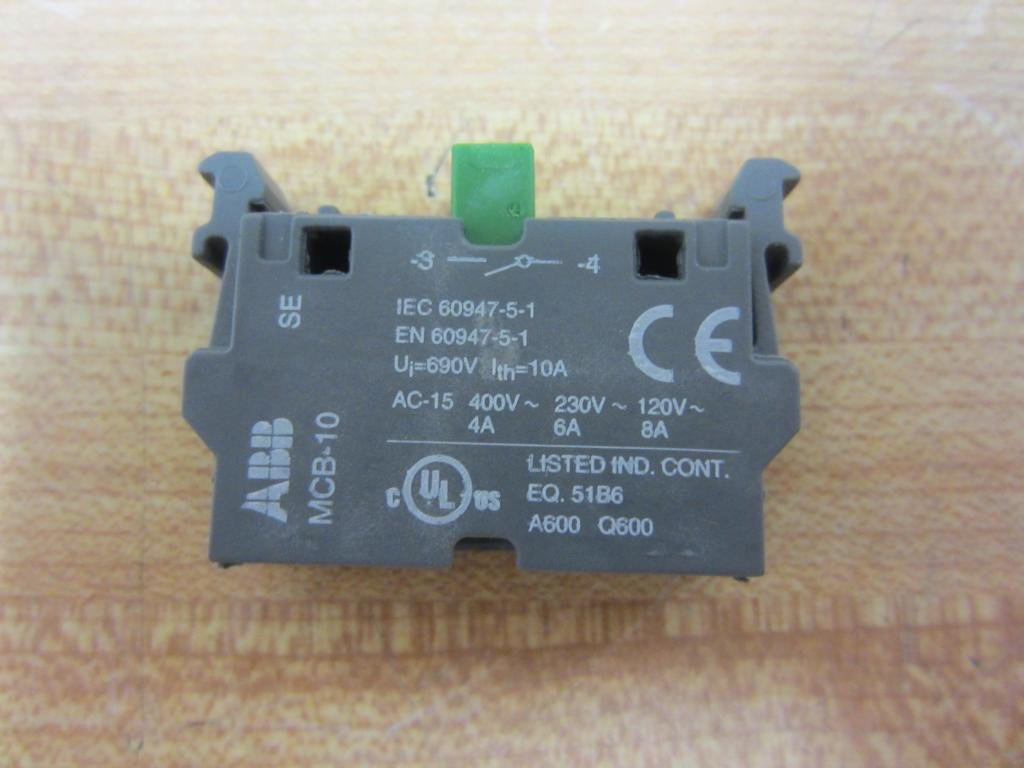
Figure 1: This image displays the primary view of the ABB MCB-10 Contact Block. Visible are the product model 'MCB-10', regulatory markings (IEC, EN, UL, CE), and the screw terminals for electrical connections. The green actuator button is also visible.
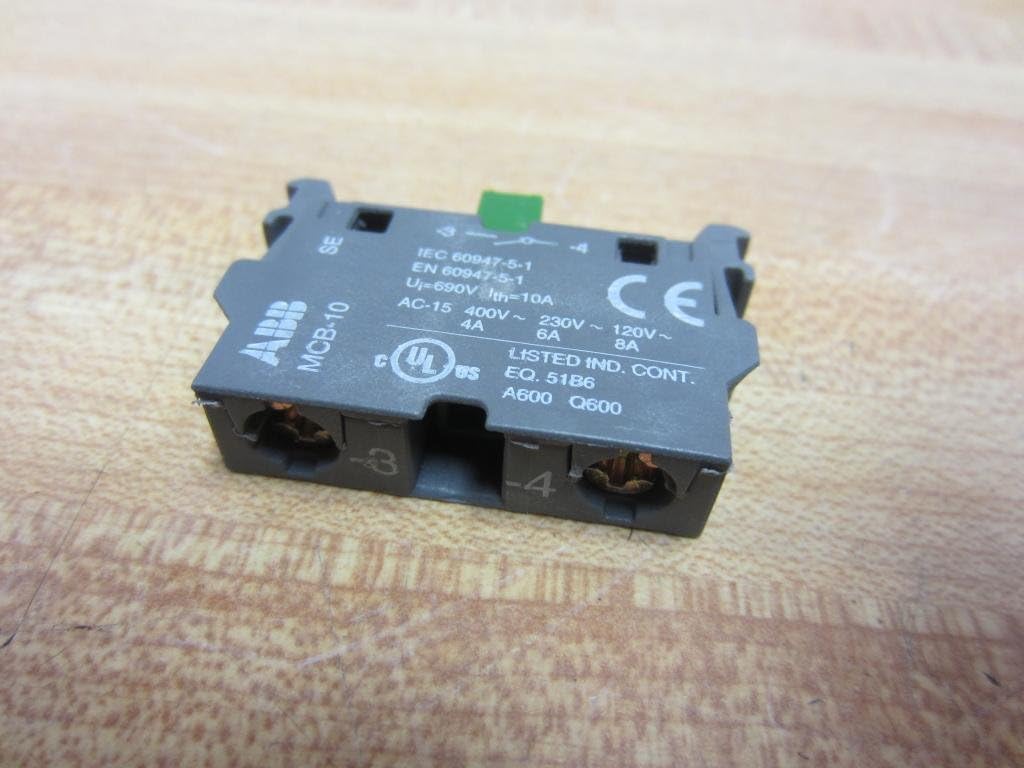
Figure 2: A closer view of the ABB MCB-10 Contact Block, highlighting the detailed electrical specifications printed on its surface, including voltage ratings (AC-15 400V~ 230V~ 120V~), current ratings (4A, 6A, 8A), and terminal numbers (3 and 4 for the NO contact).
4. Operating Instructions
The MCB-10 is a passive component that functions as an auxiliary contact for a main control device. Its operation is directly linked to the state of the device it is mounted on.
- Normally Open (NO) Contact: The 1 NO contact of the MCB-10 remains open when the main control device (e.g., contactor coil) is de-energized.
- Contact Closure: When the main control device is energized (e.g., contactor coil is activated), the mechanical action of the main device causes the MCB-10's NO contact to close, completing the auxiliary circuit.
- Contact Opening: When the main control device is de-energized, the NO contact of the MCB-10 returns to its open state.
Ensure that the operating voltage and current of the auxiliary circuit connected to the MCB-10 do not exceed the block's specified ratings.
5. Maintenance
Regular maintenance helps ensure the longevity and reliable operation of the MCB-10 Contact Block. Always disconnect power before performing any maintenance.
- Visual Inspection: Periodically inspect the contact block for any signs of physical damage, discoloration, or excessive wear.
- Terminal Connections: Check all screw terminals for tightness. Loose connections can lead to overheating and intermittent operation.
- Cleanliness: Ensure the contact block is free from dust, dirt, and other debris that could interfere with its mechanical operation or electrical conductivity. Use a dry, soft cloth for cleaning. Do not use solvents.
- Functionality Check: If possible and safe to do so, verify the mechanical action of the contact block by observing its response to the main control device's operation.
Replace the contact block if any significant damage or malfunction is observed.
6. Troubleshooting
If you experience issues with the MCB-10 Contact Block, consider the following troubleshooting steps:
- Contact Not Closing/Opening:
- Verify that the main control device (e.g., contactor) is functioning correctly and actuating the contact block.
- Check for proper mounting of the MCB-10 onto the main device. Ensure it is securely seated.
- Inspect wiring for loose connections or breaks.
- Intermittent Operation:
- Tighten all terminal screws.
- Check for any debris obstructing the mechanical movement of the contact.
- Inspect for signs of arcing or pitting on the contact surfaces (only if safely accessible and power is off).
- Overheating:
- Ensure the current flowing through the contact does not exceed its rated capacity (15 Amps).
- Check for loose terminal connections, which can cause resistance and heat.
- Verify that the operating voltage is within the specified range.
If the problem persists after these checks, the contact block may be faulty and require replacement. Contact ABB support for further assistance.
7. Specifications
| Brand | ABB |
| Model Number | MCB-10 |
| Product Dimensions | 6.2 x 2 x 1 inches; 0.16 ounces |
| Operation Mode | Manual (as part of a larger control system) |
| Current Rating | 15 Amps |
| Operating Voltage | 600 Volts |
| Contact Type | Normally Open (NO) |
| Connector Type | Screw |
| Material | Plastic |
| Switch Type | Contact Block |
| Terminal | Screw |
8. Warranty Information
No specific warranty information is provided within the product details. For warranty terms and conditions related to the ABB MCB-10 Contact Block, please refer to your purchase documentation, contact your authorized ABB distributor, or visit the official ABB website.
9. Support
For technical support, product inquiries, or further assistance with the ABB MCB-10 Contact Block, please utilize the following resources:
- Official ABB Website: Visit ABB's official website for product documentation, FAQs, and contact information.
- Authorized Distributors: Contact your local authorized ABB distributor for sales and technical support.


