
Introduction
This manual provides instructions for the proper use and care of your Griffin GC36670 3-Feet USB to Lightning Cable. This cable is designed to charge and synchronize compatible Apple iOS devices. Please read this manual thoroughly before using the product.
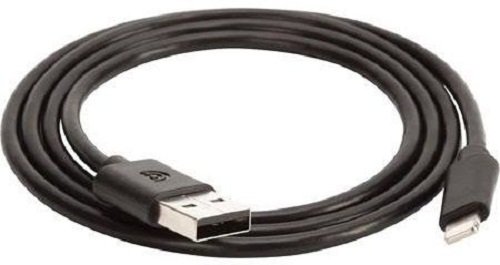
Image: The Griffin GC36670 3-Feet USB to Lightning Cable, black in color, featuring a USB-A connector on one end and a Lightning connector on the other.
Product Features
- Made for iPhone-certified: Ensures compatibility and reliable performance with Apple devices.
- Charge, sync, or transfer data: Supports multiple functions for your iOS device.
- Versatile power options: Can be used with a USB wall charger or a USB car charger.
- Standard USB Type-A connector: Plugs into any open USB port on a Mac or PC.
- 3-foot (0.91 meter) length: Provides adequate reach for various charging and syncing scenarios.
Setup
To set up your Griffin GC36670 USB to Lightning Cable, follow these steps:
- Identify Connectors: Locate the USB Type-A connector (larger, rectangular end) and the Lightning connector (smaller, reversible end).
- Connect to Power Source or Computer:
- For charging: Insert the USB Type-A connector into a compatible USB wall adapter, USB car charger, or a powered USB port on a computer.
- For syncing/data transfer: Insert the USB Type-A connector into an available USB port on your Mac or PC.
- Connect to iOS Device: Insert the Lightning connector into the charging/data port of your compatible Apple iOS device (e.g., iPhone 5, iPad 4th Generation, iPod Nano 7th Generation, iPod Touch 5th Generation, iPad Mini). Ensure a firm connection.
- Verify Connection: Your device should indicate that it is charging or connected to the computer.
Operating Instructions
The Griffin GC36670 cable is designed for straightforward operation.
Charging Your Device
- Connect the USB Type-A end of the cable to a USB power source (wall adapter, car charger, or computer USB port).
- Connect the Lightning end of the cable to your Apple iOS device.
- The device's battery indicator will show a charging symbol. Charging times may vary depending on the power source and device model.
Syncing and Data Transfer
- Connect the USB Type-A end of the cable to an available USB port on your Mac or PC.
- Connect the Lightning end of the cable to your Apple iOS device.
- Your computer should recognize the connected device. You can then use iTunes or Finder (macOS Catalina and later) to synchronize data, transfer files, or perform backups.
Maintenance
Proper maintenance ensures the longevity and optimal performance of your cable.
- Storage: Store the cable in a cool, dry place away from direct sunlight and extreme temperatures. Avoid tightly coiling or bending the cable at sharp angles, which can damage internal wires.
- Cleaning: Disconnect the cable from all devices and power sources before cleaning. Use a soft, dry, lint-free cloth to wipe the cable and connectors. Do not use liquid cleaners or solvents.
- Handling: Always grasp the connector head when plugging or unplugging the cable, rather than pulling on the cable itself. This prevents strain on the connection points.
- Inspection: Periodically inspect the cable for any signs of wear, fraying, or damage to the insulation or connectors. Discontinue use if damage is observed.
Troubleshooting
If you encounter issues with your Griffin GC36670 cable, refer to the following common troubleshooting steps:
| Problem | Possible Cause | Solution |
|---|---|---|
| Device not charging. | Loose connection, faulty power source, or damaged cable. |
|
| Device not syncing with computer. | Loose connection, computer port issue, or software conflict. |
|
| "Accessory not supported" message. | Dust/debris in device port, or rare compatibility issue. |
|
Specifications
- Model Number: GC36670
- Brand: Griffin
- Cable Type: USB to Lightning
- Length: 3 feet (approximately 0.91 meters)
- Connectors: USB Type-A (Male) to Lightning (Male)
- Color: Black
- Compatibility: Apple iPhone 5, iPad 4th Generation, iPod Nano 7th Generation, iPod Touch 5th Generation, iPad Mini.
- Special Feature: Tangle Free
- Product Dimensions: 5.4 x 3.9 x 0.8 inches (packaging)
- Item Weight: 0.353 ounces
Warranty and Support
For information regarding warranty coverage and customer support for your Griffin product, please refer to the official Griffin website or contact their customer service directly.
Griffin Official Website: www.griffintechnology.com
Note: Warranty terms and conditions may vary by region and retailer. Please retain your proof of purchase for warranty claims.