Introduction
This manual provides essential information for the safe and effective use of your HQRP AC Adapter. This power supply is designed to provide reliable power to various musical instrument multi-effects pedals, including specific DigiTech, Alesis, and DOD models. Please read this manual thoroughly before use.

Image: The HQRP AC Adapter, displaying its label with input/output specifications and certifications.
Safety Information
To ensure safe operation and prevent damage, observe the following safety guidelines:
- Input Voltage: This adapter is designed for 120V AC input. Do not use with incompatible voltage sources.
- Output Specifications: Provides AC (Alternating Current) 9V, 1.3A output. Ensure your device requires these specifications.
- Protection Features: The adapter includes automatic overload cut-off, automatic thermal cut-off, short circuit protection, and over voltage protection to safeguard your devices.
- Indoor Use Only: This adapter is intended for indoor use in dry locations. Avoid exposure to moisture or extreme temperatures.
- Cable Care: Do not bend, twist, or pull the power cord excessively. Avoid placing heavy objects on the cord.
- Disconnection: Always grasp the plug, not the cord, when disconnecting from the power outlet.
- Proposition 65 Warning: This product may contain chemicals known to the State of California to cause cancer and birth defects or other reproductive harm.

Image: An illustration of the internal components highlighting the over voltage, over current, and short circuit protection features.
Setup
- Verify Compatibility: Before connecting, ensure your device requires a 9V AC power supply with a 1.3A current rating and a barrel connector. Refer to your device's manual for power requirements.
- Connect to Device: Insert the barrel connector of the HQRP AC Adapter firmly into the power input jack of your musical instrument pedal or compatible device.
- Connect to Power Outlet: Plug the AC adapter into a standard 120V AC wall outlet. Ensure the outlet is easily accessible.
- Power On Device: Once connected, power on your device according to its instructions.
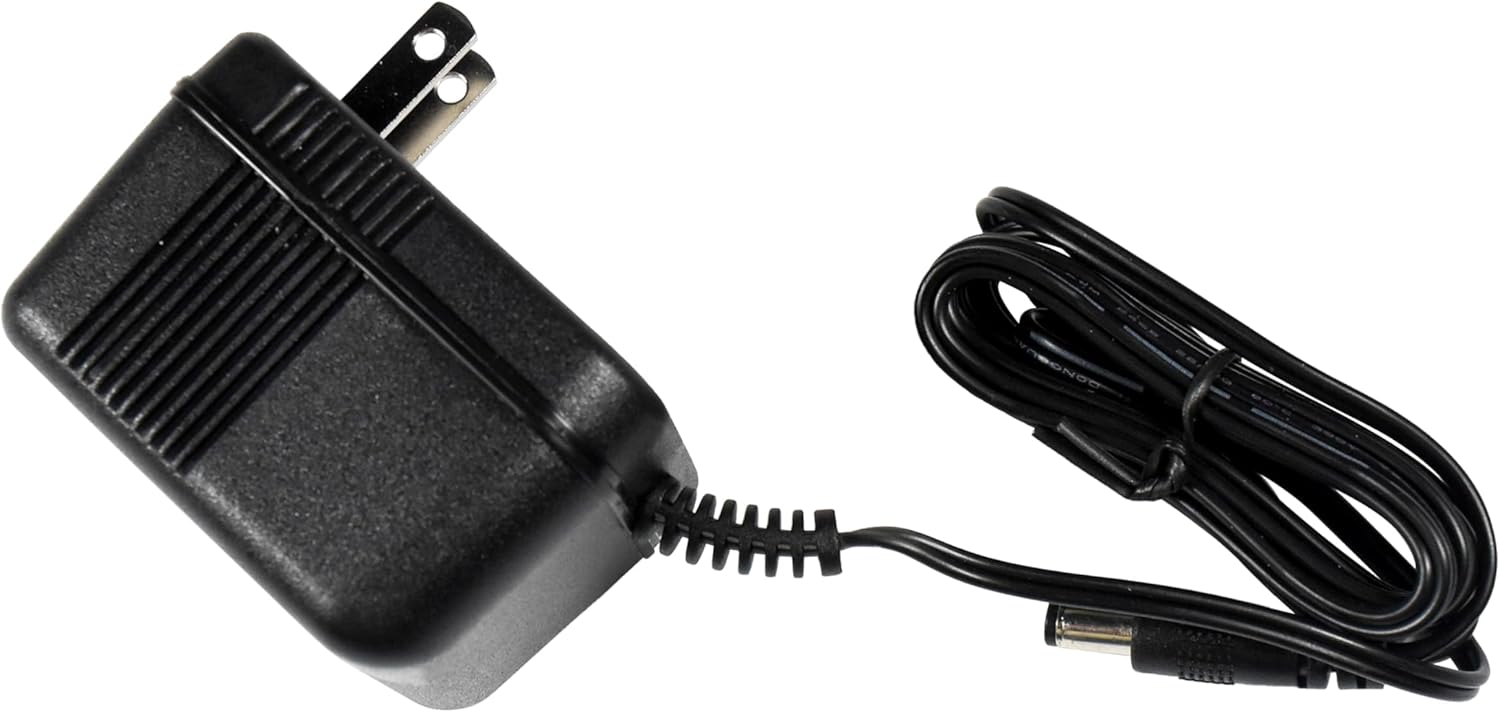
Image: The HQRP AC Adapter with its integrated power cord and barrel connector, ready for connection.
Operating
The HQRP AC Adapter operates automatically once connected to a power source and a compatible device. It provides continuous power for your equipment.
- Ensure the adapter is placed in a well-ventilated area to prevent overheating.
- Avoid covering the adapter during operation.
- If the adapter feels excessively hot to the touch, disconnect it immediately and allow it to cool.
Maintenance
The HQRP AC Adapter requires minimal maintenance. Follow these guidelines to prolong its lifespan:
- Cleaning: Disconnect the adapter from the power outlet and device before cleaning. Use a soft, dry cloth to wipe the exterior. Do not use liquid cleaners or solvents.
- Storage: When not in use, store the adapter in a cool, dry place, away from direct sunlight and moisture. Avoid tightly coiling the cord.
- Inspection: Periodically inspect the power cord and connector for any signs of damage, such as fraying, cuts, or bent pins. If damage is observed, discontinue use and replace the adapter.
Troubleshooting
| Problem | Possible Cause | Solution |
|---|---|---|
| Device does not power on. |
|
|
| Adapter feels warm during use. |
|
|
| Humming or noise from the adapter. |
|
|
Specifications
- Model Number: 887774706101316
- Input: 120V AC, 60Hz
- Output: 9V AC, 1.3A (1300mA), 11.7 Watts
- Cord Length: Approximately 76 inches (1.93 meters)
- Connector Type: Barrel connector
- Product Dimensions: 5.91 x 3.94 x 1.97 inches (approximate)
- Item Weight: 13.7 ounces (approximate)
- Safety Features: Automatic Overload Cut-off, Automatic Thermal Cut-off, Short Circuit Protection, Over Voltage Protection, Low Interference & Noise
- Manufacturer: HQRP
- Date First Available: June 10, 2013
Compatibility
This HQRP AC Adapter is compatible with a wide range of musical instrument pedals and devices requiring 9V AC power. Confirmed compatible models include, but are not limited to:
- DigiTech: RP3, RP200, RP200A, RP250, RP255, RP300, RP300A, RP350, RP355, RPx400, S100, S400, RP100, RP100A, RP150, RP155, RP500, RP1000, BP200, BP355, VL4, VL3D, VL2, Live 3, Live 5, Brian May-XAS-BM, EX-7 Expression Factory, EXH, XP100, XP200, XP300, XP400, Talker, EX7, GNX1, HarmonyMan, JamMan, JamMan Delay, JamMan Stereo, Jimi Hendrix Experience-JHE, Vx400, Whammy 4 IV, Vocal 300, TimeBender.
- Alesis: P3, P3X110, D4, DM5, DM10, DEQ224, DEQ230, Faze, MEQ230, Nano-Compressor, Nano-Bass, Nano-Piano, Performance-Pad, Vocal Zapper, iDM02, iED04, Metavox, Trigger IO, MidiVerb 4, ModFX, NanoVerb, NanoSynth, SR16, Phlngr, PicoVerb, Smashup, 3630 Compressor, AI2, AirFX, AirSynth, Akira, Bitrman, MicroVerb 3, MicroVerb 4.
- DOD: PS750, Acoustic One Signal Processor Pream, FX7, FX-7 Guitar FX Processor Preamp Multi-Effects, VOFX, G10, D3, D6, D12, VGS50, Bass30, GS30, TEC8G, SR400D.
Always verify the power requirements of your specific device before connecting.

Image: Visual representation of the HQRP AC Adapter's compatibility with several popular musical instrument devices.
Warranty and Support
For warranty information and technical support, please refer to the official HQRP website or contact their customer service directly. Details regarding specific warranty periods and support procedures are typically provided with your purchase or on the manufacturer's official channels.
For further assistance, you may visit the HQRP Store on Amazon.
