
1. Introduction
The Samsung EHS64AVFWE Stereo Headset is designed to provide a comfortable audio experience for music listening and hands-free communication. Featuring an in-line microphone and remote control, this headset allows you to manage calls and audio playback without needing to access your connected device. Its lightweight design makes it suitable for daily use and travel.
2. Package Contents
Please verify that your package contains the following item:
- Samsung EHS64AVFWE Stereo Headset
3. Product Overview
Familiarize yourself with the components of your Samsung EHS64AVFWE Stereo Headset.

Figure 1: Overall view of the Samsung EHS64AVFWE Stereo Headset, showing the white earbuds, in-line remote, and 3.5mm audio jack.
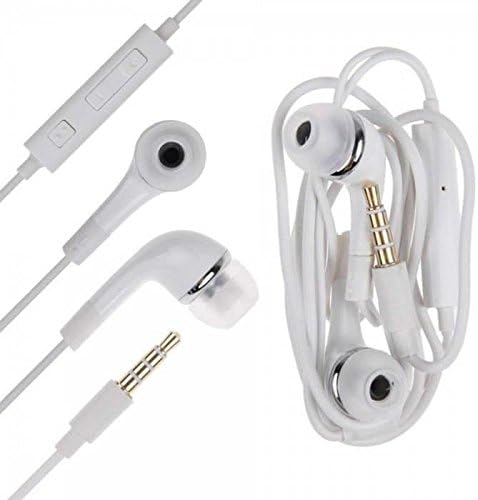
Figure 2: Detailed view of the white earbuds and the universal 3.5mm audio jack for device connection.
4. Setup
Setting up your Samsung EHS64AVFWE Stereo Headset is straightforward:
- Locate the 3.5mm audio jack on your smartphone, tablet, or other compatible device.
- Insert the 3.5mm connector of the headset firmly into the device's audio jack.
- Place the earbuds comfortably into your ears.
The headset is now ready for use.
5. Operating
The in-line remote control allows for easy management of calls and audio playback.

Figure 3: The in-line remote control with its various buttons.
Call Management:
- Answer/End Call: Press the multi-function button (center button) once.
- Reject Call: Press and hold the multi-function button for approximately 2 seconds.
Audio Playback:
- Play/Pause: Press the multi-function button once.
- Next Track: Press the multi-function button twice quickly.
- Previous Track: Press the multi-function button three times quickly.
- Volume Up: Press the '+' button.
- Volume Down: Press the '-' button.
6. Maintenance
Proper care will extend the life of your headset:
- Cleaning: Gently wipe the earbuds and cable with a soft, dry cloth. Avoid using harsh chemicals or abrasive materials.
- Storage: When not in use, store the headset in a clean, dry place, away from direct sunlight and extreme temperatures. Avoid tangling the cable.
- Water Exposure: This headset is not water-resistant. Avoid exposure to water or excessive moisture.
7. Troubleshooting
If you encounter issues with your headset, refer to the following common solutions:
| Problem | Possible Solution |
|---|---|
| No sound or low volume |
|
| Microphone not working |
|
| Remote control buttons not responding |
|
8. Specifications
| Feature | Detail |
|---|---|
| Brand | Samsung |
| Model Number | EHS64AVFWE |
| Connectivity Technology | Wired (3.5mm Jack) |
| Ear Placement | In Ear |
| Impedance | 140 Ohms |
| Frequency Range | 20 Hz - 20,000 Hz |
| Control Type | Remote (In-line) |
| Additional Features | Lightweight, Microphone Included |
| Item Weight | 0.02 Pounds |
| Color | White |
9. Warranty and Support
For warranty information or technical support, please refer to the documentation provided with your original purchase or visit the official Samsung support website for your region. You may also contact Samsung customer service directly for assistance.