
1. Product Overview
The Primo Water Dispenser Model 601089 is a freestanding, bottom-loading unit designed to provide instant access to hot, cold, and room temperature water. Its bottom-loading design eliminates the need for lifting heavy water bottles, making bottle replacement easier and reducing spills. This dispenser features a 2.0 compressor cooling system, a child safety latch for hot water, and energy-saving on/off switches for heating and cooling functions. It is UL Certified and Energy Star rated for efficiency.
Key Features:
- Bottom-loading design for easy bottle replacement.
- Dispenses hot, cold, and room temperature water.
- Child safety latch for hot water faucet.
- Indicator lights for power, cooling, heating, and bottle replacement.
- Energy-saving on/off switches for hot and cold water.
- UL Certified and Energy Star rated.

2. Important Safety Information
Please read all instructions before using this appliance to prevent injury or property damage. Keep this manual for future reference.
- Electrical Safety: Always plug the dispenser into a grounded outlet. Do not use extension cords. Ensure the power cord is not pinched or damaged.
- Hot Water Safety: The hot water faucet dispenses water at approximately 140°F (60°C). Exercise extreme caution when dispensing hot water. This unit includes a child safety latch on the hot water faucet to prevent accidental burns. Always engage the child safety latch after use.
- Placement: Place the dispenser on a level surface, away from direct sunlight and heat sources. Allow adequate clearance around the unit for proper ventilation.
- Water Quality: Use only potable water in the dispenser. Do not use any other liquids.
- Cleaning: Unplug the dispenser before cleaning. Do not immerse the dispenser in water.
- Children and Pets: Keep children and pets away from the dispenser, especially the hot water faucet.
3. Setup Instructions
Setting up your Primo Water Dispenser is a straightforward process that requires no special tools.
- Unpack the Dispenser: Carefully remove the dispenser from its packaging. Inspect for any damage.
- Position the Dispenser: Place the dispenser on a firm, level surface. Ensure there is at least 4 inches of clearance from the back and sides to allow for proper ventilation.
- Install the Drip Tray: Locate the drip tray and slide it into its designated slot below the faucets.
- Load the Water Bottle:
- Open the lower cabinet door of the dispenser.
- Remove the cap from a new 3 or 5-gallon Primo water bottle.
- Insert the probe into the bottle opening.
- Slide the water bottle into the cabinet and close the door.
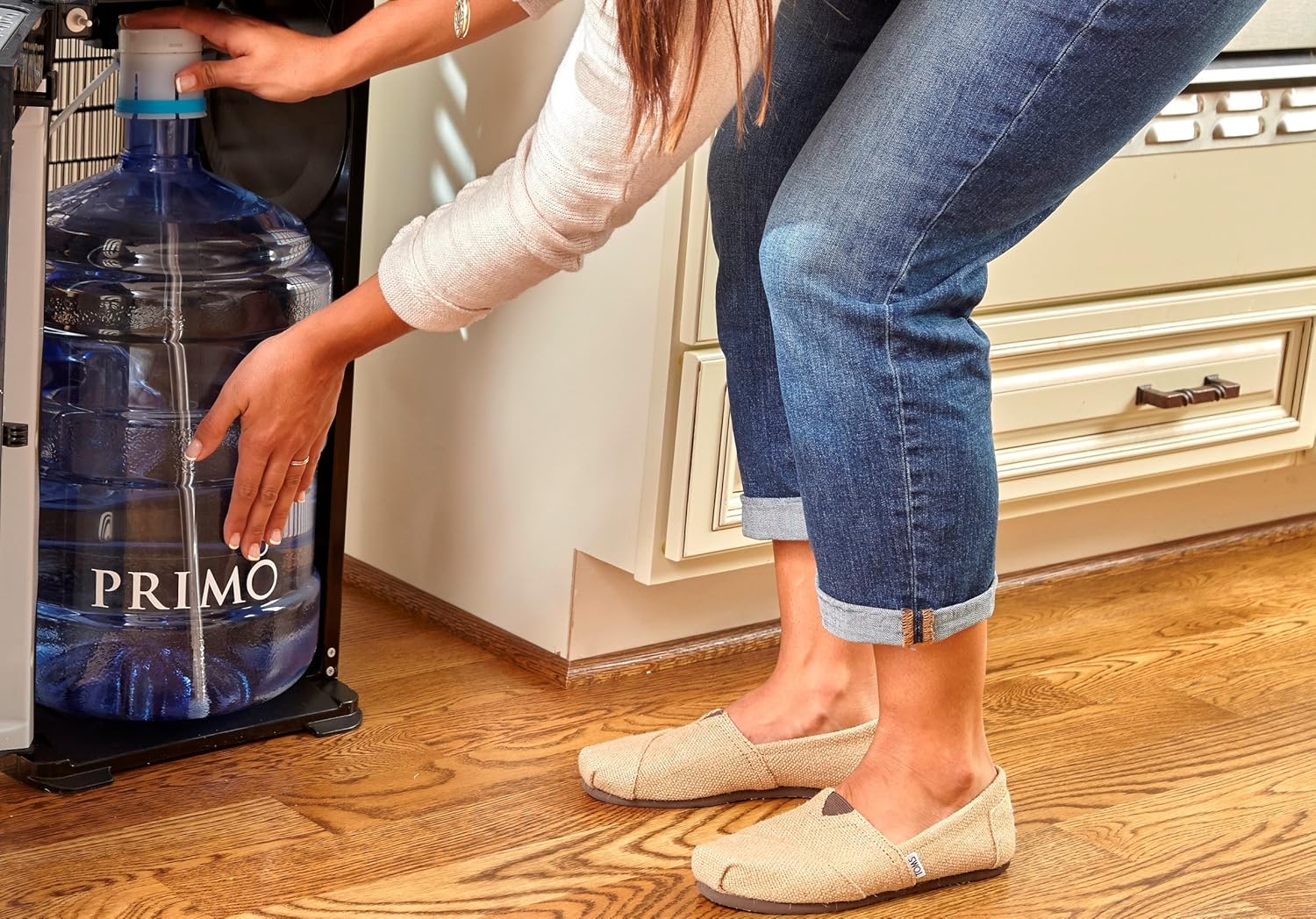
Loading a water bottle into the bottom compartment of the dispenser. 
The water bottle correctly installed within the dispenser's bottom compartment. - Plug In and Prime: Plug the dispenser into a grounded electrical outlet. Allow the dispenser to prime itself for a few minutes. Dispense water from each faucet (hot, cold, room temperature) until water flows steadily, indicating the lines are filled.
Setup and Operation Demonstration:
The following video, provided by a seller, demonstrates the setup and operation of a water cooler, offering visual guidance for similar bottom-loading dispensers.
4. Operating Instructions
Your Primo Water Dispenser offers three temperature options for your convenience.
Dispensing Water:
- Cold Water: Place your cup under the cold water faucet. Press the cold water lever to dispense.
- Room Temperature Water: Place your cup under the room temperature water faucet. Press the room temperature lever to dispense.
- Hot Water: To dispense hot water, first push the child safety latch inward, then press the hot water lever. Release the lever to stop the flow. Always ensure the child safety latch is engaged after use.
Energy Saving Switches:
The dispenser is equipped with separate on/off switches for the hot and cold water functions, typically located on the back of the unit. You can turn off the heating or cooling function when not needed to save energy. The room temperature water will always be available regardless of these switches.
Indicator Lights:
The indicator lights on the front panel provide status updates:
- Power On: Indicates the unit is powered.
- Cooling: Illuminates when the compressor is actively cooling water.
- Heating: Illuminates when the heating element is actively heating water.
- Replace Bottle: Illuminates when the water bottle is empty and needs replacement.
5. Care and Maintenance
Regular cleaning and maintenance will ensure the longevity and optimal performance of your water dispenser.
- Exterior Cleaning: Wipe the exterior surfaces with a soft, damp cloth. Do not use abrasive cleaners or solvents.
- Drip Tray: The drip tray should be emptied and cleaned regularly to prevent overflow and bacterial growth. Remove the tray, wash with mild soap and water, rinse thoroughly, and replace.
- Condenser Coils: Periodically clean the condenser coils on the back of the unit with a brush or vacuum cleaner to maintain efficiency. Ensure the unit is unplugged before cleaning the coils.
- Internal Cleaning (Sanitization): For thorough sanitization, refer to the detailed cleaning instructions provided in the full product manual or contact Primo customer support. This typically involves draining the unit and flushing with a sanitizing solution.
6. Troubleshooting Guide
If you encounter issues with your dispenser, refer to the common problems and solutions below. For persistent problems, contact customer support.
| Problem | Possible Cause | Solution |
|---|---|---|
| No water dispensing. | Water bottle empty or not properly installed. Airlock in the system. | Replace the water bottle. Ensure the probe is fully inserted. Dispense water from all faucets to release any airlocks. |
| Water is not hot/cold. | Hot/cold switch is off. Dispenser not plugged in or power outage. | Check if the hot/cold switches on the back of the unit are in the "ON" position. Ensure the dispenser is plugged in and receiving power. Allow time for heating/cooling (up to 1 hour for initial setup). |
| Dispenser is noisy. | Normal compressor operation. Unit not level. | Some noise during cooling cycles is normal. Ensure the unit is on a level surface. If noise is excessive, gently tap the unit or contact support. |
| Water leaking. | Drip tray full. Water bottle cracked or improperly seated. | Empty and clean the drip tray. Check the water bottle for cracks and ensure it is correctly installed. |
7. Product Specifications
| Model Number: | 601089 |
| Brand: | Primo |
| Color: | Black |
| Material: | Stainless Steel (internal components) |
| Dimensions (D x W x H): | 36.1 cm x 31 cm x 103.9 cm (14.2" D x 12.2" W x 40.9" H) |
| Product Weight: | Approximately 16.2 kg (35.7 lbs) |
| Installation Type: | Freestanding |
| Loading Style: | Bottom Loading |
| Water Temperatures: | Hot, Cold, Room Temperature |
| Hot Water Temperature: | Up to 140°F (60°C) |
| Cooling System: | 2.0 Compressor Cooling |
| Certifications: | UL Certified, Energy Star Rated |
| Power Source: | Corded Electric |
8. Warranty Information
Specific warranty details for your Primo Water Dispenser Model 601089 are typically included with your purchase documentation. Please refer to the warranty card or the official Primo website for the most current and complete information regarding coverage, duration, and terms.
Generally, warranties cover manufacturing defects and malfunctions under normal use. Keep your proof of purchase for any warranty claims.
9. Customer Support
For further assistance, technical support, or to inquire about replacement parts, please contact Primo customer service. Have your model number (601089) and purchase date ready when you call or email.
You can typically find contact information on the Primo website or in the documentation included with your dispenser.


