
JERDON HL75CD
JERDON HL75CD Wall-Mounted Lighted Magnifying Makeup Mirror User Manual
Model: HL75CD
Important Safety Information
WARNING: This mirror requires hardwiring, which should be done by a licensed electrician. Always turn off the power at the circuit breaker before installation. Keep the mirror away from water sources to prevent slips. Do not touch the mirror with wet hands. Always unplug the power source before cleaning the mirror.
Read all instructions carefully before installation and use. Retain this manual for future reference.
Product Overview
The JERDON HL75CD is an 8.5-inch wall-mounted makeup mirror featuring 1X and 8X magnification, integrated lighting, and a chrome finish. It is designed for direct wire installation, providing a clean, cord-free appearance. The mirror extends up to 13.5 inches from the wall and offers 360-degree swivel functionality for versatile positioning.

Figure 1: JERDON HL75CD Wall-Mounted Lighted Magnifying Makeup Mirror.
Package Contents
- JERDON HL75CD Wall-Mounted Lighted Magnifying Makeup Mirror
- Mounting Hardware
- 25-watt Replacement Lightbulb (Jerdon model JPT25W)
Setup and Installation
Important: Installation must be performed by a licensed electrician due to direct wire requirements. Ensure power is turned off at the circuit breaker before beginning installation.
- Prepare Mounting Location: Identify a suitable location on the wall that has a junction box with a live wire.
- Mounting Bracket Installation: Secure the mounting bracket to the wall using the provided hardware. Ensure it is level and firmly attached to a wall stud or appropriate anchor.
- Electrical Connection: Connect the mirror's wiring to the junction box wiring according to local electrical codes. This typically involves connecting live, neutral, and ground wires.
- Attach Mirror Assembly: Carefully attach the mirror assembly to the mounting bracket.
- Install Lightbulb: Insert the 25-watt replacement lightbulb (Jerdon model JPT25W) into the designated socket.
- Test Functionality: Restore power at the circuit breaker and test the mirror's light and swivel functions.

Figure 2: Direct wire installation requires a junction box with a live wire.

Figure 3: Mirror dimensions, including 8.5" diameter and 13.5" extension from the wall.
Operating Instructions
- Turning On/Off the Light: Locate the on/off rotary switch on the base of the mirror. Rotate the switch to turn the halo lighting on or off.
- Adjusting Magnification: The mirror features two sides: one with 1X magnification and the other with 8X magnification. Gently swivel the mirror head 360 degrees to switch between the desired magnification level.
- Positioning the Mirror: The extension arm allows the mirror to extend up to 13.5 inches from the wall. You can also fold the arm back towards the wall to save space. The mirror head can be tilted and rotated to achieve the optimal viewing angle.

Figure 4: The mirror offers 8X magnification for detailed tasks and 1X magnification for general viewing.
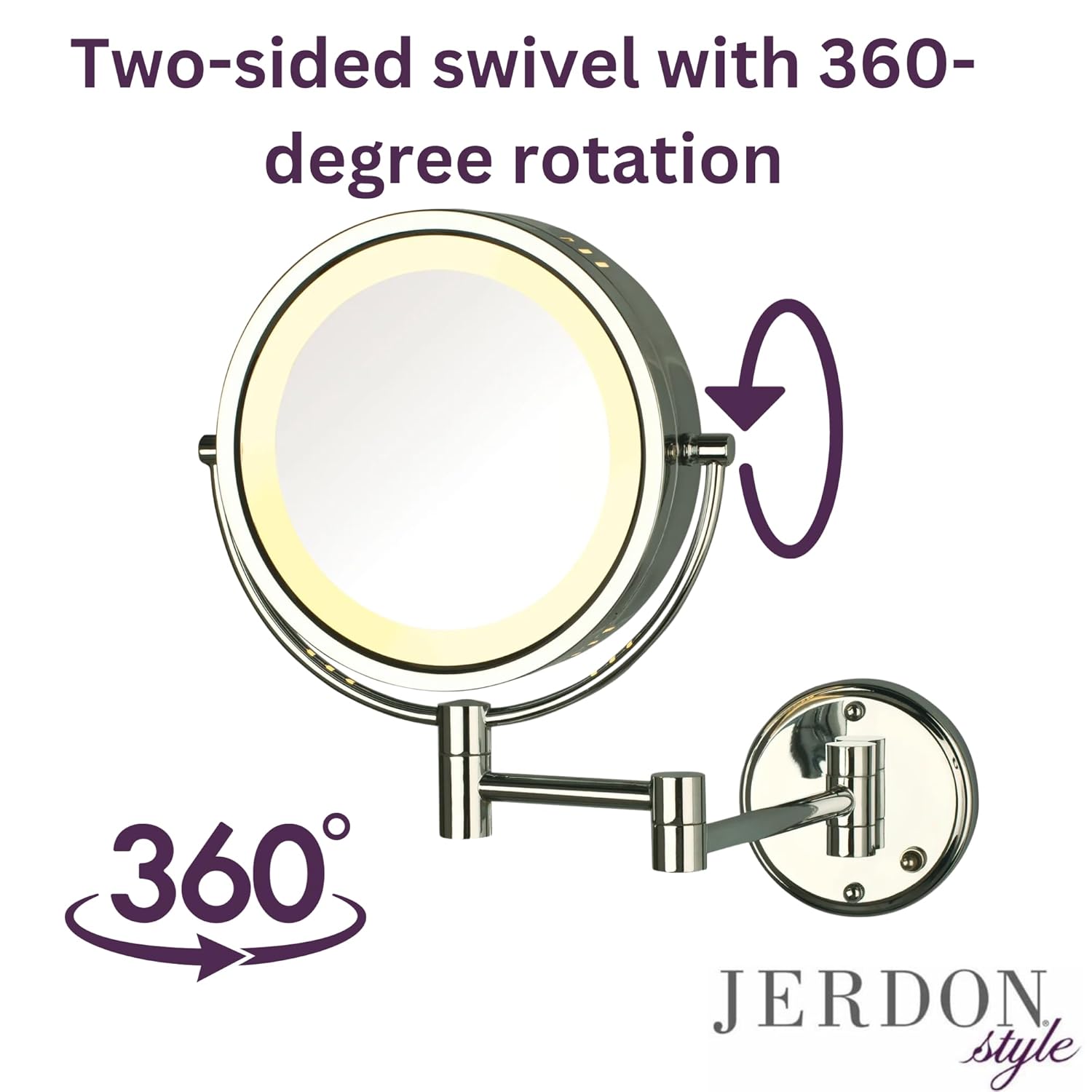
Figure 5: The mirror head swivels 360 degrees to easily switch between magnification levels.
Maintenance and Care
- Cleaning the Mirror: Always turn off the power at the circuit breaker before cleaning. Use a soft, damp cloth with a mild glass cleaner. Do not use abrasive cleaners or harsh chemicals, as these can damage the finish or mirror surface.
- Replacing the Lightbulb: Ensure the mirror is powered off and cool before attempting to replace the bulb. Unscrew the old bulb and replace it with a new 25-watt replacement lightbulb (Jerdon model JPT25W).
- General Care: Regularly check all connections and moving parts for tightness. Avoid excessive force when adjusting the mirror. The chrome finish is designed to protect against moisture; however, wipe away any water splashes promptly.
Troubleshooting
| Problem | Possible Cause | Solution |
|---|---|---|
| Light does not turn on. | Power off at circuit breaker, faulty bulb, loose wiring. | Check circuit breaker. Replace lightbulb. Consult a licensed electrician to check wiring. |
| Mirror is unstable or loose. | Mounting hardware is loose. | Tighten mounting screws. Ensure proper installation into a stud or with appropriate anchors. |
| Magnification appears distorted. | Incorrect viewing distance for magnification. | Adjust your distance from the mirror when using the 8X magnification side. Magnified mirrors require closer viewing for clarity. |
Specifications
- Model Number: HL75CD
- Mirror Diameter: 8.5 inches
- Magnification: 1X / 8X
- Finish: Chrome
- Mounting Type: Wall Mount (Direct Wire)
- Extension from Wall: Up to 13.5 inches
- Rotation: 360-degree swivel
- Light Source: Integrated lighting (uses 25-watt replacement bulb, Jerdon model JPT25W)
- Product Dimensions: 11 x 2.75 x 13.5 inches
- Item Weight: 3.4 Pounds
- Material: Glass, Metal
- Required Assembly: Yes
Warranty and Support
The JERDON HL75CD Wall-Mounted Lighted Magnifying Makeup Mirror comes with a 1-year limited warranty that protects against any defects due to faulty material or workmanship.
For warranty claims or technical support, please refer to the contact information provided with your purchase documentation or visit the official JERDON website.
Product Videos
Mounted Magnifying Mirror Overview (Chrome Finish)
This video demonstrates the features and adjustability of the wall-mounted magnifying mirror in a chrome finish, including its swivel function and extension arm. Note: The light bulb may need replacement as shown in the video.
Gold Finish Mirror Features
This video provides a general overview of the wall-mounted magnifying mirror, highlighting its light and swivel capabilities, shown in a gold finish. The functionality is identical to the chrome model.
Related documentsHL75CD


Ask a question about this manual
Ask about setup, troubleshooting, compatibility, parts, safety, or missing instructions. Manuals+ will review the question and use this page’s manual context to help answer it.