
Verbatim Store 'n' Go V3 MAX
Verbatim 32GB USB 3.0 Store 'n' Go V3 Max Flash Drive User Manual
Model: Store 'n' Go V3 MAX (49806)
Brand: Verbatim
1. Introduction
1.1 Product Overview
The Verbatim 32GB USB 3.0 Store 'n' Go V3 Max Flash Drive is a portable storage device designed for high-speed data transfer. It features a retractable USB connector for protection and compatibility with both PC and Mac systems.
1.2 Key Features
- Capacity: 32GB for storing various file types.
- USB 3.0 Interface: Provides high-speed data transfer rates, up to 300 MB/s read speed.
- Retractable Design: Protects the USB connector when not in use, eliminating the need for a cap.
- Compatibility: Works with USB 3.0 and USB 2.0 ports on PC and Mac computers.
- Durable Housing: Features a metallic finish for enhanced durability.
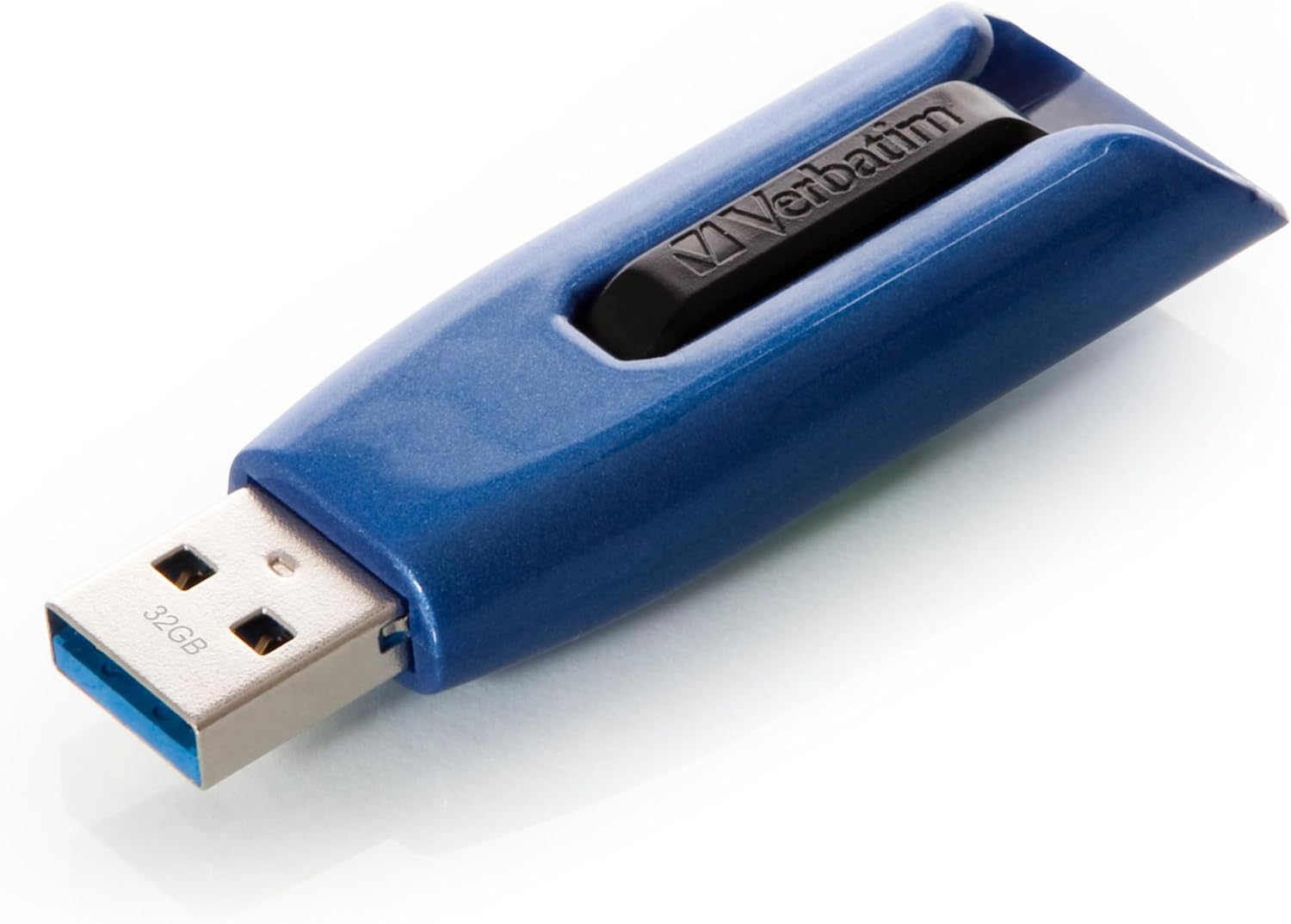
Image 1.1: The Verbatim 32GB USB 3.0 Store 'n' Go V3 Max Flash Drive in blue, with its retractable connector extended.
2. Setup
2.1 System Requirements
- USB 3.0 or USB 2.0 port
- Operating System: Windows 7 or higher, Mac OS X 10.4 or higher
2.2 Connecting the Flash Drive
- Locate an available USB port on your computer.
- Slide the mechanism on the flash drive to extend the USB connector.
- Insert the flash drive firmly into the USB port. The drive will be automatically recognized by your operating system.

Image 2.1: A hand inserting the Verbatim USB flash drive into a laptop's USB port. The image highlights the compact and lightweight design.
3. Operating Instructions
3.1 Accessing the Drive
Once connected, the flash drive will appear as a removable disk drive in your computer's file explorer (Windows) or Finder (Mac). Double-click the drive icon to open it.
3.2 Transferring Files
- To copy files to the drive: Drag and drop files or folders from your computer to the flash drive's window. Alternatively, right-click the files, select "Copy," then navigate to the flash drive's window, right-click, and select "Paste."
- To copy files from the drive: Drag and drop files or folders from the flash drive's window to a location on your computer.
For optimal transfer speeds, ensure you are using a USB 3.0 port. While compatible with USB 2.0, performance will be limited to USB 2.0 speeds.

Image 3.1: Diagram illustrating key features of the Verbatim USB drive, including up to 300 MB/s speed, USB 3.2 Gen 1 (USB 3.0) interface, glossy finish, and Slide & Lock protection. Available capacities are 32GB, 64GB, and 128GB.
3.3 Safely Removing the Drive
Always safely remove the flash drive before physically disconnecting it to prevent data corruption.
- Windows: Click the "Safely Remove Hardware and Eject Media" icon in the system tray, then select the Verbatim drive. Wait for the "Safe to Remove Hardware" notification.
- Mac: Drag the drive icon from the desktop or Finder sidebar to the Trash icon, or right-click the drive icon and select "Eject."
After safe removal, slide the mechanism to retract the USB connector for protection.

Image 3.2: The Verbatim USB flash drive connected to a laptop, demonstrating its retractable "Slide & Lock" protection feature.
4. Maintenance
4.1 Care and Storage
- Keep the flash drive away from extreme temperatures, moisture, and direct sunlight.
- Avoid dropping the device or subjecting it to strong impacts.
- Use the retractable mechanism to protect the USB connector when not in use.
- Clean the exterior with a soft, dry cloth if necessary. Do not use liquid cleaners.
5. Troubleshooting
5.1 Drive Not Recognized
- Ensure the flash drive is fully inserted into the USB port.
- Try a different USB port on your computer.
- Test the drive on another computer to rule out a computer-specific issue.
- Restart your computer.
5.2 Slow Transfer Speeds
- Ensure you are connecting the drive to a USB 3.0 port for optimal performance. USB 2.0 ports will result in slower speeds.
- Transferring many small files can be slower than transferring a single large file of the same total size.
- Close other applications that might be using system resources.
5.3 Data Corruption
- Always use the "Safely Remove Hardware" (Windows) or "Eject" (Mac) function before disconnecting the drive.
- Avoid disconnecting the drive during a file transfer.
6. Specifications
| Brand | Verbatim |
| Model Name | Store 'n' Go V3 MAX |
| Item Model Number | 49806 |
| Memory Storage Capacity | 32 GB |
| Hardware Interface | USB 3.0 |
| Read Speed | Up to 300 MB/s (as per product description and feature image; 175 MB/s also listed in detailed specifications) |
| Write Speed | 10 MB/s (as per detailed specifications; product description implies faster speeds with dual-channel USB 3.0) |
| Connectivity Technology | USB |
| Color | Blue (also available in Black) |
| Flash Memory Type | NAND |
| Hardware Platform | Mac, PC |
| Item Weight | 0.353 ounces (approx. 10 grams) |
| Product Dimensions (LxWxH) | 2.28 x 0.44 x 0.78 inches |
7. Warranty and Support
7.1 Warranty Information
Verbatim products are designed to meet high quality standards. For specific warranty details regarding your Verbatim 32GB USB 3.0 Store 'n' Go V3 Max Flash Drive, please refer to the warranty card included with your purchase or visit the official Verbatim website.
7.2 Technical Support
If you encounter any issues not covered in this manual, or require further assistance, please contact Verbatim technical support. Contact information can typically be found on the Verbatim website or on the product packaging.
Related documentsStore 'n' Go V3 MAX


Ask a question about this manual
Ask about setup, troubleshooting, compatibility, parts, safety, or missing instructions. Manuals+ will review the question and use this page’s manual context to help answer it.