Introduction
The Electro-Voice ZLX-12P is a 12-inch two-way powered loudspeaker designed for versatile audio applications. It features custom-engineered drivers, a robust Class-D amplifier, and integrated Digital Signal Processing (DSP) for optimal performance. This loudspeaker is suitable for various setups, including pole-mounted applications and use as a floor monitor, delivering clear and powerful sound.

Figure 1: Front view of the Electro-Voice ZLX-12P Powered Loudspeaker, showcasing its protective grille and compact design.
Safety Information
- Read all instructions before operating the loudspeaker.
- Retain these instructions for future reference.
- Heed all warnings on the product and in the instruction manual.
- Follow all instructions for safe operation.
- Do not use this apparatus near water.
- Clean only with a dry cloth.
- Do not block any ventilation openings. Install in accordance with the manufacturer's instructions.
- Do not install near any heat sources such as radiators, heat registers, stoves, or other apparatus (including amplifiers) that produce heat.
- Do not defeat the safety purpose of the polarized or grounding-type plug. A polarized plug has two blades with one wider than the other. A grounding-type plug has two blades and a third grounding prong. The wide blade or the third prong are provided for your safety. If the provided plug does not fit into your outlet, consult an electrician for replacement of the obsolete outlet.
- Protect the power cord from being walked on or pinched, particularly at plugs, convenience receptacles, and the point where they exit from the apparatus.
- Only use attachments/accessories specified by the manufacturer.
- Use only with the cart, stand, tripod, bracket, or table specified by the manufacturer, or sold with the apparatus. When a cart is used, use caution when moving the cart/apparatus combination to avoid injury from tip-over.
- Unplug this apparatus during lightning storms or when unused for long periods of time.
- Refer all servicing to qualified service personnel. Servicing is required when the apparatus has been damaged in any way, such as power-supply cord or plug is damaged, liquid has been spilled or objects have fallen into the apparatus, the apparatus has been exposed to rain or moisture, does not operate normally, or has been dropped.
Setup and Connections
Proper setup is crucial for optimal performance and safety. Ensure the loudspeaker is placed on a stable surface or mounted securely using appropriate hardware.
Rear Panel Overview
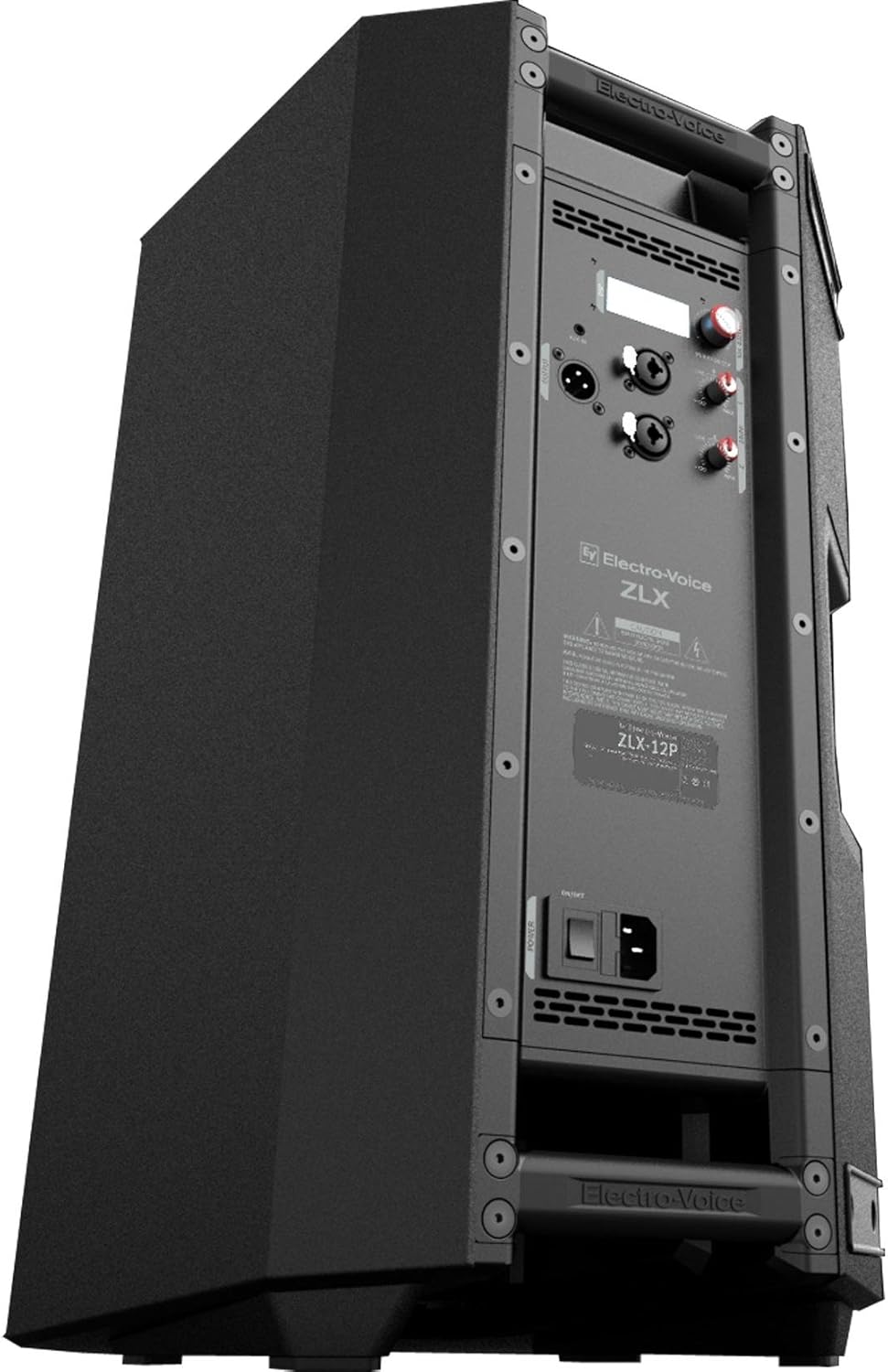
Figure 2: Rear panel of the ZLX-12P, showing input/output connections, DSP control, and power switch.
The rear panel provides all necessary connections and controls for the ZLX-12P. It includes XLR/TRS combo inputs, a 3.5mm input, an XLR link output, and the DSP control knob with an LCD display.
Power Connection
- Ensure the power switch on the rear panel is in the OFF position.
- Connect the provided power cord to the AC inlet on the rear panel and then to a suitable power outlet.
- Turn the power switch to the ON position. The front LED will illuminate, indicating power.
Audio Input Connections
The ZLX-12P offers flexible input options:
- XLR/TRS Combo Jacks (Input 1 & 2): These inputs accept both XLR and 1/4-inch TRS connectors. They are suitable for microphones, mixers, and other line-level audio sources.
- 3.5mm Input: A stereo 3.5mm input is available for connecting portable media players or other consumer audio devices.
Adjust the individual input level controls (Line/Mic) for each input to achieve optimal gain structure. The LCD display will show input levels.
Audio Output (Link)
The XLR link output allows you to send the mixed audio signal to another ZLX-12P loudspeaker or a different audio device, facilitating system expansion.
Mounting Options
- Pole Mounting: The ZLX-12P features a pole mount socket for use with standard speaker poles. Ensure the pole and stand are rated for the loudspeaker's weight (approximately 34.4 lbs).
- Floor Monitor: The enclosure design allows the loudspeaker to be placed on its side for use as a floor monitor.
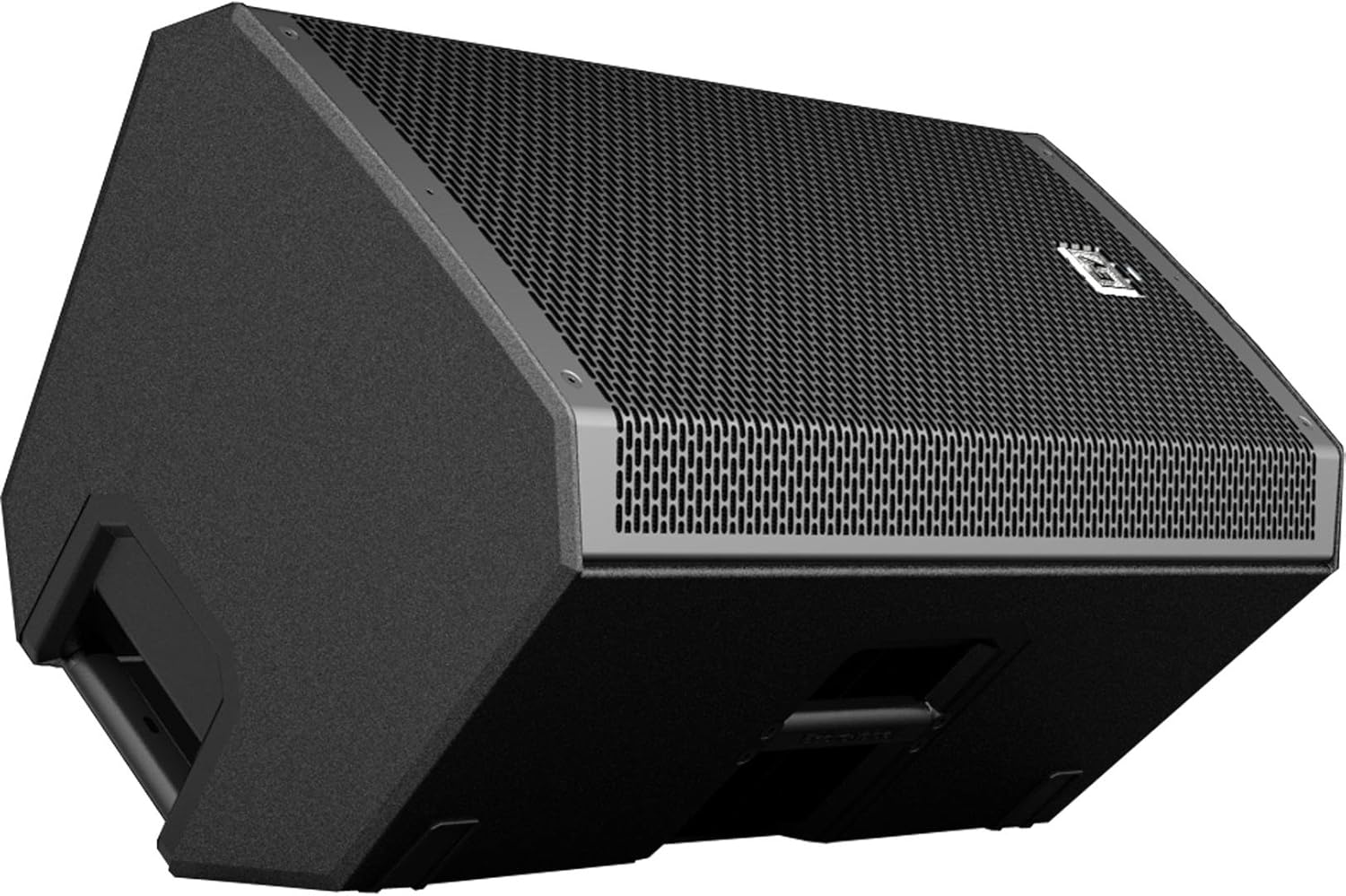
Figure 3: The ZLX-12P positioned as a floor monitor, demonstrating its angled design for stage use.
Handling and Transport
The ZLX-12P is designed with integrated handles for easy lifting and transport. Always use proper lifting techniques and ensure a secure grip when moving the loudspeaker.
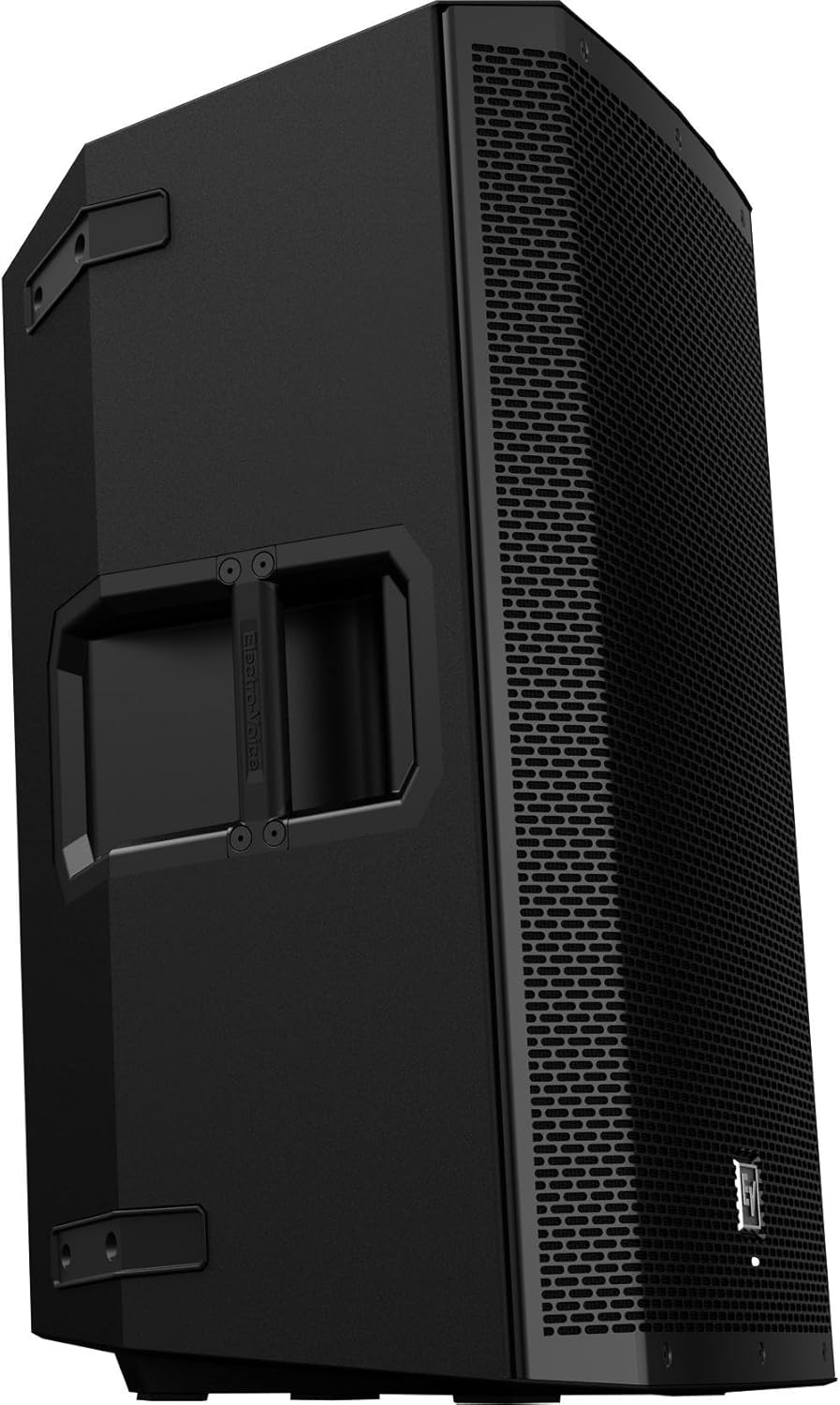
Figure 4: Integrated side handle on the ZLX-12P for convenient carrying.
Operating the Loudspeaker
The ZLX-12P incorporates a powerful Digital Signal Processor (DSP) accessible via a single knob and LCD display, allowing for quick and precise sound optimization.
DSP Control
- Accessing Menus: Press the MASTER VOL/DSP knob to enter the DSP menu.
- Navigation: Rotate the knob to scroll through menu options. Press the knob to select an option or confirm a setting.
- Presets: The DSP includes various presets optimized for different applications (e.g., Music, Live, Speech, Club). Select the preset that best suits your environment and audio source.
- Subwoofer Integration: If using a subwoofer, the DSP allows for crossover frequency adjustment to ensure seamless integration.
- EQ Settings: Fine-tune the sound with built-in EQ options.
- Location Settings: Optimize sound based on placement (e.g., Pole, Monitor, Tripod, Wall).
The LCD display provides visual feedback on current settings, input levels, and system status.
Volume Adjustment
- Input Level Controls: Use the individual LINE/MIC knobs for Input 1 and Input 2 to set the gain for each connected source. Aim for a strong signal without clipping (distortion).
- Master Volume: The MASTER VOL/DSP knob also functions as the master volume control. Rotate it to adjust the overall output level of the loudspeaker.
- Monitoring Levels: Observe the level meters on the LCD display to prevent signal overload. The front LED will indicate "limit" if the signal is too high.
Maintenance
Regular maintenance ensures the longevity and optimal performance of your ZLX-12P loudspeaker.
- Cleaning: Clean the exterior of the loudspeaker with a dry, soft cloth. Do not use abrasive cleaners, solvents, or waxes.
- Ventilation: Ensure that all ventilation openings are clear and unobstructed to prevent overheating.
- Storage: When not in use, store the loudspeaker in a dry environment, protected from extreme temperatures and direct sunlight.
- Inspection: Periodically inspect the power cord and all cables for any signs of damage. Replace damaged cables immediately.
- Grille Care: The 18-gauge steel grille is durable but can be bent if subjected to excessive force. Handle with care during transport and setup.
Troubleshooting
This section addresses common issues you might encounter with your ZLX-12P loudspeaker.
| Problem | Possible Cause | Solution |
|---|
| No sound output | - Power not connected or switched on.
- Input level too low or muted.
- Faulty audio cable.
- Incorrect DSP settings.
| - Check power connection and switch.
- Increase input level and master volume.
- Test with a different cable.
- Verify DSP settings (e.g., input source, mute).
|
| Distorted sound | - Input signal too high (clipping).
- Master volume too high.
- Damaged speaker component.
| - Reduce input level until the "limit" LED no longer illuminates.
- Lower master volume.
- If distortion persists, contact qualified service personnel.
|
| Hissing noise when idle | - High gain settings.
- Ground loop issues.
- Inherent amplifier noise (minimal).
| - Ensure input levels are set appropriately, not excessively high.
- Check for proper grounding of all connected equipment.
- If the hiss is noticeable during quiet moments, consider adjusting gain staging or using a ground loop isolator if applicable.
|
| No power | - Power cord disconnected.
- Blown fuse.
- Power outlet issue.
| - Verify power cord is securely connected.
- Check the fuse (if accessible and user-serviceable, refer to service manual).
- Test the power outlet with another device.
|
Specifications
Key technical specifications for the Electro-Voice ZLX-12P loudspeaker:
| Feature | Detail |
|---|
| Model Name | ZLX-12P |
| Speaker Type | Woofer, Active |
| LF Transducer | EVS-12K, 300 mm (12 in) Woofer |
| HF Transducer | DH-1K |
| Power Rating | 1000 W (Peak) |
| Maximum SPL | 126 dB |
| Frequency Range | 50 Hz - 20 kHz |
| Frequency Response | 65 Hz - 18 kHz |
| Coverage (Nominal -6 dB) H x V | 90° x 60° |
| Connector Type | (2) XLR/TRS Combo Jack, (1) 3.5 mm Input, (1) XLR link Output |
| Enclosure Material | Polypropylene |
| Grill | 18 Gauge Steel with Black Powder Coat |
| Product Dimensions (D x W x H) | 14" x 14" x 24" |
| Item Weight | 34.4 Pounds |
| Power Source | Corded Electric |
| Control Method | Touch (DSP knob) |
| Special Feature | Lightweight |
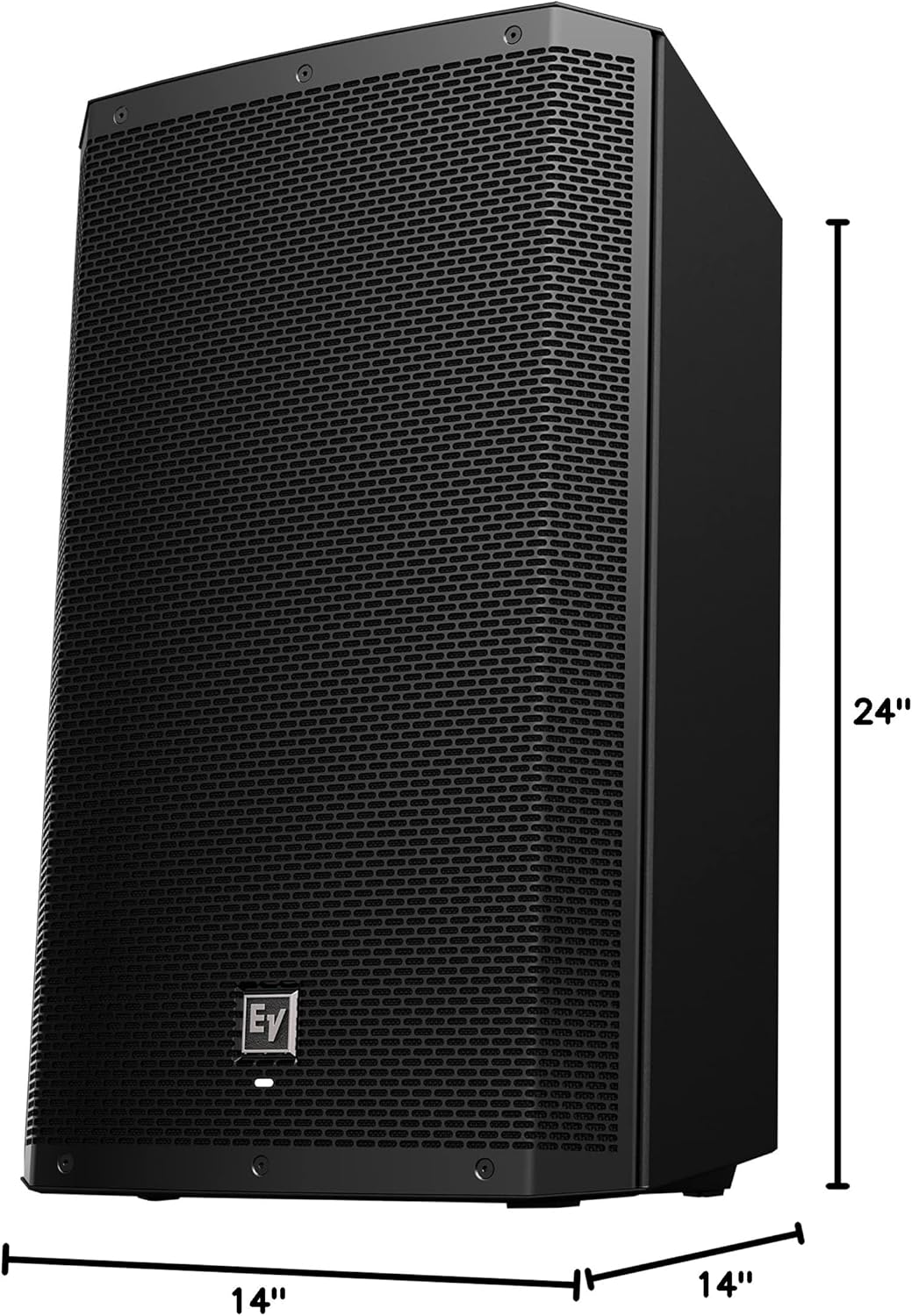
Figure 5: Dimensions of the ZLX-12P loudspeaker, showing its height, width, and depth.
Warranty and Support
The Electro-Voice ZLX-12P loudspeaker comes with a limited warranty. For specific warranty terms and conditions, please refer to the warranty card included with your product or visit the official Electro-Voice website. For technical support, service, or replacement parts, please contact Electro-Voice customer service or an authorized service center.
Manufacturer: Electro-Voice


