
Introduction
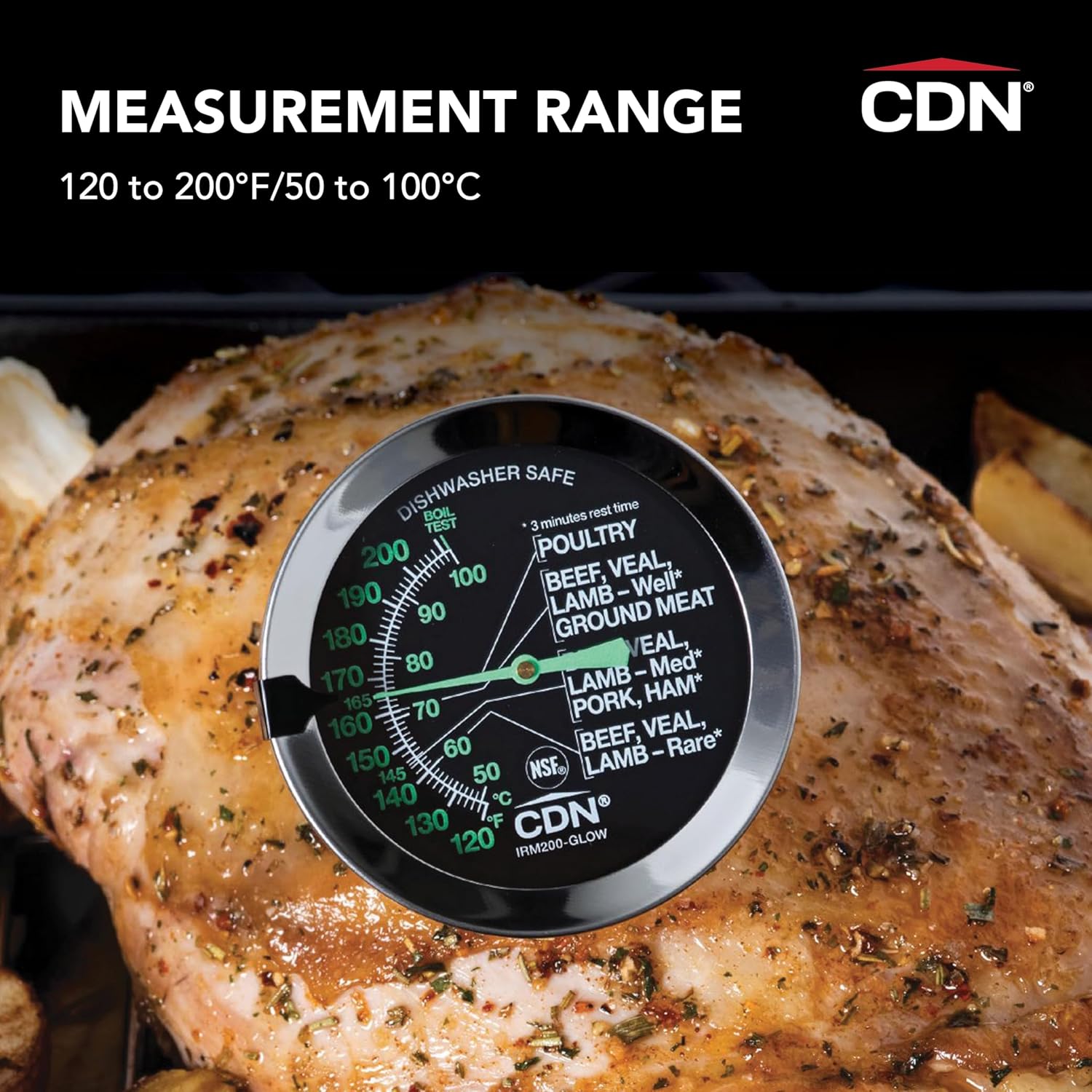
The CDN ProAccurate IRM200-GLOW Ovenproof Meat Thermometer is designed for accurate temperature measurement of meat and poultry during roasting. This thermometer features a glow-in-the-dark dial for visibility in low-light oven conditions, a durable stainless steel stem, and a waterproof construction. It is recalibratable to ensure long-term accuracy, providing reliable readings for food safety and optimal cooking results.
Key Features
- Glow-in-the-Dark Dial: Enhances visibility in oven environments.
- Large 2-inch (5.1 cm) Dial: Provides easy-to-read temperature indications.
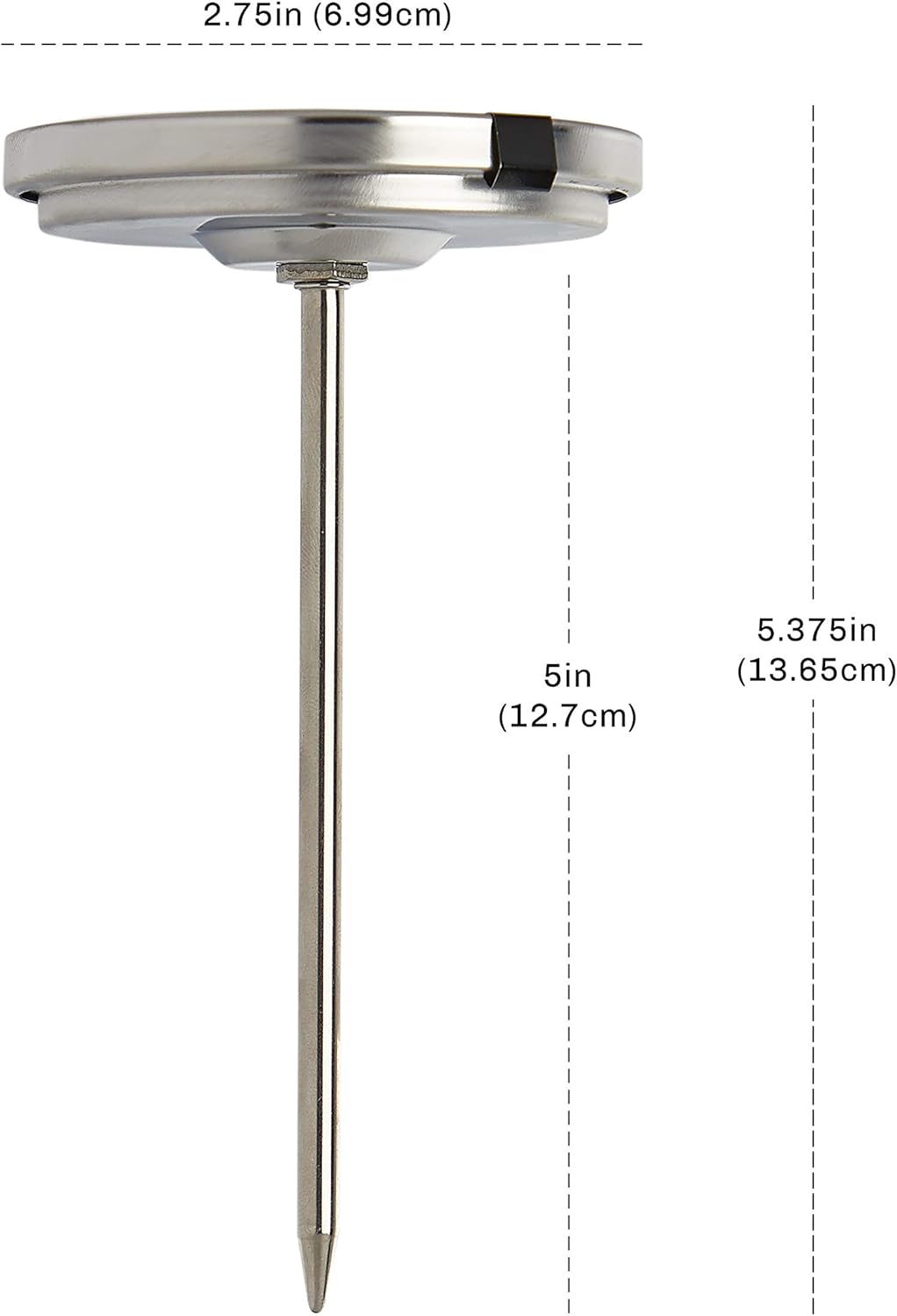
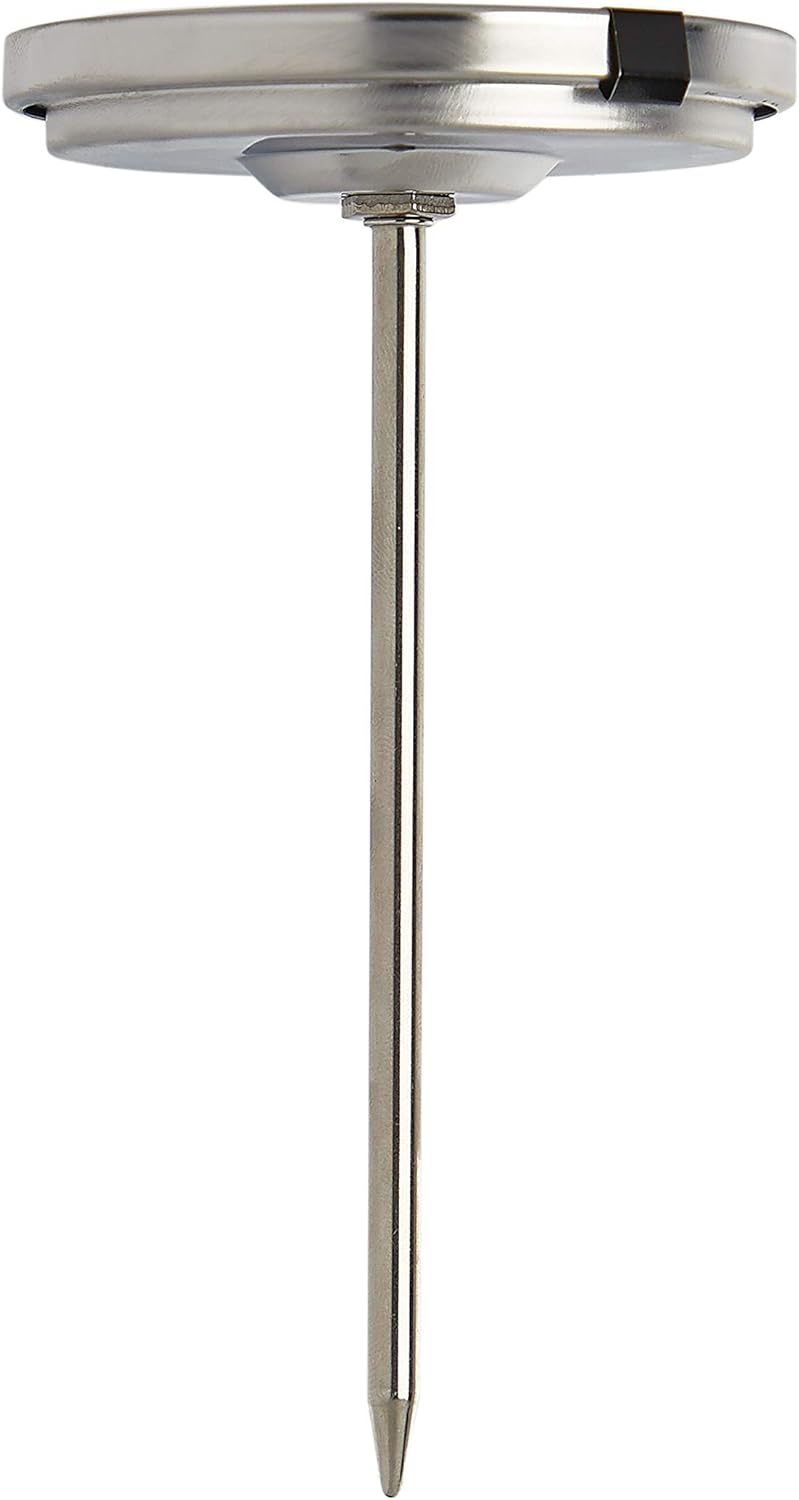
- 5-inch (12.7 cm) Stainless Steel Stem: Suitable for various cuts of meat and poultry.
- Waterproof and Ovenproof: Designed for use in ovens and easy cleaning.
- Recalibratable: Allows for adjustment to maintain accuracy over time.
- Temperature Guide: Integrated guide for recommended doneness levels for different meats.

Setup
Initial Inspection
Before first use, inspect the thermometer for any visible damage. Ensure the stem is straight and the dial is clear. Clean the thermometer according to the maintenance instructions before use.
Calibration (Boil Test)
For optimal accuracy, it is recommended to calibrate your thermometer periodically. The IRM200-GLOW can be recalibrated using a simple boil test:
- Bring a pot of water to a rolling boil.
- Carefully immerse the stem of the thermometer into the boiling water, ensuring the tip does not touch the bottom or sides of the pot. Immerse approximately 1 to 2 inches (2.5 to 5 cm) of the stem.
- Allow the temperature reading to stabilize (approximately 30 seconds). The thermometer should read 212°F (100°C) at sea level. Note that boiling point decreases at higher altitudes.
- If the reading is not 212°F (100°C), locate the hex nut on the back of the thermometer.
- Using a small wrench or pliers, gently turn the hex nut until the needle points to the correct boiling temperature for your altitude. Small adjustments are recommended.
- Remove the thermometer from the water and allow it to cool before storage or use.

Operating Instructions
Inserting the Thermometer
Insert the thermometer stem into the thickest part of the meat or poultry, avoiding bone, fat, or gristle. The tip of the stem should be fully immersed to ensure an accurate reading. For roasts, insert horizontally into the center.
Monitoring Temperature
Leave the thermometer in the meat while it cooks in the oven. The glow-in-the-dark dial allows for easy reading without opening the oven door excessively. The dial also features a movable target indicator that can be set to your desired final temperature for quick reference.
Recommended Internal Temperatures
Refer to the integrated temperature guide on the dial or the following general guidelines for safe cooking temperatures. Always allow for a 3-minute rest time after removing meat from the oven, as the internal temperature will continue to rise slightly.
| Meat Type | Doneness | Minimum Internal Temperature |
|---|---|---|
| Poultry | All Poultry | 165°F (74°C) |
| Beef, Veal, Lamb | Well | 170°F (77°C) |
| Ground Meat | All Ground Meats | 160°F (71°C) |
| Beef, Veal, Lamb | Medium | 160°F (71°C) |
| Pork, Ham | All Pork & Ham | 145°F (63°C) |
| Beef, Veal, Lamb | Rare | 140°F (60°C) |

Maintenance
Cleaning
The CDN ProAccurate IRM200-GLOW thermometer is dishwasher safe. For best results and to prolong the life of the thermometer, hand washing with warm, soapy water is recommended. Ensure the stem and dial are thoroughly cleaned after each use to prevent bacterial growth.
Storage
Store the thermometer in a clean, dry place when not in use. Avoid storing it in areas with extreme temperature fluctuations or where it could be subjected to physical impact.

Troubleshooting
Inaccurate Readings
If you suspect the thermometer is providing inaccurate readings, perform the calibration (boil test) procedure detailed in the Setup section. Regular calibration ensures continued accuracy.
Dial Fogging or Fading
While the thermometer features a durable laboratory-quality glass lens, prolonged exposure to extreme conditions or harsh cleaning agents may affect the dial's clarity or glow properties over time. Ensure proper cleaning and storage to minimize these effects.
Specifications
- Measurement Range: 120 to 200°F / 50 to 100°C
- Dial Size: 2 inches (5.1 cm)
- Stem Length: 5 inches (12.7 cm)
- Outer Material: Glass, Stainless Steel
- Display Type: Analog
- Special Features: Waterproof, Ovenproof, Glow-in-the-Dark Dial, Recalibratable
- Product Care: Dishwasher Safe (Hand Wash Recommended)
- Item Weight: 2.89 ounces
Warranty Information
This CDN ProAccurate IRM200-GLOW Ovenproof Meat Thermometer comes with a 5-year limited warranty. For warranty claims or further assistance, please refer to the manufacturer's official website or contact their customer support.


