
Introduction
This manual provides detailed instructions for the setup, operation, and maintenance of your Memorex 02980 Rechargeable Bluetooth Travel Speaker. Please read this manual thoroughly before using the device to ensure proper functionality and to maximize your listening experience. The speaker features a compact, folding design, Bluetooth wireless audio streaming, a four-speaker stereo system, a rechargeable battery, and an integrated microphone for hands-free calling.
Package Contents
Verify that all items listed below are included in your package:
- Memorex 02980 Rechargeable Bluetooth Travel Speaker
- Charging Cord (for NiMH rechargeable battery)
Product Features
The Memorex 02980 speaker offers the following key features:
- Bluetooth-enabled wireless audio streaming
- Four-speaker stereo performance
- NiMH rechargeable battery (charging cord included)
- Integrated microphone for hands-free calling
- Downloadable Memorex Voice Changing app compatibility
Setup
1. Charging the Speaker
Before initial use, fully charge the speaker's internal NiMH rechargeable battery. Connect the provided charging cord to the speaker's charging port and to a compatible USB power source. The charging indicator light will illuminate during charging and turn off or change color when fully charged. A full charge provides up to six hours of playback time.
2. Powering On/Off
To power on the speaker, press and hold the Power button (usually marked with a power symbol ⏻) located on the control panel until the indicator light illuminates. To power off, press and hold the Power button again until the indicator light turns off.
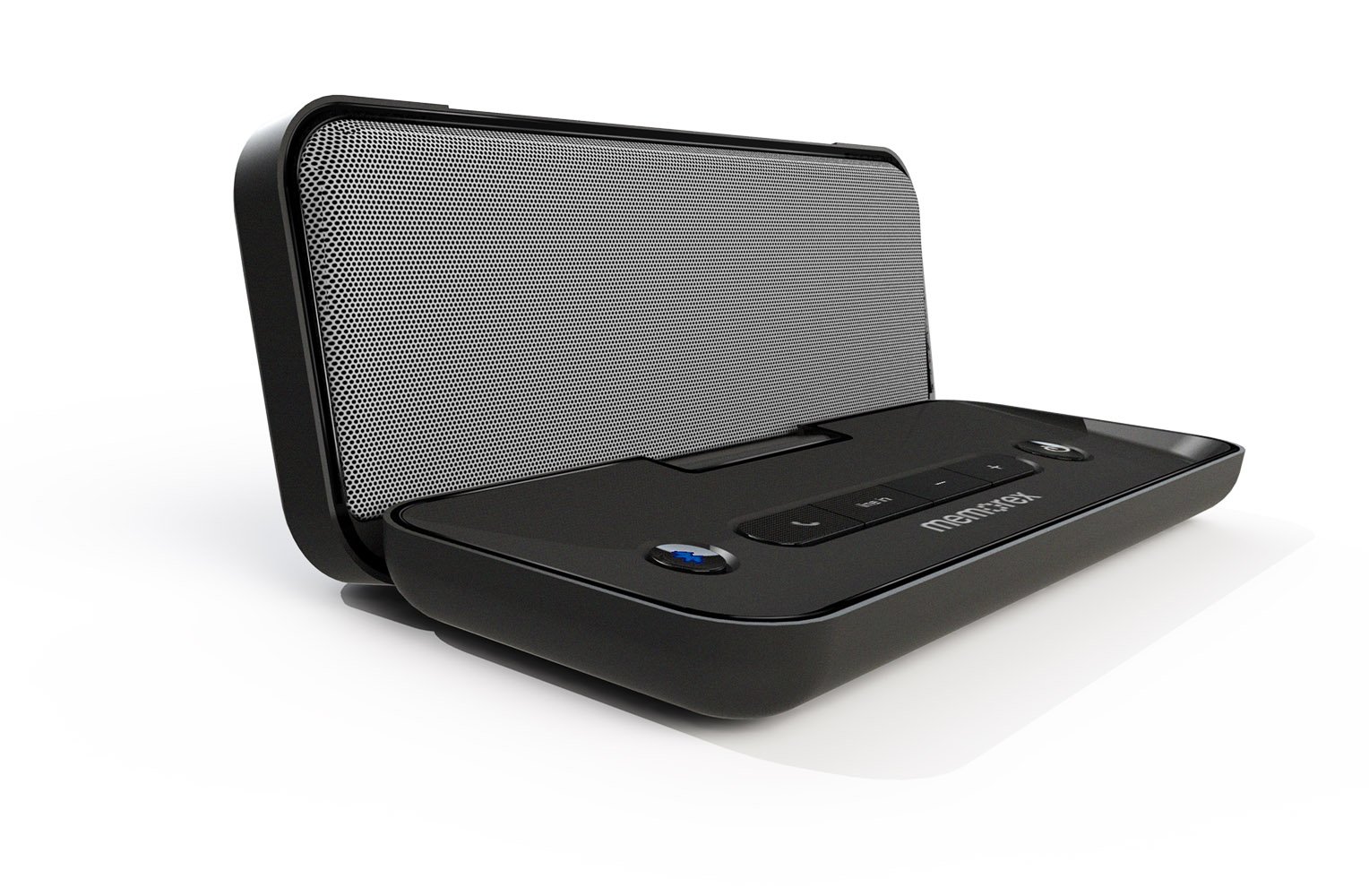
Image: Front view of the Memorex 02980 speaker with its protective cover open, revealing the speaker grille and control panel. The power button is visible on the right side of the control panel.
3. Bluetooth Pairing
- Ensure the speaker is powered on and within 1 meter (3 feet) of your Bluetooth-enabled device (smartphone, tablet, laptop, etc.).
- The speaker will automatically enter pairing mode when powered on for the first time, or if no device is connected. The Bluetooth indicator light will flash rapidly.
- On your device, navigate to the Bluetooth settings and enable Bluetooth.
- Search for available devices. The speaker will appear as "Memorex 02980" or similar.
- Select the speaker from the list to initiate pairing.
- Once paired, the Bluetooth indicator light on the speaker will become solid, indicating a successful connection.
Note: If prompted for a password, enter "0000".
4. Hands-Free Calling
When connected to a smartphone via Bluetooth, the integrated microphone allows for hands-free calling. When a call comes in, the speaker will ring. Press the Call button (often marked with a phone icon) on the speaker to answer. Press it again to end the call.
Operating the Speaker
1. Audio Playback
After successful Bluetooth pairing, you can play audio from your connected device. Use the volume controls on the speaker (usually '+' and '-' buttons) or on your device to adjust the playback volume. The speaker's four-speaker design delivers stereo sound.

Image: Angled view of the Memorex 02980 speaker, showcasing its compact, folding design and the side panel where charging and auxiliary ports may be located.
2. Memorex Voice Changing App
The Memorex Voice Changing App can be downloaded to apply various effects to your voice recordings. Refer to the app's specific instructions for details on its features and usage. This app is compatible with your Memorex 02980 speaker.
Maintenance
1. Cleaning
To clean the speaker, use a soft, dry cloth. Do not use liquid cleaners, aerosols, or solvents, as these may damage the surface or internal components. Ensure the speaker is powered off and disconnected from any power source before cleaning.
2. Battery Care
To prolong the life of the NiMH rechargeable battery:
- Avoid fully discharging the battery frequently.
- Store the speaker in a cool, dry place when not in use for extended periods.
- Recharge the battery at least once every three months if stored for a long time.
- Do not expose the speaker to extreme temperatures.
Troubleshooting
If you encounter issues with your Memorex 02980 speaker, refer to the following common solutions:
| Problem | Solution |
|---|---|
| Speaker does not power on. | Ensure the battery is charged. Connect the speaker to a power source using the charging cord and try again. |
| Cannot pair via Bluetooth. |
|
| No sound during playback. |
|
| Poor audio quality or disconnections. |
|
Specifications
| Feature | Detail |
|---|---|
| Model Name | 02980 |
| Brand | Memorex |
| Connectivity Technology | Bluetooth |
| Wireless Communication Technology | Wireless |
| Audio Output Mode | Stereo |
| Surround Sound Channel Configuration | 4.0 |
| Special Feature | Built-in Microphone |
| Power Source | Battery Powered (NiMH rechargeable) |
| Recommended Uses | Music, Portable/Mobile Use |
| Compatible Devices | Desktop, Laptop, Smartphone, Tablet |
| Control Method | App (Memorex Voice Changing App) |
| Color | Black |
| Product Dimensions | 3.25 x 9.75 x 4.6 inches |
| Item Weight | 1.4 pounds |
| Manufacturer | Imation Enterprises Corp |
| UPC / GTIN | 749720029808 |
| Date First Available | March 1, 2013 |
Warranty and Support
The Memorex 02980 Rechargeable Bluetooth Travel Speaker comes with a Limited Warranty. For specific warranty terms, conditions, and duration, please refer to the warranty card included with your product or contact Memorex customer support directly. For technical assistance or further inquiries, please visit the official Memorex website or contact their customer service department.


