Introduction
The Panasonic KX-TGA405B DECT 6.0 Plus Range Extender is designed to expand the effective transmission distance of your compatible Panasonic DECT 6.0 Plus cordless phone system. This unit helps improve signal coverage in areas where your cordless phone may experience weak reception, ensuring clearer calls and extended usability within your home or office environment.
Safety Information
- Use only the power adapter supplied with the unit.
- Do not expose the unit to rain or moisture.
- Avoid placing the unit near heat sources or in direct sunlight.
- Do not disassemble the unit. Refer all servicing to qualified personnel.
- Keep the unit out of reach of children.
Package Contents
Verify that your package contains the following items:
- Panasonic KX-TGA405B Range Extender Unit
- AC Power Adapter
- Operating Instructions (this manual)
Setup and Installation
Follow these steps to set up your range extender:
- Choose a Location: Select a central location between your cordless phone's base unit and the area where you want to extend the range. The extender should be placed indoors, away from large metal objects, other wireless devices, and sources of electrical noise. Ensure it is within the existing range of your base unit.
- Connect Power: Plug the AC power adapter into the DC IN jack on the range extender, then plug the adapter into a standard AC outlet. The Status indicator light on the extender will begin to flash.
- Register the Extender:
- On your Panasonic DECT 6.0 Plus base unit, press and hold the LOCATOR button (or HANDSET LOCATOR button) for approximately 4 seconds until the registration tone sounds.
- Within 10 seconds, plug the AC power adapter of the range extender into the wall outlet.
- The Status indicator light on the range extender will change from flashing to solid green, indicating successful registration. If the light remains flashing or turns red, repeat the registration process.
- Verify Connection: Once registered, the Status indicator light should be solid green. This indicates a good connection with the base unit. If the light is red, the extender is too far from the base unit or there is interference. Relocate the extender closer to the base unit and re-register if necessary.
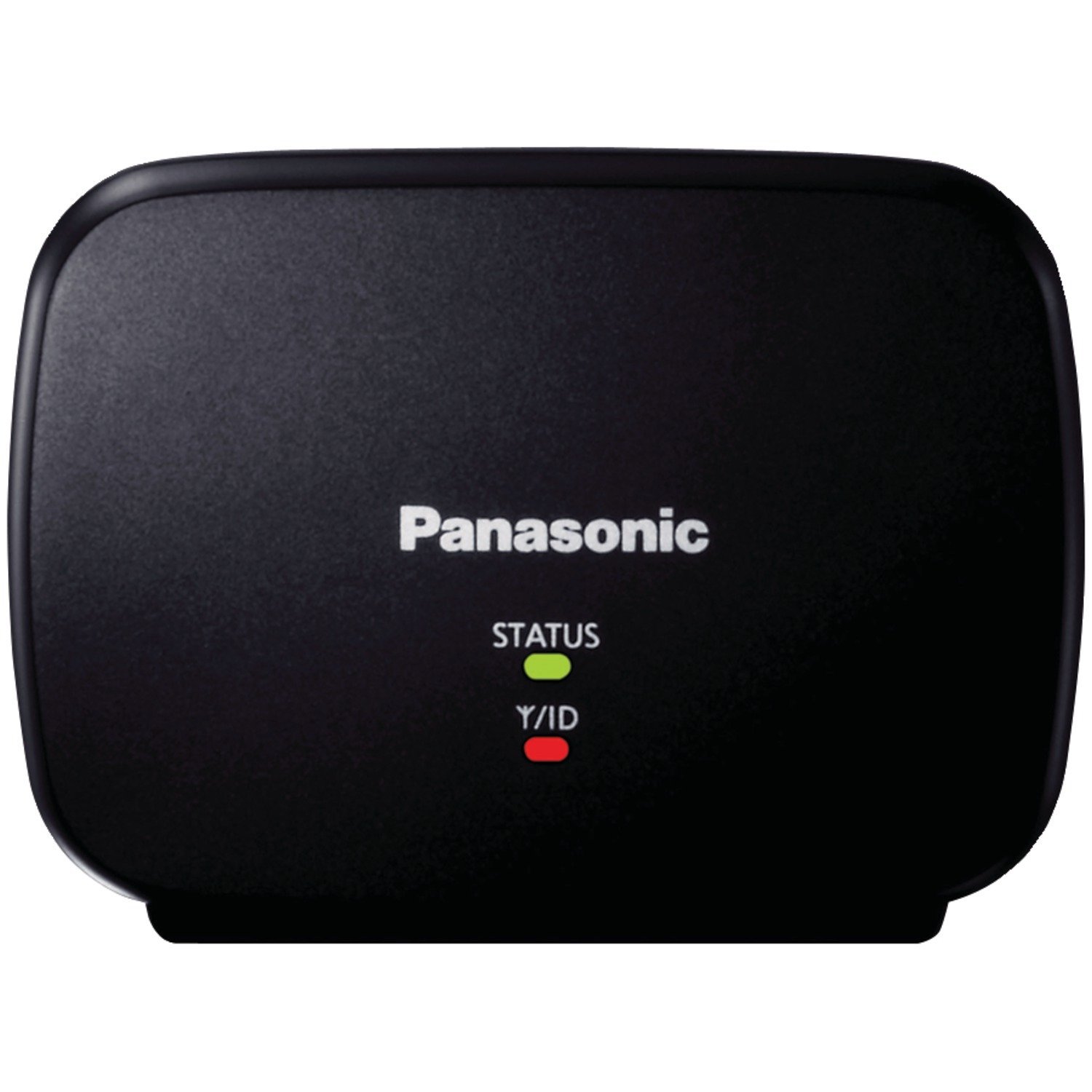
Image: The Panasonic KX-TGA405B DECT 6.0 Plus Range Extender. This image shows the compact black unit, typically with indicator lights and a power input port. The power adapter is also visible, which connects the extender to an electrical outlet.
Operating Instructions
The Panasonic KX-TGA405B operates automatically once properly set up and registered. It acts as a relay station, extending the signal between your cordless phone handsets and the base unit.
- Status Indicator Light:
- Solid Green: Indicates a successful connection to the base unit and normal operation.
- Flashing Green: The extender is searching for the base unit or attempting to register.
- Solid Red: The extender is out of range of the base unit or experiencing a connection error.
- Off: The extender is not powered on.
- Call Handling: You do not need to interact with the extender during calls. It transparently extends the range, allowing you to use your cordless handsets further from the base unit.
Maintenance
The range extender requires minimal maintenance.
- Cleaning: Wipe the unit with a soft, dry cloth. Do not use liquid or aerosol cleaners.
- Storage: If storing the unit for an extended period, unplug it from the power outlet and store it in a cool, dry place.
Troubleshooting
| Problem | Solution |
|---|---|
| Extender Status light is flashing green. | The extender is searching for the base unit or attempting to register. Ensure the base unit is powered on and in registration mode. Repeat the registration steps. |
| Extender Status light is solid red. | The extender is out of range of the base unit or experiencing a connection error. Move the extender closer to the base unit and ensure there are no major obstructions. Re-register the extender if necessary. |
| No extended range or poor call quality. |
|
| Extender is not powering on. | Verify that the AC power adapter is securely connected to both the extender and a working electrical outlet. Try a different outlet. |
Specifications
| Model Number | KX-TGA405B |
| Wireless Type | DECT 6.0 Plus |
| Dimensions (L x W x H) | 4 x 2 x 7 inches (approximately) |
| Item Weight | 4.8 ounces (approximately) |
| Manufacturer | Panasonic |
| UPC | 037988482726, 521227133666 |
Warranty Information
This Panasonic KX-TGA405B Range Extender includes a 1 Year Manufacturer's Warranty. For specific terms, conditions, and claim procedures, please refer to the warranty documentation provided with your purchase or contact Panasonic customer support.
Support
If you require further assistance or encounter issues not covered in this manual, please contact Panasonic customer support. You can typically find contact information on the official Panasonic website or in the documentation that came with your product.
For a list of compatible DECT 6.0 Plus phone models, refer to the product packaging or the official Panasonic support resources.


