
1. Introduction
Welcome to the KitchenAid 7-Speed Hand Mixer instruction manual. This manual provides essential information for the safe and efficient use of your new hand mixer. Designed for versatility and performance, this appliance is equipped with seven speeds and various attachments to handle a wide range of mixing tasks, from light whipping to heavy batters.

Image: The KitchenAid 7-Speed Hand Mixer in Onyx Black, shown with its standard beaters.
2. Components
Your KitchenAid 7-Speed Hand Mixer comes with the following components:
- (1) Hand Mixer Unit
- (2) Stainless Steel Turbo Beater II™ Accessories
- (1) Pro Whisk

Image: The hand mixer in action, demonstrating its use with the beaters in a bowl of dough.

Image: The two Stainless Steel Turbo Beater II accessories.

Image: The Pro Whisk accessory.
3. Setup
Attaching Beaters or Whisk
- Ensure the hand mixer is unplugged before attaching or removing accessories.
- Identify the correct slot for each beater. One beater has a collar, which fits into the larger opening on the mixer. The other beater fits into the smaller opening. The whisk fits into either opening.
- Insert the beater or whisk into the appropriate opening until it clicks securely into place.
- To remove, press the eject button located on the top of the mixer and pull the accessories out.
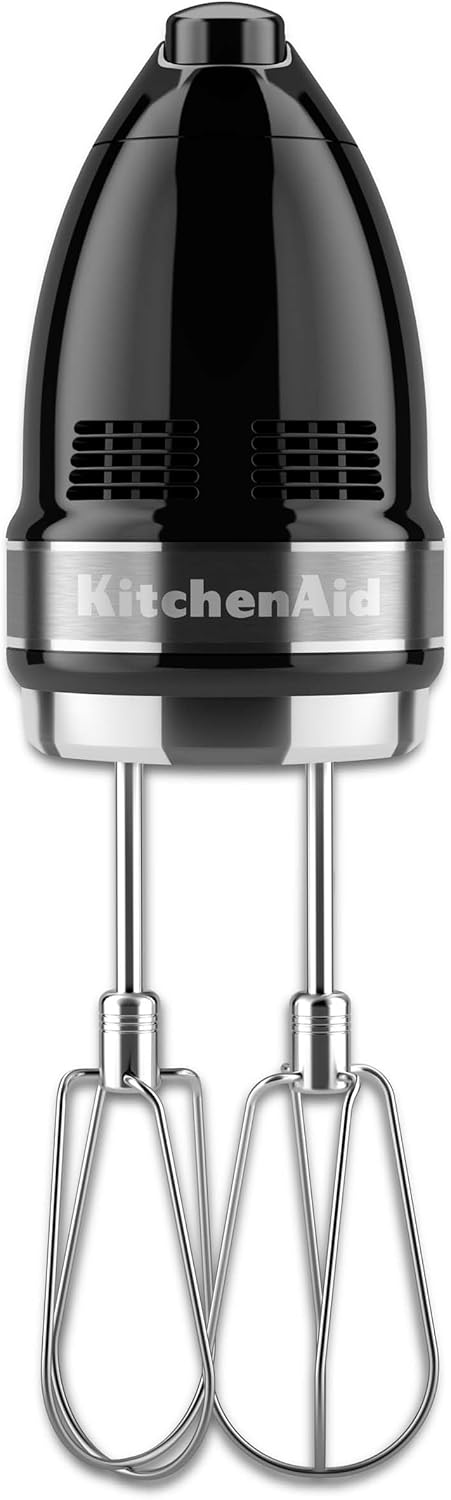
Image: Side view of the KitchenAid 7-Speed Hand Mixer with beaters securely attached.
4. Operating Instructions
Power and Speed Control
The KitchenAid 7-Speed Hand Mixer features intuitive digital controls for precise speed adjustments.
- To Turn On/Off: Slide the power switch to the 'I' position to turn on and 'O' to turn off.
- Adjusting Speed: Use the up (▲) and down (▼) arrow buttons to select one of the seven available speeds. The digital display will indicate the current speed setting.
- Soft Start™ Feature: The mixer starts at a slow speed to prevent ingredients from splattering, then gradually increases to the selected speed.

Image: Top view of the hand mixer, highlighting the digital speed control buttons and display.
Speed Guide
| Speed | Recommended Use |
|---|---|
| 1 (Stir) | Combining dry ingredients, mixing in nuts or chocolate chips. |
| 2-3 (Blend/Mix) | Mixing thin batters, gravies, and sauces. |
| 4-5 (Beat) | Mixing cakes, cookies, and quick breads. |
| 6-7 (Whip) | Whipping cream, egg whites, meringues, and frostings. |
Lockable Swivel Cord
The power cord features a lockable swivel design, allowing you to position the cord to either side of the mixer to keep it out of your way during mixing, enhancing convenience and safety.

Image: Close-up of the mixer's lockable swivel cord, designed for flexible use.
5. Care and Cleaning
Cleaning Attachments
The Stainless Steel Turbo Beater II™ Accessories and the Pro Whisk are dishwasher-safe for easy cleaning. Alternatively, they can be washed by hand with warm, soapy water and rinsed thoroughly.
Cleaning the Mixer Body
Always unplug the mixer before cleaning. Wipe the mixer body with a damp cloth. Do not immerse the mixer body in water or other liquids.
6. Troubleshooting
If your hand mixer is not operating as expected, please refer to the table below for common issues and solutions.
| Problem | Possible Cause | Solution |
|---|---|---|
| Mixer does not turn on. | Not plugged in, power switch off. | Ensure mixer is securely plugged into a working outlet. Check power switch is in 'I' position. |
| Attachments are difficult to insert/remove. | Incorrect alignment, debris in slots. | Ensure correct beater is in the correct slot. Press eject button firmly when removing. Check slots for any obstructions. |
| Motor sounds strained. | Overloaded, too thick mixture. | Reduce the amount of ingredients or thin the mixture slightly. Use a lower speed setting for heavy mixtures. |
7. Specifications
| Feature | Detail |
|---|---|
| Brand | KitchenAid |
| Model Number | KHM7210OB |
| Color | Onyx Black |
| Product Dimensions | 3.5"D x 8"W x 6"H |
| Material | Polycarbonate (Body), Stainless Steel (Blades) |
| Number of Speeds | 7 |
| Voltage | 120 Volts |
| Wattage | 150 watts |
| Item Weight | 2 Pounds |
| Dishwasher Safe Attachments | Yes |
| Included Components | (1) Hand Mixer, (2) Stainless Steel Turbo Beater II™ Accessories, (1) Pro Whisk |
8. Warranty and Support
Warranty Information
Your KitchenAid 7-Speed Hand Mixer is covered by a 1-Year Limited Warranty from the date of purchase. This warranty covers defects in material or workmanship under normal household use.
Customer Support
For product registration, warranty claims, or technical assistance, please visit the official KitchenAid website or contact their customer service department. Keep your purchase receipt for warranty purposes.
Official Website: www.kitchenaid.com


