1. Introduction
This manual provides essential information for operating your Canon EOS 100D Digital Camera. The Canon EOS 100D is a compact and lightweight DSLR camera, featuring an 18.4 Megapixel CMOS sensor, designed for both beginner and enthusiast photographers. Please read this manual thoroughly before using the camera to ensure proper operation and to maximize its capabilities.

Figure 1.1: Front view of the Canon EOS 100D camera body with the lens cap attached, showcasing its compact design.
2. Setup
2.1. Charging the Battery
Before first use, fully charge the supplied battery pack. Insert the battery into the charger and plug the charger into a power outlet. The charging indicator light will show the charging status.
2.2. Inserting the Battery and Memory Card
Open the battery compartment cover located at the bottom of the camera. Insert the charged battery pack firmly until it clicks into place. Insert an SD, SDHC, or SDXC memory card into the card slot with the label facing the correct direction. Close the cover securely.

Figure 2.1: Bottom view of the Canon EOS 100D, illustrating the battery and memory card compartment for easy access during setup.
2.3. Attaching a Lens
Align the red or white index mark on the lens with the corresponding mark on the camera body. Rotate the lens clockwise until it clicks into place. To detach, press the lens release button and rotate the lens counter-clockwise. The camera supports Canon EF and EF-S lenses.
3. Operating the Camera
3.1. Power On/Off
To turn the camera on, slide the power switch to the ON position. To turn it off, slide the switch to OFF.
3.2. Basic Shooting Modes
The mode dial on top of the camera allows you to select various shooting modes:
- Scene Intelligent Auto (Green Square): Fully automatic mode for general shooting.
- Program AE (P): Camera sets aperture and shutter speed, you control other settings.
- Shutter-priority AE (Tv): You set shutter speed, camera sets aperture.
- Aperture-priority AE (Av): You set aperture, camera sets shutter speed.
- Manual Exposure (M): You set both aperture and shutter speed.
- Creative Auto (CA): Simplified control over background blur and other settings.
- Special Scene Modes (SCN): Includes Portrait, Landscape, Close-up, Sports, Night Portrait, Handheld Night Scene, HDR Backlight Control.

Figure 3.2: Side view of the Canon EOS 100D, illustrating the comfortable grip and the mode dial on top for quick setting adjustments.
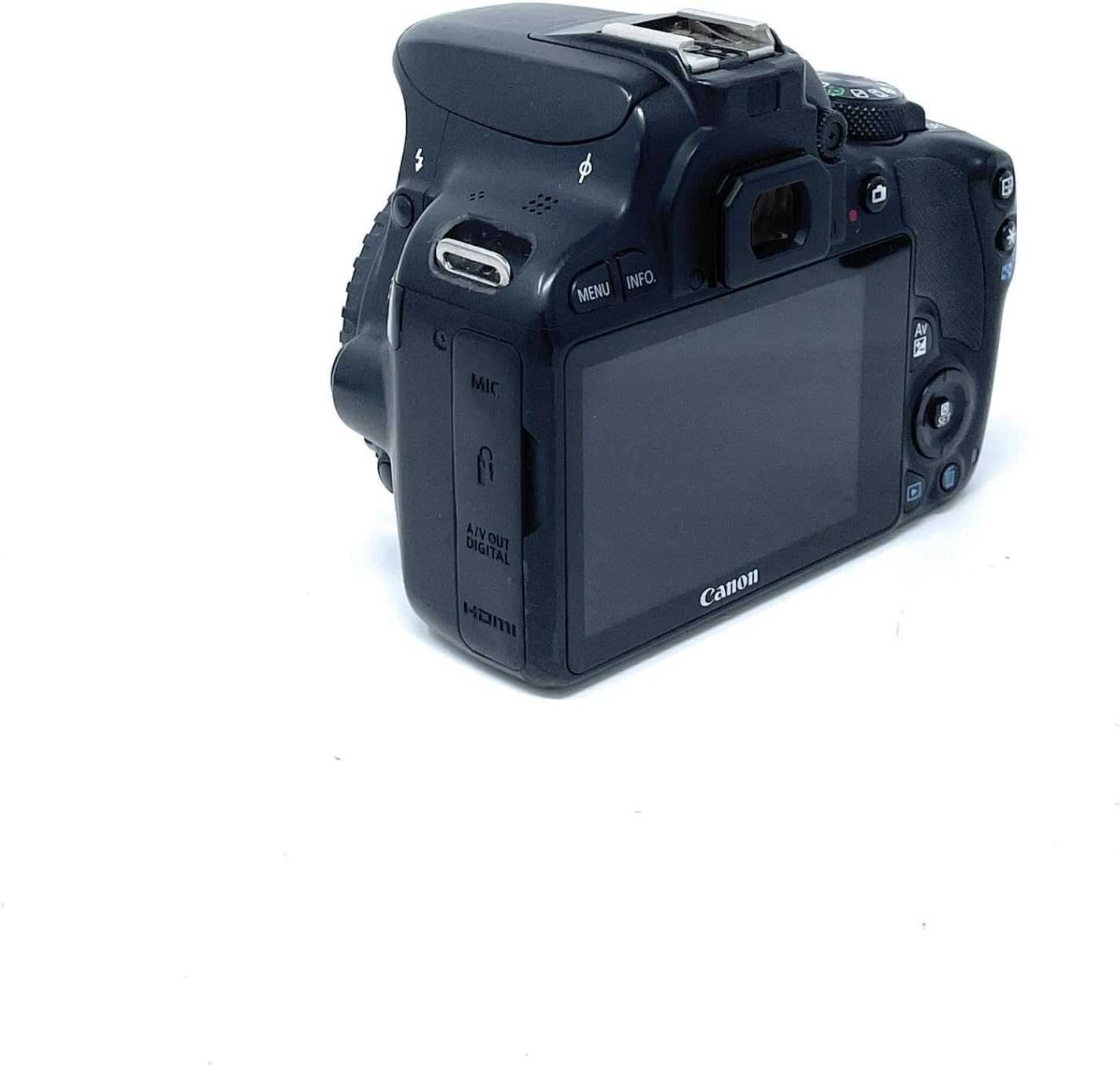
Figure 3.3: Angled rear view of the Canon EOS 100D, highlighting the LCD touchscreen and various control buttons for mode selection and menu navigation.
3.3. Focusing
The EOS 100D features a 9-point autofocus system. You can select between One-Shot AF for still subjects, AI Servo AF for moving subjects, and AI Focus AF which automatically switches between One-Shot and AI Servo. The camera also supports Face Detection AF and Multi Point Auto Focus.
3.4. Taking a Picture
- Set the mode dial to your desired shooting mode.
- Look through the viewfinder or use the Live View on the LCD screen.
- Press the shutter button halfway down to focus.
- Press the shutter button all the way down to take the picture.
3.5. Video Recording
To record video, set the mode dial to the movie shooting mode. Press the Live View shooting/Movie shooting button to start and stop recording. The camera supports 1080p and 2160p video resolution.
4. Maintenance
4.1. Cleaning the Camera
- Use a blower brush to remove dust from the lens and camera body.
- For stubborn smudges on the lens, use a lens cleaning cloth and lens cleaning fluid.
- Wipe the camera body with a soft, dry cloth. Do not use organic solvents.
- For sensor cleaning, it is recommended to use the camera's built-in sensor cleaning function or consult a professional service.
4.2. Storage
When not in use for extended periods, remove the battery from the camera. Store the camera in a cool, dry, well-ventilated area, away from direct sunlight and high humidity. Use desiccant packets if storing in humid environments.
5. Troubleshooting
| Problem | Possible Cause / Solution |
|---|---|
| Camera does not turn on. | Battery is not charged or not inserted correctly. Ensure battery is charged and inserted properly. |
| Cannot take pictures. | Memory card is full, locked, or not inserted. Check card status, replace or format if necessary. Lens not attached correctly. |
| Images are blurry. | Incorrect focus mode, camera shake, or dirty lens. Check focus settings, use a tripod, clean lens. |
| Flash does not fire. | Flash is disabled, or subject is too far. Enable flash or move closer to subject. |
| "Card Error" message. | Memory card is corrupted or incompatible. Try a different card or format the current one (data will be lost). |
6. Specifications
- Model: EOS 100D (8576B014)
- Sensor Type: CMOS
- Effective Pixels: 18.4 Megapixels
- Lens Mount: Canon EF, Canon EF-S
- Screen: 3-inch Touchscreen LCD
- ISO Sensitivity: 100-6400 (Expandable to 25600)
- Autofocus Points: 9
- Shutter Speed: 1/4000 to 30 seconds
- Continuous Shooting Speed: 10 frames per second
- Video Resolution: 1080p, 2160p
- Compatible Storage: SD, SDHC, SDXC
- Dimensions (W x H x D): 11.68 x 6.94 x 9.07 cm
- Weight: 370 Grams (body only)
7. Warranty and Support
For warranty information and technical support, please refer to the official Canon website or contact your local Canon service center. Keep your proof of purchase for warranty claims.
Online Resources: Visit the official Canon support page for drivers, software, and additional manuals.


