
Introduction
This manual provides instructions for the Vivanco RR 220 remote control, designed for compatibility with Samsung Smart TVs. Please read this manual thoroughly before using the device to ensure proper operation and to understand its features.
Package Contents
- Vivanco RR 220 Remote Control
- This User Manual
Note: Batteries are not included and must be purchased separately.
Setup
1. Battery Installation
- Locate the battery compartment on the back of the remote control.
- Slide the battery cover downwards or press the latch and lift to open.
- Insert two (2) AAA batteries, ensuring the positive (+) and negative (-) terminals align with the markings inside the compartment.
- Replace the battery cover, ensuring it clicks securely into place.
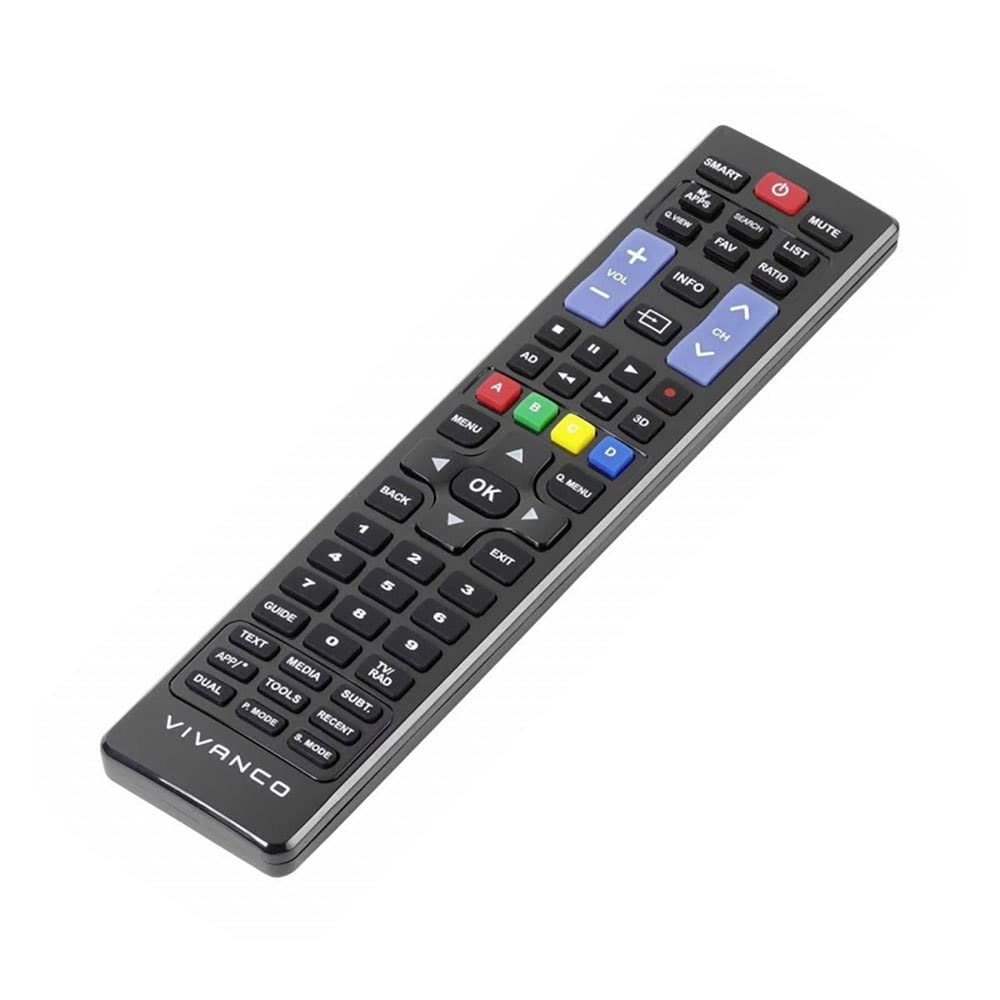
Image 1: Vivanco RR 220 remote control. This image displays the front of the remote control, highlighting its 57 buttons and ergonomic design. The battery compartment is located on the reverse side.
2. Initial Use
The Vivanco RR 220 is pre-programmed for Samsung Smart TVs. No additional setup or pairing is typically required. Once batteries are installed, point the remote control towards your Samsung Smart TV and press the Power button to test functionality.
Operating Instructions
The remote control features 57 buttons, providing comprehensive control over your Samsung Smart TV and compatible devices. Below are common button functions:
- Power Button: Turns the TV on or off.
- Number Buttons (0-9): For direct channel selection or data input.
- Volume Up/Down: Adjusts the audio volume.
- Channel Up/Down: Changes TV channels.
- Mute Button: Silences the TV audio.
- Navigation Pad (Up, Down, Left, Right, Enter): Used to navigate menus and select options.
- Back/Return Button: Returns to the previous screen or menu.
- Smart Hub/Home Button: Accesses the Smart Hub or main menu of your Samsung Smart TV.
- Source/Input Button: Selects input sources (HDMI, AV, etc.).
- Color Buttons (Red, Green, Yellow, Blue): For specific functions within certain applications or menus, as indicated on-screen.
- Playback Controls (Play, Pause, Stop, Fast Forward, Rewind): Controls media playback on compatible devices or apps.
For specific functions related to your TV model, refer to your Samsung TV's user manual.
Maintenance
Cleaning the Remote Control
- Use a soft, dry cloth to wipe the surface of the remote control.
- For stubborn dirt, slightly dampen the cloth with water or a mild, non-abrasive cleaner.
- Do not use harsh chemicals, solvents, or abrasive cleaning pads, as these can damage the remote's finish or internal components.
- Ensure no liquid enters the remote control through button gaps or the battery compartment.
Battery Replacement
Replace batteries when the remote's response becomes sluggish or it stops functioning. Always replace both batteries simultaneously with new AAA alkaline batteries. Do not mix old and new batteries or different types of batteries.
Troubleshooting
| Problem | Possible Cause | Solution |
|---|---|---|
| Remote control not working. |
|
|
| Some buttons do not function. |
|
|
Specifications
- Brand: Vivanco
- Model Name: RR 220
- Product Model Number: 38016
- Compatible Devices: Home cinema, DVD/Blu-ray player, Television (Samsung Smart TV compatible)
- Connectivity Technology: Wireless IR (Infrared)
- Number of Buttons: 57
- Battery Type: 2 x AAA (Alkaline recommended)
- Batteries Included: No
- Product Dimensions: 18 x 4.8 x 2.3 cm
- Product Weight: 80 g
- Maximum Range: 15 meters
- Special Features: IPTV, DVB-T, HDTV compatibility


