1. Introduction
The TROTEC TA300 is a professional hot-wire anemometer designed for precise measurement of air velocity, air temperature, and volumetric flow. Its practical telescopic probe allows for versatile applications, including measurements in ducts and hard-to-reach areas. This instrument combines a robust thermal wire sensor with advanced microprocessor technology to ensure fast and accurate results.
This manual provides essential information for the safe and efficient operation, maintenance, and troubleshooting of your TA300 anemometer. Please read it thoroughly before using the device.

Image 1: TROTEC TA300 Anemometer main unit and telescopic probe. The display shows 'VEL 3.11 m/s' and 'TEMP 22.2 °C'.
2. Safety Information
Always observe the following safety precautions to prevent injury and damage to the device:
- Read the entire manual before operation.
- Do not operate the device in explosive atmospheres or near flammable materials.
- Avoid exposing the device to extreme temperatures, direct sunlight, or high humidity.
- Do not attempt to modify or disassemble the device. Repairs should only be performed by authorized personnel.
- Keep the device out of reach of children.
- Ensure the telescopic probe is handled with care to prevent bending or damage to the sensor.
3. Package Contents
Verify that all items are present and undamaged upon unpacking:
- TROTEC TA300 Anemometer
- Telescopic hot-wire probe
- Calibration certificate
- User Manual (this document)
- Carrying case (if included with your model)
4. Product Features
The TROTEC TA300 Anemometer offers the following key features:
- Precise Measurement: Accurately determines air velocity, air temperature, and volumetric flow.
- Telescopic Probe: Extendable up to 1 meter for measurements in ducts and hard-to-reach locations.
- Robust Sensor: Equipped with a durable thermal wire sensor.
- Advanced Microprocessor: Ensures fast and precise signal processing.
- Backlit LCD Display: Easy readability even in poorly lit environments.
- Data Hold Function: Freezes the current measurement value on the display.
- Min/Max Value Indication: Displays minimum and maximum recorded values.
- Average Value Calculation: Calculates spot and time-averaged values.
- Volumetric Flow Area Input: Easily specify the cross-sectional area for volumetric flow calculations.
- Auto Power Off: Conserves battery life.
- Calibration Certificate: Included as standard for professional assurance.
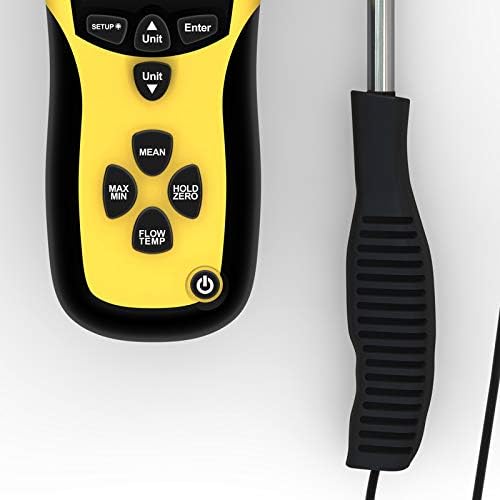
Image 2: Detailed view of the TA300 control buttons and LCD display.
5. Setup
5.1. Battery Installation
The TA300 anemometer typically uses a 9V block battery. To install or replace the battery:
- Locate the battery compartment cover on the rear of the device.
- Open the cover by sliding or unscrewing it (refer to the diagram if available).
- Insert a new 9V battery, ensuring correct polarity.
- Close the battery compartment cover securely.
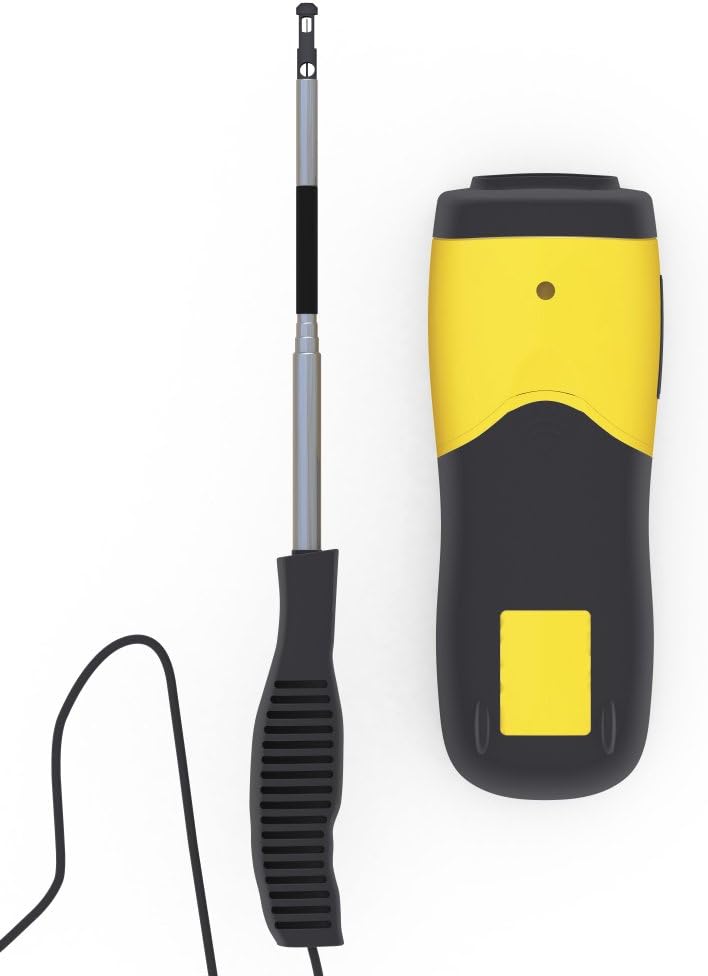
Image 3: Top-down view of the TA300, illustrating the main unit and probe connection area.
5.2. Attaching the Probe
The telescopic hot-wire probe connects to the main unit via a cable.
- Carefully insert the probe's connector into the designated port on the main unit.
- Ensure the connection is firm to prevent signal loss during measurement.
5.3. Initial Power On
Press the power button (⑂) to turn on the device. The display will illuminate, and the device will perform a self-test before showing measurement readings.
6. Operating Instructions
6.1. Extending the Telescopic Probe
The probe can be extended up to 1 meter for reaching measurement points.
- Gently pull the probe tip to extend it to the desired length.
- Avoid excessive force to prevent damage.
- Ensure the probe is fully retracted when not in use to protect the sensor.
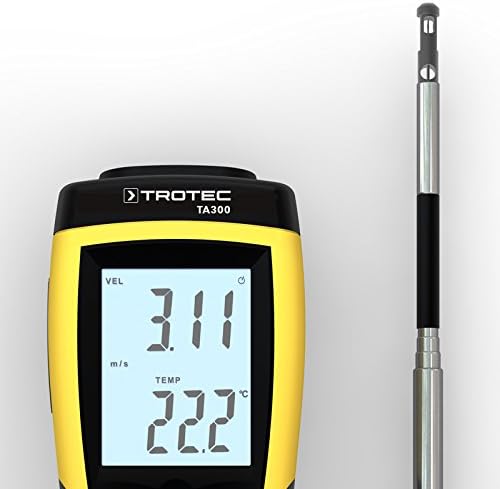
Image 4: Extended telescopic probe tip with hot-wire sensor.
6.2. Measurement Modes
The TA300 can measure air velocity, temperature, and volumetric flow.
- Air Velocity (VEL): The primary measurement displayed in m/s, ft/min, km/h, or mph.
- Temperature (TEMP): Measured simultaneously with air velocity, displayed in °C or °F.
- Volumetric Flow (FLOW): Calculated based on air velocity and a user-defined cross-sectional area.
6.3. Changing Units
Press the "Unit" button to cycle through available measurement units for velocity and temperature.
6.4. Setting Volumetric Flow Area
To measure volumetric flow, you must input the cross-sectional area of the duct or opening:
- Press the "FLOW/TEMP" button to switch to volumetric flow mode.
- Use the "SETUP" button to enter the area setting menu.
- Adjust the area value using the arrow buttons and confirm with "Enter".
6.5. Using Hold, Min/Max, and Mean Functions
- Hold: Press "HOLD/ZERO" to freeze the current display reading. Press again to release.
- Min/Max: Press "MAX/MIN" to view the minimum or maximum recorded values during a measurement session.
- Mean: Press "MEAN" to calculate and display the average value over a period or series of spot measurements.
7. Maintenance
7.1. Cleaning
Keep the device clean to ensure optimal performance.
- Wipe the main unit with a soft, damp cloth. Do not use abrasive cleaners or solvents.
- The hot-wire sensor on the probe is delicate. Clean it only with a soft brush or compressed air, if absolutely necessary, and with extreme care. Avoid touching the sensor directly.
7.2. Storage
When not in use, store the TA300 in its protective carrying case in a dry, dust-free environment, away from extreme temperatures.
- Ensure the telescopic probe is fully retracted before storage.
- Remove the battery if the device will not be used for an extended period to prevent leakage.
7.3. Calibration
The TA300 comes with a factory calibration certificate. For continued accuracy, periodic recalibration by an authorized service center is recommended, especially for professional applications.
8. Troubleshooting
If you encounter issues with your TROTEC TA300, refer to the following table:
| Problem | Possible Cause | Solution |
|---|---|---|
| Device does not power on. | Dead or incorrectly installed battery. | Check battery polarity or replace with a new 9V battery. |
| Inaccurate readings. | Dirty or damaged sensor; device needs recalibration. | Gently clean the sensor (see Maintenance); consider professional recalibration. |
| Display shows "Err" or unusual characters. | Internal error or sensor malfunction. | Turn off the device, remove the battery, wait 30 seconds, then reinsert and restart. If the problem persists, contact customer support. |
| Probe connection issues. | Loose or damaged probe cable/connector. | Ensure the probe connector is securely inserted. Inspect the cable for visible damage. |
If the problem persists after attempting these solutions, please contact TROTEC customer support.
9. Specifications
Technical data for the TROTEC TA300 Anemometer:
| Model Number | 3510004005 |
| Manufacturer | TROTEC |
| Dimensions (L x W x H) | 21 x 7.5 x 5 cm |
| Weight | 1.89 kg |
| Probe Length (extended) | Up to 1 meter |
| Power Source | 9V battery (not included) |
| Color | Black / Yellow |
| Material | Metal |
| Included Components | Anemometer TA300, Calibration Certificate |
10. Warranty and Support
10.1. Warranty Information
The TROTEC TA300 Anemometer is covered by a manufacturer's warranty. Please refer to the warranty card included with your product or visit the official TROTEC website for detailed terms and conditions. Keep your proof of purchase for warranty claims.
10.2. Customer Support
For technical assistance, service, or spare parts, please contact TROTEC customer support:
- Website: www.trotec.com (Check for local contact information)
- Email: Refer to the website for specific contact forms or email addresses.
- Phone: Refer to the website for regional phone numbers.
When contacting support, please have your model number (TA300) and serial number (if applicable) ready.


