
Introduction
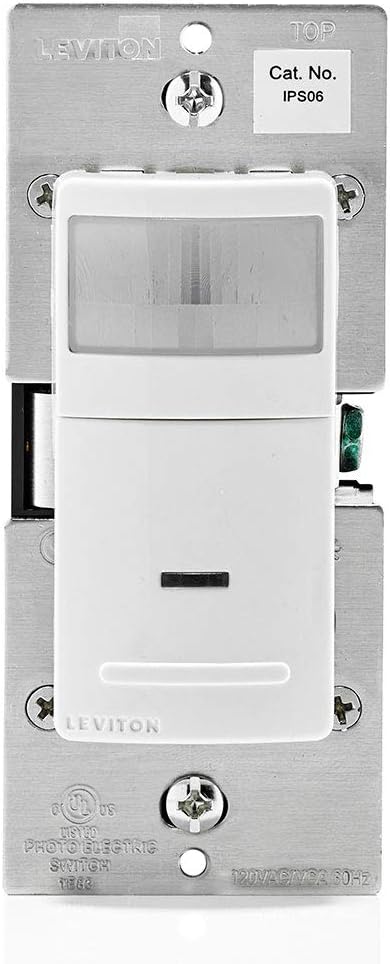
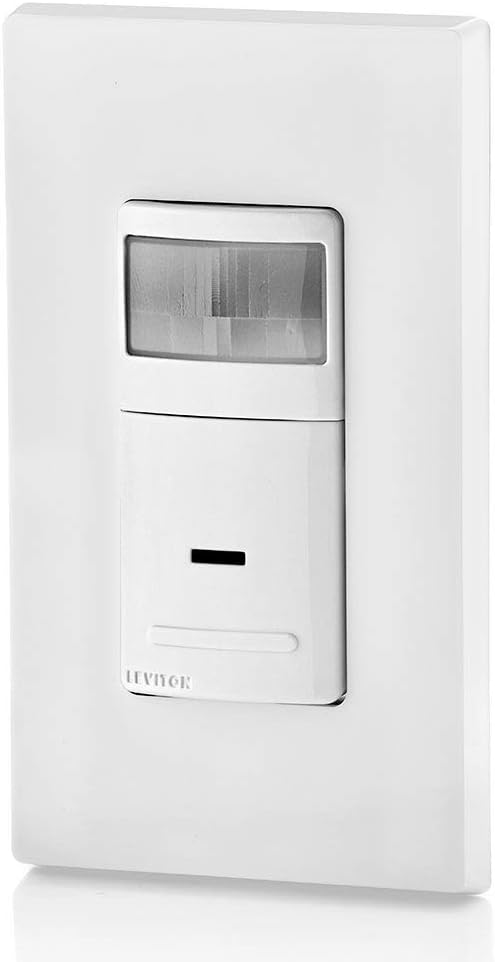
The Leviton IPS06-1LW is an advanced occupancy sensor designed for automatic lighting control. This device is capable of handling 600-Watt incandescent loads and 150-Watt LED/CFL loads. It features automatic ON/OFF functionality and can be installed in either single-pole or 3-way wiring configurations. The sensor is compatible with Decora screwless snap-on wallplates, which are sold separately.
Key Features
- Automatic ON/Automatic OFF operation.
- Provides a 180-degree field of view.
- Covers an area of up to 900 square feet.
- Supports 600W Incandescent/Halogen and 150W LED/CFL loads.
- Does not require neutral or ground wires for installation.
- Suitable for Single Pole or 3-way applications when used with a compatible 3-way switch.
- Features ambient light sensitivity to prevent lights from automatically turning ON when sufficient natural sunlight is present.
- Backed by a five-year limited warranty.
Setup and Installation
Installation of the Leviton IPS06-1LW occupancy sensor requires basic electrical knowledge. Always ensure power is turned off at the circuit breaker before beginning any electrical work.
Wiring Considerations:
- This sensor is designed for both single-pole and 3-way applications. For 3-way setups, it must be used in conjunction with a standard 3-way switch.
- A significant advantage of this model is that it does not require a neutral or ground wire for operation, simplifying installation in older homes or locations without these wires in the switch box.
- Refer to the detailed wiring diagrams provided in the product packaging for specific connection instructions based on your wiring configuration.
Mounting:
The sensor is designed to fit into a standard electrical wall box. Secure it using the provided screws. Once installed, a Decora screwless snap-on wallplate (sold separately) can be attached for a clean finish.

Operating Instructions
The Leviton IPS06-1LW occupancy sensor operates automatically to control lighting based on motion detection and ambient light levels.
Automatic Operation:
- When motion is detected within the 180-degree field of view and the ambient light level is below a set threshold, the sensor will automatically turn ON the connected lights.
- The lights will remain ON as long as motion is continuously detected.
- After motion ceases, the lights will turn OFF automatically after a pre-set delay. This delay is typically adjustable via controls on the device (refer to the product manual for specific adjustment procedures).
Ambient Light Sensitivity:
The integrated ambient light sensor prevents the lights from activating if there is already sufficient natural light in the room, contributing to energy savings.
Manual Override:
Some models may include a manual override button to temporarily turn lights ON or OFF regardless of occupancy. Consult your specific product manual for details on this feature.

Maintenance
The Leviton IPS06-1LW occupancy sensor requires minimal maintenance to ensure optimal performance.
- Cleaning: Periodically wipe the sensor lens and outer surface with a soft, damp cloth. Avoid using abrasive cleaners, solvents, or harsh chemicals, as these can damage the plastic and sensor components.
- Obstruction: Ensure that the sensor lens is not obstructed by furniture, curtains, or other objects that could block its field of view, which would impair its ability to detect motion.
- Power: If the device is not functioning, first check the circuit breaker to ensure power is supplied to the switch location.
Troubleshooting
If you encounter issues with your Leviton IPS06-1LW occupancy sensor, consider the following common problems and solutions:
| Problem | Possible Cause | Solution |
|---|---|---|
| Lights flicker or pulse with LED bulbs. | Incompatibility with certain non-dimmable or low-wattage LED bulbs. | Ensure all connected LED bulbs are dimmable. If flickering persists, try replacing one LED bulb with a low-wattage incandescent bulb (e.g., 25W) to provide a minimum load, or consult Leviton for compatible LED bulb lists. |
| Lights do not turn ON automatically. | Insufficient motion, sensor obstructed, or too much ambient light. | Verify that motion is occurring within the sensor's range. Remove any obstructions from the sensor's view. Check ambient light settings; if the room is already bright, the sensor may be preventing activation. |
| Lights do not turn OFF. | Continuous motion detected, or sensor sensitivity too high. | Ensure no continuous motion is present. Adjust the sensor's sensitivity setting (if available) to a lower level. Check for drafts or vibrations that might be falsely triggering the sensor. |
| Sensor is completely unresponsive. | No power to the unit, incorrect wiring, or internal fault. | Check the circuit breaker. Re-verify wiring connections against the installation instructions. If issues persist, contact Leviton customer support. |
Specifications
| Attribute | Detail |
|---|---|
| Model Number | IPS06-1LW |
| Manufacturer | Leviton |
| Product Dimensions | 4.45 x 4.06 x 10.8 cm; 181.44 g |
| Color | White |
| Power Source | Corded Electric |
| Voltage | 120 Volts |
| Wattage | 600W (Incandescent), 150W (LED/CFL) |
| Switch Type | 3-way, Electromechanical |
| Mounting Type | Wall Mount |
| Operation Mode | Automatic, Off |
| Current Rating | 5 Amps |
| Contact Type | Normally Open |
| Connector Type | Screw Terminals |
| Circuit Type | 3-way |
Warranty and Support
Warranty Information:
The Leviton IPS06-1LW Occupancy Sensor comes with a five-year limited warranty. Please retain your proof of purchase for warranty claims. For specific terms and conditions of the warranty, refer to the documentation included with your product or visit the official Leviton website.
Customer Support:
For further assistance, technical support, or to inquire about replacement parts, please contact Leviton customer service. Contact information can typically be found on the product packaging or on the official Leviton website (www.leviton.com).