
1. Product Overview
The Sigma 30mm F1.4 Art DC HSM Lens is a high-performance prime lens designed for Nikon F-mount (DX format) cameras. It offers a bright F1.4 maximum aperture, providing excellent low-light performance and creative depth-of-field control. This lens is part of Sigma's Art line, known for its optical quality and robust construction.
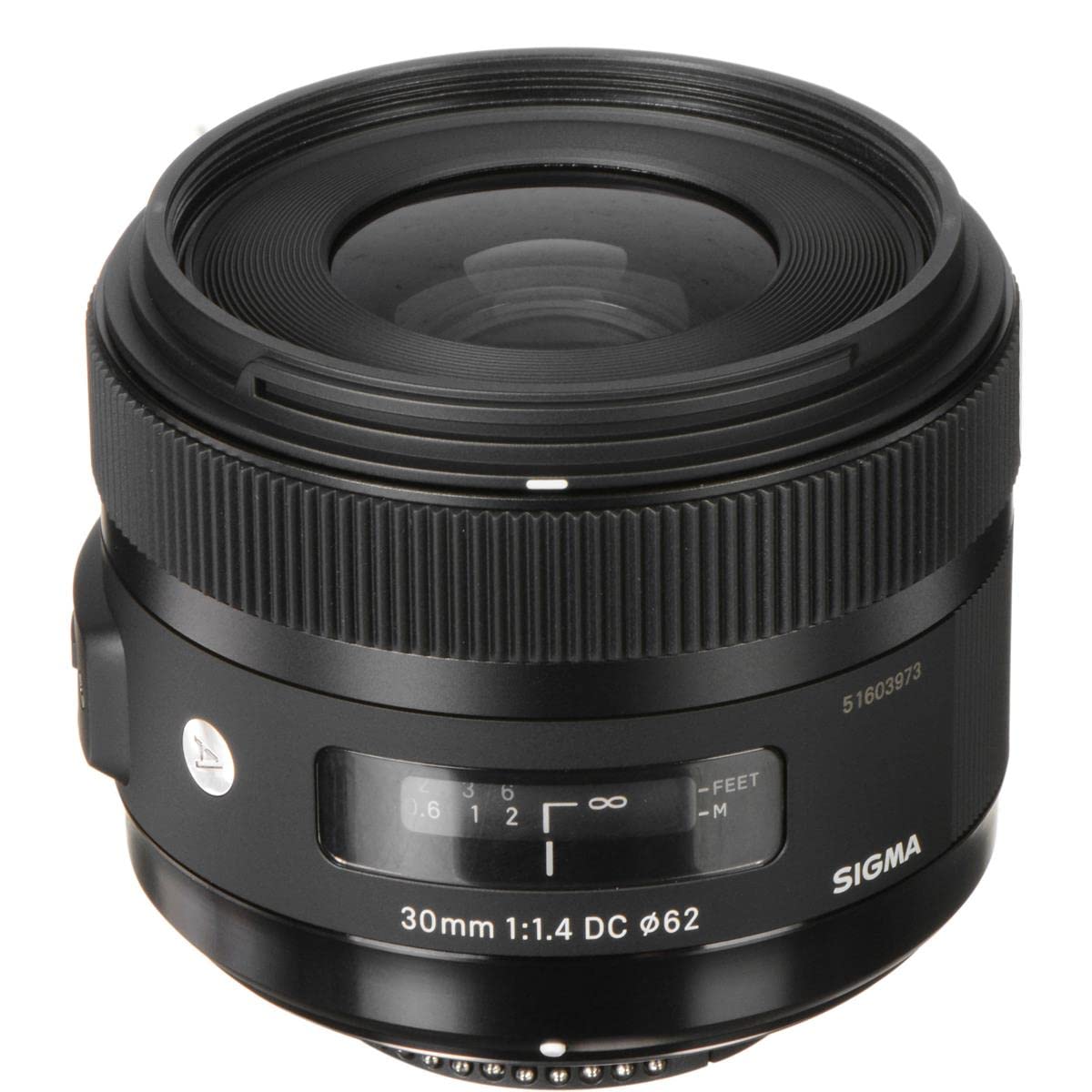
Figure 1: Front view of the Sigma 30mm F1.4 Art DC HSM Lens.
Key Features:
- Bright F1.4 Aperture: Ideal for low-light photography and achieving shallow depth of field.
- Hyper Sonic Motor (HSM): Ensures fast, quiet, and accurate autofocus.
- Art Line Optical Design: Delivers high image quality throughout the entire image area.
- Rear Focus System: Minimizes aberration variations during focusing.
- Compact and Durable Build: Designed for reliability and ease of use.
- USB Dock Compatibility: Allows for firmware updates and fine-tuning of autofocus settings.
2. What's in the Box
Upon unboxing your Sigma 30mm F1.4 Art DC HSM Lens, please ensure all the following items are present:
- Sigma 30mm F1.4 Art DC HSM Lens
- Lens Hood (LH686-01)
- Front Lens Cap
- Rear Lens Cap
- Protective Carrying Case
- Instruction Manual
- Warranty Card

Figure 2: Protective carrying case for the lens.
3. Setup
Attaching the Lens to Your Camera:
- Ensure your camera is turned off.
- Remove the rear lens cap from the Sigma 30mm F1.4 lens and the body cap from your camera.
- Align the mounting index (red dot or white line) on the lens with the corresponding index on your camera body.
- Insert the lens into the camera's lens mount and rotate it clockwise until it clicks securely into place.
- Attach the lens hood by aligning its mark with the mark on the front of the lens and twisting until it locks.
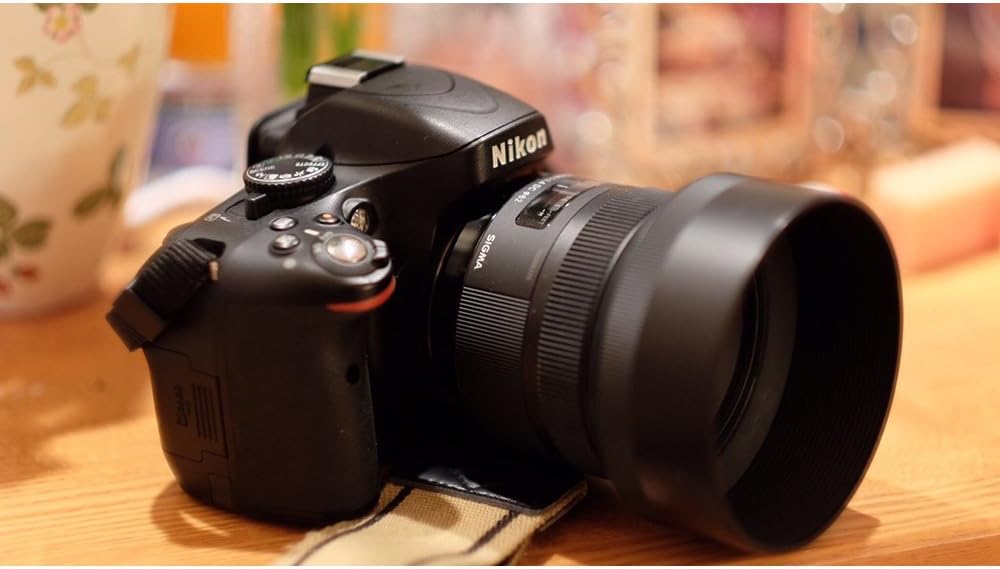
Figure 3: Sigma 30mm F1.4 lens mounted on a Nikon camera.
USB Dock Compatibility:
This lens is compatible with the Sigma USB Dock (sold separately). The USB Dock allows users to update lens firmware, calibrate autofocus settings, and customize other parameters using Sigma Optimization Pro software. Refer to the USB Dock's instruction manual for detailed usage.
4. Operating the Lens
Focusing:
The lens features a Hyper Sonic Motor (HSM) for fast and quiet autofocus. It also includes an AF/MF (Autofocus/Manual Focus) switch on the side of the lens barrel.
- Autofocus (AF): Set the AF/MF switch to 'AF'. The camera will control the focus.
- Manual Focus (MF): Set the AF/MF switch to 'MF'. Rotate the focus ring on the lens to adjust focus manually.

Figure 4: AF/MF switch on the lens barrel.
Aperture Control:
The lens has a maximum aperture of F1.4 and a minimum aperture of F16. Aperture is controlled via your camera body. A wider aperture (smaller f-number) allows more light into the camera and creates a shallower depth of field, blurring the background. A narrower aperture (larger f-number) allows less light and creates a greater depth of field, keeping more of the scene in focus.
Field of View:
On an APS-C (DX format) camera, the 30mm focal length provides an angle of view equivalent to approximately 45mm on a full-frame camera. This makes it a versatile 'normal' lens, suitable for a wide range of subjects from portraits to street photography.
Image Stabilization:
This lens does not feature built-in optical image stabilization. Any image stabilization will rely on your camera body's capabilities (if applicable) or digital stabilization settings.
5. Care and Maintenance
- Cleaning the Lens: Use a soft, lint-free cloth specifically designed for optical surfaces to clean the lens elements. For stubborn smudges, use a small amount of lens cleaning fluid applied to the cloth, not directly to the lens.
- Dust and Moisture: Avoid exposing the lens to excessive dust, dirt, or moisture. If used in such conditions, clean it thoroughly afterward.
- Storage: When not in use, store the lens with both front and rear caps attached, preferably in its protective case, in a cool, dry place away from direct sunlight.
- Handling: Always handle the lens carefully. Avoid dropping it or subjecting it to strong impacts.
6. Troubleshooting
Autofocus Issues:
- Lens Not Focusing: Ensure the AF/MF switch on the lens is set to 'AF'. Check your camera's focus mode settings.
- Inaccurate Focus (Front/Back Focusing): If you experience consistent front or back focusing, the lens may require micro-adjustment. This can often be done through your camera's menu settings (refer to your camera's manual) or by using the Sigma USB Dock for precise calibration.
- Slow or Hunting Autofocus: In very low light conditions or with subjects lacking contrast, autofocus may be slower or 'hunt'. Try switching to manual focus or using a brighter light source.
- Noisy Autofocus: While the HSM is generally quiet, some operational noise may be audible, especially during video recording. This is normal for some lens designs.
Image Quality Concerns:
- Soft Images: Ensure proper focus. Check your camera's shutter speed to avoid blur from camera shake, especially in low light. Using a tripod can help.
- Dark Images: Verify your camera's exposure settings (aperture, shutter speed, ISO). The F1.4 aperture is designed for excellent low-light performance, but correct exposure settings are still crucial.
7. Specifications
| Feature | Specification |
|---|---|
| Brand | Sigma |
| Model Name | 301306 |
| Compatible Mountings | Nikon F (DX) |
| Focal Length | 30 mm (Fixed) |
| Maximum Aperture | F1.4 |
| Minimum Aperture | F16 |
| Focus Type | Ultrasonic |
| Number of Diaphragm Blades | 9 |
| Photo Filter Size | 62 mm |
| Item Weight | 435 Grams |
| Color | Black |
| Manufacturer | Sigma Corporation of America |
8. Warranty and Support
Warranty Information:
This product is covered by a manufacturer's warranty. Please refer to the included Warranty Card for specific terms, conditions, and registration details. Keep your proof of purchase for warranty claims.
Customer Support:
For technical assistance, service, or inquiries regarding your Sigma 30mm F1.4 Art DC HSM Lens, please contact Sigma Corporation of America customer support. Contact information can typically be found on the manufacturer's official website or on the warranty card.


