
1. Introduction
This manual provides essential information for the proper installation, operation, and maintenance of your Maxcom KXT480 landline telephone. Please read these instructions carefully before using the device to ensure optimal performance and longevity. The Maxcom KXT480 is a corded landline telephone designed for reliable communication in a home or office environment.
2. Package Contents
Verify that all items are present in the package:
- Maxcom KXT480 Telephone Unit
- Handset
- Coiled Handset Cord
- Telephone Line Cord
- User Manual (this document)
3. Product Overview
The Maxcom KXT480 is a corded telephone featuring a clear keypad, a comfortable handset, and essential functions for daily communication. It is designed for ease of use and durability.
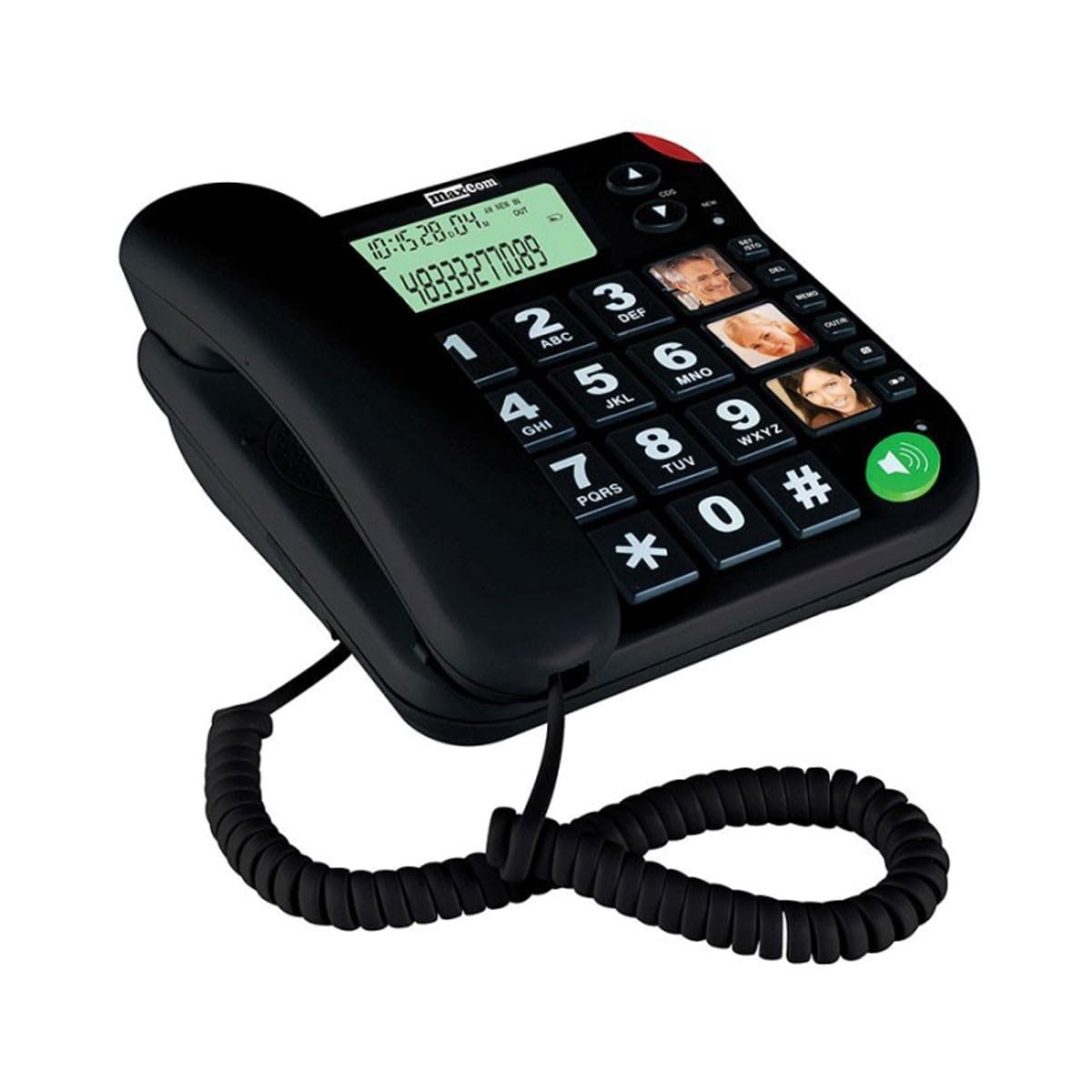
Image of the Maxcom KXT480 landline telephone, showing its black color, keypad, and handset.
Key features include:
- Corded telephone for reliable connection
- Caller ID functionality
- Speakerphone function (requires batteries for full functionality)
- Basic conference call capability
- Memory storage for frequently dialed numbers
4. Setup
4.1 Connecting the Telephone
- Connect one end of the coiled handset cord to the handset and the other end to the handset jack on the side of the telephone base.
- Connect one end of the telephone line cord to the LINE jack on the back of the telephone base.
- Connect the other end of the telephone line cord to your wall telephone socket.
4.2 Battery Installation (Optional but Recommended)
The Maxcom KXT480 requires 1 Lithium-Ion battery (included) for certain advanced features such as the display and speakerphone functionality. While the basic telephone functions work without batteries, installing them is recommended for full feature access.
- Locate the battery compartment on the underside of the telephone base.
- Open the battery compartment cover.
- Insert the Lithium-Ion battery, ensuring correct polarity (+ and -).
- Close the battery compartment cover securely.
5. Operating Instructions
5.1 Making a Call
- Lift the handset or press the Speakerphone button (if batteries are installed).
- Dial the desired telephone number using the keypad.
- Wait for the call to connect.
- To end the call, replace the handset or press the Speakerphone button again.
5.2 Receiving a Call
- When the telephone rings, lift the handset or press the Speakerphone button to answer.
- To end the call, replace the handset or press the Speakerphone button again.
5.3 Caller ID
The telephone supports Caller ID functionality. When an incoming call is received, the caller's number will be displayed on the screen (if batteries are installed and Caller ID service is subscribed through your telephone provider).
5.4 Speakerphone Function
To use the speakerphone function, press the dedicated Speakerphone button. This allows hands-free communication. Ensure batteries are installed for this feature to work correctly.
5.5 Memory Dialing
The Maxcom KXT480 allows you to store frequently used numbers for quick dialing. Refer to the on-screen prompts or specific buttons on your device for programming memory slots. Typically, this involves pressing a 'Store' or 'Memory' button, entering the number, and then selecting a memory location.
5.6 Conference Calling
The telephone supports basic conference call functionality. Consult your telephone service provider for details on how to initiate a three-way call, as this often depends on network services.
6. Maintenance
6.1 Cleaning
To clean the telephone, use a soft, damp cloth. Do not use abrasive cleaners or solvents, as these can damage the surface. Ensure the telephone is disconnected from the wall socket before cleaning.
6.2 Storage
If storing the telephone for an extended period, disconnect it from the telephone line and remove any installed batteries. Store in a cool, dry place away from direct sunlight.
7. Troubleshooting
If you encounter issues with your Maxcom KXT480 telephone, please refer to the following common problems and solutions:
| Problem | Possible Cause | Solution |
|---|---|---|
| No dial tone | Telephone line cord is disconnected or faulty. | Check all cable connections. Try connecting another phone to the wall socket to verify line functionality. |
| Telephone does not ring | Ringer volume is set to off or too low. | Adjust the ringer volume. Ensure the telephone line is active. |
| No display or speakerphone not working | Batteries are not installed or are depleted. | Install fresh batteries or check battery polarity. |
| Cannot hear caller or caller cannot hear me | Handset or speakerphone volume too low; faulty connection. | Adjust volume. Check handset cord connection. If using speakerphone, ensure you are close to the microphone. |
8. Specifications
Detailed technical specifications for the Maxcom KXT480 telephone:
| Feature | Specification |
|---|---|
| Brand | Maxcom |
| Model Number | KXT480 |
| Color | Black |
| Telephone Type | Corded |
| Material | Plastic |
| Power Source | AC/DC (Line Powered) |
| Battery Requirement | 1 Lithium-Ion battery (included) for display/speakerphone |
| Item Dimensions (LxWxH) | 20.6 x 16.4 x 9.1 cm |
| Compatible Devices | Fixed networks |
| Dialer Type | Single Keypad |
| Multi-line Operation | Single Line |
| Caller Identification | Yes |
| Conference Call Functionality | Basic |
| GTIN | 05908235972039 |
| Country of Origin | Portugal |
9. Warranty and Support
Maxcom products are designed for reliability and performance. For warranty information, please refer to the warranty card included with your purchase or contact your retailer. For technical support or further assistance, please visit the official Maxcom website or contact their customer service department. Keep your purchase receipt as proof of purchase for warranty claims.


