
MTX 3512-04
MTX Audio 3512-04 3500 Series Subwoofer User Manual
Model: 3512-04
1. Introduction
This manual provides comprehensive instructions for the installation, operation, and maintenance of your MTX Audio 3512-04 3500 Series Subwoofer. Please read this manual thoroughly before attempting to install or operate the subwoofer to ensure proper function and safety. The MTX 3500 Series subwoofers are designed to deliver powerful and clear bass reproduction for your audio system.

Figure 1.1: Angled view of the MTX Audio 3512-04 3500 Series Subwoofer, showcasing its design and robust construction.
2. Safety Information
Always observe the following safety precautions to prevent injury or damage to the equipment:
- Power Handling: Do not exceed the rated RMS power handling of 250 Watts. Overpowering can lead to damage and void the warranty.
- Proper Wiring: Ensure all wiring is correctly connected and insulated to prevent short circuits. Refer to the wiring diagrams in the installation section.
- Ventilation: Ensure adequate ventilation around the subwoofer and amplifier to prevent overheating.
- Mounting: Securely mount the subwoofer in an appropriate enclosure to prevent movement during operation, which could cause damage or injury.
- Professional Installation: If you are unsure about any installation steps, consult a qualified professional.
- Hearing Protection: Prolonged exposure to high sound pressure levels can cause permanent hearing damage. Use caution when adjusting volume levels.
3. Package Contents
Verify that all items are present in the package:
- 1 x MTX Audio 3512-04 3500 Series 12" Subwoofer
- User Manual (this document)
If any items are missing or damaged, please contact your retailer or MTX Audio customer support immediately.
4. Setup and Installation
Proper installation is crucial for optimal performance and longevity of your subwoofer. This section outlines general setup guidelines. Specific enclosure designs and wiring configurations may vary based on your audio system.
4.1 Enclosure Requirements
The MTX 3512-04 subwoofer is designed for use in sealed or ported enclosures. Consult a car audio professional or use a reputable enclosure design calculator for optimal enclosure volume and port tuning for your specific application. Ensure the enclosure is robust and free from air leaks.

Figure 4.1: Side view of the subwoofer, illustrating its mounting depth and frame structure for enclosure integration.
4.2 Wiring Connections
The 3512-04 is a single 4-ohm voice coil subwoofer. Connect the subwoofer to a compatible amplifier. Ensure correct polarity (+ to + and - to -) to avoid phase issues and ensure proper sound reproduction.
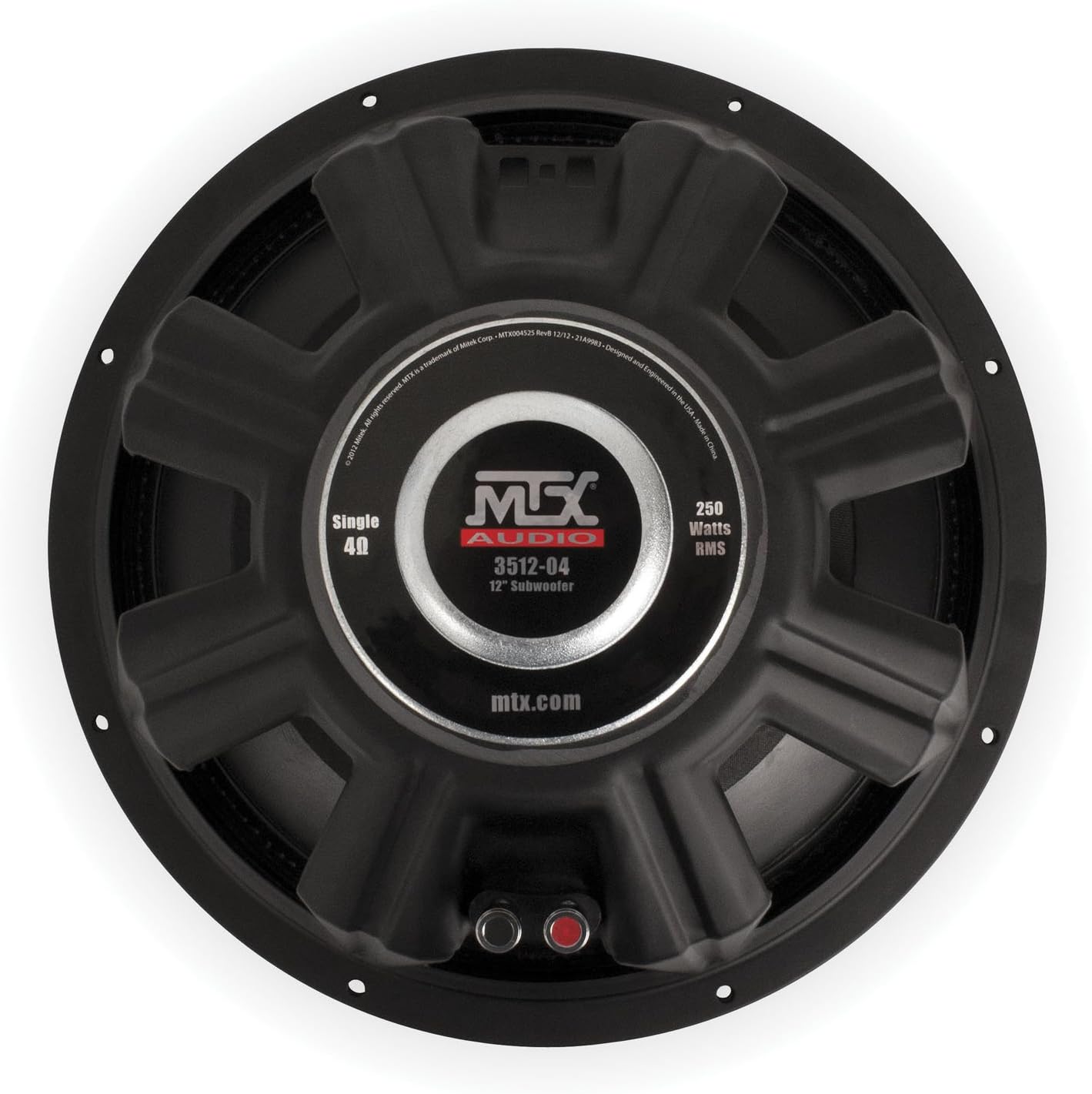
Figure 4.2: Rear view of the subwoofer, highlighting the push-style speaker terminals for secure wire connections.

Figure 4.3: A detailed view of the subwoofer's spring-loaded terminals, showing the positive (red) and negative (black) connections.
Single Subwoofer, Single Amplifier Channel: Connect the positive (+) terminal of the subwoofer to the positive (+) output of the amplifier. Connect the negative (-) terminal of the subwoofer to the negative (-) output of the amplifier.
Multiple Subwoofers: For multiple subwoofers, consult an audio professional or refer to advanced wiring diagrams to achieve the desired impedance load for your amplifier. Incorrect impedance can damage your amplifier.
5. Operating Instructions
Once installed, proper operation involves setting up your amplifier and head unit for optimal subwoofer performance.
5.1 Amplifier Gain Setting
Set the amplifier gain (input sensitivity) correctly to match the output voltage of your head unit. Start with the gain at its minimum setting. Play a test tone or music with strong bass at a moderate volume on your head unit. Slowly increase the amplifier gain until you hear distortion, then back it off slightly until the sound is clean. This ensures maximum clean output without clipping.
5.2 Crossover Settings
Use the low-pass filter (LPF) on your amplifier or head unit to send only low frequencies to the subwoofer. A common starting point for the LPF is between 80Hz and 100Hz. Adjust this setting to blend seamlessly with your main speakers.
5.3 Subsonic Filter (Optional)
If your amplifier has a subsonic filter (high-pass filter for the subwoofer channel), set it slightly below your enclosure's tuning frequency (for ported enclosures) or around 20-25Hz (for sealed enclosures) to protect the subwoofer from playing frequencies too low for its design, which can cause damage.
6. Maintenance
The MTX 3512-04 subwoofer requires minimal maintenance to ensure long-term performance.
- Cleaning: Use a soft, dry cloth to wipe down the cone and surround. Avoid using harsh chemicals or abrasive materials.
- Inspection: Periodically inspect the speaker terminals and wiring for secure connections and signs of corrosion or wear.
- Environmental Factors: Avoid exposing the subwoofer to extreme temperatures, direct sunlight, or excessive moisture.

Figure 6.1: Front view of the subwoofer, showing the cone and surround which should be kept clean and free of debris.
7. Troubleshooting
If you experience issues with your subwoofer, refer to the following common problems and solutions:
| Problem | Possible Cause | Solution |
|---|---|---|
| No Sound from Subwoofer |
|
|
| Distorted Sound |
|
|
| Weak Bass Output |
|
|
8. Specifications
Detailed technical specifications for the MTX Audio 3512-04 3500 Series Subwoofer:
- Model Name: 3512-04
- Speaker Type: Subwoofer
- Speaker Size: 12 Inches
- Impedance: 4 Ohm (Single Voice Coil)
- RMS Power Handling: 250 Watts
- Peak Power Handling: 500 Watts
- Frequency Response: 35 Hz (Lower limit, actual response depends on enclosure)
- Voice Coils: 2.0" High Temperature Voice Coils
- Product Dimensions: Approximately 12"D x 12"W x 8"H
- Item Weight: Approximately 0.02 Pounds (Note: This weight is likely a data entry error and does not reflect the actual product weight.)
- Mounting Type: Floor Standing (referring to general application, not specific mounting hardware)
- Connectivity Technology: Wired
- Included Components: Subwoofer

Figure 8.1: Detailed view of the subwoofer's rear label, confirming the model number, impedance, and RMS power rating.
9. Warranty Information
The MTX Audio 3512-04 3500 Series Subwoofer comes with a Limited Warranty. This warranty covers defects in materials and workmanship under normal use. The duration and specific terms of the warranty may vary by region and retailer. Please retain your proof of purchase for warranty claims.
The warranty does not cover damage resulting from:
- Improper installation or wiring
- Overpowering or amplifier clipping
- Accidental damage, misuse, abuse, or neglect
- Unauthorized repairs or modifications
- Exposure to moisture, extreme heat, or cold
For detailed warranty information and to initiate a claim, please visit the official MTX Audio website or contact their customer support.
10. Customer Support
If you have any questions, require technical assistance, or need to troubleshoot an issue not covered in this manual, please contact MTX Audio customer support:
- Website: Visit the official MTX Audio website for FAQs, support resources, and contact information.
- Online Store: For product information and purchasing, you can visit the MTX Store on Amazon.
Please have your product model number (3512-04) and proof of purchase ready when contacting support.
Related documents3512-04


Ask a question about this manual
Ask about setup, troubleshooting, compatibility, parts, safety, or missing instructions. Manuals+ will review the question and use this page’s manual context to help answer it.