
1. Introduction
Thank you for choosing the GIMA Okoia 3677431031 Ear Thermometer TET2. This device is designed for accurate and rapid measurement of body temperature via the ear canal. Please read this manual thoroughly before first use to ensure safe and correct operation. Keep this manual for future reference.
Safety Information
- Do not use the thermometer for purposes other than measuring human body temperature.
- Keep the device out of reach of children.
- Always use a new, clean probe cover for each measurement to ensure hygiene and accuracy.
- Avoid dropping the thermometer or subjecting it to strong impacts.
- Do not expose the thermometer to direct sunlight, extreme temperatures, or high humidity.
2. Product Overview
The GIMA Okoia Ear Thermometer TET2 features an ergonomic design, a large LCD display for easy reading, and provides temperature measurements in approximately 1 second. It also includes a fever alarm, a self-diagnosis function, and can store up to 9 previous readings.

Figure 1: GIMA Okoia Ear Thermometer showing its approximate dimensions (6.2 inches or 15 cm in length).
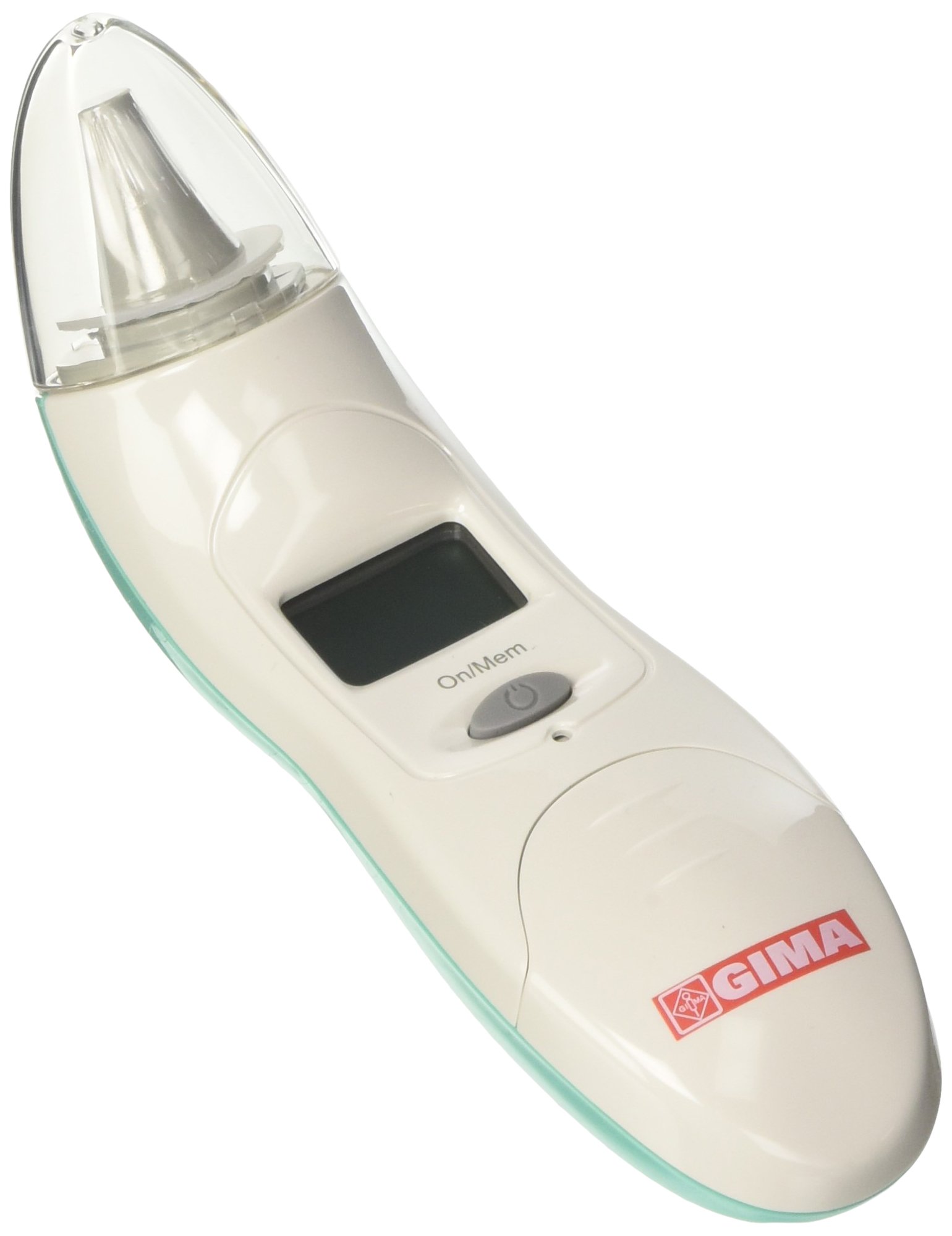
Figure 2: Packaging of the GIMA Okoia Ear Thermometer TET2, highlighting key features such as 1-second measurement, 9 memories, fever alarm, and ergonomic design.
3. Setup
Battery Installation
The thermometer comes with batteries pre-installed. If the battery indicator appears on the display, or the device does not power on, replace the batteries.
- Locate the battery compartment cover, usually on the back or bottom of the device.
- Open the cover by sliding or gently prying it open (refer to the markings on the device for specific instructions).
- Remove the old batteries and insert new ones, ensuring correct polarity (+ and -).
- Close the battery compartment cover securely.
Attaching a Probe Cover
For hygienic and accurate measurements, always use a new, undamaged probe cover for each use.
- Gently slide a new probe cover onto the thermometer's probe tip until it clicks into place.
- Ensure the probe cover is seated firmly and smoothly without wrinkles.
4. Operating Instructions
Taking a Temperature Measurement
- Press the power button to turn on the thermometer. The display will show all segments briefly, followed by the last measurement or a ready symbol.
- Gently insert the probe tip with a new, clean probe cover into the ear canal. For accurate readings, ensure the probe is aimed towards the eardrum.
- Press the measurement button (usually the same as the power button or a dedicated scan button). A beep will sound, and the measurement will be completed in approximately 1 second.
- Remove the thermometer from the ear. The temperature reading will be displayed on the LCD screen.
- If the temperature exceeds a certain threshold (e.g., 37.5°C or 99.5°F), the fever alarm may activate, typically indicated by a series of rapid beeps or a specific icon.
- The thermometer will automatically turn off after a period of inactivity to conserve battery life. You can also manually turn it off by pressing and holding the power button.
Memory Function
The thermometer can store up to 9 previous temperature readings. To access these readings:
- With the thermometer turned on, press the memory button (if available) or repeatedly press the power button after the initial display.
- Each press will cycle through the stored readings, usually from the most recent to the oldest.
Converting Ear Temperature to Oral Equivalent
This thermometer features a function to convert the measured ear temperature to an approximate oral equivalent. Refer to the device's specific button or menu option for this feature, if available. This conversion is an estimation and should not replace clinical judgment.
5. Maintenance
Cleaning the Thermometer
- After each use, remove and discard the used probe cover.
- Wipe the probe tip and the main body of the thermometer with a soft cloth dampened with alcohol (70% isopropyl alcohol is recommended).
- Do not immerse the thermometer in water or any cleaning solution.
- Allow the thermometer to air dry completely before storing.
Storage
- Store the thermometer in its protective case (if provided) in a cool, dry place.
- Avoid storing in direct sunlight, high temperatures, or high humidity.
6. Troubleshooting
| Problem | Possible Cause | Solution |
|---|---|---|
| Thermometer does not turn on. | Dead batteries; incorrect battery installation. | Replace batteries, ensuring correct polarity. |
| Inaccurate readings. | Used or dirty probe cover; improper placement in ear; earwax blockage. | Use a new probe cover; ensure correct probe placement; consult a doctor for earwax removal. |
| Error message on display (e.g., 'ERR'). | Device malfunction; ambient temperature out of range. | Turn off and restart the thermometer. Ensure use within specified operating temperature range. If error persists, contact support. |
| Fever alarm sounds at normal temperature. | Incorrect temperature unit setting (Celsius/Fahrenheit). | Refer to the manual for instructions on how to change the temperature unit setting. |
7. Specifications
| Feature | Specification |
|---|---|
| Model Number | 25580 |
| Manufacturer | Okoia |
| Dimensions | 6 x 20 x 12.5 cm |
| Weight | 220 g |
| Measurement Time | Approx. 1 second |
| Memory Capacity | 9 readings |
| Power Source | Batteries (included) |
| Display | Large LCD |
8. Warranty and Support
Warranty Information
This GIMA Okoia Ear Thermometer TET2 is covered by a standard manufacturer's warranty against defects in materials and workmanship. The specific duration and terms of the warranty may vary by region and retailer. Please retain your proof of purchase for warranty claims. For detailed warranty information, refer to the documentation provided with your purchase or contact the retailer.
Customer Support
If you have any questions about the operation, maintenance, or troubleshooting of your GIMA Okoia Ear Thermometer TET2, please contact your retailer or the manufacturer's customer service department. Contact information can typically be found on the product packaging or the manufacturer's official website.


