
1. Introduction
This manual provides comprehensive instructions for the DTM VICTORY-4PN gate remote control. Designed for ease of use, this remote operates on a 433.92 MHz frequency and is compatible with gate receivers that support registration programming. It features four buttons for controlling various gate functions and comes with a one-year warranty, with batteries included.
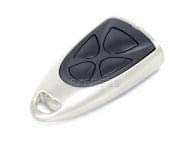
Front view of the DTM VICTORY-4PN gate remote control, showing its four buttons.
2. Setup
2.1 Battery Installation
The DTM VICTORY-4PN remote control uses CR2016 batteries. The remote is supplied with batteries pre-installed. If replacement is needed, follow these steps:
- Locate the battery compartment on the remote control. This is typically on the back or side, secured by a small screw or a snap-on cover.
- Carefully open the compartment using a small screwdriver or by gently prying the cover open.
- Remove the old CR2016 batteries, noting their polarity (+/-).
- Insert new CR2016 batteries, ensuring correct polarity.
- Close the battery compartment securely.
2.2 Programming with the Receiver
The DTM VICTORY-4PN remote control is programmed by registering it directly with your gate's receiver unit. The exact procedure may vary depending on your gate receiver model. Consult your gate receiver's manual for specific instructions. A general programming sequence often involves:
- Locate the programming button on your gate receiver unit. This button is often labeled "PROG," "LEARN," or "MEM."
- Press and hold the programming button on the receiver for a few seconds until an indicator light (LED) on the receiver illuminates or flashes. This indicates the receiver is in programming mode.
- While the receiver is in programming mode, press the desired button on your DTM VICTORY-4PN remote control that you wish to assign to the gate function.
- The receiver's indicator light should change (e.g., flash rapidly, turn solid, or turn off) to confirm successful registration.
- Wait a few seconds for the receiver to exit programming mode automatically, or press the programming button again briefly to exit.
- Test the remote control to ensure it operates the gate correctly.
If you encounter difficulties, refer to your gate receiver's specific instructions or contact a qualified technician.
3. Operating the Remote Control
The DTM VICTORY-4PN remote control features four distinct buttons, allowing for control of up to four different functions or gates, depending on how it has been programmed with your receiver. The maximum operational range is approximately 10 meters (33 feet), though this can be affected by environmental factors and obstructions.
- Button Functionality: Each of the four buttons can be programmed to perform a specific action, such as opening, closing, or stopping a gate, or activating a pedestrian access mode.
- Activation: To activate a function, simply press and release the corresponding programmed button. The gate or device should respond accordingly.
- Range Considerations: For optimal performance, ensure a clear line of sight between the remote control and the gate receiver. Obstacles such as walls, vehicles, or dense foliage can reduce the effective operating range.
4. Maintenance
4.1 Battery Replacement
If the remote control's range decreases significantly or it stops responding, the batteries may need replacement. Refer to Section 2.1 for detailed battery installation instructions. Always use CR2016 batteries for replacement.
4.2 Cleaning
To clean the remote control, use a soft, dry cloth. Do not use abrasive cleaners, solvents, or excessive moisture, as these can damage the device's electronics or casing.
4.3 Storage
Store the remote control in a dry place, away from direct sunlight, extreme temperatures, and high humidity. Avoid dropping the remote or exposing it to strong impacts.
5. Troubleshooting
| Problem | Possible Cause | Solution |
|---|---|---|
| Remote control does not work. |
|
|
| Reduced operating range. |
|
|
| Gate opens/closes intermittently. |
|
|
6. Specifications
- Brand: DTM
- Model: VICTORY-4PN
- Frequency: 433.92 MHz
- Special Feature: Ergonomic design
- Connectivity Technology: Radio Frequency (RF) / Infrared (Note: While specifications mention Infrared, the primary communication for gate remotes is 433.92 MHz Radio Frequency.)
- Number of Buttons: 4
- Controller Type: Button control
- Maximum Range: 10 Meters (approximately 33 feet)
- Battery Type: CR2016
7. Warranty and Support
The DTM VICTORY-4PN remote control comes with a one-year warranty from the date of purchase. This warranty covers manufacturing defects under normal use. It does not cover damage caused by misuse, accidents, unauthorized modifications, or normal wear and tear.
For technical support, warranty claims, or further assistance, please contact your retailer or the DTM customer service department. Please have your purchase receipt and product model information available when contacting support.