Introduction
Thank you for choosing the Reality Leuchten R024 Stand Fan. This manual provides essential information for the safe and efficient operation, assembly, maintenance, and troubleshooting of your new fan. Please read this manual thoroughly before use and retain it for future reference.
Important Safety Instructions
To reduce the risk of fire, electric shock, or injury, always follow these basic safety precautions:
- Ensure the power supply voltage matches the rating label on the fan.
- Do not operate the fan with a damaged cord or plug. If damaged, contact qualified service personnel.
- Keep the fan out of reach of children and pets.
- Do not insert fingers or any objects through the grille when the fan is operating.
- Place the fan on a stable, level surface to prevent tipping.
- Do not use the fan in wet or damp locations, such as bathrooms or laundries.
- Unplug the fan from the power outlet before cleaning or performing any maintenance.
- Do not block air openings. Ensure adequate ventilation around the fan.
Package Contents
Before assembly, please check that all components are present and undamaged:
- Fan Head Assembly (Motor, Blades, Grilles)
- Adjustable Stand Pole
- Base (Cross-shaped)
- Base Screws/Washers
- Power Cord (integrated)
- User Manual (this document)

Image: The complete Reality Leuchten R024 Stand Fan, showing the fan head, adjustable pole, and cross-shaped base.
Assembly Instructions
Follow these steps to assemble your stand fan:
- Assemble the Base: Attach the two parts of the cross-shaped base together. Secure them with the provided screws and washers.
- Attach the Stand Pole: Insert the bottom end of the adjustable stand pole into the center opening of the assembled base. Tighten the securing knob or screw at the base to firmly attach the pole.
- Mount the Fan Head: Carefully place the fan head assembly onto the top of the stand pole. Ensure it clicks into place or is secured with the designated screw/fastener.
- Adjust Height: Loosen the height adjustment collar on the stand pole, extend or retract the inner pole to your desired height (between 105cm and 128cm), and then firmly tighten the collar to secure the height.
- Position the Fan Head: Adjust the tilt of the fan head to direct airflow as needed.

Image: A line drawing illustrating the fan's dimensions (44cm diameter, 105-128cm height) and key components for assembly.
Operating Instructions
Once assembled, your fan is ready for use:
- Power Connection: Plug the power cord into a standard electrical outlet.
- Power On/Off: Press the '0' button on the control panel to turn the fan off. Press '1', '2', or '3' to turn the fan on and select a speed.
- Speed Selection:
- 1: Low Speed
- 2: Medium Speed
- 3: High Speed
- Oscillation Function: To activate the oscillation (swinging) feature, push down the knob located on top of the motor housing at the rear of the fan head. To stop oscillation, pull the knob up.
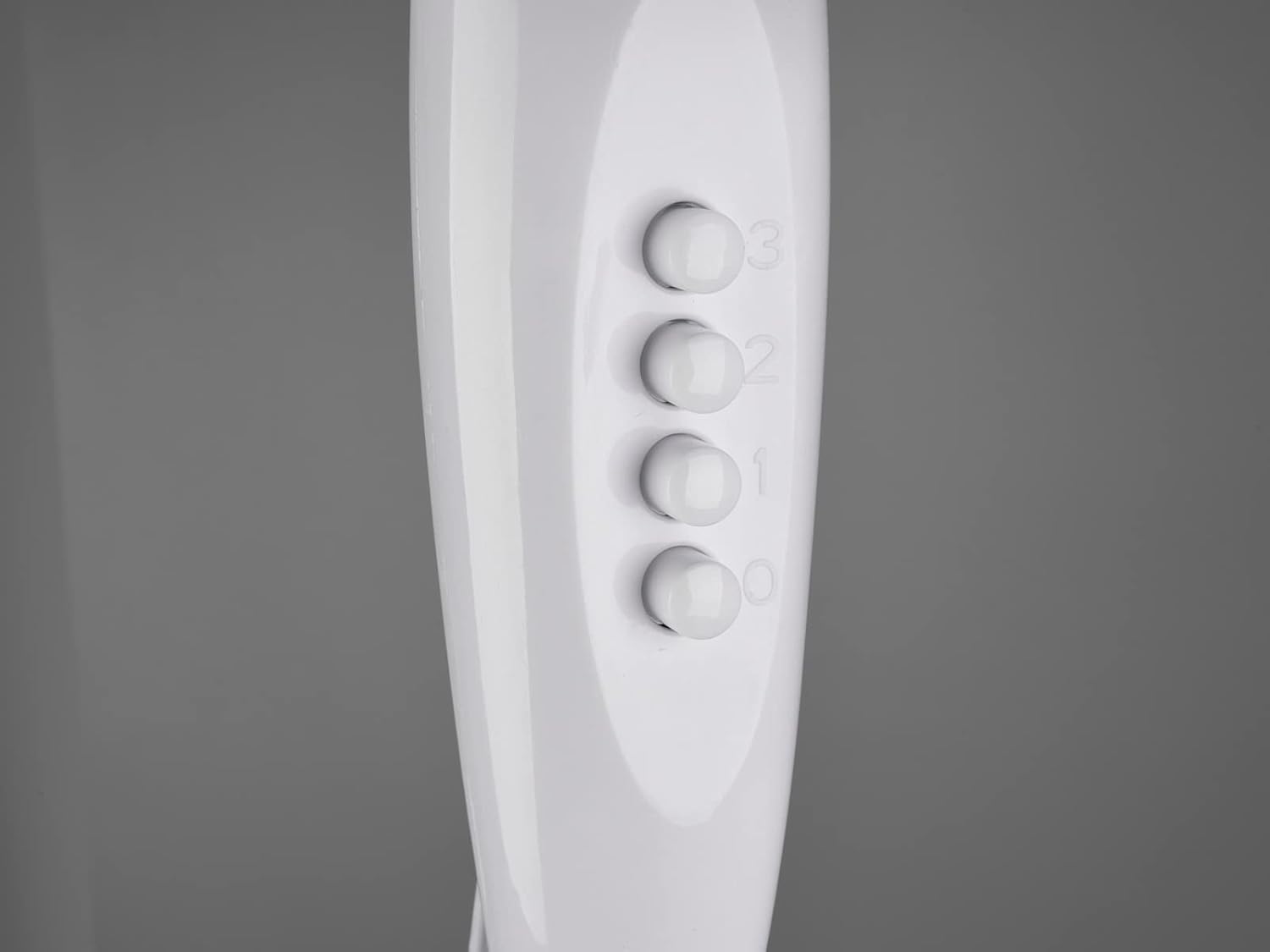
Image: A detailed view of the fan's control panel, showing the '0', '1', '2', and '3' buttons for power and speed selection.
Features
The Reality Leuchten R024 Stand Fan offers several features designed for comfort and convenience:
- 3 Speed Settings: Choose between low, medium, and high airflow for optimal comfort.
- Oscillating Function: Distributes air across a wider area for more effective cooling.
- Adjustable Height: The fan height can be adjusted from 105 cm to 128 cm to suit various needs and room setups.
- Tilt-Adjustable Fan Head: Allows you to direct the airflow precisely where it's needed.
- Stable Cross Base: Provides robust support and stability for the fan.
- Portable Design: Lightweight and easy to move between rooms.

Image: The fan shown with visual indicators for its 44cm diameter, 3 speed levels, height adjustability, oscillation, and strong airflow.
Maintenance and Cleaning
Regular cleaning will help maintain your fan's performance and extend its lifespan.
- Always unplug the fan from the power outlet before cleaning.
- Exterior Cleaning: Wipe the exterior surfaces of the fan with a soft, damp cloth. Do not use abrasive cleaners or solvents, as they may damage the finish.
- Grille and Blades: Dust can accumulate on the grilles and blades. Use a vacuum cleaner with a brush attachment or a soft, dry cloth to remove dust. For deeper cleaning, the front grille may be removable (refer to assembly steps in reverse if needed). Ensure all parts are dry before reassembling and operating.
- Storage: When not in use for extended periods, store the fan in a cool, dry place, preferably in its original packaging, to protect it from dust and damage.
Troubleshooting
If you encounter issues with your fan, consult the following table before contacting support:
| Problem | Possible Cause | Solution |
|---|---|---|
| Fan does not turn on. | Not plugged in; Power outlet not working; Power button not pressed. | Ensure plug is fully inserted; Test outlet with another device; Press speed button (1, 2, or 3). |
| Weak airflow. | Fan speed set too low; Grilles are blocked by dust. | Increase fan speed; Clean the grilles and blades. |
| Fan is noisy. | Loose parts; Fan not on a level surface; Obstruction in blades. | Check for loose screws or components; Place fan on a flat, stable surface; Unplug and check for obstructions. |
| Oscillation not working. | Oscillation knob not pushed down. | Push down the oscillation knob on the rear of the motor housing. |
Specifications
| Attribute | Detail |
|---|---|
| Model Number | R024-01 |
| Brand | RL LIVE YOUR LIGHT |
| Product Dimensions | 44 x 62 x 105 cm (adjustable height up to 128 cm) |
| Item Weight | 2.94 kg |
| Color | White |
| Material | Plastic |
| Power Source | Corded Electric |
| Fan Design | Floor Fan / Pedestal Fan |
| Special Features | Oscillating, Portable, 3 Speed Settings, Height Adjustable |
| Included Components | Cord |
Warranty and Support
This product comes with a standard manufacturer's warranty. For specific warranty details, please refer to the documentation included with your purchase or contact the retailer. For technical support, spare parts, or service inquiries, please contact RL LIVE YOUR LIGHT customer service through their official website or the contact information provided at the point of purchase.

Image: The official logo for RL LIVE YOUR LIGHT, the brand of this product.


