
Introduction
This manual provides essential instructions for the safe and effective use of your Sony SAL-18552 18-55mm Zoom Lens. The DT 18-55mm F3.5-5.6 SAM lens is a versatile 3x zoom lens designed for Sony α DSLRs equipped with an APS-C type sensor. Its lightweight and compact design ensures ease of handling and portability.

Figure 1: Overview of the Sony SAL-18552 18-55mm Zoom Lens.
What's in the Box
Verify that all items are present in the packaging:
- Sony DT 18-55mm f/3.5-5.6 SAM II Lens
- Front Lens Cap
- Rear Lens Cap
- Warranty Documentation
Setup
Attaching the Lens
- Ensure your camera is powered off.
- Remove the rear lens cap from the lens and the body cap from your camera.
- Align the white index mark on the lens barrel with the white index mark on your camera's lens mount.
- Insert the lens into the camera mount and rotate it clockwise until it clicks into place. Do not force the lens.
Removing the Lens
- Ensure your camera is powered off.
- While pressing the lens release button on the camera body, rotate the lens counter-clockwise until it stops.
- Gently pull the lens straight out from the camera mount.
- Attach the rear lens cap to the lens and the body cap to the camera to protect the sensor and lens elements.
Attaching a Filter
The Sony SAL-18552 lens accepts 55mm diameter filters. To attach a filter, carefully screw it onto the filter thread at the front of the lens. Ensure it is securely fastened but do not overtighten.
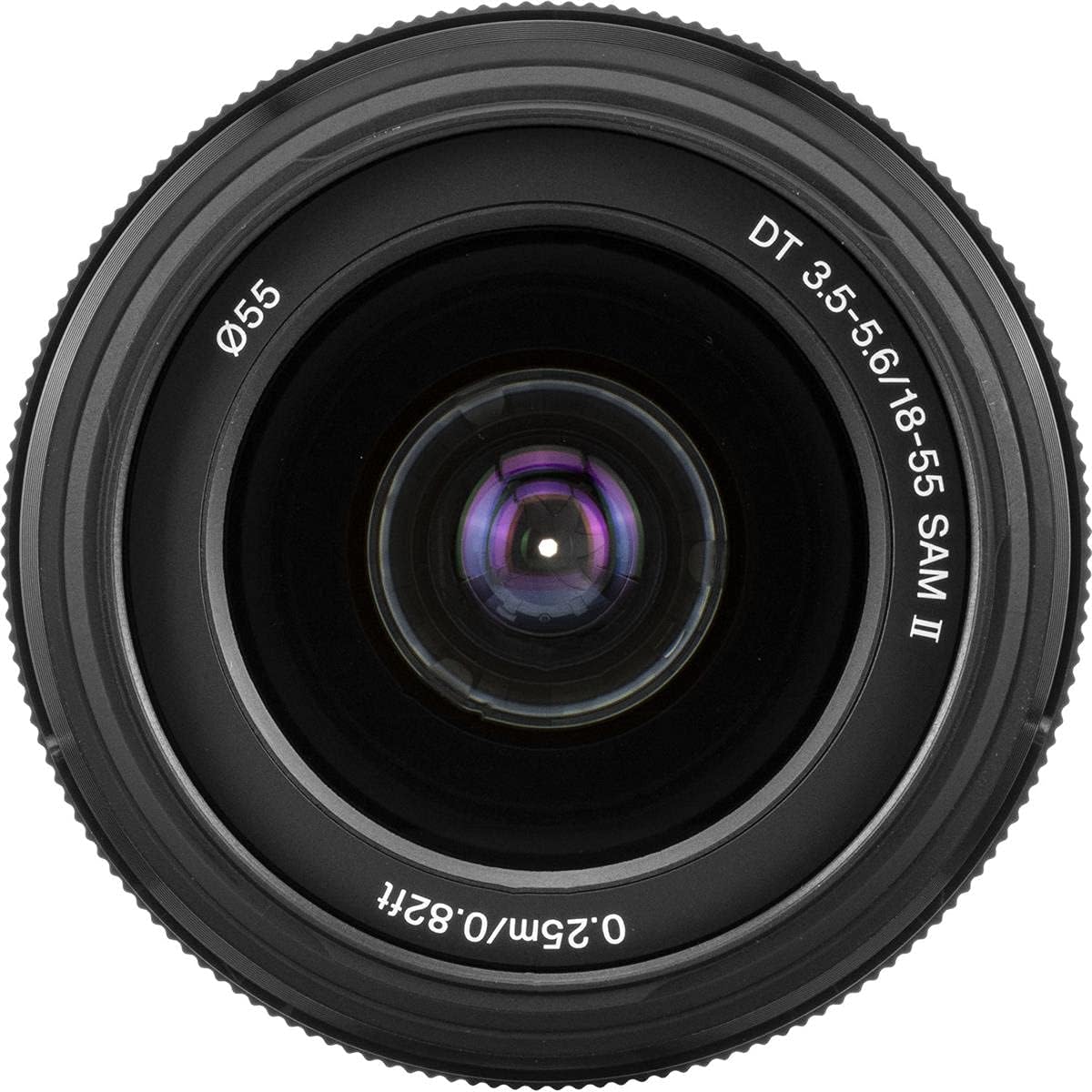
Figure 2: Front element of the lens, indicating the filter attachment area.
Operating the Lens
Zooming
To adjust the focal length, rotate the zoom ring on the lens barrel. The lens offers a focal range from 18mm (wide-angle) to 55mm (short telephoto). The current focal length is indicated by markings on the lens barrel.
Focusing (AF/MF Switch)
The lens features an AF/MF (Autofocus/Manual Focus) switch. To select the focusing mode, slide the switch to the desired position:
- AF (Autofocus): The camera automatically focuses on the subject.
- MF (Manual Focus): You manually adjust the focus by rotating the focus ring on the lens.

Figure 3: Lens controls, including the zoom ring and AF/MF switch.
Aperture Control
The lens has a variable maximum aperture of f/3.5 at 18mm and f/5.6 at 55mm. Aperture settings are controlled via your camera body. Refer to your camera's instruction manual for details on adjusting aperture.
Maintenance
Cleaning the Lens
- Use a lens blower to remove dust from the lens surface.
- For smudges or fingerprints, use a soft, clean lens cloth specifically designed for optical surfaces. Apply a small amount of lens cleaning solution to the cloth, not directly to the lens.
- Never use abrasive materials, solvents, or harsh chemicals.
Storage
- Always attach the front and rear lens caps when the lens is not in use.
- Store the lens in a cool, dry place, away from direct sunlight and extreme temperatures.
- Avoid storing the lens in areas with high humidity to prevent mold growth.
Troubleshooting
If you encounter issues with your lens, consider the following general troubleshooting steps:
- Lens not attaching securely: Ensure the lens is aligned correctly with the camera mount and rotated until it clicks. Do not force it.
- Autofocus not working: Check if the AF/MF switch on the lens is set to AF. Also, ensure your camera's focus mode is set to autofocus. Clean the lens and camera contacts.
- Blurry images: Verify that the lens is clean. Check your camera's focus settings and ensure you are using an appropriate shutter speed for the lighting conditions. If in MF mode, ensure you are manually focusing correctly.
- Dust or spots on images: Clean the front and rear elements of the lens. If spots persist, the issue might be dust on your camera's sensor, which requires professional cleaning or careful self-cleaning according to your camera's manual.
For persistent issues, consult your camera's instruction manual or contact Sony customer support.
Specifications
| Feature | Specification |
|---|---|
| Model Name | SAL-18552 |
| Focal Length | 18-55 mm |
| Maximum Aperture | f/3.5-5.6 |
| Minimum Aperture | 22 |
| Lens Mount | Sony A-mount |
| Compatible Cameras | Sony DSLR cameras with APS-C sensors |
| Focus Type | Manual Focus (with AF/MF switch) |
| Image Stabilization | Optical |
| Filter Size | 55 mm |
| Weight | 210 Grams |
| Zoom Ratio | 3:1 |
| Real Angle Of View | 76 Degrees |
| Lens Coating Description | ZERO Coating |
Warranty and Support
This product comes with a manufacturer's warranty. Please refer to the warranty documentation included in your product packaging for details on coverage, terms, and conditions.
For technical support, service, or further inquiries, please visit the official Sony support website or contact Sony customer service directly. Keep your proof of purchase for warranty claims.
Sony Support Website: https://www.sony.com/electronics/support
