
Introduction
The Tama HP200PTW Iron Cobra 200 Drum Pedal is engineered for drummers seeking reliable performance at an accessible price. It incorporates design principles from the Iron Cobra 900 series, offering a smooth and responsive feel. This manual provides essential information for setting up, operating, and maintaining your drum pedal.
Key Features
- Power Glide Chain System: Provides smooth and powerful action, ensuring consistent response with every stroke.
- Dual-Sided Beater: Offers versatility with a soft felt side for nuanced playing and a harder plastic side for increased attack, adaptable to various drum kits (acoustic or electronic) and musical styles.
- Adjustable Spring Tension: Easily customize pedal responsiveness without the need for additional tools, allowing drummers to fine-tune the feel to their preference.
- Adjustable Beater Angle/Height: Fine-tune the beater's position for personalized feel and optimal impact on the bass drum head.
- Durable Construction: Features cast aluminum components for lightweight strength and resistance to rust, with a robust steel plate base for enhanced stability and longevity.
- Rubber Treads: Integrated into the base to prevent slipping on hard surfaces, ensuring consistent pedal placement during play.
Setup Guide
Attaching the Pedal
The pedal features a clamp at its base designed to securely attach to the hoop of a bass drum or a kick tower.
- Position the pedal so the clamp aligns with the drum hoop or kick tower.
- Tighten the wing nut on the clamp until the pedal is firmly secured. Ensure a snug fit to prevent movement during play.
Adjusting Beater Height
The beater's height can be adjusted to suit your playing style and drum setup.
- Locate the nut on the beater shaft where it connects to the pedal mechanism.
- Use a drum key (included) to loosen this nut.
- Raise or lower the beater to the desired height.
- Tighten the nut securely with the drum key to lock the beater in place.
Adjusting Spring Tension
Customize the pedal's feel by adjusting the spring tension.
- Identify the spring mechanism on the side of the pedal.
- Turn the adjustment screw at the bottom of the spring to increase or decrease tension. Turning clockwise typically increases tension, making the pedal feel stiffer, while counter-clockwise decreases tension for a lighter feel.
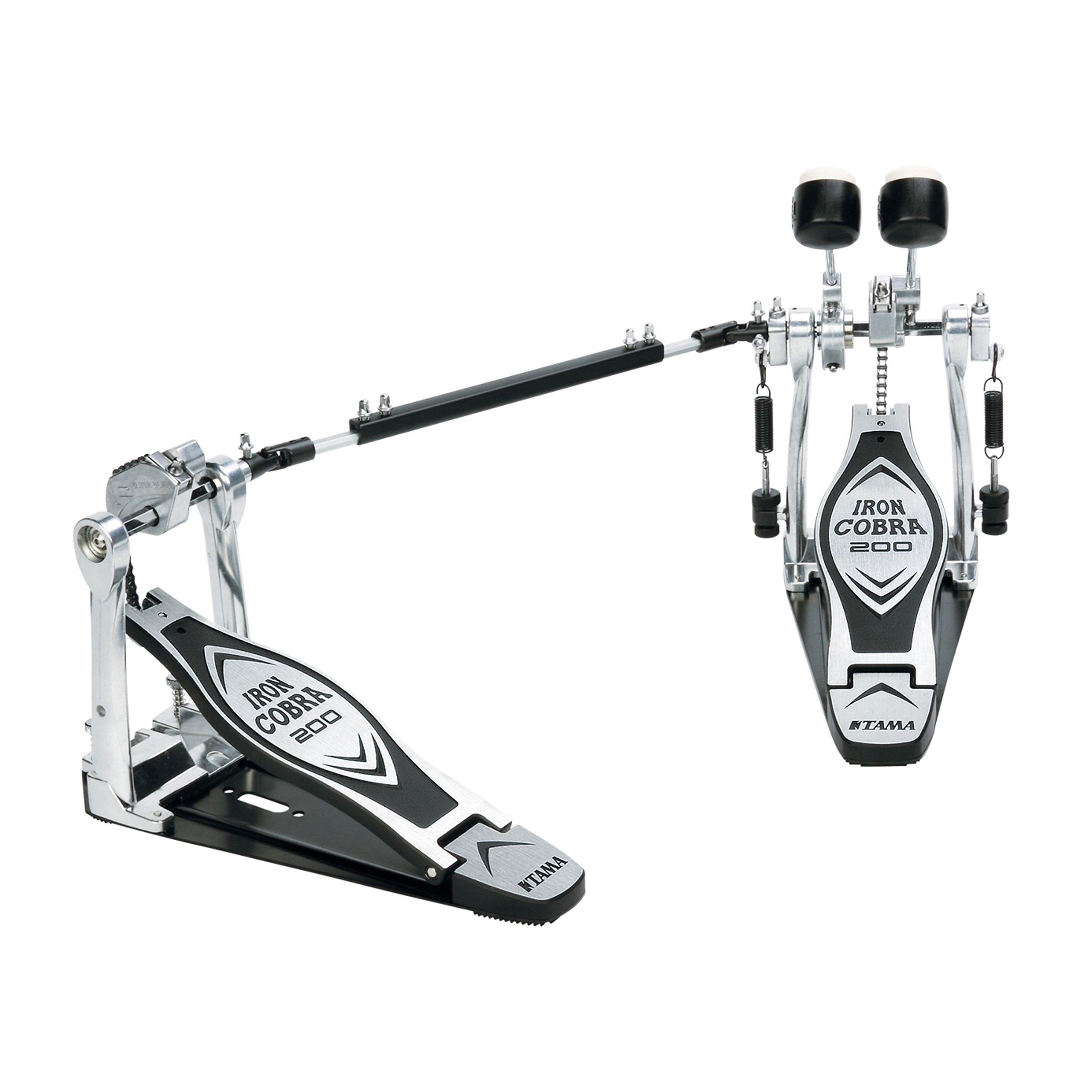
Image: The Tama HP200PTW Iron Cobra 200 Drum Pedal, highlighting its robust construction and key components.
Operating Your Drum Pedal
The Iron Cobra 200 pedal is designed for smooth and responsive operation, suitable for various drumming styles.
- Foot Placement: Place your foot comfortably on the pedal board. Experiment with heel-up or heel-down techniques to find what suits your playing style and desired dynamics.
- Striking the Drum: Apply pressure to the pedal board to swing the beater and strike the bass drum head. The Power Glide chain system ensures a consistent and powerful stroke.
- Dual-Sided Beater Use: Utilize the soft felt side for a warmer, more subdued bass drum sound, or rotate to the harder plastic side for a sharper, more defined attack, suitable for various musical genres and drum types.
Video: A demonstration of the Tama Iron Cobra 200 Single Pedal, showcasing its features and responsiveness during use.
Maintenance and Care
Proper maintenance ensures the longevity and optimal performance of your drum pedal.
- Cleaning: Regularly wipe down the pedal with a soft, dry cloth to remove dust and debris. For metal parts, a slightly damp cloth can be used, followed by immediate drying.
- Lubrication: Periodically check moving parts, especially the chain and pivot points, for smooth operation. Apply a small amount of appropriate lubricant if any stiffness or squeaking occurs.
- Inspection: Routinely inspect all screws, nuts, and connections to ensure they are tight. Loose components can affect performance and durability.
- Storage: When not in use, store the pedal in a clean, dry environment to prevent dust accumulation and potential moisture damage.

Image: A close-up of the pedal's chain drive and spring adjustment, illustrating key areas for maintenance.
Troubleshooting
Here are some common issues and their solutions:
- Pedal Slipping: If the pedal slides on the floor, ensure the rubber treads on the base are clean and intact. For carpeted surfaces, ensure the pedal's spikes (if present and extended) are engaged.
- Lack of Responsiveness: Check the spring tension adjustment. If the spring is too loose, the pedal may feel sluggish. Also, ensure the beater height is correctly set and not obstructed.
- Squeaking Noises: Apply a small amount of lubricant to the moving joints and the spring mechanism. Ensure all parts are clean and free from grit.
- Beater Wobble: Verify that the beater shaft is securely tightened with the drum key. The hex axle design minimizes wobble when properly secured.
Product Specifications
| Feature | Detail |
|---|---|
| Brand | Tama |
| Model Name | Tama HP200PTW |
| Item Model Number | HP200PTW |
| Material | Iron (base plate), Cast Aluminum (pedal board/frame) |
| Color | Silver |
| Product Dimensions | 15.75 x 7.87 x 5.91 inches |
| Item Weight | 8.82 Pounds |
| Drive System | Power Glide Single Chain Drive |
| Beater Type | Dual-Sided (Felt/Plastic) |
| Tension Adjustment | Spring Tight |
| Beater Angle Adjustment | Yes |
Warranty and Support
For detailed warranty information and customer support, please refer to the official Tama website or contact your authorized dealer. It is recommended to keep your purchase receipt as proof of purchase for any warranty claims.


