1. Introduction
The Nite Ize Inka Mobile Pen and Stylus is a versatile writing and touch-screen tool designed for portability and durability. Constructed from polycarbonate and carbon fiber, it offers a lightweight yet robust solution for various environments. This device features a dual function: a ballpoint pen with pressurized, waterproof blue ink, and a capacitive touch-screen stylus. Its compact design allows for easy attachment and quick transformation for use.
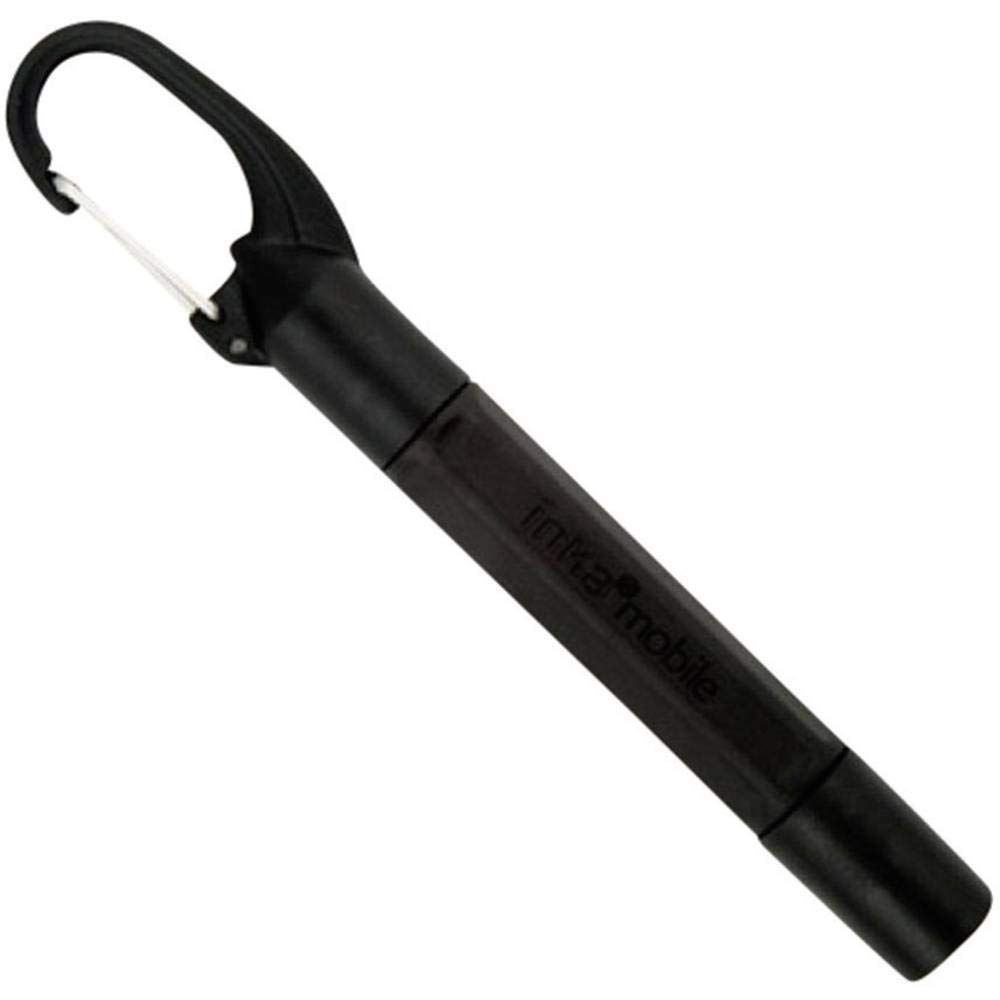
Image 1.1: The Nite Ize Inka Mobile Pen and Stylus in its compact, clipped configuration, ready for attachment to a keychain or bag.
2. Setup
The Inka Mobile Pen and Stylus is designed for immediate use. No complex assembly is required. To prepare the device for writing or stylus use:
- Uncap the desired end: The device has two capped ends. One end protects the pen tip, and the other protects the stylus tip. Both caps are translucent, allowing visual identification.
- Extend for use: To use the pen or stylus in its full-size configuration, remove the cap from the desired end and firmly snap it onto the opposite end of the pen body. This extends the length of the device for comfortable handling.

Image 2.1: The Inka Mobile Pen and Stylus with one cap removed, illustrating the initial step before extending the device for use.
3. Operation
3.1 Using the Pen Function
Once the pen is extended (cap snapped onto the opposite end), the ballpoint pen is ready for writing. The pen utilizes a pressurized cartridge with waterproof blue ink, allowing it to write smoothly and consistently in various conditions, including extreme temperatures, upside down, and at any altitude, even underwater.
- Hold the pen comfortably as you would any standard writing instrument.
- Apply light pressure to write on paper or other surfaces.
- After use, remove the cap from the extended end and place it back over the pen tip to protect it and return the device to its compact form.

Image 3.1: The Inka Mobile Pen fully extended, with the cap securely attached to the stylus end, ready for writing.
3.2 Using the Stylus Function
To use the stylus, ensure the stylus end is uncapped and extended. The capacitive stylus is compatible with most touch-screen devices, including smartphones and tablets.
- Gently touch the stylus tip to your device's screen to navigate, select, or write.
- The stylus is ideal for quick notes, navigating menus, or presentations.
- After use, cap the stylus end to protect it and return the device to its compact form.

Image 3.2: A view of the Inka Mobile Pen and Stylus, highlighting both the pen tip and the stylus tip, each protected by a translucent cap.
4. Maintenance
4.1 Cartridge Replacement
The Inka Mobile Pen uses a replaceable pressurized ink cartridge. When the ink runs out or if you wish to change the ink color (if other colors are available from Nite Ize), follow these steps:
- Unscrew the pen body to separate the two halves.
- Carefully remove the old ink cartridge from the pen mechanism.
- Insert a new Nite Ize compatible pressurized ink cartridge, ensuring it is seated correctly.
- Screw the pen body halves back together until secure. Do not overtighten.
Note: Use only genuine Nite Ize replacement cartridges or compatible pressurized cartridges to ensure optimal performance and waterproof ink properties.
4.2 Cleaning
To clean the exterior of the pen and stylus, wipe with a soft, damp cloth. Avoid using harsh chemicals or abrasive materials, as these may damage the polycarbonate and carbon fiber finish.
7. Warranty Information
All Nite Ize products purchased from authorized resellers are backed by our Worry-Free Guarantee. For detailed information regarding warranty coverage, terms, and conditions, please refer to the official Nite Ize website or contact customer support.
8. Customer Support
For further assistance, technical support, or inquiries regarding your Nite Ize Inka Mobile Pen and Stylus, please visit the official Nite Ize website or contact their customer service department.
Please have your product model number (IMP-M1-R7) available when contacting support.


