
Rii FMKRFL1-IV4
Rii i8 Mini 2.4GHz Wireless Touchpad Keyboard - Instruction Manual
Model: FMKRFL1-IV4 | Brand: Rii
Product Overview
This Rii i8 Mini 2.4GHz Wireless QWERTY keyboard with touchpad is a versatile combo designed for various devices. It offers convenient wireless operation for PCs, Pads, Android TV Boxes, Google TV Boxes, Xbox 360, PS3, HTPC, and IPTV systems.
Key features include a 92-key layout, adjustable touchpad DPI, a 360-degree flip design, multimedia control keys, and PC gaming control keys. The device also incorporates auto sleep and auto wake modes to conserve battery life. Its ergonomic, handheld design ensures ease of use and portability.

Image: The Rii i8 Mini 2.4GHz Wireless Touchpad Keyboard, showcasing its compact design with a full QWERTY keyboard and integrated touchpad.
Package Contents
Upon unboxing, verify that all components are present:
- 1x Rii Wireless Keyboard
- 1x Wireless Receiver (USB dongle)
- 1x Charging Data Cable
- 1x User Manual (this document)
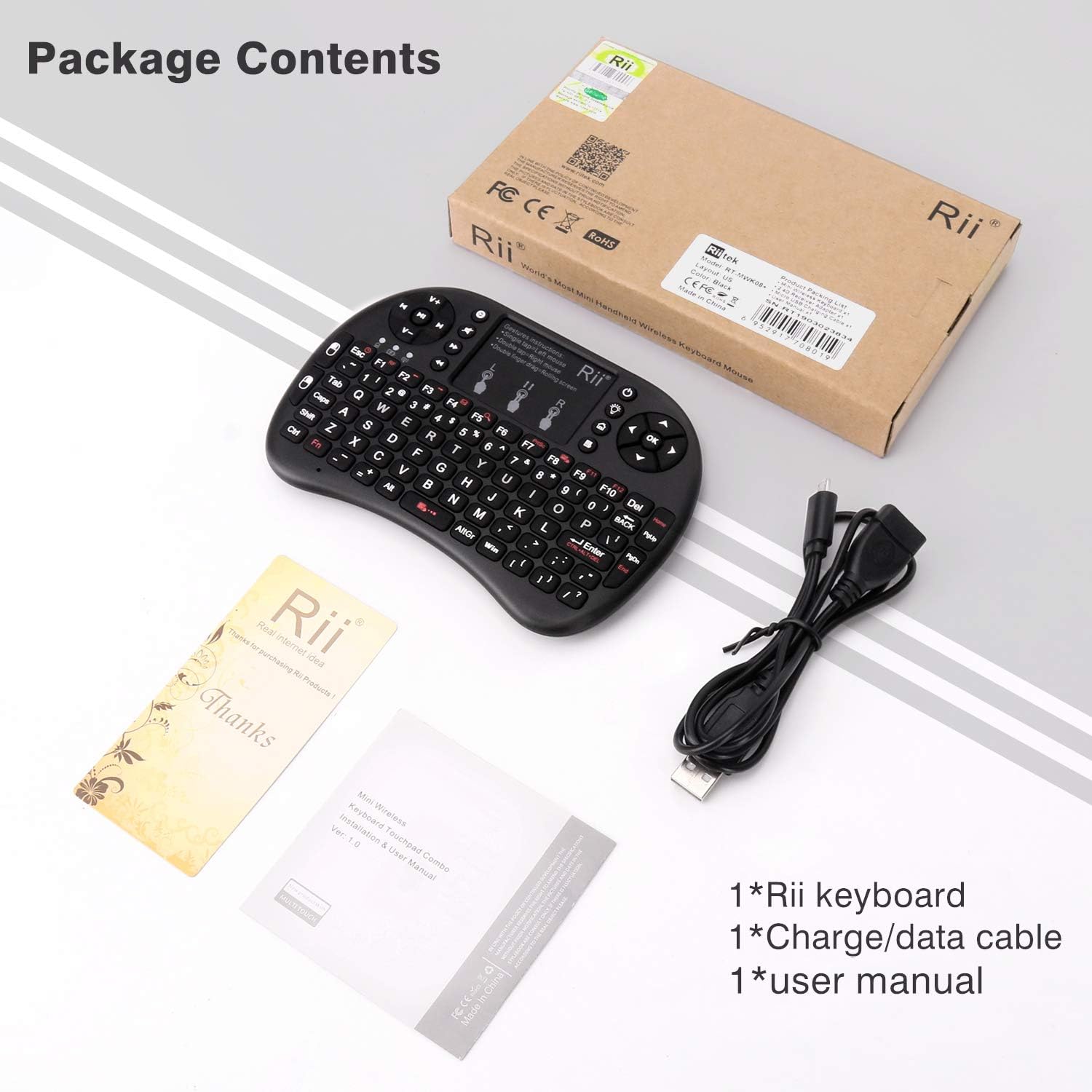
Image: Contents of the Rii i8 Mini keyboard package, including the keyboard, USB receiver, charging cable, and user manual.
Setup Instructions
- Charge the Keyboard: Before first use, fully charge the built-in Li-ion battery using the provided charging data cable. Connect the cable to the keyboard's charging port and a USB power source (e.g., computer USB port, USB wall adapter). The charging indicator light will show charging status.
- Locate the Wireless Receiver: The 2.4GHz wireless receiver (USB dongle) is typically stored in the battery compartment of the keyboard for safe keeping during transport. Open the battery cover on the back of the keyboard to retrieve it.
- Connect the Receiver: Insert the wireless receiver into an available USB port on your target device (PC, Android TV Box, game console, etc.).
- Power On the Keyboard: Slide the power switch on the keyboard to the "ON" position. The keyboard should automatically connect to the receiver. No additional drivers are typically required for most operating systems.
- Test Functionality: Once connected, test the touchpad and keyboard keys to ensure proper operation.

Image: The Rii i8 Mini keyboard demonstrating compatibility with smartphones, Mac, PC, tablets, Raspberry Pi, TV, Xbox, and PS3.
Operating Instructions
Touchpad Functions:
- Single Tap: Left mouse click.
- Double Tap: Right mouse click.
- Double Finger Drag: Scroll screen.
- Adjusting DPI: The touchpad DPI can be adjusted to suit your preference for cursor speed. Refer to the keyboard's specific function key combinations for DPI adjustment (often Fn + Spacebar or similar, check physical keyboard markings).

Image: Visual guide illustrating touchpad gestures: single click for left mouse, double click for open file, double fingers click for right mouse, and double fingers drag for screen scrolling.
Keyboard Functions:
- QWERTY Layout: Standard QWERTY keyboard for typing.
- Multimedia Control Keys: Dedicated keys for volume up/down, mute, play/pause, fast forward, rewind, and track navigation. These are typically located on the left side of the keyboard.
- PC Gaming Control Keys: Includes arrow keys and other function keys useful for gaming.
- Function (Fn) Key: Use in combination with other keys to access secondary functions (e.g., F1-F12, special symbols, backlight control).
- Backlight Control: If your model supports backlighting, use the Fn key in combination with the designated backlight key (often a light bulb icon) to turn it on/off or adjust brightness.

Image: The Rii i8 Mini keyboard highlighting various function buttons including Bluetooth Pair, Dormancy, Mute, Backlight, Fast Forward, Home, Rewind, and Menu buttons.
Power Saving Modes:
- Auto Sleep: The keyboard will enter sleep mode after 3 minutes of inactivity to conserve battery.
- Auto Wake: Press any key for approximately 1 second to wake the keyboard from sleep mode.
Maintenance
- Cleaning: Use a soft, dry cloth to clean the surface of the keyboard and touchpad. For stubborn dirt, a slightly damp cloth can be used, but ensure no moisture enters the device.
- Battery Care: To prolong battery life, avoid fully discharging the battery frequently. Recharge when the low battery indicator appears. If storing for an extended period, charge the battery to about 50% and store in a cool, dry place.
- Storage: Store the keyboard in a dry environment, away from extreme temperatures and direct sunlight.
Troubleshooting
| Problem | Possible Cause | Solution |
|---|---|---|
| Keyboard not responding. | Low battery; Receiver not connected; Keyboard not powered on; Out of range. | Charge the keyboard; Ensure USB receiver is fully inserted; Turn on the keyboard; Move closer to the receiver (within 15 meters). |
| Cursor erratic or unresponsive. | Touchpad dirty; DPI setting too low/high; Interference. | Clean the touchpad surface; Adjust touchpad DPI; Reduce interference from other 2.4GHz devices. |
| Keys not working. | Keyboard in sleep mode; Specific key malfunction. | Press any key for 1 second to wake up; If individual keys fail, contact support. |
| Short battery life. | Frequent use; Battery degradation over time. | Ensure keyboard enters sleep mode when idle; Fully charge before use; Consider replacing battery if significantly degraded (if user-replaceable). |
Specifications
| Feature | Detail |
|---|---|
| Operating Range | 15 meters (MAX), without signal disturbance and no direction limit |
| Frequency Range | 2.403GHZ ~ 2.480GHZ |
| Operational Voltage | 3.3V |
| Charge Voltage | 4.4V ~ 5.25V |
| Modulation | GFSK |
| Channel | 78 channels TX |
| TX Power | Less than +5dBm |
| Transmission Rate | 1M bit/sec |
| Frequency Tolerance | +/-30ppm |
| Power Consumption | 55mA (on), 1mA (sleep) |
| Color | Black |
| Battery Type | Built-in lithium-ion battery |
| Item Weight | 4.6 ounces |
| Product Dimensions (LxWxH) | 5.6 x 4.7 x 1.1 inches |
| Operating System Compatibility | Android, Raspberry Pi OS (and generally PC, PAD, XBox 360, PS3, Google Android TV Box, HTPC, IPTV) |
| Number of Keys | 92 |

Image: Diagram showing the dimensions of the Rii i8 Mini keyboard: 5.9 inches in length, 3.9 inches in width, and 0.59 inches in thickness, emphasizing its mini portable size.
Official Product Video
Watch this video for a quick overview of the Rii i8 Mini keyboard's features and functionality.
No official seller videos are available for this product at this time.
Warranty Information
For warranty details and claims, please refer to the information provided by the seller or contact Rii customer support directly. Keep your purchase receipt as proof of purchase.
Legal Disclaimer: Riitek and Zettaguard are Authorized Amazon Sellers.
Support
If you encounter any issues or have questions regarding your Rii i8 Mini keyboard, please contact the seller or visit the official Rii website for support resources.
For general inquiries, you may also refer to the product's Amazon listing page for frequently asked questions and community forums.
Online Resources:
Ask a question about this manual
Ask about setup, troubleshooting, compatibility, parts, safety, or missing instructions. Manuals+ will review the question and use this page’s manual context to help answer it.