
1. Product Overview
The Tvilum Paris TV Unit Table, Model 77811, is a rectangular media storage unit designed to accommodate televisions up to 45 inches. It features a simple, attractive design with integrated cable management to help keep your entertainment area tidy. This unit includes three shelves, two of which are glass, and two sliding glass doors for convenient access and display.

Image 1.1: Front view of the Tvilum Paris TV Unit Table, Model 77811, in white.
2. Safety Information
Please read and understand all safety instructions before assembly and use. Failure to follow these instructions may result in injury or damage to the product.
- Two-Person Lift: This product is heavy (approximately 52.1 kg). Always lift and move the unit with at least two people to prevent injury.
- Fragile Components: Handle glass shelves and doors with extreme care to avoid breakage.
- Keep Dry: Ensure the unit remains dry. Exposure to moisture can damage the wood material.
- Unpacking: Do not use a knife or sharp object to open the packaging, as this may scratch or damage the product components.
- Stability: Ensure the unit is placed on a flat, stable surface to prevent tipping.
3. Package Contents
Verify that all components are present before beginning assembly. If any parts are missing or damaged, please contact customer support.
- Wooden panels for the main structure
- 3 Glass shelves
- 2 Sliding glass doors
- Molding pieces
- All necessary assembly hardware (screws, dowels, cam locks, etc.)
- Assembly instructions (this document)

Image 3.1: Example of components for the Tvilum Paris TV Unit Table.
4. Setup and Assembly Instructions
Assembly of the Tvilum Paris TV Unit Table is required. Please follow the step-by-step instructions provided in the separate assembly diagram included with your product. Ensure you have adequate space and the necessary tools (e.g., screwdriver, hammer) before starting.
- Unpack Carefully: Lay out all components on a soft, clean surface to prevent scratches. Refer to Section 3 for a list of parts.
- Identify Hardware: Separate and identify all screws, dowels, and other hardware using the provided hardware list.
- Assemble Frame: Follow the diagram to connect the main wooden panels, forming the outer frame of the TV unit.
- Install Shelves: Insert the fixed and adjustable shelves according to the diagram. Handle glass shelves with care.
- Attach Doors: Install the sliding glass doors into their tracks. Ensure they slide smoothly.
- Final Touches: Attach any moldings or decorative elements.
- Positioning: With assistance, carefully lift and place the assembled unit in its desired location. Ensure it is level and stable.
Important: Always refer to the detailed assembly diagram for specific steps and illustrations.
5. Operating Instructions (Usage)
This TV unit is designed for media storage and display. Follow these guidelines for optimal use:
- TV Placement: Place your television centrally on the top surface. The unit is designed for TVs up to 45 inches. Ensure the TV's base fits securely within the unit's dimensions.
- Media Devices: Utilize the open and enclosed shelves for media players, gaming consoles, soundbars, and other accessories.
- Cable Management: Route power and signal cables through the designated cable openings at the back of the unit to maintain an organized appearance and prevent tangles.
- Sliding Doors: Use the sliding glass doors to conceal or display items as desired. Slide them gently along their tracks.
- Weight Capacity: Do not exceed the recommended weight capacity for each shelf. Overloading shelves can cause damage or instability.
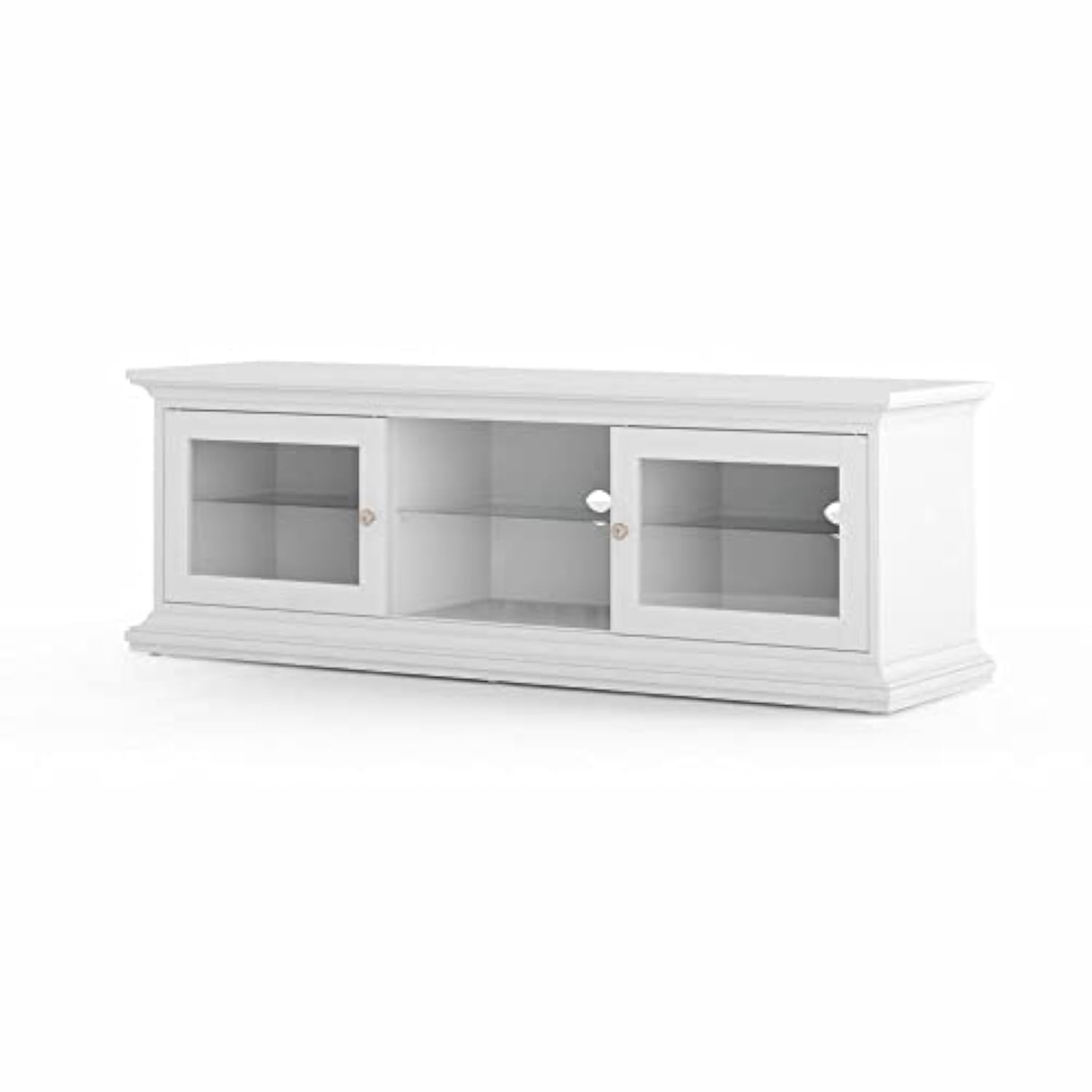
Image 5.1: The Tvilum Paris TV Unit Table in a typical living room setup.
6. Maintenance and Care
Proper care will ensure the longevity and appearance of your Tvilum Paris TV Unit Table.
- Cleaning: Wipe the surfaces with a dry, soft cloth. For stubborn marks, a slightly damp cloth followed immediately by a dry cloth can be used. Avoid abrasive cleaners or harsh chemicals.
- Glass Care: Clean glass surfaces with a standard glass cleaner and a soft cloth.
- Spills: Immediately wipe up any spills to prevent water damage or staining to the wood.
- Sunlight: Avoid prolonged exposure to direct sunlight, which can cause fading or discoloration of the wood finish.
- Heat: Do not place hot items directly on the surface without protective coasters.
7. Troubleshooting
This section addresses common issues you might encounter with your TV unit.
- Wobbly Unit: Ensure the unit is placed on a level surface. Check all assembly screws and tighten them if necessary. Do not overtighten.
- Doors Not Sliding Smoothly: Check the tracks for any obstructions. Ensure the doors are correctly seated in their tracks. Clean the tracks if dust or debris is present.
- Scratches/Minor Damage: For minor scratches, touch-up pens or furniture repair kits matching the white finish may be used.
If you experience issues not covered here, please contact customer support.
8. Specifications
| Feature | Detail |
|---|---|
| Brand | Tvilum |
| Model Number | 77811 |
| Color | White |
| Material | Wood |
| Style | Simple Design |
| Shape | Rectangular |
| Dimensions (LxWxH) | 149.4 x 41.6 x 50.7 cm |
| Item Weight | 52.1 kg |
| Assembly Required | Yes |
| Number of Shelves | 3 (including 3 glass shelves) |
| Special Features | 2 Sliding Glass Doors, Cable Management |
| Maximum TV Size | 45 inches |
9. Warranty and Support
Warranty: This Tvilum product is covered by a two-year warranty from the date of production. Please retain your proof of purchase for warranty claims. The warranty covers manufacturing defects under normal use.
Customer Support: For assembly assistance, missing parts, or any other inquiries, please contact Tvilum customer support through their official website or the retailer where the product was purchased. Have your model number (77811) and proof of purchase ready when contacting support.


