1. Introduction
The PagerTec Smart Stack Coaster Paging System is designed to streamline communication in various service environments such as restaurants, hospitals, and hotels. This system facilitates efficient guest notification, reducing wait times and improving operational flow. It consists of a central transmitter, multiple charging bases, and a set of 30 coaster pagers.
Key features include:
- 30 Pager Channels: Supports a large number of guests or patients.
- Multiple Indication Modes: Pagers can alert users via bright LED lights, strong vibration, or an audible beep.
- Extended Range: Operates effectively up to 2 miles in open air conditions.
- Durable Design: Pagers are built to withstand drops, are water-resistant, and shock-resistant.
- Long Battery Life: Pagers offer up to 48 hours of standby time on a single charge.

2. Setup Instructions
Follow these steps to set up your PagerTec Paging System:
- Unpack Components: Carefully remove all items from the packaging. Verify that you have one transmitter, two charging bases, and 30 coaster pagers.
- Connect Charging Bases: Place the charging bases in a convenient location, ensuring access to power outlets. Connect the provided power adapters to the charging bases and plug them into a standard electrical outlet.
- Place Pagers on Bases: Stack the 30 pagers onto the two charging bases. Ensure each pager makes proper contact with the charging pins. The pagers will begin charging automatically. Allow 6-8 hours for a full initial charge.
- Position Transmitter: Place the transmitter in a central location within your operational area. For optimal range, avoid placing it near large metal objects or other electronic devices that may cause interference. Ensure the antenna is securely attached and oriented vertically.

3. Operating Instructions
This section details the basic operation of the PagerTec Smart Stack Coaster Paging System.
3.1 Calling a Pager
- Distribute Pagers: Hand a charged pager to each guest or patient as needed.
- Enter Pager Number: On the transmitter's keypad, enter the number of the pager you wish to call.
- Send Call: Press the SEND button. The corresponding pager will activate according to its programmed alert mode.

3.2 Adjusting Pager Indication Modes
The pagers support three indication modes: Bright LED lights, Strong Vibration, and Beep. These settings are programmable to match specific operational needs. The prompt time for the pager alert is adjustable from 1 to 99 seconds.
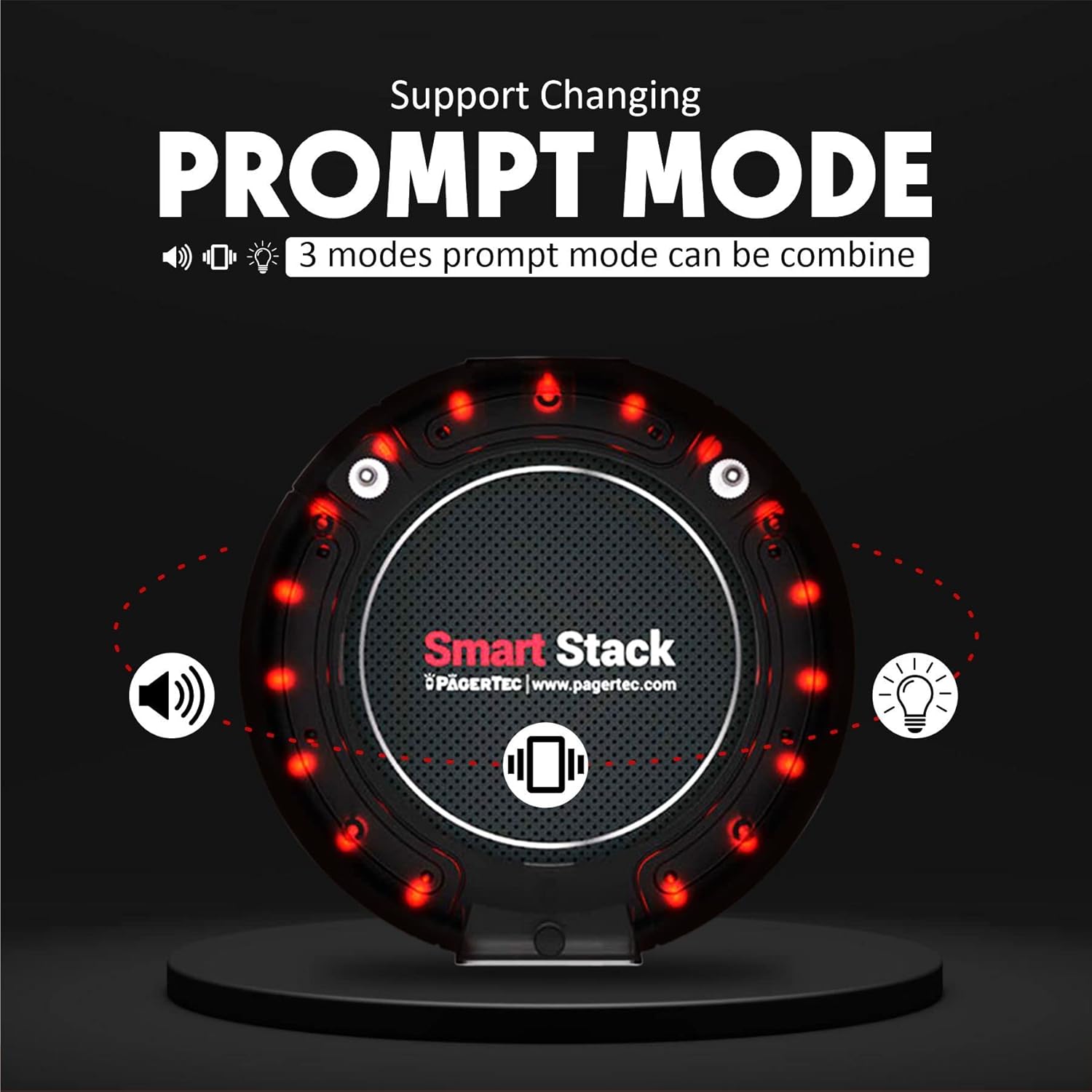
Refer to the detailed programming guide (usually included with the product or available from PagerTec support) for specific instructions on how to change these settings on the transmitter.
3.3 Pager Return and Re-charging
After a guest or patient has been served, they should return the pager. Place the returned pager back onto an available slot on the charging base to ensure it is ready for the next use. The system is designed for continuous use throughout the day.
4. Maintenance
Proper maintenance ensures the longevity and optimal performance of your paging system.
4.1 Cleaning
- Wipe the pagers and transmitter with a soft, damp cloth.
- Avoid using harsh chemicals or abrasive cleaners, as these can damage the surfaces.
- Ensure no liquid enters the charging ports or internal components.
4.2 Battery Care
Each pager uses a rechargeable AAA battery. The system is designed for all-day use, providing up to 48 hours of standby time on a single charge. Full recharge typically takes 6-8 hours.
- Always place pagers back on the charging base when not in use to maintain battery levels.
- If a pager's battery life significantly decreases, the rechargeable AAA battery can be replaced. Refer to the detailed service guide for battery replacement procedures.

4.3 Durability Features
The pagers are constructed to be robust, featuring water and shock resistance. An anti-theft and auto-locate function is integrated to minimize pager loss.
5. Troubleshooting
This section addresses common issues and their potential solutions.
| Problem | Possible Cause | Solution |
|---|---|---|
| Pager not responding to call | Pager out of range, low battery, incorrect pager number entered, pager malfunction. | Ensure pager is within operational range. Place pager on charging base. Verify pager number on transmitter. Test with another pager. |
| Shortened operational range | Environmental interference, transmitter antenna obstruction, low transmitter power. | Relocate transmitter away from metal objects or other electronics. Ensure antenna is clear and vertical. Check transmitter power connection. |
| Pagers not charging | Improper contact with charging pins, faulty charging base, power adapter issue. | Ensure pagers are correctly seated on the charging base. Check power connection to the charging base. Inspect charging pins for damage or debris. |
| Transmitter display not working | Power issue, internal fault. | Check power connection to the transmitter. If problem persists, contact support. |
If you encounter issues not listed here or if the suggested solutions do not resolve the problem, please contact PagerTec customer support.
6. Specifications
| Feature | Detail |
|---|---|
| Brand | PagerTec |
| Model Number | Smart Stack Coaster (PDC201-30) |
| Number of Pagers | 30 Units |
| Operational Range | Up to 2 Miles (in open air) |
| Pager Battery Type | Rechargeable AAA |
| Pager Standby Time | Up to 48 hours |
| Pager Recharge Time | 6-8 hours for full charge |
| Pager Alert Modes | LED lights, Vibration, Beep (programmable) |
| Pager Prompt Time | Adjustable from 1-99 seconds |
| Pager Durability | Water and Shock Resistant |
| Transmitter Dimensions | Approximately 5.50" x 4.5" |
| Pager Dimensions | Approximately 4" x 4" |


7. Warranty and Support
7.1 Manufacturer's Warranty
PagerTec products are typically covered by a manufacturer's warranty against defects in materials and workmanship. Specific warranty terms, duration, and conditions may vary. Please refer to the warranty card included with your product or visit the official PagerTec website for detailed information.
7.2 Customer Support
For technical assistance, troubleshooting beyond this manual, or warranty claims, please contact PagerTec customer support. Contact information can typically be found on the PagerTec website or on the product packaging.
When contacting support, please have your product model number (Smart Stack Coaster) and ASIN (B00B89LRDQ) available.


