
Introduction
Thank you for choosing the MEDION MD 83796 3D Surround Bluetooth Speaker. This manual provides essential information for the safe and efficient operation of your device. Please read it thoroughly before use and keep it for future reference.
Safety Instructions
- Do not expose the device to water, moisture, or extreme temperatures.
- Do not open the casing. Repairs should only be performed by qualified personnel.
- Use only the power adapter supplied or specified by the manufacturer.
- Keep the device away from heat sources and direct sunlight.
- Ensure proper ventilation around the speaker.
- Clean the device only with a dry, soft cloth.
Package Contents
Please check that all items are present and in good condition:
- MEDION MD 83796 3D Surround Bluetooth Speaker
- Remote Control (batteries likely included)
- Power Adapter
- User Manual (this document)
Product Overview
The MEDION MD 83796 is a versatile 3D Surround Bluetooth speaker designed to enhance your audio experience. It features multiple connectivity options and sound modes.
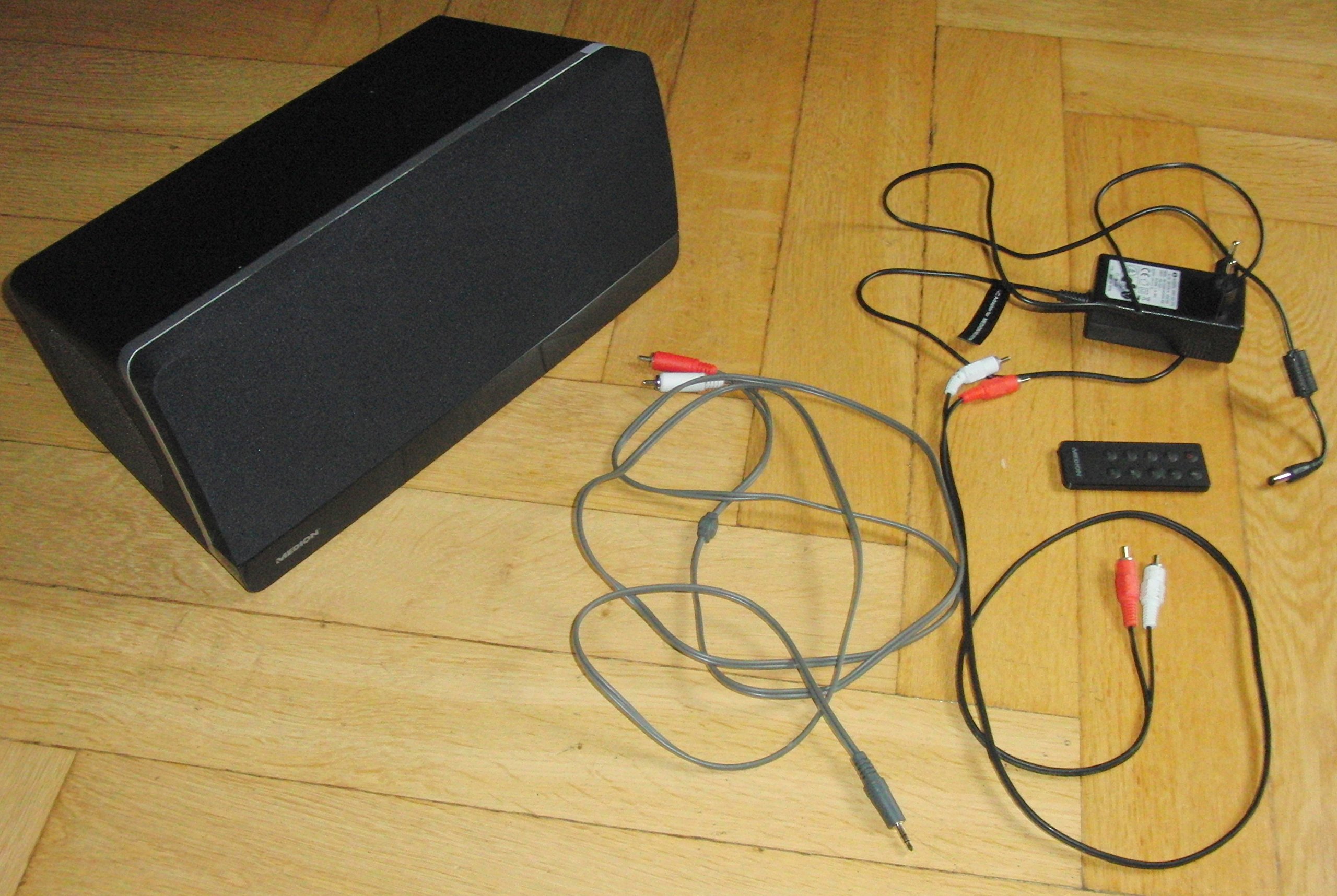
Figure 1: Front view of the MEDION MD 83796 3D Surround Bluetooth Speaker, showcasing its sleek design and speaker grilles.
Controls and Connections
The speaker features intuitive controls, typically located on the unit itself and accessible via the included remote control. Connections for power, AUX input, and Bluetooth pairing are clearly marked.
- Power Button: To turn the speaker on or off.
- Volume Controls: Adjust audio output level.
- Mode Button: Switch between input sources (Bluetooth, AUX).
- Sound Mode Button: Cycle through available 3D sound modes.
- AUX Input (2x): For wired audio connections.
- Power Input: Connect the power adapter.
Setup
1. Power Connection
- Place the speaker on a stable, flat surface.
- Connect the power adapter to the speaker's power input port.
- Plug the power adapter into a suitable wall outlet.
- Press the Power button on the speaker or remote control to turn it on.
2. Remote Control Setup
If the remote control does not function, ensure that batteries are correctly inserted. If new batteries are required, use the specified type (e.g., AAA batteries).
Operating Instructions
Bluetooth Connection
- Turn on the speaker.
- Press the Mode button on the speaker or remote control until "Bluetooth" mode is selected. The speaker will enter pairing mode, indicated by a flashing LED.
- On your audio device (smartphone, tablet, laptop), enable Bluetooth and search for available devices.
- Select "MEDION MD 83796" from the list of found devices.
- Once paired, the LED indicator on the speaker will stop flashing and remain solid. You can now play audio wirelessly.
AUX Connection
- Connect one end of a 3.5mm audio cable (not included) to the AUX output of your audio device.
- Connect the other end of the audio cable to one of the AUX input ports on the MEDION MD 83796 speaker.
- Press the Mode button on the speaker or remote control until "AUX" mode is selected.
- Play audio from your connected device.
Sound Modes
The speaker features 3 distinct sound modes, including a 3D Surround Sound mode. Use the Sound Mode button on the speaker or remote control to cycle through these options and select your preferred audio experience.
Volume Control
Adjust the volume using the volume buttons on the speaker or the remote control. Ensure the volume on your connected audio device is also set to an appropriate level.
Maintenance
- Cleaning: Disconnect the speaker from the power supply before cleaning. Use a soft, dry, lint-free cloth to wipe the surfaces. Do not use liquid cleaners, aerosols, or abrasive materials.
- Storage: If storing the speaker for an extended period, disconnect it from power and store it in a cool, dry place, away from direct sunlight.
Troubleshooting
| Problem | Possible Cause | Solution |
|---|---|---|
| No power | Power adapter not connected or faulty outlet. | Ensure the power adapter is securely connected to both the speaker and a working power outlet. |
| No sound | Incorrect input mode, low volume, or un-paired Bluetooth device. |
|
| Bluetooth not connecting | Speaker not in pairing mode, device too far, or interference. |
|
| Remote control not working | Dead batteries or obstruction. | Replace the batteries in the remote control. Ensure there are no obstructions between the remote and the speaker. |
Specifications
- Model Number:
- MD 83796
- Brand:
- MEDION
- Product Dimensions:
- 16.51 x 34.49 x 18.01 cm
- Weight:
- 3.5 kg (7.72 lbs)
- Connectivity Technology:
- Bluetooth, AUX (2x)
- Audio Output Mode:
- Surround
- Speaker Maximum Output Power:
- 6 Watt
- Control Type:
- Remote Control
- Power Source:
- Mains Power (AC Adapter)
- Special Features:
- Bluetooth, 3 Sound Modes, 3D Surround Sound
- Compatible Devices:
- Smartphone, tablet, laptop, TV, desktop, MP3 player
Warranty and Support
The MEDION MD 83796 speaker comes with a Limited Warranty. For detailed warranty terms and conditions, please refer to the documentation provided with your purchase or visit the official MEDION website.
For technical support, troubleshooting assistance, or service inquiries, please contact MEDION customer support through their official channels. Contact information can typically be found on the MEDION website or in your product packaging.