
Eaton QCF1030
Contents
Eaton QCF1030 30 Amp Circuit Breaker Instruction Manual
Model: QCF1030
1. Introduction
This manual provides essential information for the safe installation, operation, and maintenance of the Eaton QCF1030 30 Amp Circuit Breaker. Please read these instructions thoroughly before proceeding with any installation or operation. Retain this manual for future reference.
2. Safety Information
WARNING: Electrical shock hazard. Improper installation or maintenance can result in serious injury or death. Always disconnect power at the main service panel before working with circuit breakers or electrical wiring.
- Installation must be performed by a qualified electrician in accordance with all national and local electrical codes.
- Do not install or remove the circuit breaker with power applied.
- Ensure the circuit breaker rating matches the circuit requirements.
- Use only approved wiring and connectors.
- Never bypass or tamper with the circuit breaker.
3. Product Overview
The Eaton QCF1030 is a single-pole, 30-amp standard circuit breaker designed for plug-in mounting in compatible load centers. It provides overcurrent protection for electrical circuits, automatically tripping to interrupt power flow when an overload or short circuit occurs.
3.1. Components
- Operating Handle: Used to manually switch the breaker ON or OFF, and indicates the tripped state.
- Load Terminal: Connects to the circuit wiring.
- Plug-in Connectors: Securely attach the breaker to the bus bar in the load center.
3.2. Product Images
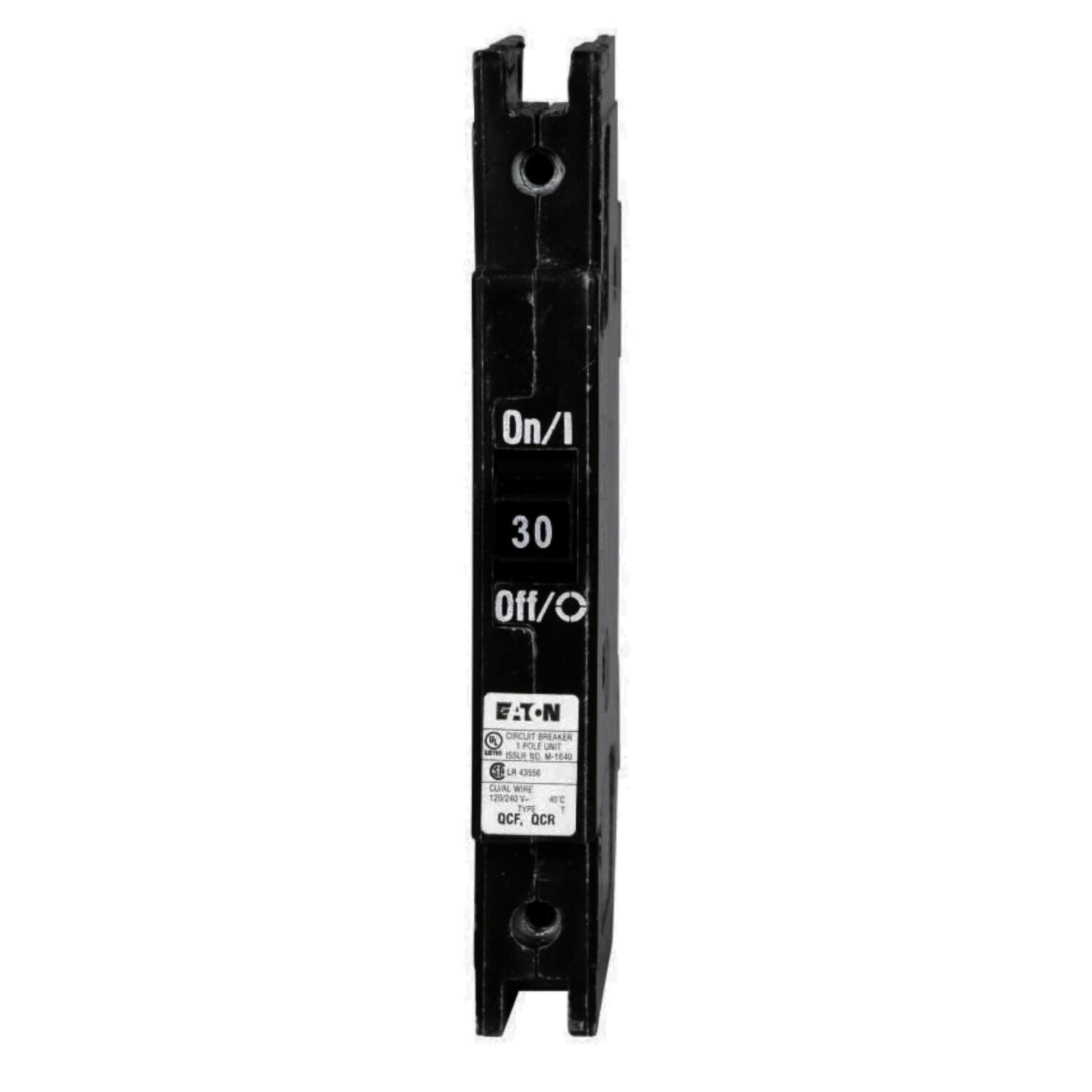
Figure 1: Side view of the Eaton QCF1030 Circuit Breaker, highlighting the ON/OFF switch and 30 amp rating.
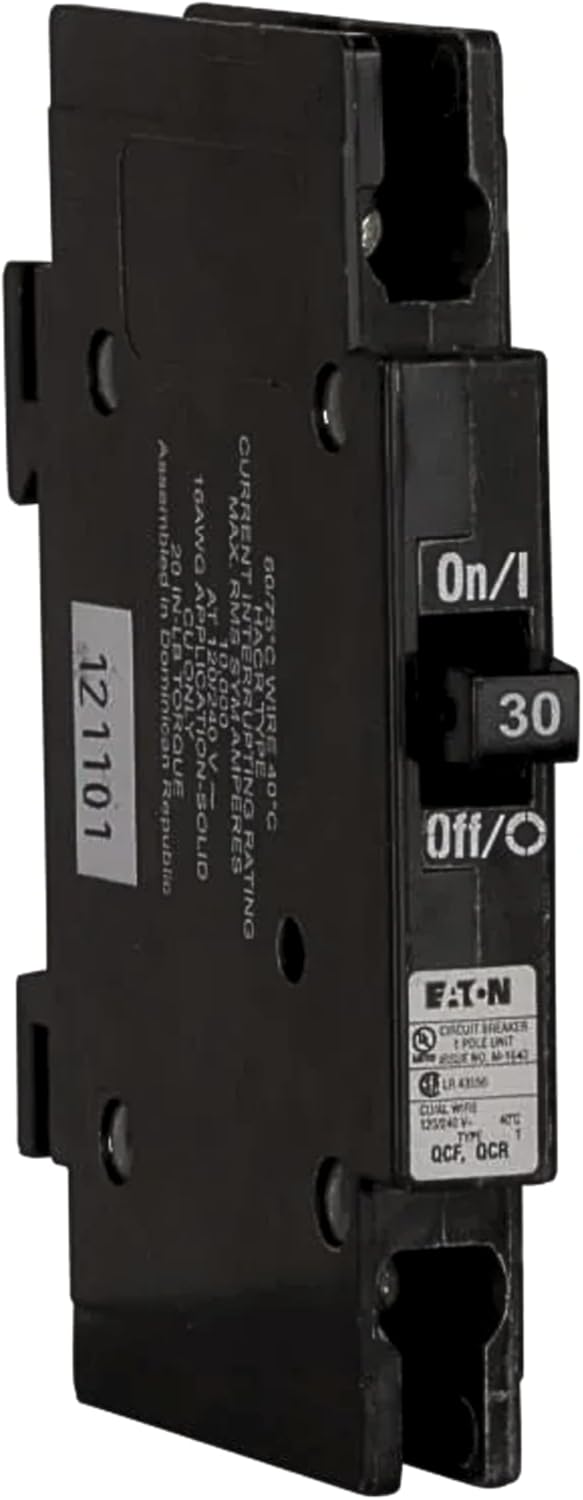
Figure 2: Angled view of the Eaton QCF1030 Circuit Breaker, detailing the terminals and product labels.

Figure 3: Rear view of the Eaton QCF1030 Circuit Breaker, illustrating the plug-in mounting mechanism.
4. Specifications
| Specification | Value |
|---|---|
| Brand | Eaton |
| Model | QCF1030 |
| Current Rating | 30 Amps |
| Voltage | 240 Volts |
| Number of Poles | 1 |
| Mounting Type | Plug-In Mount |
| Circuit Breaker Type | Standard |
| Item Weight | 0.3 Pounds |
5. Installation
IMPORTANT: All electrical work should be performed by a licensed electrician.
- Disconnect Power: Locate the main service panel and turn off the main breaker to completely de-energize the electrical system. Verify power is off using a voltage tester.
- Identify Slot: Select an appropriate slot in the load center for the single-pole circuit breaker.
- Install Breaker: Hook the rear of the circuit breaker onto the retaining clip in the load center. Then, firmly push the front of the breaker onto the bus bar until it is fully seated and clicks into place.
- Connect Wiring: Strip approximately 1/2 inch of insulation from the circuit wire. Insert the bare end of the wire into the load terminal of the breaker and tighten the screw securely. Ensure there are no loose strands.
- Restore Power: Once all connections are secure and verified, close the load center cover. Turn the main breaker back ON.
6. Operation
The Eaton QCF1030 circuit breaker has a simple operating handle with two main positions:
- ON (I): In this position, the circuit breaker allows electrical current to flow through the circuit.
- OFF (O): In this position, the circuit breaker interrupts the flow of electrical current, de-energizing the circuit.
When an overload or short circuit occurs, the breaker will automatically trip to the center position (between ON and OFF) to protect the circuit. To reset a tripped breaker, first move the handle completely to the OFF position, then push it firmly to the ON position.
7. Maintenance
The Eaton QCF1030 circuit breaker is designed for reliable, maintenance-free operation. However, periodic visual inspection is recommended:
- Ensure the breaker is free from dust, debris, or moisture.
- Check for any signs of physical damage, discoloration, or burning around the breaker or its terminals.
- If any issues are observed, consult a qualified electrician.
8. Troubleshooting
If the circuit breaker trips frequently, consider the following:
- Overload: The circuit may be drawing too much current. Disconnect some appliances or devices from the circuit.
- Short Circuit: A direct connection between live and neutral wires, or live and ground, can cause a short. This requires immediate investigation by a qualified electrician.
- Faulty Appliance: An appliance connected to the circuit may be defective. Unplug all devices and plug them back in one by one to identify the faulty item.
- Loose Connections: Loose wiring at the breaker or in the circuit can cause overheating and tripping. This should be inspected by a qualified electrician.
- Defective Breaker: While rare, a circuit breaker can fail. If all other troubleshooting steps fail, the breaker may need replacement by a qualified electrician.
If you are unable to identify or resolve the issue, contact a qualified electrician for assistance.
9. Warranty and Support
For warranty information and technical support regarding your Eaton QCF1030 Circuit Breaker, please refer to the official Eaton website or contact Eaton customer service directly. Warranty terms and conditions are typically provided with the product packaging or available online from the manufacturer.
Eaton Official Website: www.eaton.com
Documents and downloads
Ask a question about this manual
Ask about setup, troubleshooting, compatibility, parts, safety, or missing instructions. Manuals+ will review the question and use this page’s manual context to help answer it.