
Introduction
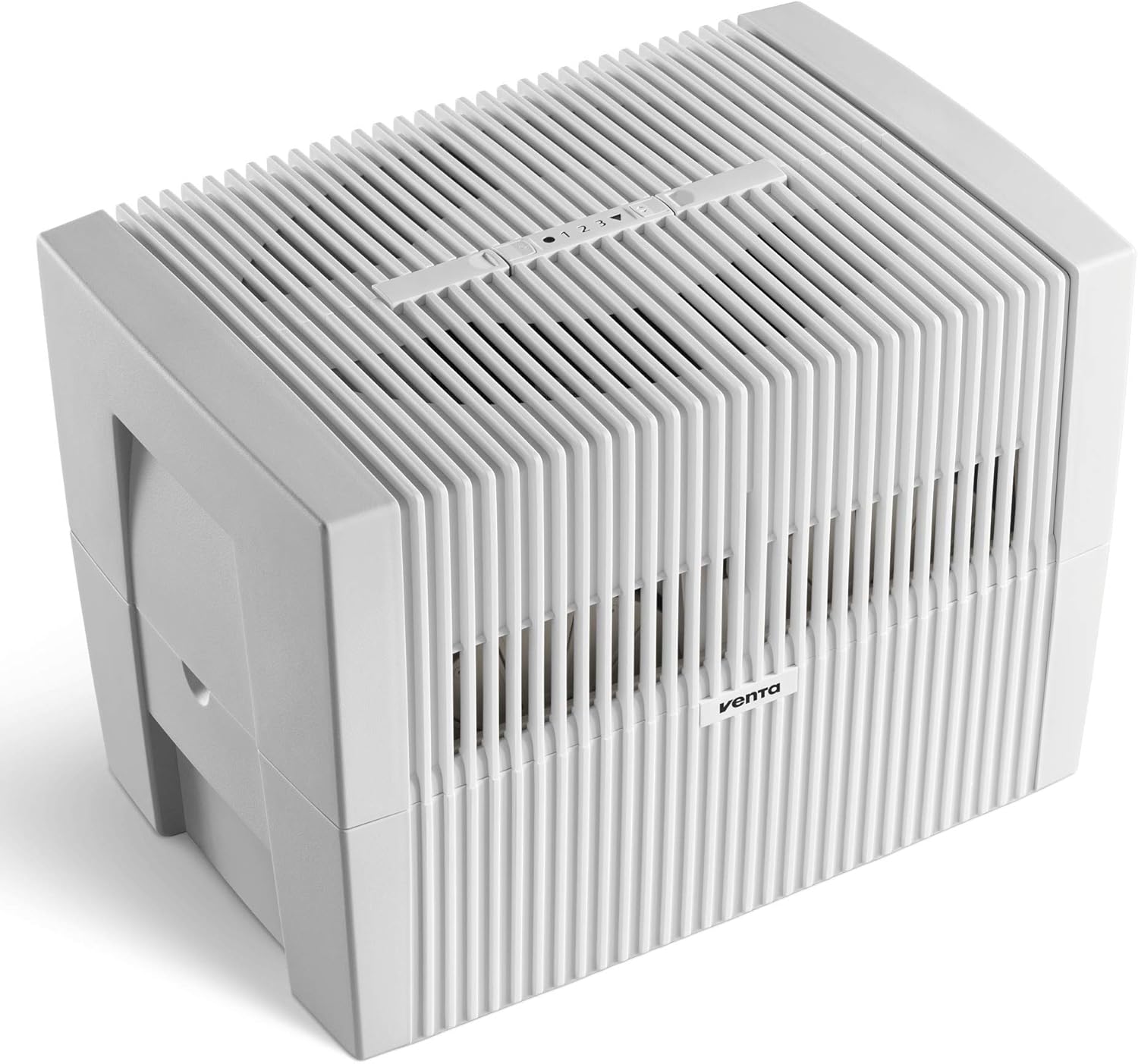
The Venta LW45 Original Humidifier is designed to humidify dry room air in spaces up to 600 square feet using a mist-free evaporative humidification process. This method is recognized for its effectiveness in achieving optimal indoor air quality without the use of filters. The unit is simple to use, easy to clean, and helps reduce static electricity while preserving wooden furniture and musical instruments.
Key Features:
- Mist-free evaporative humidification for spaces up to 600 square feet.
- Achieves healthy air humidified to an optimal 40-60%.
- Filter-free operation, simplifying maintenance.
- Safe for use with tap water.
- Naturally reduces harmful pollutants in the air at optimal humidity levels.
Setup
Before first use, ensure the humidifier is placed on a flat, stable surface. The unit consists of a top housing, a disk stack, and a water reservoir. For initial setup, it is recommended to run the unit continuously for the first 7-10 days on the highest speed to allow the evaporative process to stabilize and achieve desired humidity levels.
Filling the Water Tank:
- Carefully lift the top housing off the water reservoir.
- Remove the disk stack from the reservoir.
- Fill the water reservoir with fresh tap water up to the maximum fill line.
- Optionally, add Venta Water Treatment Additive as per product instructions to prevent mineral buildup and maintain hygiene.
- Place the disk stack back into the filled reservoir.
- Carefully place the top housing back onto the reservoir, ensuring it is properly seated.



Operating Instructions
The Venta LW45 Humidifier features an intuitive control panel for easy operation. Once the unit is filled with water and plugged in, you can adjust settings to your preference.
Power On/Off:
- Press the power button on the control panel to turn the unit on or off.
Fan Speed Adjustment:
- Cycle through low, medium, and high fan speeds using the dedicated fan speed button.
Humidity Level Display:
- The display shows the current humidity level in the room.
Timer Function:
- Set a timer for automatic shut-off, typically ranging from 0 to 12 hours.
Sleep Mode:
- Activate sleep mode for quieter operation and dimmed display lights.
Auto-Dry Technology:
- The unit features an auto-dry mode that runs for 45 minutes after being turned off to dry internal components and prevent stagnation. This can be bypassed if desired.
Maintenance
Regular maintenance ensures the longevity and optimal performance of your Venta LW45 Humidifier. The filter-free design simplifies cleaning.
Cleaning the Unit:
- Every 2 weeks, rinse out the water reservoir and wipe it clean with a paper towel or cloth.
- Use Venta Water Treatment Additive regularly to prevent mineral deposits and maintain hygiene.
- Once a season, use Venta cleaner for a more thorough cleaning to remove stubborn mineral deposits.
Water Level Management:
- Ensure the water level is topped off regularly. The unit will automatically shut off when it runs out of water.
- Avoid placing the unit in direct sunlight to prevent bacterial buildup.
Troubleshooting
If you encounter issues with your Venta LW45 Humidifier, please refer to the following common solutions:
Unit Not Operating / Intermittent Operation:
- Check the power adapter cord. A defective cord can cause the fan to cycle on and off, and the power light/speed indicator to flash. Replacing the power adapter may resolve this.
- Ensure the unit is properly plugged into a functioning power outlet.
Unusual Noise:
- If the unit is noisy at higher fan speeds, this may be normal operation for increased air circulation. If the noise is unusual or excessive, ensure all components are correctly assembled and the unit is on a stable surface.
Specifications
| Brand | VENTA |
| Model Name | LW45 Original |
| Item Model Number | 7045536 |
| Color | White |
| Operation Mode | Evaporative |
| Special Feature | No filters |
| Floor Area Coverage | 600 Square Feet |
| Capacity | 3 Gallons |
| Product Dimensions | 17.75"D x 12"W x 12.75"H |
| Item Weight | 13 Pounds |
| Wattage | 8 watts |
| Included Components | Humidifier, Water Treatment Additive |
| Room Type | Bedroom, Kids Room, Living Room, Nursery, Office |
| Care Instructions | Hand Wash |
Warranty & Support
The Venta LW45 Original Humidifier comes with a limited 2-year warranty. For any support or warranty claims, please refer to the contact information provided in your product packaging or visit the official Venta website.


