
BLACK+DECKER LSW36
BLACK+DECKER LSW36 40V MAX Cordless Leaf Blower Instruction Manual
Model: LSW36 | Brand: BLACK+DECKER
Important Safety Information
Read all instructions carefully before operating this product. Failure to follow the warnings and instructions may result in electric shock, fire, and/or serious injury.
- Always wear eye protection when operating the leaf blower.
- Do not operate in wet conditions.
- Keep children and bystanders away while operating.
- Use only BLACK+DECKER 40V MAX batteries and chargers.
- Ensure the blower tube is securely attached before use.
- Do not point the blower nozzle at people or animals.
Package Contents
Verify that all items listed below are included in your package:
- LSW36 Cordless Sweeper/Vacuum Unit
- LBX1540 40V MAX* Lithium Ion Battery (1)
- LCS36 Fast Charger (1)
- Blow Tube (1)
- Operating Instructions Manual
Setup
1. Attaching the Blow Tube
- Align the blow tube with the outlet on the main unit.
- Push the tube firmly until it clicks into place. Ensure it is securely fastened.

Image: The BLACK+DECKER LSW36 Leaf Blower with its blow tube securely attached, ready for operation.
2. Battery Installation and Charging
- To install the battery, slide the LBX1540 40V MAX* Lithium Ion Battery into the battery port on the blower until it clicks.
- To charge the battery, connect the LCS36 Fast Charger to a standard electrical outlet. Insert the battery into the charger. The charger indicator light will show the charging status. A full charge typically takes approximately 90 minutes or less.
- To remove the battery, press the battery release button and slide the battery out.

Image: Close-up of the 40V MAX Lithium Ion Battery, highlighting its high-performance features and charge indicator.
Operating Instructions
1. Starting and Stopping the Blower
- Ensure the battery is fully charged and properly installed.
- To start the blower, slide the ON/OFF switch to the "ON" position.
- To stop the blower, slide the ON/OFF switch to the "OFF" position.
2. Using POWERCOMMAND® for Variable Speed
The POWERCOMMAND® dial allows you to adjust the air speed for optimal performance, balancing between maximum runtime and maximum power.
- Locate the POWERCOMMAND® dial on the side of the unit.
- Rotate the dial to increase or decrease the air speed. Higher settings provide maximum power for stubborn debris, while lower settings conserve battery life for extended runtime.
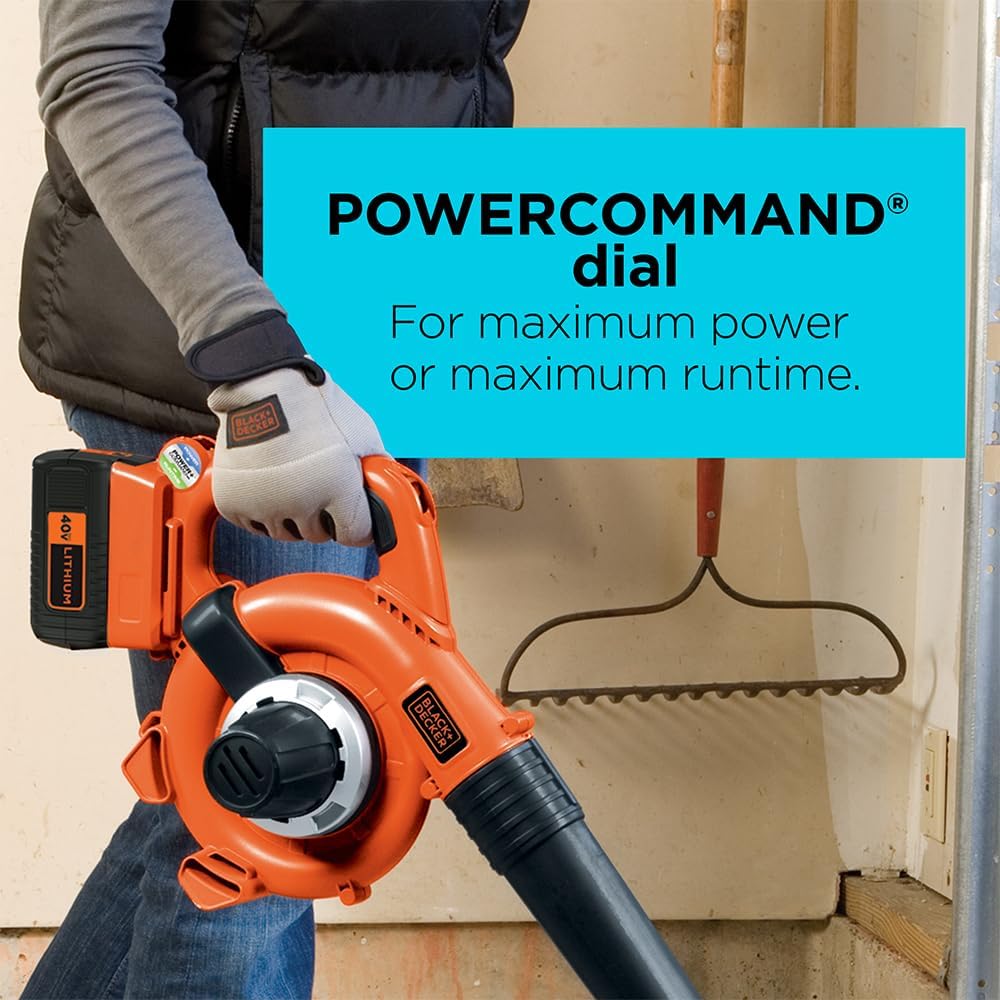
Image: The BLACK+DECKER LSW36 Leaf Blower showing the POWERCOMMAND® dial for adjusting power or runtime.
3. Clearing Debris
- Direct the blower nozzle towards the debris you wish to clear.
- Use a sweeping motion to gather leaves and other light debris into piles.
- For matted leaves or stuck-on debris, utilize the built-in scraper on the blow tube to loosen them before blowing.

Image: A person demonstrating the use of the BLACK+DECKER LSW36 Leaf Blower to clear leaves from a wooden deck.

Image: A person using the BLACK+DECKER LSW36 Leaf Blower to clear debris from a concrete garage floor.
Maintenance
1. Cleaning
- Always remove the battery before performing any cleaning or maintenance.
- Wipe the exterior of the blower with a clean, damp cloth. Do not use strong detergents or solvents.
- Periodically check the air intake vents for debris and clear them to ensure proper airflow and prevent overheating.
2. Storage
- Store the leaf blower in a dry, secure place out of reach of children.
- Remove the battery from the blower before storing for extended periods.
- Store batteries in a cool, dry place, away from direct sunlight and extreme temperatures.
Troubleshooting
| Problem | Possible Cause | Solution |
|---|---|---|
| Blower does not start. | Battery not installed correctly or discharged. | Ensure battery is fully charged and securely inserted. |
| Reduced air flow. | Air intake vents or blower tube obstructed. | Clear any debris from vents and tube. Ensure tube is properly attached. |
| Blower stops during operation. | Battery overheated or discharged. | Allow battery to cool down. Recharge battery if necessary. |
Specifications
- Brand: BLACK+DECKER
- Model: LSW36
- Power Source: Battery Powered
- Voltage: 40 Volts MAX* (Nominal 36 Volts)
- Air Flow Capacity: 90 Cubic Feet Per Minute (CFM)
- Maximum Speed: Up to 120 Miles per Hour (MPH)
- Noise Level: 66 Decibels (dBA)
- Item Weight: 3.06 Pounds (without battery)
- Product Dimensions: 14.63"L x 10.63"W x 6.31"H
- Included Components: LSW36 Cordless Sweeper/Vacuum, LBX1540 40V MAX* Lithium Ion Battery, LCS36 Fast Charger, Blow Tube
*Maximum initial battery voltage (measured without a workload) is 40 volts. Nominal voltage is 36 volts.
Official Product Videos
Watch these official videos for additional guidance and demonstrations:
BLACK+DECKER 40V MAX Cordless Blower - FULL REVIEW
Video: A comprehensive review of the BLACK+DECKER 40V MAX Cordless Blower, demonstrating its features and performance.
BLACK+DECKER 40V MAX Lithium Battery - FULL REVIEW
Video: A detailed review of the BLACK+DECKER 40V MAX Lithium Battery, covering its features and benefits.
Strong Leaf Blower
Video: A demonstration showcasing the powerful performance of the leaf blower in clearing debris.
Great Blower for blowing leaves well
Video: A user review highlighting the effectiveness of the blower for clearing leaves.
This makes outdoor work a breeze
Video: A user testimonial emphasizing the ease of use and efficiency of the leaf blower for outdoor tasks.
How To Convert Black + Decker From Vacuum to Sweeper Mode
Video: Instructions on how to convert the BLACK+DECKER unit between vacuum and sweeper modes.
Warranty and Support
For warranty information, product registration, or technical support, please refer to the official BLACK+DECKER website or contact their customer service directly. Keep your purchase receipt as proof of purchase.
- Online Support: Visit the BLACK+DECKER website
- Customer Service: Refer to your product packaging or the official website for contact numbers.
Related documentsLSW36


Ask a question about this manual
Ask about setup, troubleshooting, compatibility, parts, safety, or missing instructions. Manuals+ will review the question and use this page’s manual context to help answer it.