
Plugable USB3-E1000
Plugable USB 3.0 to Gigabit Ethernet Adapter (USB3-E1000) Instruction Manual
Model: USB3-E1000
1. Introduction
This manual provides instructions for the Plugable USB 3.0 to Gigabit Ethernet Adapter (Model USB3-E1000). This device enables a wired Gigabit Ethernet connection through a USB 3.0 port, offering a stable and high-speed network interface for compatible systems.

Image 1.1: The Plugable USB 3.0 to Gigabit Ethernet Adapter, featuring a USB-A connector on one end and an RJ45 Ethernet port on the other.
2. Package Contents
The package contains the following item:
- Plugable USB 3.0 to Gigabit Ethernet Adapter (USB3-E1000)
3. Setup Instructions
- Connect the Adapter: Insert the USB-A connector of the Plugable USB 3.0 to Gigabit Ethernet Adapter into an available USB 3.0 port on your computer or compatible device.
- Connect Ethernet Cable: Connect a standard RJ45 Ethernet cable from your router, modem, or network switch to the Ethernet port on the adapter.
- Driver Installation:
- Windows (11, 10, 8.x, 7, XP): Drivers are typically installed automatically via Windows Update upon connection. An active internet connection may be required for the initial driver download.
- macOS (11+ Big Sur, 12 Monterey, 13 Ventura, 14 Sonoma, 15 Sequoia): Built-in driver support is provided. No manual installation is usually required.
- Linux (Kernel version 3.9+): Compatible with built-in kernel support.
- Chrome OS: Compatible with built-in support.
- Verify Connection: Once connected, observe the LED indicators on the Ethernet port. A solid light typically indicates a link, and a blinking light indicates network activity.
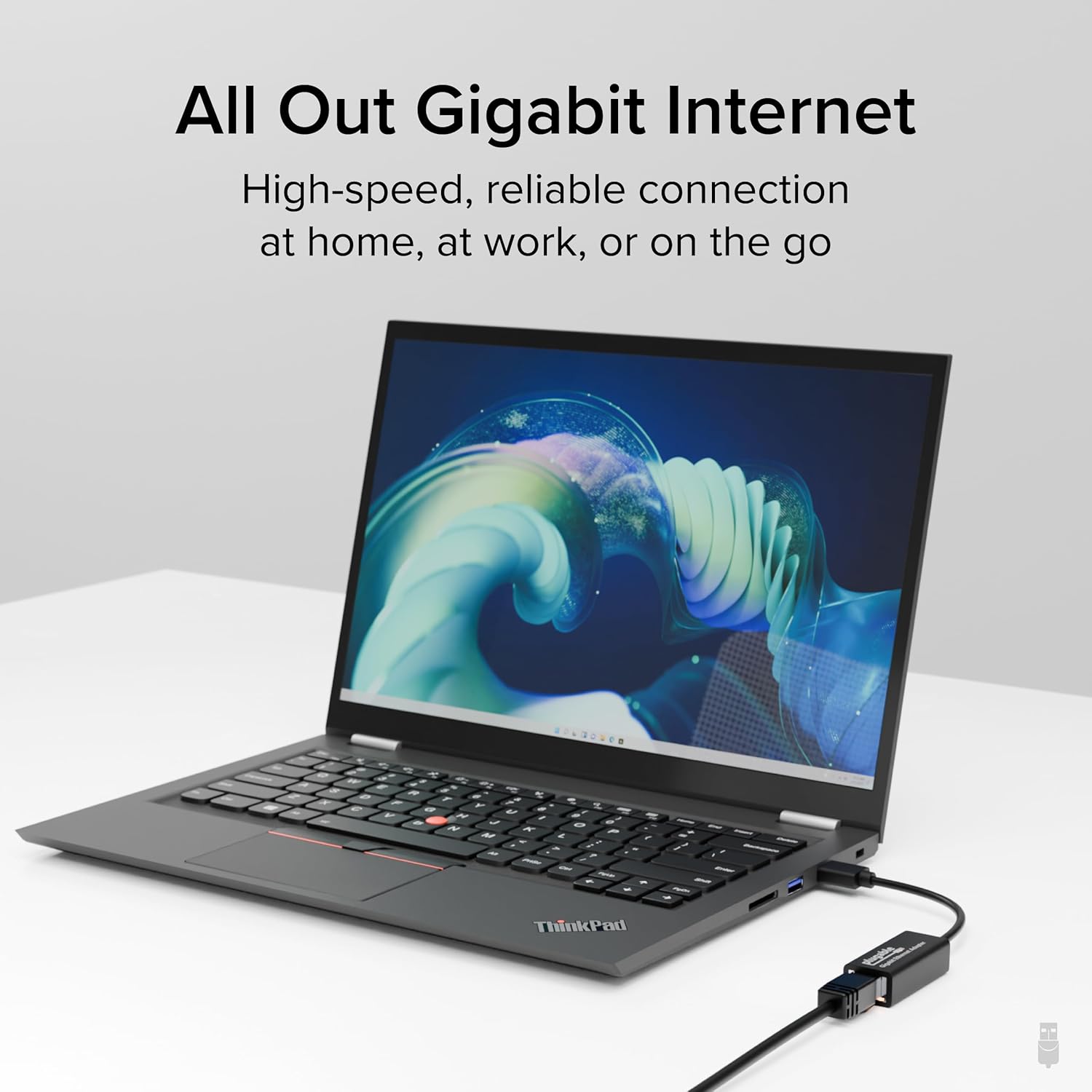
Image 3.1: The Plugable USB 3.0 to Gigabit Ethernet Adapter connected to a laptop's USB port, providing a wired network connection.
4. Operating Instructions
After successful setup, the adapter functions as a standard wired network interface. Your operating system should automatically prioritize the wired connection over Wi-Fi when both are available. You can confirm the active network connection through your system's network settings.

Image 4.1: A visual representation of a laptop establishing a secure and stable internet connection through the wired Ethernet adapter.
5. Compatibility
The Plugable USB 3.0 to Gigabit Ethernet Adapter offers broad compatibility across various operating systems and devices:
- Operating Systems: Windows 11, 10, 8.1, 7, XP; macOS 11 (Big Sur), 12 (Monterey), 13 (Ventura), 14 (Sonoma), 15 (Sequoia); Linux (kernel version 3.9+); Chrome OS; iPadOS.
- Devices: Macbook Pro 13"/14"/15"/16", MacBook Air, MacBook Retina, MacBook M1/M2/M3/M4, HP Spectre x360/Pavilion/Envy, Dell XPS/Precision/Latitude, Lenovo ThinkPad/IdeaPad/Yoga/Flex, Surface Pro 7/7+/8/9, Surface Laptop 3/4/5/Go/Go 2/Studio/SE, LG Gram, Acer Aspire/Swift/Spin, ASUS Zenbook/Vivobook, most Windows systems with Windows 10 or newer, most Chromebooks running ChromeOS 100 or newer.
- Gaming Consoles: Supports Nintendo Switch in docked mode.
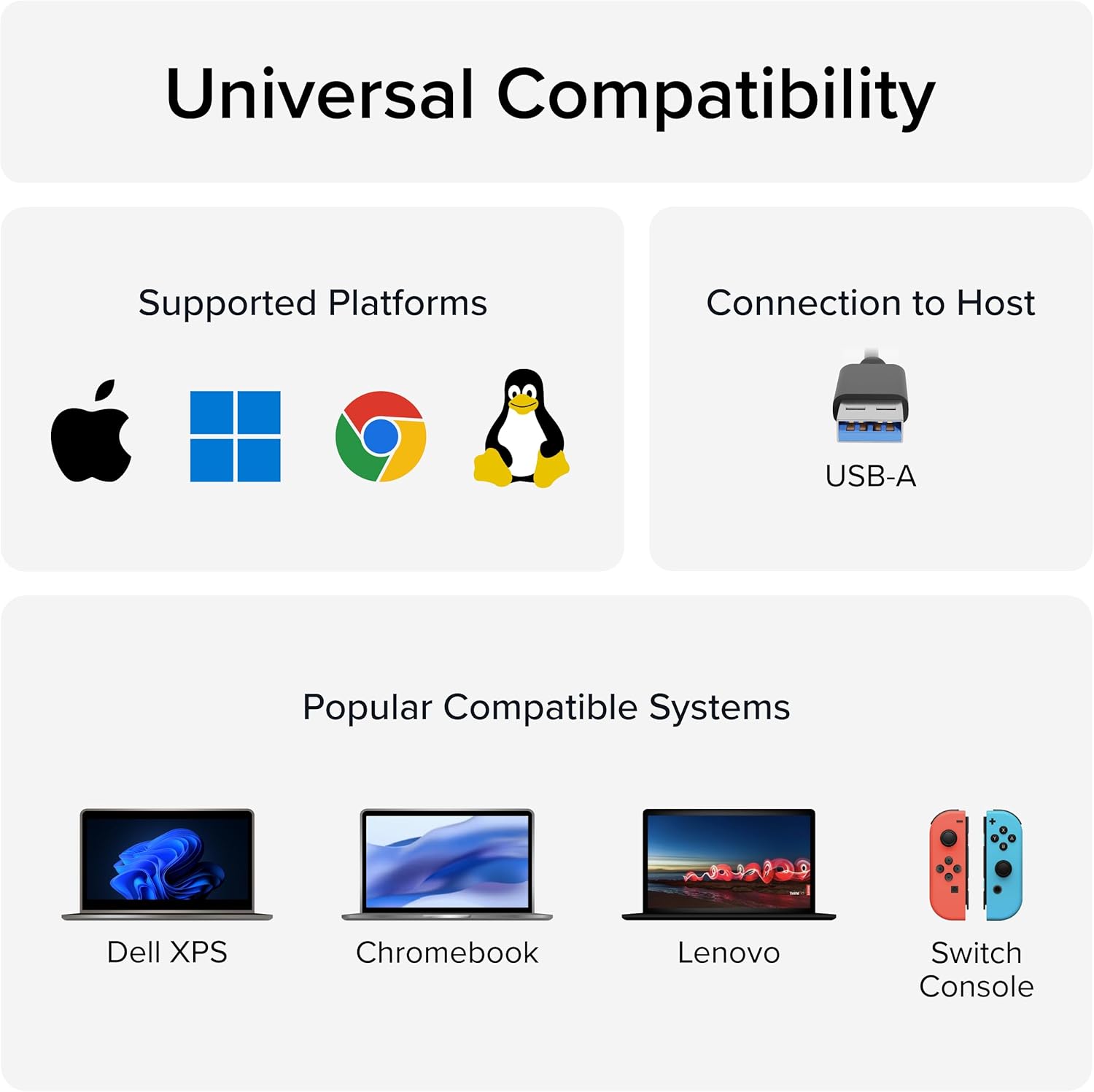
Image 5.1: A graphic illustrating the universal compatibility of the adapter with major operating systems and popular devices.

Image 5.2: A Nintendo Switch console connected to a display, utilizing the Plugable Ethernet adapter for a stable wired network connection during gameplay.
6. Key Features
- Lag-Free Connection: Provides a stable and reliable wired network connection, ideal for video calls, online gaming, and high-resolution video streaming.
- High-Speed Data Transfer: Supports Gigabit Ethernet speeds (10/100/1000 Mbps) over USB 3.0.
- Advanced Networking Features: Includes support for Energy Efficient Ethernet, jumbo frames, VLAN tagging, and checksum offload.
- ASIX AX88179A Chipset: Utilizes the ASIX AX88179A chipset for broad compatibility and performance.
7. Troubleshooting
- No Network Connection:
- Ensure the USB connector is fully inserted into a functional USB 3.0 port.
- Verify that the Ethernet cable is securely connected to both the adapter and your network device (router/modem).
- Check the LED indicators on the adapter's Ethernet port. If no lights are active, try a different USB port or Ethernet cable.
- Confirm that your operating system has successfully installed the necessary drivers. Check Device Manager (Windows) or System Information (macOS) for the adapter's presence.
- Slow Connection Speed:
- Ensure the adapter is connected to a USB 3.0 port (often blue-colored internally). Connecting to a USB 2.0 port will limit speeds to 10/100 Mbps.
- Verify your Ethernet cable is rated for Gigabit speeds (Cat5e or higher).
- Check your network settings to ensure the adapter is configured for Gigabit speed (if manual configuration is an option).
- Test with a different Ethernet cable or network port on your router/modem.
- Intermittent Connection:
- Ensure the Ethernet cable's latch mechanism properly engages with the adapter's port to prevent accidental disconnections.
- Avoid placing the adapter near sources of strong electromagnetic interference.
- Update your operating system and adapter drivers to the latest versions.
8. Specifications
| Attribute | Detail |
|---|---|
| Brand | Plugable |
| Model Number | USB3-E1000 |
| Hardware Interface | USB 3.0 Type A |
| Data Link Protocol | Gigabit Ethernet |
| Data Transfer Rate | 1 Gigabits Per Second (10/100/1000 Mbps) |
| Compatible Operating Systems | Windows (11, 10, 8.1, 7, XP), macOS (11+), Linux (kernel 3.9+), Chrome OS, iPadOS |
| Item Weight | 0.9 ounces |
| Product Dimensions (LxWxH) | 4 x 1.5 x 1.5 inches |
| Color | Black |
| UPC | 649241924524 |
9. Warranty and Support
Plugable products are designed for reliability and ease of use. This device includes:
- Lifetime Support: Access to lifetime support from Plugable's North American team of connectivity experts.
- 2-Year Coverage: The product is backed by a 2-year warranty, certified to exceed industry standards.
For technical assistance or warranty claims, please contact Plugable support directly. Refer to the official Plugable website for the most current support contact information.

Image 9.1: An overview of Plugable's support and warranty commitments, including lifetime support and a 2-year coverage period.
Related documentsUSB3-E1000


Ask a question about this manual
Ask about setup, troubleshooting, compatibility, parts, safety, or missing instructions. Manuals+ will review the question and use this page’s manual context to help answer it.