1. Introduction
This manual provides essential instructions for the proper setup, operation, and maintenance of your ONKYO RC-292S Audio Remote Control. Please read this manual thoroughly before using the product to ensure optimal performance and longevity. Keep this manual for future reference.
2. Setup
2.1. Battery Installation
The ONKYO RC-292S remote control requires batteries for operation. Please follow these steps to install them:
- Locate the battery compartment cover on the back of the remote control.
- Slide the cover off in the direction indicated by the arrow (if present).
- Insert new batteries, ensuring the positive (+) and negative (-) terminals are aligned correctly according to the diagram inside the compartment.
- Replace the battery compartment cover by sliding it back into place until it clicks securely.
Note: Batteries are not included with this product and must be purchased separately. Use only the specified type and size of batteries.
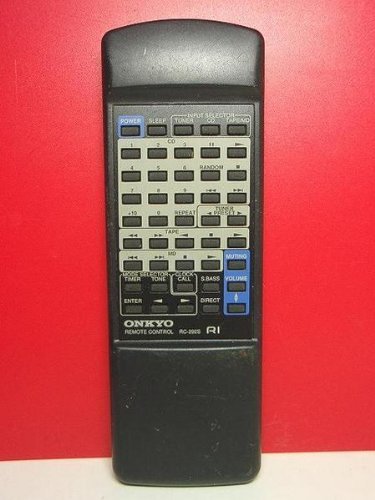
Image of the ONKYO RC-292S audio remote control, showing its front face with various buttons. This image helps identify the product for battery compartment location.
3. Operating Instructions
The ONKYO RC-292S remote control is designed to operate compatible ONKYO audio components. Point the remote control directly at the component's remote sensor. Ensure there are no obstructions between the remote and the component.
3.1. Basic Functions
- Power Button: Press to turn the connected ONKYO component on or off.
- Input Selector Buttons: Use these buttons to switch between different audio input sources (e.g., CD, Tuner, AUX).
- Volume Up/Down: Adjust the audio output level.
- Mute Button: Temporarily silence the audio output.
- Playback Controls: Buttons such as Play, Pause, Stop, Fast Forward, and Rewind are used for controlling media playback on compatible devices.
Refer to the user manual of your specific ONKYO audio component for detailed instructions on how to use each function button on the RC-292S remote control with that device.
4. Maintenance
4.1. Cleaning
To clean the remote control, gently wipe its surface with a soft, dry cloth. Do not use abrasive cleaners, solvents, or chemical sprays, as these can damage the finish or internal components.
4.2. Battery Replacement
Replace batteries when the remote control's range decreases or it becomes unresponsive. Always replace all batteries at the same time with new ones of the same type. Remove batteries if the remote control will not be used for an extended period to prevent leakage.
5. Troubleshooting
| Problem | Solution |
|---|---|
| Remote control does not work. |
|
| Remote control range is reduced. |
|
6. Specifications
| Feature | Detail |
|---|---|
| Model Number | RC-292S |
| Brand | ONKYO |
| Dimensions (L x W x H) | 23.8 x 8.4 x 2 cm |
| Weight | 80 g |
| Battery Usage | Yes (Batteries not included) |
7. Warranty and Support
For warranty information and technical support, please refer to the documentation included with your ONKYO audio component or visit the official ONKYO website. Keep your purchase receipt as proof of purchase for warranty claims.
Official ONKYO Website: www.onkyo.com


