
ElectraStim EM80-M
ElectraStim Flick Duo Multi Pack User Manual
Model: EM80-M
Introduction
The ElectraStim Flick Duo Multipack provides a comprehensive dual-channel stimulation experience. This manual will guide you through the setup, operation, and maintenance of your device and its accessories, ensuring safe and effective use.
Key Features:
- Dual-channel stimulation for versatile use.
- 4 motion-activated stimulation settings.
- 8 pre-programmed stimulation patterns.
- 25 intensity levels for precise control.
- Rechargeable unit for convenience.
Package Contents
Your ElectraStim Flick Duo Multi Pack includes the following items:

Image: The complete ElectraStim Flick Duo Multi Pack, showing the Flick Duo stimulator, Silicone Noir Aura probe, ElectraLoops cock rings, ElectraPads, electro conductive gel, and USB charging cable.
- 1 x ElectraStim Flick Duo Stimulator
- 1 x Silicone Noir Aura Probe
- 1 x Pair of ElectraLoops Cock Rings
- 4 x Self-adhesive ElectraPads
- 1 x Tube of Electro Conductive Gel
- 1 x USB Charging Cable
Setup
1. Charging the Device:
Before first use, fully charge the Flick Duo stimulator. Connect the provided USB charging cable to the device and a compatible USB power source (e.g., computer USB port, USB wall adapter). The battery indicator on the device will show charging status. A full charge takes approximately 3 hours.
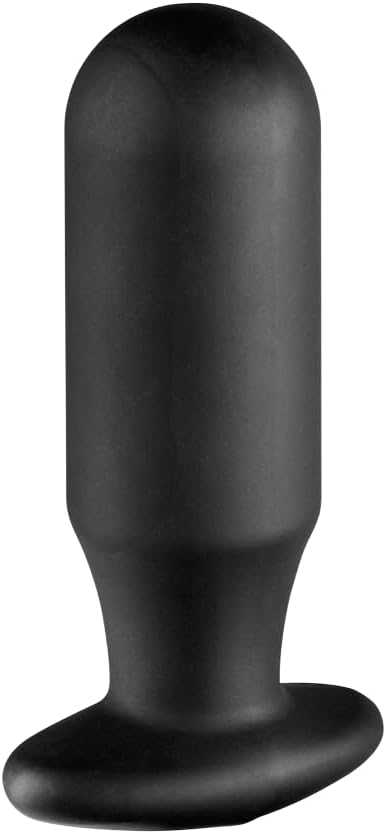
Image: Graphic illustrating the battery life and approximate 3-hour charging time for the Flick Duo device.
2. Connecting Accessories:
The Flick Duo features two isolated channels for connecting accessories. Ensure all connections are secure before use.
- ElectraPads: Attach the lead wires from the Flick Duo to the ElectraPads. Peel off the protective film and apply the self-adhesive pads to clean, dry skin.
- Silicone Noir Aura Probe: Connect the lead wire to the probe. Apply a generous amount of electro conductive gel to the probe before insertion.
- ElectraLoops Cock Rings: Connect the lead wires to the rings. Ensure proper contact with the skin.
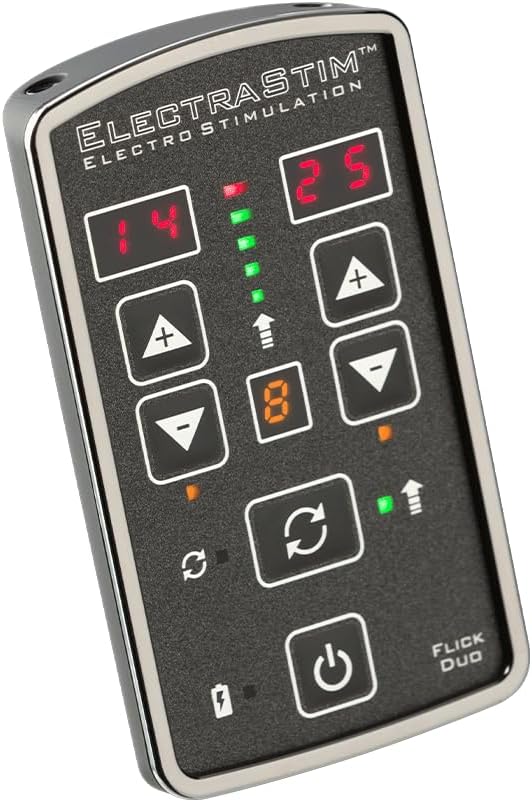
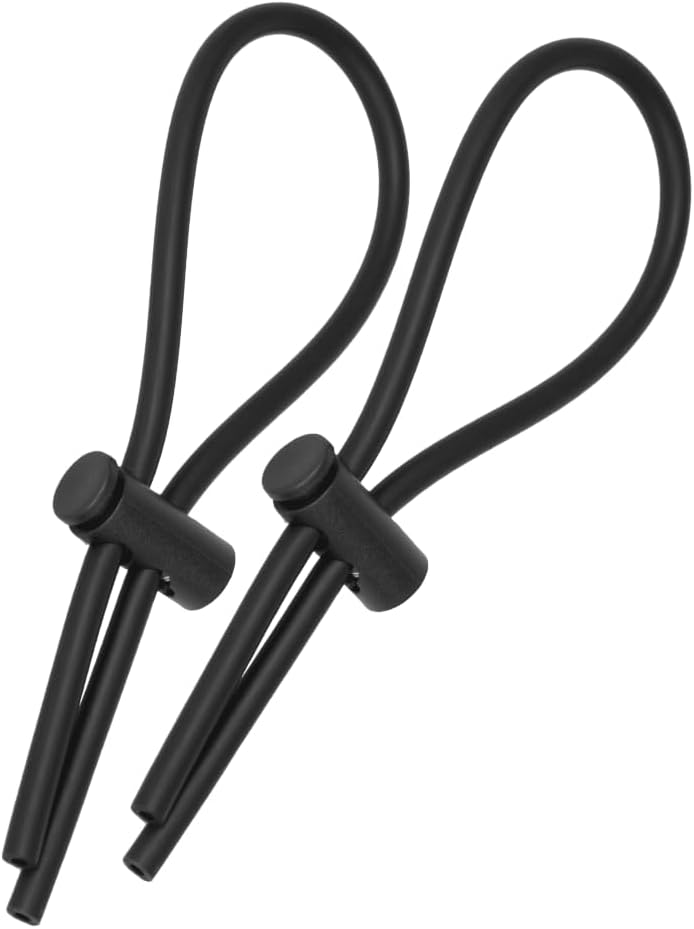
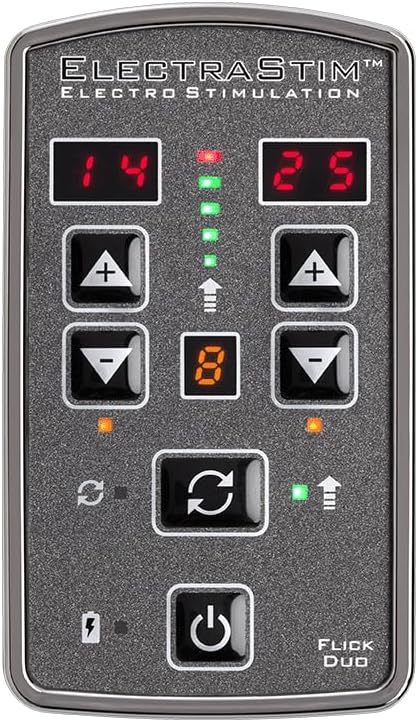
Image: The Flick Duo device with examples of the Silicone Noir Aura probe and ElectraLoops cock rings, demonstrating accessories.
Operating Instructions
1. Power On/Off:
Press and hold the power button (⏻) located at the bottom center of the device to turn the unit on or off.
2. Selecting Modes and Patterns:
The Flick Duo offers 4 motion-activated settings and 8 pre-programmed stimulation patterns. Use the mode selection buttons (often indicated by arrows or a cycle symbol) to navigate through the available options. The current pattern number will be displayed on the screen.
3. Adjusting Intensity:
There are two independent channels, each with its own intensity controls. Use the + and - buttons for each channel to increase or decrease the intensity. There are 25 intensity levels available per channel. Start at the lowest setting and gradually increase to a comfortable level.

Image: Close-up of the Flick Duo control panel, showing power, intensity, and mode selection buttons.
4. Flick Mode:
The Flick Duo features a unique "Flick Mode" which allows for motion-controlled play across both channels. Refer to the device's display for indicators related to this mode.
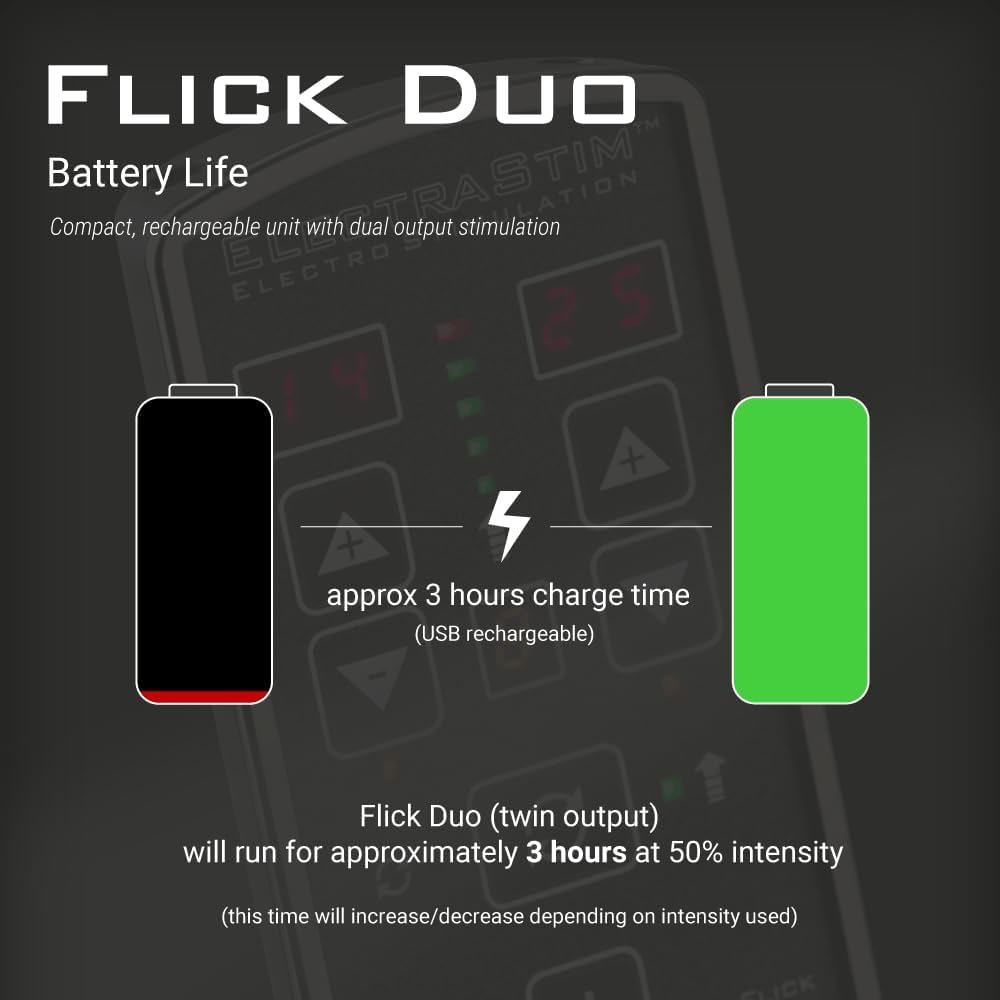
Image: Graphic demonstrating the "Flick Mode" feature of the Flick Duo, indicating motion-controlled stimulation.
Maintenance and Care
Proper care will extend the life of your ElectraStim Flick Duo and its accessories.
- Cleaning the Device: Wipe the Flick Duo stimulator with a soft, damp cloth. Do not submerge the device in water.
- Cleaning Accessories: The Silicone Noir Aura probe and ElectraLoops cock rings should be hand washed with mild soap and water after each use. Rinse thoroughly and allow to air dry completely before storage.
- ElectraPads: After use, reattach the protective film to the adhesive side of the pads to maintain their stickiness. Replace pads when they lose their adhesive quality or become dirty.
- Storage: Store all components in a clean, dry place away from direct sunlight and extreme temperatures.
Troubleshooting
If you encounter issues with your Flick Duo, please refer to the following common solutions:
| Problem | Possible Cause / Solution |
|---|---|
| Device does not power on. | Battery may be depleted. Ensure the device is fully charged. Check USB cable and power source. |
| No sensation or weak sensation. |
|
| Device unexpectedly turns off. | Battery may be low. Recharge the device. |
If the problem persists after attempting these solutions, please contact ElectraStim customer support for further assistance.
Technical Specifications
| Specification | Detail |
|---|---|
| Model Number | EM80-M |
| Brand | ElectraStim |
| Product Dimensions | 3 x 3 x 2 inches; 1 Pound |
| Batteries | 2 Product Specific batteries required (included) |
| Manufacturer | KEE HOLDINGS Inc. |
| Global Trade Identification Number (GTIN) | 00609224031601 |
Important Safety Information
Legal Disclaimer: Statements regarding dietary supplements have not been evaluated by the FDA and are not intended to diagnose, treat, cure, or prevent any disease or health condition.
General Safety Precautions:
- Do not use if you have a pacemaker, implanted defibrillator, or any other implanted electronic device.
- Consult a healthcare professional before use if you have any medical conditions, including but not limited to heart conditions, epilepsy, or are pregnant.
- Do not use on broken, irritated, or sensitive skin.
- Keep out of reach of children.
- Do not use while sleeping or driving.
- Discontinue use immediately if you experience any discomfort, pain, or adverse reactions.
- Use only with ElectraStim approved accessories and conductive gel.
Warranty and Support
ElectraStim products are designed for quality and durability. For information regarding warranty coverage and customer support, please refer to the warranty card included with your product or visit the official ElectraStim website.
You can also visit the ElectraStim Store on Amazon for additional product information and support resources.
Related documentsEM80-M

Ask a question about this manual
Ask about setup, troubleshooting, compatibility, parts, safety, or missing instructions. Manuals+ will review the question and use this page’s manual context to help answer it.